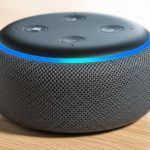
Yes, you absolutely can use your Alexa device as a Bluetooth speaker! It’s a super easy way to stream music and audio from your phone or tablet directly to your Echo. Get ready for amazing sound!
Hey there, tech explorer! Ever find yourself with a song stuck in your head, or a podcast you’re dying to share with a friend? We all love our Alexa devices for their smarts, but what if they could also be your go-to music maker? It’s a question many of us have wondered, and the answer is a resounding yes!
Think about it: you’ve got your favorite playlist ready to go on your phone, but the built-in speaker just doesn’t cut it. Or maybe you’re trying to watch a movie on your tablet, and the audio is just… meh. Wouldn’t it be awesome to pipe that sound through your Echo speaker for a richer, fuller experience? It’s like giving your everyday devices a serious audio upgrade without buying a whole new gadget!
I know sometimes tech can feel a little daunting, with all sorts of jargon and complicated steps. But trust me, using your Alexa as a Bluetooth speaker is one of the simplest and most rewarding things you can do. It’s all about making your tech work smarter and sound better for you.
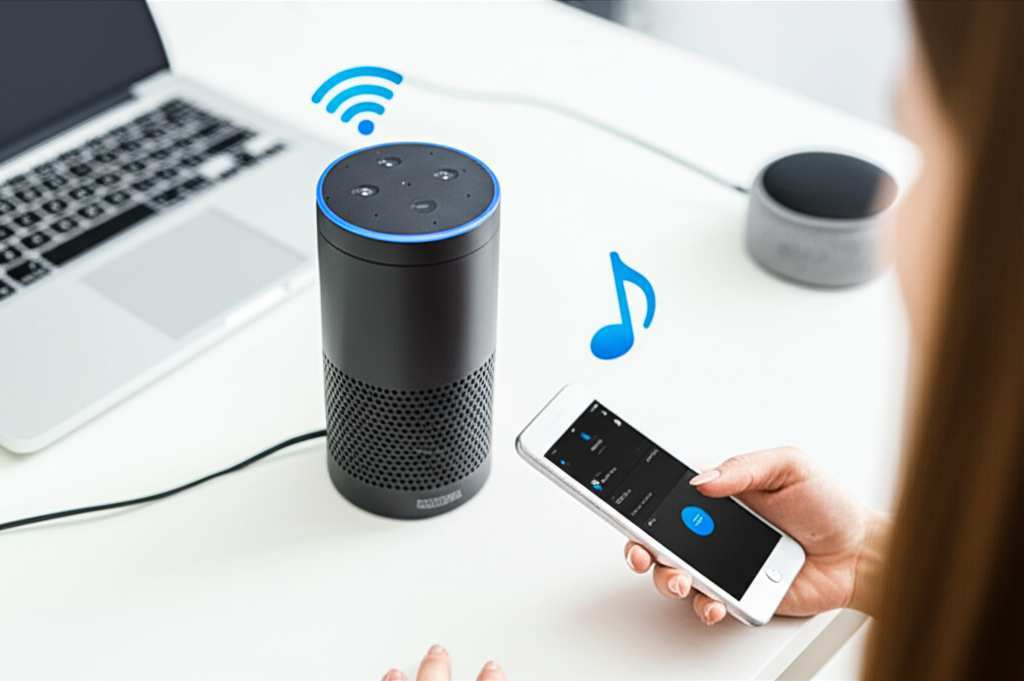
So, grab your phone, get cozy, and let’s dive into how you can turn your Alexa into a fantastic Bluetooth speaker. We’ll make this super clear, step by step. Let’s get this sound party started!
What Exactly Does This Mean? Alexa, Meet Bluetooth!
So, what’s the big deal about using Alexa as a Bluetooth speaker? It’s pretty straightforward and incredibly useful. Basically, your Alexa device (like an Echo Dot, Echo Show, or any other Echo smart speaker) has a hidden superpower: it can connect wirelessly to your other devices, just like your regular Bluetooth headphones or speakers.
This means you can send audio from your smartphone, tablet, or even your computer directly to your Alexa. Think of it as a wireless bridge for your sound. Instead of playing music from your phone’s tiny speaker, you’re now playing it through the much more powerful and clear speaker of your Alexa device. It’s a game-changer for parties, movie nights, or just enjoying your favorite tunes with better quality.
Why Bother? The Awesome Perks of Bluetooth Mode
You might be thinking, “My Alexa already plays music, why would I need Bluetooth?” Great question! While Alexa can stream music directly from services like Spotify or Amazon Music, connecting via Bluetooth unlocks a whole new world of audio possibilities. It’s all about convenience and expanding your sound options.
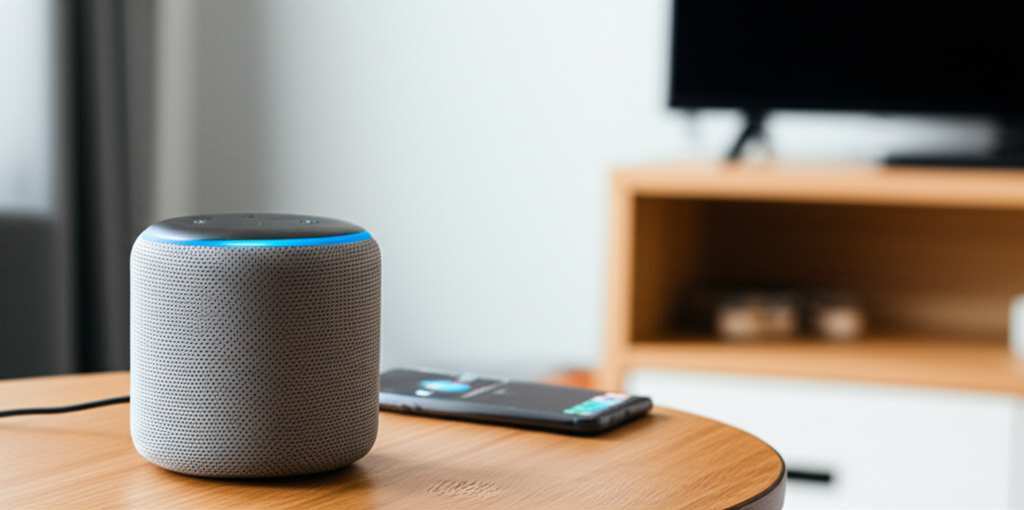
Here are some of the coolest reasons to use Alexa as a Bluetooth speaker:
- Better Sound Quality: Let’s be honest, most phone speakers are small and can sound a bit tinny. Alexa devices, especially the larger Echo speakers, have much better audio drivers. Connecting via Bluetooth means you get richer bass, clearer mids, and a more immersive listening experience for your music, podcasts, and audiobooks.
- Stream Anything: This is the big one! If you can play it on your phone or tablet, you can stream it to your Alexa. This includes YouTube videos, audio from games, sound from any app, or even that obscure podcast only available through a specific app. Alexa’s native skills might not cover everything, but Bluetooth does!
- No Extra Cost: You already have the Alexa device, and you already have your phone or tablet. This feature costs you nothing extra, making it an incredibly budget-friendly way to boost your home audio setup.
- Easy Setup: Seriously, it’s so simple. You don’t need any special cables or complicated software. A few quick taps and voice commands, and you’re good to go.
- Multi-Room Audio (with Echo devices): If you have multiple Echo devices, you can even create a multi-room music system by grouping them. While not strictly a Bluetooth feature, connecting one device via Bluetooth and then having it play through a group can enhance this experience.
It’s all about making your existing tech work harder and smarter for you. Plus, who doesn’t love good sound without a hassle?
Let’s Talk Sound: Understanding Alexa Speaker Capabilities
Before we jump into the “how-to,” it’s good to know what kind of sound experience you can expect. Alexa devices come in various shapes and sizes, and this definitely impacts their audio output.
Think of it like this: a tiny Echo Dot is designed primarily for voice commands and casual listening. It can certainly play music, but it won’t fill a large room with booming bass. On the other hand, a larger Echo Studio or even a standard Echo (4th Gen) is built with more robust audio components, delivering a much fuller and more powerful sound.
Here’s a quick rundown of how different Alexa devices generally stack up in terms of sound quality when used as Bluetooth speakers:
| Alexa Device Type | Typical Sound Quality (as Bluetooth Speaker) | Best For |
|---|---|---|
| Echo Dot (all generations) | Basic, clear for voice and casual music. Lacks bass. | Personal listening, background music in small spaces. |
| Echo (e.g., 3rd, 4th Gen) | Good, balanced sound with decent bass. Fills a medium room well. | Everyday music listening, podcasts, light entertainment. |
| Echo Studio | Excellent, immersive, room-filling sound with deep bass and Dolby Atmos support. | Audiophiles, home theater setups, serious music lovers. |
| Echo Show (various screen sizes) | Varies by model, generally comparable to Echo or Echo Dot. Screen is the focus. | Music with visuals, news, video calls, and general smart home control. |
As you can see, while all Alexa devices can act as Bluetooth speakers, the experience will differ. If you’re looking for a powerful sound system, you might want to ensure you’re using a larger Echo device. But even an Echo Dot can be a nice upgrade from your phone’s speaker for podcasts!
How to Use Your Alexa as a Bluetooth Speaker: Step-by-Step Magic!
Ready to make some noise? Connecting your phone or tablet to your Alexa via Bluetooth is super simple. There are two main ways to do it: using the Alexa app or using voice commands.
Method 1: The Alexa App – Your Digital Handyman
This method gives you a clear visual guide and is often the easiest for first-timers. It’s like having a little helper walk you through it.
-
Open the Alexa App: First things first, make sure you have the Amazon Alexa app installed on your smartphone or tablet. If not, download it from your device’s app store (Google Play Store for Android, App Store for iOS). Log in with your Amazon account.
-
Navigate to Devices: Once you’re in the app, look for the ‘Devices’ icon. It’s usually at the bottom of the screen. Tap on it.
-
Select Your Echo: You’ll see a list of your Alexa devices. Find the specific Echo device you want to use as a speaker and tap on its name.
-
Go to Bluetooth Connections: On the device’s settings screen, scroll down until you find an option for ‘Bluetooth Connections’ or something similar. Tap on that.
-
Put Alexa in Pairing Mode: You’ll see options to ‘Pair a New Device’. Tap that. Now, your Alexa device will start looking for other Bluetooth devices to connect to. You might also hear Alexa say, “Now discoverable as [Your Echo Device Name],” or you can manually tell it to enter pairing mode.
-
Open Your Phone/Tablet’s Bluetooth Settings: On your smartphone or tablet, go to your Bluetooth settings. Turn Bluetooth on if it’s not already.
-
Find and Select Your Echo: Your phone or tablet will scan for available Bluetooth devices. You should see your Alexa device’s name appear in the list (e.g., “Echo Dot from Max”). Tap on it to connect.
-
Confirmation! Once connected, your phone or tablet will usually show a connected status, and Alexa might say, “Connected to [Your Device Name].” You’re all set!
See? Easy peasy! Now, any audio you play on your phone will come out of your Alexa speaker.
Method 2: Voice Commands – The Hands-Free Hero
If you prefer using your voice or don’t have the app handy, you can also initiate pairing with a simple command. This is where Alexa really shines!
-
Activate Alexa: Say “Alexa,” followed by your command.
-
Tell Alexa to Pair: Say, “Alexa, pair Bluetooth.”
-
Listen for Confirmation: Alexa will then tell you that it’s in Bluetooth pairing mode and is discoverable. She might say something like, “Now discoverable as [Your Echo Device Name] for new Bluetooth connections.”
-
Connect from Your Device: Now, follow steps 6, 7, and 8 from the Alexa app method. Go to your phone or tablet’s Bluetooth settings, find your Echo device, and tap to connect.
And voilà! Your Alexa is now ready to be your Bluetooth sound system. It’s amazing how simple it can be when you have a smart assistant.
Playing Your Tunes: What Happens Next?
Once your devices are paired, the fun really begins. You don’t need to do anything special in the Alexa app or on your Echo device anymore. Your phone or tablet is now wirelessly connected.
Simply open any app on your phone or tablet that plays audio. This could be Spotify, Apple Music, YouTube, Audible, a game, or even the default video player. When you hit play, the sound will automatically stream to your Alexa device.
Tip: If you have multiple Bluetooth devices paired with your phone, you might need to select your Echo as the audio output device. Usually, your phone defaults to the most recently connected or preferred device. If you’re not hearing sound, check your phone’s media output settings.
Switching Back and Managing Devices
Life isn’t always about just one connection, right? You might want to switch back to your phone’s speaker or connect to your Bluetooth headphones. Here’s how to manage it.
Disconnecting
To stop using Alexa as a Bluetooth speaker, you have a few easy options:
-
Voice Command: Say, “Alexa, disconnect Bluetooth.” Alexa will confirm that the connection has been terminated.
-
Alexa App: Go back to the ‘Bluetooth Connections’ in your Echo device’s settings in the Alexa app. You should see your connected device listed. Tap on it and select ‘Disconnect’.
-
Phone/Tablet Settings: You can also go into your phone or tablet’s Bluetooth settings, find your Echo device, and tap ‘Disconnect’ or ‘Forget Device’ (if you don’t want to reconnect easily later).
Reconnecting
The beauty of Bluetooth pairing is that once devices are paired, they usually remember each other. So, to reconnect:
-
Voice Command: Say, “Alexa, connect to [Your Device Name]” (e.g., “Alexa, connect to Max’s iPhone”). Alexa should confirm the connection.
-
Alexa App: Go to Bluetooth Connections, find your device, and tap ‘Connect’.
-
Phone/Tablet Settings: Simply go to your phone’s Bluetooth settings and tap on your Echo device name in the list of paired devices.
You can pair multiple devices with your Alexa, but it can only actively stream audio from one at a time. If you have trouble connecting, it’s often best to disconnect from any other active Bluetooth connections on your phone or tablet first.
Troubleshooting Common Issues
Sometimes, tech doesn’t play nice right away. If you’re having trouble getting your Alexa to connect or play audio, don’t worry! Here are a few common hiccups and how to fix them:
-
Alexa Not Discoverable: Make sure you’ve explicitly told Alexa to “pair Bluetooth” or “enter pairing mode.” Sometimes a simple restart of the Alexa device can help too. Unplug it, wait 10 seconds, and plug it back in.
-
Phone/Tablet Can’t Find Alexa: Ensure Bluetooth is enabled on your phone/tablet. Also, check that your Alexa device is powered on and within Bluetooth range (usually around 30 feet/10 meters).
-
Connected, But No Sound: Double-check that the volume is turned up on both your Alexa device and your phone/tablet. Also, confirm that your phone/tablet is actually sending audio to the Alexa device and not another Bluetooth accessory.
-
Choppy or Interrupted Audio: This is often due to interference or distance. Try moving your phone/tablet closer to your Alexa device. Ensure there aren’t too many other wireless devices (like microwaves or other Bluetooth gadgets) causing interference.
-
Can’t Pair After Previous Connection: Sometimes, a device can get “stuck” on a previous connection. Try telling Alexa to “forget Bluetooth devices” and then start the pairing process again from scratch.
If you’re still stuck, a quick restart of both your Alexa device and your phone/tablet can work wonders. For more in-depth help, Amazon’s support pages are a great resource!
Alexa vs. Dedicated Bluetooth Speakers: What’s the Difference?
This is a fantastic question for anyone looking to maximize their audio setup. While using Alexa as a Bluetooth speaker is incredibly convenient, it’s not always a direct replacement for a dedicated Bluetooth speaker. Let’s break down why.
| Feature | Alexa as Bluetooth Speaker | Dedicated Bluetooth Speaker |
|---|---|---|
| Primary Function | Smart Assistant, secondary speaker. | Audio playback, portability. |
| Sound Quality | Varies by Echo model; generally good for smart speakers. Larger Echos are better. | Often superior, especially in mid-range to high-end models designed purely for sound. |
| Portability | Requires Wi-Fi and power outlet. Not portable. | Often battery-powered, designed for easy transport. |
| Ease of Use (Audio) | Very easy via app or voice. | Simple pairing, direct control via device. |
| Smart Features | Full Alexa assistant capabilities (weather, timers, smart home). | None (unless it’s a smart speaker with Bluetooth). |
| Cost | Included with your Echo device purchase. | Ranges from budget-friendly to premium prices. |
The main takeaway here is that dedicated Bluetooth speakers are engineered for sound and portability. They often pack more audio punch for their size and can go anywhere with you. However, if you already have an Echo device and want to stream audio from your phone without buying something new, using Alexa as a Bluetooth speaker is an amazing, cost-effective solution. It’s perfect for home use where you value the smart features alongside improved audio.
For example, a robust portable Bluetooth speaker like a JBL Charge 5 offers incredible battery life and ruggedness for outdoor adventures, something your stationary Echo can’t do. But if you’re in your living room and want to play that new album from your phone with better sound than your phone provides, your Echo is ready for duty!
Fun Facts & Extra Tips!
Did you know that Bluetooth technology has been around since the late 90s? It was initially developed by Ericsson to simplify communication between mobile phones and accessories. Now, it’s everywhere, connecting everything from your car stereo to your smart toothbrush!
Here are a few extra tips to make your Alexa Bluetooth experience even better:
- Keep it Updated: Ensure your Alexa app and your Echo device’s software are up to date. Amazon frequently pushes updates that can improve performance and connectivity.
- Volume Control: You can control the volume using your voice (“Alexa, volume up/down”), the Alexa app, or the volume controls on your phone/tablet. It’s good to know all your options!
- Stereo Sound (for some Echos): If you have two identical Echo devices (like two Echo Plus or two Echo Dots), you can group them in the Alexa app to create a stereo pair. This isn’t strictly a Bluetooth function, but it enhances the overall audio experience if you’re streaming via Bluetooth to one of them.
- “Alexa, what is playing?” If you’re unsure what audio is currently streaming to your Alexa via Bluetooth, you can ask, “Alexa, what is playing?” She’ll tell you the app or source.
- Forget Unused Devices: To keep your Bluetooth list clean, it’s a good idea to “forget” devices you no longer use from both your phone/tablet and your Alexa device’s Bluetooth settings.
These little tricks can make a big difference in how smoothly everything works. Happy listening!
Frequently Asked Questions (FAQ)
Q1: Can I use my Alexa as a Bluetooth speaker for my TV?
A1: This is a common question! Generally, no, you can’t directly connect your TV’s audio output to an Alexa device via Bluetooth. Most TVs don’t have Bluetooth output, and Alexa devices aren’t designed to receive TV audio this way. You’d typically need a dedicated Bluetooth transmitter for your TV or a soundbar with Bluetooth input.
Q2: Does using Bluetooth drain my Alexa’s battery?
A2: Alexa devices like the Echo Dot, Echo, and Echo Studio need to be plugged into a power outlet, so they don’t have batteries to drain. If you have an Echo device with a battery option (like some older portable models or accessories), Bluetooth usage will consume power, just like it does on your phone.
Q3: How many devices can I pair with my Alexa?
A3: Your Alexa device can remember multiple Bluetooth devices. However, it can only be actively connected and streaming audio from one device at a time.
Q4: Will Alexa still respond to voice commands when it’s acting as a Bluetooth speaker?
A4: Yes! Even when connected to your phone via Bluetooth for audio playback, your Alexa device will still listen for its wake word (“Alexa,” “Echo,” etc.) and respond to your commands for other functions like setting timers, checking the weather, or controlling smart home devices.
Q5: Is the sound quality as good as a dedicated Bluetooth speaker?
A5: It depends! For smaller Echo devices like the Echo Dot, the sound quality is decent but won’t rival a dedicated, high-quality Bluetooth speaker. Larger Echo devices (like the Echo or Echo Studio) offer much better sound, and for many users, it’s perfectly adequate or even superior to their phone’s speaker.
Q6: What’s the range for Bluetooth connection with Alexa?
A6: The standard Bluetooth range is typically around 30 feet (10 meters) in an open area with no obstructions. Walls and other electronic devices can reduce this range.
Q7: Can I use two Echo Dots as a stereo Bluetooth speaker pair?
A7: You can group two identical Echo devices (like two Echo Dots) in the Alexa app to create a stereo pair for music streaming. However, this grouping is for Alexa’s native streaming services. For Bluetooth audio, you generally connect one device at a time. Some advanced setups might exist, but for standard use, one Echo device handles the Bluetooth audio input.
Wrapping Up: Your Sound, Your Way!
So there you have it! You’ve learned that your trusty Alexa device is more than just a smart assistant – it’s a capable Bluetooth speaker too. We’ve walked through how to connect, play, disconnect, and even troubleshoot those little hiccups.
It’s amazing how a simple feature like Bluetooth can transform your existing gadgets. Now you can easily enjoy your music, podcasts, and videos with richer, more satisfying sound. No need to buy extra speakers if you’ve already got an Echo at home!
Give it a try with your favorite playlist or that video you’ve been wanting to watch. You might be surprised at how much better it sounds. Explore, experiment, and most importantly, enjoy the enhanced audio experience!
Now go enjoy amazing sound and make every moment louder and better! Happy listening!