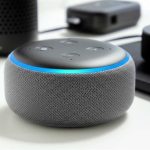
Alexa Echo is Amazon’s own smart speaker line, while Alexa-enabled speakers are from other brands that use Amazon’s Alexa voice assistant. Think of Echo as the “original” with more features, and enabled speakers as “friends” who also understand Alexa.
Hey there, tech explorer! Ever find yourself staring at a wall of speaker options, wondering which one is the right fit for your home? It’s like standing in front of a giant buffet, right? You want the best bites, but it’s all a bit overwhelming.
We all love a good speaker. They fill our homes with music, make movie nights epic, and even help us get ready in the morning. But when you hear terms like “Alexa Echo” and “Alexa-enabled,” it can get a little fuzzy. What’s the real scoop?
Don’t worry, I’ve got your back! We’re going to break down the difference between these smart speakers in a way that’s super simple and totally clear. You’ll be a smart speaker pro in no time.
So, let’s dive in and make sense of it all. Ready to demystify smart speakers? Let’s go!
What’s the Big Deal with Smart Speakers?
Imagine this: you’re cooking, your hands are covered in flour, and you want to change the song. Instead of wiping your hands and fumbling with your phone, you just say, “Hey Alexa, play my cooking playlist.” Boom! Music fills the kitchen.
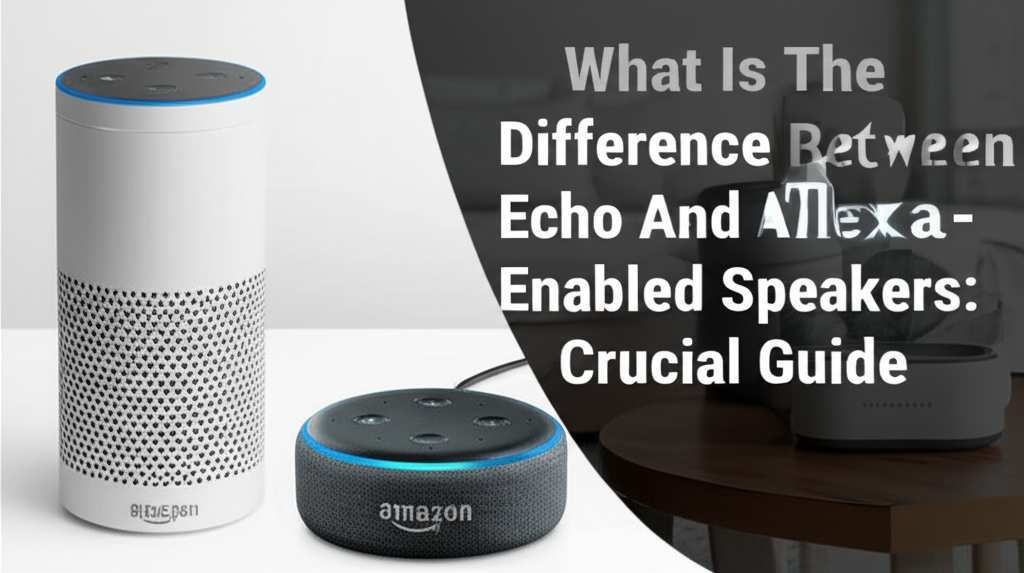
That’s the magic of smart speakers, and especially those powered by Alexa. They’re like little helpers that listen to your voice commands. You can ask them questions, control your smart home gadgets, set reminders, and, of course, play your favorite tunes.
But with so many choices out there, it’s easy to get lost. You see Amazon’s own devices, called Echo, and then you see speakers from brands like Sonos, Bose, and others that also say they work with Alexa. It’s natural to wonder, “Are they the same? What’s different?”
This guide is here to clear the air. We’ll walk through what makes an Alexa Echo special and what it means when a speaker is just “Alexa-enabled.” By the end, you’ll know exactly what you’re looking for.
Let’s Talk About Alexa Echo: The Amazon Family
When people say “Alexa speaker,” they often first think of the Amazon Echo. This is because Echo devices are made by Amazon itself. They are the original smart speakers that brought Alexa into millions of homes.
Think of the Echo line as the heart of the Alexa ecosystem. Amazon designs these speakers from the ground up. This means they often get the newest Alexa features and software updates first. They’re like the flagship models.
There are many different Echo devices. You have the standard Echo speaker, the smaller Echo Dot, the Echo Show with a screen, and even the powerful Echo Studio for amazing sound. Each one is designed for a slightly different need or room.
Key Features of Amazon Echo Devices
Amazon packs its Echo devices with a bunch of cool features. They’re built to be more than just speakers; they’re hubs for your smart home and your digital life.
Here are some things that make Echo devices stand out:
Deep Alexa Integration: Since Amazon makes both Alexa and the Echo, the integration is super smooth. You get the full Alexa experience right out of the box.
Amazon Ecosystem Benefits: If you’re already an Amazon Prime member or use other Amazon services, Echo devices work seamlessly. Think music streaming, shopping, and more.
Advanced Smart Home Control: Echo devices are often designed to be central hubs for controlling smart lights, thermostats, locks, and other connected gadgets.
Exclusive Features: Sometimes, Amazon rolls out new Alexa skills or features specifically for its Echo devices first. This can include things like advanced communication features or unique interactive experiences.
Variety of Form Factors: From the tiny Echo Dot to the audio-focused Echo Studio and the screen-equipped Echo Show, Amazon offers a wide range of devices to fit different budgets and uses.
Let’s look at a few popular Echo models to see how they differ:
| Echo Device | Key Feature | Best For |
|---|---|---|
| Echo Dot | Compact size, affordable price | Adding Alexa to small spaces or as a secondary speaker. |
| Echo (Standard) | Balanced sound, good all-rounder | Everyday music, general smart home control, and voice assistance. |
| Echo Show | Built-in touchscreen display | Visual information, video calls, smart home dashboards, recipes. |
| Echo Studio | High-fidelity audio, Dolby Atmos support | Audiophiles and those wanting the best sound quality for music and movies. |
This table gives you a quick peek at the Echo family. Each one offers that core Alexa experience but with different strengths. The Echo Dot is perfect for a bedroom, while the Echo Studio is for your living room where you want to really feel the music.
Now, What About Alexa-Enabled Speakers?
Okay, so you’ve met the Amazon Echo family. Now let’s talk about the other guys – the Alexa-enabled speakers. These are speakers made by other companies, like Sonos, Bose, or Harman Kardon, that have chosen to build Alexa’s voice assistant into their own hardware.
Think of it like this: Amazon created the Alexa brain. Other companies then took that brain and put it inside their own cool bodies (their speakers). So, you get the smarts of Alexa, but with the sound quality or design that a specific brand is known for.
These speakers still listen for the wake word, “Alexa.” They can do many of the same things an Echo device can do, like play music, answer questions, and control smart home devices. The main difference is that the speaker itself is not made by Amazon.
Why Would a Brand Make an Alexa-Enabled Speaker?
Brands choose to make Alexa-enabled speakers for a few good reasons. It’s a smart move for them and often a great choice for you too!
Here’s why it makes sense:
Leveraging Popularity: Alexa is one of the most popular voice assistants out there. By integrating Alexa, these companies can offer a familiar and powerful voice control experience to their customers.
Focus on Audio Quality: Many of these brands are audio experts. They can focus on creating fantastic sound quality, premium design, and advanced audio features, while Alexa handles the voice commands.
Wider Choice for Consumers: This creates more options for you! You might prefer the sound profile of a Bose speaker or the multi-room audio capabilities of Sonos. By adding Alexa, they give you the best of both worlds.
Building on Existing Platforms: Instead of building a whole new voice assistant from scratch, which is incredibly complex and expensive, they can plug into a well-established one like Alexa.
It’s a win-win situation. The speaker company gets to offer a compelling smart product, and you get a high-quality speaker with the convenience of Alexa.
Comparing Echo vs. Alexa-Enabled: The Key Differences
So, what are the real nitty-gritty differences? Let’s break it down into a few key areas. This will help you see which type of speaker might be better for what you need.
Here’s a look at how they stack up:
1. Software and Feature Updates
Alexa Echo: Amazon controls the software entirely. This means new Alexa features, improvements, and security updates are rolled out directly and often quickly. You’re always on the cutting edge of Alexa.
Alexa-Enabled: These speakers rely on Amazon to provide the Alexa software. While they get updates, there can sometimes be a slight delay compared to Echo devices. The speaker manufacturer also manages the speaker’s own firmware and audio settings.
2. Ecosystem Integration
Alexa Echo: Seamless integration with other Amazon services like Amazon Music, Audible, Prime Video (on Echo Show), and Amazon’s shopping platform. They are designed to be the central point for your Amazon-centric smart home.
Alexa-Enabled: They work well with Alexa services, but the integration might not be as deep or as seamless as with an Echo. For example, some advanced Alexa features might be exclusive to Echo devices. However, they often integrate very well with their own brand’s ecosystem (e.g., Sonos multi-room audio).
3. Design and Sound Quality
Alexa Echo: Amazon offers a range of designs and sound profiles, from basic to premium. The Echo Studio is their top-tier audio offering. However, their primary focus is on delivering the Alexa experience along with good sound.
Alexa-Enabled: This is where these speakers often shine. Brands like Bose, Sonos, and Harman Kardon have decades of experience in audio engineering. They can offer superior sound fidelity, richer bass, clearer highs, and more sophisticated speaker designs. If pristine audio is your top priority, these are often the way to go.
4. Smart Home Hub Capabilities
Alexa Echo: Many Echo devices (like the Echo Plus and newer standard Echos) include a built-in Zigbee smart home hub. This allows them to directly connect to and control a wider range of smart home devices without needing a separate hub.
Alexa-Enabled: Some Alexa-enabled speakers might have smart home hub capabilities, but it’s less common. You might need separate smart home hubs or rely more on Wi-Fi-connected devices that connect through Alexa.
5. Price Point
Alexa Echo: Amazon often has competitive pricing, especially during sales events like Prime Day. The Echo Dot is usually very affordable, making Alexa accessible to everyone.
Alexa-Enabled: Prices can vary widely. Premium audio brands often come with a higher price tag, reflecting their superior build quality and sound engineering. However, you can also find more budget-friendly Alexa-enabled speakers from various brands.
Let’s visualize this with a quick comparison table:
| Feature | Amazon Echo | Alexa-Enabled Speakers (e.g., Sonos, Bose) |
|---|---|---|
| Manufacturer | Amazon | Third-party brands (Sonos, Bose, Harman Kardon, etc.) |
| Alexa Integration | Native, deepest integration | Excellent, but may lack some exclusive Echo features |
| Audio Quality | Good to Excellent (e.g., Echo Studio) | Often Superior, brand-focused expertise |
| Smart Home Hub | Often built-in (Zigbee) on select models | Less common, may require separate hubs |
| Ecosystem | Deep Amazon integration | Integrates with Alexa; strong brand ecosystems too |
| Updates | Direct and often faster from Amazon | Updates managed by both Amazon (Alexa) and manufacturer (speaker) |
| Design Variety | Wide range from Amazon | Diverse designs from various brands, often premium |
See? This table really helps clarify where each type of speaker tends to excel. If you’re all-in on Amazon’s services and want the latest Alexa features the moment they drop, an Echo is fantastic. If you’re a music lover who prioritizes sound and wants Alexa as a bonus, an Alexa-enabled speaker from a trusted audio brand might be your jam.
Which One Is Right for You?
The million-dollar question! Deciding between an Alexa Echo and an Alexa-enabled speaker really comes down to your personal priorities. Let’s think through some scenarios.
Choose an Amazon Echo If:
You’re an Amazon Devotee: You use Prime Music, Audible, or shop on Amazon a lot. The seamless integration will be a huge plus.
You Want the Latest Alexa Features First: You love being on the cutting edge and want to try new Alexa skills and capabilities as soon as they’re released.
Budget is a Big Factor: Amazon often has very competitive prices, especially for the Echo Dot, making it a great entry point into smart speakers.
You Need a Built-in Smart Home Hub: If you plan to build a robust smart home and want to connect many different types of devices easily, an Echo with a built-in hub is super convenient.
Simplicity is Key: You want a device that is designed and supported entirely by one company, making troubleshooting and updates straightforward.
Choose an Alexa-Enabled Speaker If:
Sound Quality is Your Top Priority: You are an audiophile or simply appreciate richer, more detailed sound. Brands like Sonos and Bose are renowned for their audio engineering.
You Prefer a Specific Brand’s Design: You might love the look and feel of a particular brand’s speakers that you already own or admire.
You Want to Integrate into an Existing Multi-Room Audio System: Brands like Sonos are masters of multi-room audio. Adding an Alexa-enabled Sonos speaker can expand your existing system with voice control.
You Want a Premium Build and Aesthetics: Many third-party speakers use higher-quality materials and offer more sophisticated designs that can better match your home decor.
* You’re Willing to Spend a Bit More for Premium Features: You understand that top-tier sound and design often come with a higher price tag, and you’re happy to invest in it.
Setting Up Your New Smart Speaker: A Quick Guide
No matter which type of speaker you choose, the setup process is usually quite similar and pretty straightforward. Amazon and other manufacturers have made it really user-friendly.
Here’s a general idea of what to expect:
1. Unpack Your Speaker: Take your new speaker out of the box. Make sure you have the power adapter.
2. Plug It In: Connect the power adapter to the speaker and plug it into a wall outlet. The speaker should light up or make a sound to indicate it’s powering on.
3. Download the App: On your smartphone or tablet, download the Amazon Alexa app from your device’s app store (Apple App Store or Google Play Store). If you chose an Alexa-enabled speaker, you might also need its specific app (like the Sonos app).
4. Open the App and Sign In/Create Account: Open the Alexa app and sign in with your Amazon account. If you don’t have one, you’ll need to create one. For other apps, follow their instructions.
5. Add a New Device: In the Alexa app, go to the “Devices” section and tap the plus (+) icon. Select “Add Device” and then choose “Amazon Echo” or the brand of your Alexa-enabled speaker.
6. Follow On-Screen Instructions: The app will guide you through connecting the speaker to your Wi-Fi network. This usually involves putting the speaker into setup mode (often by holding a button) and then selecting your Wi-Fi network name and entering the password.
7. Personalize Your Experience: Once connected, you can set your location, choose your preferred music services, link other smart home devices, and explore Alexa skills.
It really is that simple! Most of the time, the app does all the heavy lifting for you. It’s like following a recipe – just follow the steps, and you’ll have a working smart speaker in no time.
Fun Facts About Alexa and Smart Speakers
Did you know that the first Amazon Echo device was released way back in 2014? It was a pretty groundbreaking moment for voice technology in homes. Since then, millions of these devices have been sold worldwide.
According to Statista, the global smart speaker market is projected to continue growing significantly, with billions of dollars in revenue. This shows just how popular and essential these devices are becoming in our daily lives. It’s not just a fad; it’s a fundamental shift in how we interact with technology.
Also, here’s a cool tidbit: when you say “Alexa,” you’re actually waking up a complex system of cloud-based artificial intelligence. Your voice command is sent to Amazon’s servers, processed, and then the response is sent back to your speaker. Pretty neat, right?
Frequently Asked Questions (FAQs)
Got more questions buzzing around? That’s totally normal! Here are some common ones beginner users ask.
Can I use Alexa-enabled speakers without an Amazon account?
No, you’ll need an Amazon account to set up and use any Alexa device, whether it’s an Amazon Echo or an Alexa-enabled speaker. This account is used to manage your device settings, preferences, and link to services like music streaming.
Do Alexa-enabled speakers sound better than Echo speakers?
Often, yes. Brands that specialize in audio quality, like Bose and Sonos, typically put more emphasis and resources into their speaker hardware and sound tuning. This can result in a richer, more nuanced audio experience compared to many standard Echo devices. However, Amazon’s Echo Studio is designed for high-fidelity sound and competes strongly in this area.
Can I use both Echo and Alexa-enabled speakers in the same house?
Absolutely! You can have multiple Alexa devices from different brands in your home. They all work together under your single Amazon account, meaning you can control them all with your voice and use them for multi-room audio if they support it.
What’s the difference between Alexa and Google Assistant?
Alexa is Amazon’s voice assistant, while Google Assistant is Google’s. They offer similar core functionalities like answering questions, playing music, and controlling smart homes. The main differences lie in their knowledge bases (Google has a massive search engine advantage), their ecosystem integrations (Alexa with Amazon, Google Assistant with Google services), and the specific features and skills available for each.
Will my Alexa-enabled speaker get the same new features as an Echo?
Most core Alexa features will be available on Alexa-enabled speakers. However, Amazon sometimes rolls out experimental or deeply integrated features specifically for its own Echo devices first. You’ll get the vast majority of Alexa’s capabilities, but occasionally there might be a slight lag or a feature that remains Echo-exclusive.
Can I make calls with any Alexa speaker?
Yes, most Alexa devices, including Echo and many Alexa-enabled speakers, can be used for voice calls. You can call other Alexa devices (like other Echos in your home or friends’ Echos) or use Alexa Calling and Messaging to call mobile and landline numbers in certain regions.
Do I need Wi-Fi for these speakers?
Yes, Wi-Fi is essential for almost all smart speaker functions. They use Wi-Fi to connect to the internet, process your voice commands, stream music, and communicate with other smart devices. Some speakers might have Bluetooth as a backup for direct music playback from your phone, but the core smart assistant features require Wi-Fi.
Wrapping It All Up: Your Smart Speaker Journey
Phew! We’ve covered a lot of ground, haven’t we? From understanding the core difference between an Amazon Echo and an Alexa-enabled speaker to figuring out which one fits your life best, you’re now armed with the knowledge to make a smart choice.
Remember, an Alexa Echo is Amazon’s own creation, offering deep integration and often the latest Alexa updates. Alexa-enabled speakers are from other amazing brands that have chosen to bring Alexa’s voice smarts to their own high-quality audio hardware.
Whether you go for the familiar embrace of an Echo or the sonic excellence of a Bose or Sonos speaker powered by Alexa, you’re stepping into a world of convenience and fun. You can ask questions, control your home with your voice, and fill your space with your favorite sounds.
Don’t be afraid to explore! Check out reviews, listen to demos if you can, and think about what matters most to you – be it budget, sound quality, or seamless integration with your favorite services.
Now go enjoy amazing sound and make every moment louder and better! Happy listening!