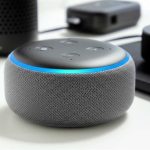
Yes, you absolutely can use Alexa with Bose and Sonos speakers! Many Bose and Sonos models have Alexa built-in or can connect to an Echo device, letting you control music, smart home gadgets, and more with your voice.
Hey there, tech adventurers! Max here from AffTechy.com, your go-to buddy for all things gadgety and awesome. You know, we all love our music, podcasts, and maybe even the occasional audiobook playing in the background. And let’s be honest, having great sound makes everything better – from movie nights to just chilling out after a long day. But sometimes, figuring out which speaker works with which voice assistant can feel like trying to solve a Rubik’s Cube blindfolded, right?
I’ve heard from so many of you who love the rich sound of Bose or the smart capabilities of Sonos, but you’re also big fans of Alexa and her helpful voice. You’re probably wondering, “Can I get these two worlds to play nicely together?” It’s a super common question, and I’m here to tell you the answer is a resounding YES!
It’s like having your favorite playlist perfectly matched with the ultimate listening experience. We’re going to dive deep into how you can make your Bose or Sonos speakers sing with Alexa. No confusing jargon, just plain-talk explanations and easy steps. So, grab your favorite drink, get comfy, and let’s break down how to get Alexa and your amazing speakers working together in perfect harmony. It’s going to be fun, I promise!
Alexa and Your Speakers: A Match Made in Tech Heaven
Think about it: you’re in the kitchen, hands covered in flour, and you want to change the song. Or maybe you’re snuggled on the couch, deep into a movie, and the lights are just a little too bright. This is where voice assistants like Alexa shine. They let you control your environment and your entertainment without lifting a finger.
Now, imagine combining that convenience with the incredible sound quality that Bose is famous for, or the smart, multi-room audio magic that Sonos offers. It’s not just a dream; it’s totally achievable! Many of us have Alexa devices like Echo Dots or Echo Shows already, and we love them. But when it comes to high-fidelity audio, brands like Bose and Sonos often steal the show. The big question on everyone’s mind is: can these two powerhouses actually work together?
The short answer is a big, fat, YES! And the even better news? It’s often simpler than you might think. Whether you want to stream music, control your smart home, or just get a quick weather update, your Alexa voice commands can flow seamlessly through your Bose or Sonos speakers. Let’s explore how this amazing tech symphony can play out in your home.
Understanding the Connections: How Does It Work?
Before we jump into the “how-to,” let’s quickly touch on the “why” and “how” behind it all. Think of Alexa as the conductor and your speakers as the orchestra. For them to play together beautifully, there needs to be a way for the conductor’s instructions to reach the musicians.
There are generally two main ways this happens:
Built-in Alexa: Some Bose and Sonos speakers are designed with Alexa right inside them. These are like self-contained units where the speaker is the Alexa device. You just need to set them up with your Wi-Fi and Amazon account.
Connecting to an Existing Alexa Device: Other Bose and Sonos speakers don’t have Alexa built-in, but they can still receive commands from your existing Alexa devices (like an Echo Dot). This usually happens through Wi-Fi streaming or Bluetooth.
It’s a bit like having a smart fridge that can talk to your smart speaker, versus having a regular fridge that your smart speaker can tell you when you’re out of milk (if you have a smart milk carton, that is!). The technology is clever, and it’s all about making your life easier and your audio experience richer.
Can I Use Alexa With Bose Speakers? Let’s Find Out!
Bose is known for its incredible sound quality, and many people love their speakers for that reason alone. If you’re a Bose fan and an Alexa user, you’re in luck! Bose has embraced smart assistants, and there are a few ways to get Alexa integrated with their audio gear.
Bose Speakers with Alexa Built-In
Some of Bose’s newer smart speakers come with Alexa already integrated. This means you don’t need a separate Echo device to control them with your voice. They are designed to be Alexa-enabled right out of the box.
Bose Smart Soundbar Series: Many of Bose’s soundbars, like the Soundbar 700 and 900, have Alexa built-in. This is fantastic for your living room, turning your TV audio experience into a voice-controlled hub.
Bose Portable Smart Speaker: This is a super versatile speaker. It has Alexa built-in, so you can take your voice commands and amazing Bose sound wherever you go in your house.
Bose Smart Speaker 300 & 500: These dedicated smart speakers also feature Alexa integration, offering that signature Bose sound with all the conveniences of a voice assistant.
If you have one of these models, setting it up is usually straightforward. You’ll typically download the Bose Music app, connect the speaker to your Wi-Fi, and then link it to your Amazon Alexa account through the app. The app will guide you through the process, and soon you’ll be asking Alexa to play your favorite tunes through your beautiful Bose speaker.
Using Alexa with Bose Speakers That Don’t Have Alexa Built-In
What if you have a fantastic Bose speaker that doesn’t have Alexa built-in, like some of their older SoundLink models or the original Solo soundbar? Don’t worry, there are still ways to make them work together!
Bluetooth Connection: Most modern Bose speakers, even those without built-in Alexa, support Bluetooth. You can pair your Bose speaker with an Amazon Echo device (like an Echo Dot, Echo Show, or even your Alexa app on your phone) via Bluetooth. Once paired, Alexa can stream audio directly to your Bose speaker. This is a super easy way to get Alexa’s voice and music playing through your Bose sound.
How to connect via Bluetooth:
1. Put your Bose speaker in Bluetooth pairing mode. (Check your speaker’s manual for exact steps, but it usually involves holding down a Bluetooth button).
2. Open the Alexa app on your phone or tablet.
3. Go to Devices > Echo & Alexa > Select your Echo device > Bluetooth Connections > Pair a New Device.
4. Your Bose speaker should appear in the list. Select it to pair.
5. Once connected, say, “Alexa, play [song name] on [Bose speaker name].”
Auxiliary (Aux) Cable: Some Bose speakers have an auxiliary input (a 3.5mm jack). If your Alexa device (like an Echo Dot) also has an audio output, you can connect them with an aux cable. This creates a direct wired connection. It’s a bit less “wireless freedom,” but it’s a reliable way to get Alexa’s audio to your speaker. Just plug one end into your Echo device’s audio out and the other into your Bose speaker’s aux in.
Can I Use Alexa With Sonos Speakers? The Smart Sound Experience!
Sonos has built a massive following by creating a fantastic ecosystem for wireless, multi-room audio. They’re all about great sound and seamless streaming. And yes, Alexa fits right into the Sonos world beautifully!
Sonos Speakers with Alexa Built-In
Sonos was one of the first to really embrace voice control with their own speakers. They have models that come with Alexa (and Google Assistant) built right in.
Sonos One (Gen 1 & Gen 2): This was a game-changer. The Sonos One is a compact smart speaker with Alexa built-in. It delivers that rich Sonos sound and all the voice control you could want. The Gen 2 model offers slightly improved internals and memory.
Sonos Beam (Gen 1 & Gen 2): This is a compact smart soundbar. It has Alexa built-in, making it perfect for your TV. You can control your TV, music, and smart home devices all with your voice, all while enjoying excellent audio for movies and shows.
Sonos Arc: This is Sonos’s premium soundbar. It also features Alexa built-in, offering Dolby Atmos support for an immersive cinematic experience.
Sonos Move: This is Sonos’s portable smart speaker. It has both Alexa and Google Assistant built-in, plus Wi-Fi and Bluetooth. It’s designed for both indoor and outdoor use, giving you smart features and great sound wherever you are.
Setting up these speakers with Alexa is typically done through the Sonos app. You’ll connect the speaker to your Wi-Fi network, then link your Amazon Alexa account within the Sonos app. The app guides you through enabling Alexa skills and setting up your voice preferences.
Using Alexa with Sonos Speakers That Don’t Have Alexa Built-In
Sonos also offers speakers that don’t have microphones or Alexa built-in, like the Sonos Play:3, Play:5, or the Sonos Sub. But don’t fret! You can still control these with Alexa.
Using an Existing Alexa Device: If you already have an Echo Dot, Echo Show, or any other Alexa-enabled device, you can simply ask it to play music on your Sonos system.
How to connect:
1. First, ensure your Sonos speakers are set up on your Wi-Fi network using the Sonos app.
2. Open the Alexa app on your phone or tablet.
3. Go to Devices > Add Device.
4. Select “Sonos” and follow the on-screen instructions to link your Sonos account to Alexa. This usually involves enabling the Sonos skill for Alexa.
5. Once linked, you can say commands like, “Alexa, play my ‘Morning Jazz’ playlist on Sonos,” or “Alexa, turn up the volume on the Living Room Sonos.”
6. You can even specify which Sonos speaker or group of speakers you want to play music on.
Bluetooth (for Sonos Move): As mentioned, the Sonos Move has Bluetooth. This means you can pair it directly with an Echo device, just like the Bose speakers, for a direct audio stream.
Sonos and Alexa: A Deeper Dive
Sonos has really committed to making Alexa a first-class citizen in their ecosystem. This isn’t just about basic commands; it’s about seamless integration. You can group Sonos speakers, control playback across multiple rooms, and even use Alexa to manage your Sonos system itself.
See? Whether you want a small speaker for your desk, a soundbar for your TV, or a portable option, Sonos has you covered with Alexa. The integration means you get the best of both worlds: stellar audio and effortless voice control.
Setting Up Alexa with Your Bose or Sonos Speaker: Step-by-Step
Let’s get down to the practical stuff! Setting up your speaker with Alexa is usually quite simple. I’ll give you a general guide, but always remember to check the specific manual for your Bose or Sonos model, as there can be slight variations.
Scenario 1: Speaker Has Alexa Built-In (e.g., Bose Smart Speaker, Sonos One)
1. Unbox and Power Up: Get your speaker out of the box and plug it in.
2. Download the App: You’ll need the dedicated app. For Bose, it’s the Bose Music app. For Sonos, it’s the Sonos app. Download it onto your smartphone or tablet.
3. Connect to Wi-Fi: Open the app and follow the prompts to connect your speaker to your home Wi-Fi network. This is crucial for both streaming and voice assistant functionality.
4. Link Your Amazon Account: The app will likely ask you to link your Amazon Alexa account. You might need to sign in with your Amazon credentials.
5. Enable Alexa: Within the app, you’ll usually find a section for voice services. Select Alexa and follow the steps to enable it. This might involve a quick setup process within the Alexa app itself.
6. Test It Out: Once everything is linked, try a command! Say, “Alexa, what’s the weather?” or “Alexa, play some relaxing music.” Your new smart speaker should respond!
Scenario 2: Speaker Does NOT Have Alexa Built-In, but You Have an Echo Device (e.g., Bose SoundLink via Bluetooth, Sonos Play:5 via Alexa App)
Method A: Bluetooth Connection (for speakers with Bluetooth)
1. Put Speaker in Pairing Mode: Turn on your Bose or Sonos speaker and put it into Bluetooth pairing mode. (Refer to your speaker’s manual for how to do this.)
2. Open Alexa App: On your phone or tablet, open the Alexa app.
3. Go to Devices: Tap on “Devices” in the bottom menu.
4. Select Your Echo Device: Choose the Echo device you want to use as the source for the audio.
5. Navigate to Bluetooth: Tap the gear icon (settings) for your Echo device, then scroll down to “Bluetooth” and tap “Pair a New Device.”
6. Select Your Speaker: Your Bose or Sonos speaker should appear in the list of available devices. Tap it to pair.
7. Confirm Connection: Alexa will usually announce that the device is connected. Now, any audio from this Echo device will play through your speaker.
8. Give a Command: Try saying, “Alexa, play some upbeat pop music on [Your Speaker Name].”
Method B: Wi-Fi Streaming via Alexa App (for speakers controllable via Sonos Skill or similar)
1. Set Up Speaker: Ensure your Sonos speaker is set up and connected to your Wi-Fi network using the Sonos app.
2. Open Alexa App: On your phone or tablet, open the Alexa app.
3. Go to Skills & Games: Tap “More” in the bottom right, then select “Skills & Games.”
4. Search for the Skill: Type “Sonos” (or the brand of your speaker if it’s not Sonos and has an Alexa skill) into the search bar.
5. Enable the Skill: Find the official Sonos skill and tap “Enable to Use.”
6. Link Accounts: You’ll be prompted to link your Sonos account to Alexa. Sign in with your Sonos credentials.
7. Discover Devices: Alexa will then search for compatible devices on your network. Your Sonos speaker should be found.
8. Control with Voice: Now you can use voice commands like, “Alexa, play [song] on the Living Room Sonos.”
Here’s a quick checklist to help you get started:
[] Speaker is powered on and within Wi-Fi range.
[] Smartphone or tablet is connected to the same Wi-Fi network.
[] You have downloaded the Bose Music or Sonos app.
[] You have your Amazon account login details handy.
[] You know your Wi-Fi password.
What Can You Do With Alexa and Your Bose/Sonos Speakers? Amazing Possibilities!
Once you have Alexa working with your Bose or Sonos speakers, a whole world of convenience and entertainment opens up. It’s not just about playing music!
Here are some of the cool things you can do:
Play Music: Ask Alexa to play songs, artists, albums, playlists, or genres from your favorite streaming services (like Spotify, Apple Music, Amazon Music, Pandora).
Example: “Alexa, play classic rock from the 80s.”
Control Volume: Adjust the loudness with simple voice commands.
Example: “Alexa, set volume to 5,” or “Alexa, volume up/down.”
Skip Tracks: Move to the next song or go back to the previous one.
Example: “Alexa, next song.”
Smart Home Control: If you have other smart devices (lights, thermostats, plugs), you can control them too.
Example: “Alexa, turn off the living room lights,” or “Alexa, set the thermostat to 72 degrees.”
Get Information: Ask questions, get weather updates, set timers, and more.
Example: “Alexa, what’s the capital of France?” or “Alexa, set a timer for 15 minutes.”
Multi-Room Audio: If you have multiple Alexa-enabled Bose or Sonos speakers (or a mix!), you can group them and play music in sync throughout your home.
Example: “Alexa, play my party playlist everywhere.”
Hands-Free Calls: Some Alexa-enabled speakers allow you to make and receive calls hands-free.
Example: “Alexa, call Mom.”
It’s all about making your audio experience smarter and more integrated into your daily life. The seamless way Alexa interacts with these premium speaker brands is truly impressive.
Tips for the Best Alexa and Speaker Experience
To make sure you get the most out of your setup, here are a few friendly tips:
Placement Matters: For the best sound and for Alexa to hear you clearly, place your speaker in a good spot. Avoid corners if possible for less boomy bass, and ensure it’s not too far from where you’ll be talking to Alexa.
Strong Wi-Fi is Key: Both Alexa and streaming services rely heavily on a stable Wi-Fi connection. If you experience dropouts or slow performance, check your internet speed and router placement. A mesh Wi-Fi system can be a game-changer for larger homes.
Keep Apps Updated: Make sure the Bose Music or Sonos app, and the Alexa app, are always updated to the latest version. Updates often include performance improvements and new features.
Explore Alexa Skills: The Alexa app has a vast library of “Skills” – essentially apps for Alexa. You can find skills for music services, news, games, and even specific features for your Bose or Sonos system.
Group Your Speakers: If you have multiple compatible speakers, take the time to group them in the Alexa or Sonos app. This allows for synchronized music playback throughout your home, which is fantastic for parties or just moving around the house.
Mute When Needed: Both Bose and Sonos speakers with built-in Alexa have a microphone mute button. If you want privacy, you can simply press it to disable the microphones.
Frequently Asked Questions (FAQ)
Here are some common questions beginners ask about using Alexa with Bose and Sonos speakers.
Can I use Alexa with any Bose speaker?
Not all Bose speakers have Alexa built-in. You need to look for models specifically labeled as “Smart Speakers” or “Soundbars with Alexa.” However, many Bose speakers that don’t have Alexa built-in can still connect to an Echo device via Bluetooth or an aux cable.
Do I need an Echo device if my Sonos speaker has Alexa built-in?
No, if your Sonos speaker (like the Sonos One or Beam) has Alexa built-in, you don’t need a separate Echo device. The speaker itself has the microphone and Alexa technology. You just need to link it to your Amazon account through the Sonos app.
Will Alexa understand my voice commands if the speaker is far away?
Speakers with built-in Alexa, like the Sonos One or Bose Smart Speakers, have multiple microphones designed to hear your voice from across a room, even with background noise. The effectiveness can vary depending on the speaker model and room acoustics.
Can I control my Bose SoundTouch speakers with Alexa?
Yes, many Bose SoundTouch speakers can be controlled by Alexa. You’ll typically need to enable the Bose Skill in the Alexa app and link your SoundTouch account. You can then ask Alexa to play music on your SoundTouch system.
Can I use Alexa to control Spotify on my Sonos speaker?
Absolutely! If you have Spotify linked to both your Alexa account and your Sonos system, you can tell Alexa to play Spotify music on your Sonos speaker. For example, “Alexa, play my Discover Weekly playlist on Spotify through the Living Room Sonos.”
What happens if my Wi-Fi goes down?
If your Wi-Fi is down, voice control via Alexa won’t work, and streaming music directly from the internet will also stop. However, some speakers might still play music via Bluetooth if they are paired with a phone that has downloaded music or can access local files.
Are there any differences in sound quality when streaming via Bluetooth vs. Wi-Fi?
Generally, Wi-Fi streaming tends to offer slightly better audio quality and a more stable connection for high-resolution audio than Bluetooth. Bluetooth is convenient, especially for portable use, but Wi-Fi is usually preferred for stationary, high-fidelity listening within your home network.
Conclusion: Your Sound, Your Voice, Your Way!
So there you have it! The answer to “Can I use Alexa with Bose or Sonos speakers?” is a huge, enthusiastic YES! It’s incredibly exciting to know that you can combine the fantastic audio engineering of Bose and Sonos with the smart, hands-free convenience of Alexa.
Whether you chose a Bose speaker with Alexa built-in for that signature rich sound, or a Sonos speaker to create a seamless multi-room audio experience controlled by your voice, you’re in for a treat. Even if your current speakers don’t have Alexa built-in, we’ve seen how Bluetooth and the Alexa app can bridge the gap, bringing voice control to your existing setup.
Remember, the goal is to make your tech work for you, simplifying your life and enhancing your enjoyment. Setting these systems up is designed to be user-friendly, and the possibilities for controlling your music, your home, and your day with just your voice are truly amazing.
Now go forth and enjoy the incredible synergy of your voice assistant and your premium speakers! Make every moment louder, clearer, and more connected. Happy listening!