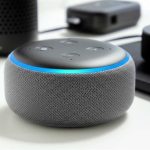
You absolutely do NOT need a dedicated Echo device to use Alexa on a speaker! Many smart speakers come with Alexa built-in, letting you enjoy voice control right out of the box. Let’s explore how this works!
Hey there, tech explorers! Max here from AffTechy.com, your go-to buddy for making tech easy and fun. We all love our music, podcasts, and even those epic movie soundscapes, right? Speakers are the heart of our audio experience, making everything sound so much richer. But what if your speaker could do more than just play sound? What if it could listen to you, answer your questions, and even control your smart home, all with your voice? That’s where Alexa comes in, and it’s not as complicated as it sounds!
Sometimes, figuring out all the gadgets and gizmos can feel like a puzzle. You see “smart speaker” and “Alexa” everywhere, and you might wonder if you need a special Amazon Echo box to make it all happen. I get it! It can be a bit confusing when you’re just trying to get some awesome sound and handy voice control. But don’t worry, I’m here to clear things up. We’re going to dive into the wonderful world of Alexa-enabled speakers and see how you can get started without needing an extra device.
Think of it like this: you want to make a delicious cake. You need flour, sugar, and eggs, but you don’t necessarily need a special cake-making machine if you have a good oven and a mixing bowl. Similarly, you want Alexa’s smarts on your speaker, and often, the speaker itself is all you need. We’ll break down exactly how this works, what to look for, and why it’s so cool. Ready to unlock the full potential of your audio setup? Let’s get this party started!
Let’s Talk About Alexa and Speakers
So, what exactly is Alexa? Alexa is Amazon’s smart voice assistant. You can ask her questions, tell her to play music, set timers, get news updates, control smart lights, and so much more. It’s like having a helpful assistant who lives in your speaker. Now, for a long time, the main way people interacted with Alexa was through Amazon’s own Echo devices. These are the puck-shaped or cylindrical gadgets you might have seen.
But here’s the amazing part: Amazon has opened up Alexa’s technology. This means other companies can build Alexa right into their own products. This is fantastic news for us! It means you can get that Alexa smart assistant experience without buying a separate Amazon Echo device. You can buy a speaker from brands like Sonos, Bose, or even some smaller companies, and it can have Alexa built right in. It’s all about convenience and choice!
This makes setting up your smart home and getting voice control super simple. You buy one device, and it does the job of both a high-quality speaker and a voice assistant. It’s a win-win! You get great sound, and you get all the amazing features Alexa offers. We’ll explore how this works in practice and what you should keep in mind when you’re shopping.
Do I Need An Echo Device To Use Alexa On A Speaker? The Short Answer!
No, you don’t always need a separate Amazon Echo device to use Alexa on a speaker. Many smart speakers from various brands come with Alexa built-in. You just buy the speaker, set it up with your Wi-Fi, link your Amazon account, and Alexa is ready to go! It’s like buying a smartphone that already has an app store; you don’t need a separate “app device.”
This is a huge convenience! Instead of having two devices (a speaker and an Echo) taking up space and power, you have one. It’s streamlined, and often, these third-party speakers are designed to sound fantastic, complementing Alexa’s voice capabilities. So, when you’re looking at smart speakers, check the product description. If it says “Alexa Built-in” or “Works with Alexa,” you’re good to go without an extra Echo.
How Does Alexa Get Into My Speaker? It’s Like a Smart Upgrade!
Think of it like this: manufacturers partner with Amazon. They pay a license for Amazon’s Alexa Voice Service (AVS). This allows them to integrate the necessary hardware and software into their own speakers. So, when you buy a speaker with Alexa built-in, it has a microphone array to hear you and the processing power to understand your commands, all managed by Alexa.
When you first set up one of these speakers, you’ll usually connect it to your home Wi-Fi network. Then, you’ll use the Alexa app on your smartphone or tablet to link your Amazon account. This is how the speaker knows who you are and what services (like Amazon Music, Spotify, or your smart home devices) you want to use with Alexa. The speaker then communicates with Amazon’s cloud services to process your voice commands and send back responses or perform actions.
It’s a pretty clever system that benefits everyone. For manufacturers, it’s a way to add a highly sought-after feature to their products. For consumers like us, it means more choices and often better integration of sound quality and smart features.
Why Choose a Speaker with Alexa Built-In?
There are tons of reasons why you might opt for a speaker that has Alexa built right into it, rather than buying a separate Echo. Let’s break them down:
Simplicity: One less device to manage, power, and connect. It just works out of the box.
Sound Quality: Many brands that specialize in audio are making Alexa-enabled speakers. They often focus on superior sound quality compared to some of Amazon’s more budget-friendly Echo models. You get amazing Alexa features with premium audio.
Design: These speakers come in all sorts of styles, materials, and sizes to fit your home decor perfectly. You have more aesthetic choices.
Cost-Effectiveness: While premium speakers can be pricey, sometimes a good Alexa-enabled speaker can be more cost-effective than buying a high-quality non-smart speaker and a separate Echo device.
Ecosystem Integration: If you’re already invested in a particular brand’s audio ecosystem (like Sonos multi-room audio), getting one of their Alexa-enabled speakers is a natural fit.
It really boils down to what you value most. If top-notch audio is your priority and you want Alexa too, these speakers are a fantastic option.
Setting Up Your Alexa-Enabled Speaker: A Breeze!
Getting your new Alexa-enabled speaker up and running is usually super straightforward. Most brands follow a similar process, which is great because it means you won’t be scratching your head too much. Here’s a typical step-by-step guide:
1. Unbox and Power Up: Take your speaker out of the box. Plug it into a power outlet using the included adapter. Most speakers will light up or make a sound to indicate they are ready.
2. Download the Alexa App: If you don’t already have it, download the Amazon Alexa app from your smartphone’s app store (iOS or Android).
3. Open the App and Add Device: Open the Alexa app and sign in with your Amazon account. Look for an option like “Add Device” or a “+” icon.
4. Select Your Device Type: The app will ask what kind of device you’re setting up. Choose “Speaker” and then select the brand of your speaker (e.g., Sonos, Bose, Harman Kardon).
5. Connect to Wi-Fi: Follow the on-screen instructions to connect your speaker to your home Wi-Fi network. This usually involves putting the speaker in setup mode and then selecting your network name (SSID) and entering your Wi-Fi password within the Alexa app.
6. Link Your Account: The app will guide you to link your Amazon account to the speaker. This is crucial for Alexa to work.
7. Personalize and Test: Once connected, you might be prompted to personalize settings, like choosing a voice for Alexa or setting up music services. Then, try a voice command! Say, “Alexa, what’s the weather?” or “Alexa, play some jazz music.”
And voilà! You should have a fully functional Alexa-enabled speaker. It’s really that simple. The app guides you through each step, making it super user-friendly.
Alexa vs. Google Assistant: A Quick Peek
While we’re talking about voice assistants, you might also hear about Google Assistant. It’s a great alternative, and many speakers offer support for both or are designed to work with Google Assistant instead of Alexa.
Here’s a quick comparison:
| Feature | Alexa | Google Assistant |
| :—————- | :—————————————- | :—————————————– |
| Voice Assistant | Amazon’s Alexa | Google’s Google Assistant |
| Voice Commands | “Alexa, …” | “Hey Google, …” or “Okay Google, …” |
| Ecosystem | Amazon services (Music, Prime Video, etc.) | Google services (Search, Maps, YouTube, etc.) |
| Smart Home | Wide range of compatible devices | Wide range of compatible devices |
| Availability | Many third-party speakers, Echo devices | Many third-party speakers, Google Nest devices |
Both are incredibly capable. The choice often comes down to which ecosystem you’re more invested in or which smart speaker brands you prefer. If you’re already using Amazon services a lot, Alexa might feel more natural. If you’re a big Google user, the Assistant might be your preference. Many speakers offer either, so you have flexibility!
Popular Alexa-Enabled Speakers (You Don’t Need an Echo for These!)
The market for Alexa-enabled speakers is booming! Here are a few popular examples of brands that offer speakers with Alexa built-in, proving you don’t need a separate Echo device:
Sonos: Known for premium multi-room audio, Sonos speakers like the Sonos One and Sonos Beam often feature Alexa. They deliver fantastic sound and a seamless smart experience.
Bose: Bose offers high-quality audio, and some of their smart speakers, like the Bose Smart Speaker 500, come with Alexa. Expect excellent sound fidelity.
Harman Kardon: This brand is famous for its audio engineering. Models like the Harman Kardon Citation series integrate Alexa for voice control alongside impressive sound.
JBL: JBL offers a range of speakers, and some of their Link series or other smart models include Alexa support. They often provide a good balance of sound and smart features.
Amazon Echo Devices (of course!): While the article is about not needing them, it’s worth remembering that Amazon’s own Echo devices are the most direct way to get Alexa. They come in many forms, from the compact Echo Dot to the powerful Echo Studio.
When you’re looking to buy, always check the product specifications. It will clearly state if Alexa is built-in. This ensures you’re getting exactly what you want without needing an additional device.
Key Features to Look For in an Alexa-Enabled Speaker
When you’re on the hunt for the perfect Alexa-enabled speaker, here are some key features to consider. Thinking about these will help you make the best choice for your needs and budget.
Sound Quality: This is paramount for a speaker! Read reviews and, if possible, listen to a demo. Look for specs like driver size, frequency response, and wattage if they’re available.
Microphone Performance: How well does the speaker hear you? Good speakers have multiple microphones and noise-cancellation technology to pick up your voice even in noisy rooms or from across the room.
Connectivity: Besides Wi-Fi, does it have Bluetooth for easy phone streaming? Some might also have auxiliary inputs for wired connections.
Multi-Room Audio: If you want music to play in sync across multiple rooms, look for speakers that support multi-room audio systems (like Sonos, Google Cast, or AirPlay 2).
Voice Control Features: Beyond Alexa, does it have physical buttons for muting the microphone (for privacy), adjusting volume, or skipping tracks?
Smart Home Compatibility: If you plan to control smart lights, thermostats, or other devices, ensure the speaker works seamlessly with your existing smart home ecosystem and Alexa’s vast compatibility list.
Design and Size: Does it fit your decor? Is it too big or too small for the space you intend to put it in?
Price: Set a budget. There are great Alexa-enabled speakers at various price points, from budget-friendly options to high-end audio powerhouses.
Understanding these features will help you narrow down your options and find a speaker that truly enhances your home audio and smart living experience.
Comparing Speaker Options: Sound, Smarts, and Style
Let’s look at how some different types of speakers stack up. This table gives you a general idea of what you might find. Remember, specific models will vary greatly!
| Speaker Type | Primary Focus | Alexa Integration | Typical Sound Quality | Design Variety | Price Range (USD) | Best For |
| :————————– | :—————- | :—————- | :——————– | :————- | :—————- | :——————————————— |
| Amazon Echo (e.g., Dot) | Voice Assistant | Built-in | Good to Very Good | Moderate | $30 – $130 | Budget-conscious, deep Amazon integration |
| Premium Alexa Speaker | Sound Quality | Built-in | Excellent | High | $150 – $500+ | Audiophiles, stylish homes, Alexa power users |
| Smart Soundbar w/ Alexa | Home Theater Audio | Built-in | Excellent | Limited | $200 – $700+ | Enhancing TV audio, living room smart hubs |
| Portable Bluetooth Speaker w/ Alexa | Portability, Sound | Built-in (sometimes) | Good to Very Good | High | $80 – $300 | On-the-go use, outdoor listening, casual use |
This table is a general guide. For instance, a Sonos One might offer premium sound and Alexa, falling into the “Premium Alexa Speaker” category. A JBL Charge with Alexa built-in would fit the “Portable” category. The key takeaway is that you can get Alexa in many different forms, not just Amazon’s own devices.
When you’re comparing, think about your main use case. Are you primarily looking for the best sound for your living room, or do you need something portable for parties? Your priority will guide you to the right category.
Alexa Voice Commands: What Can You Do?
Once your Alexa-enabled speaker is set up, the fun really begins! Here are some common and super useful things you can ask Alexa to do:
Music:
“Alexa, play [song name] by [artist].”
“Alexa, play my ‘Workout’ playlist on Spotify.”
“Alexa, what song is this?”
“Alexa, turn up the volume.”
Information:
“Alexa, what’s the weather today?”
“Alexa, how many ounces in a cup?”
“Alexa, what’s the latest news?”
“Alexa, set a timer for 10 minutes.”
Smart Home Control:
“Alexa, turn on the living room lights.”
“Alexa, set the thermostat to 72 degrees.”
“Alexa, lock the front door.” (Requires compatible smart lock)
Productivity & Fun:
“Alexa, add milk to my shopping list.”
“Alexa, set an alarm for 7 AM tomorrow.”
“Alexa, tell me a joke.”
“Alexa, what’s on my calendar today?”
The list goes on and on! You can even discover “Alexa Skills,” which are like apps for Alexa that add even more functionality, from playing games to ordering pizza. It’s amazing how much you can do with just your voice.
Privacy Matters: Muting Your Microphone
It’s totally normal to think about privacy when you have a device that’s always listening. Amazon is aware of this, and most Alexa-enabled speakers have built-in privacy features.
The most important one is the microphone mute button. This is usually a physical button on the top of the speaker. When you press it, a light (often red) will turn on, indicating that the microphone is disabled. Alexa will not hear you or respond to voice commands when the microphone is muted.
To ensure your privacy, make it a habit to mute the microphone when you’re not actively using Alexa, especially in private conversations. You can always unmute it with another press of the button when you want to use voice commands again. The Alexa app also gives you options to review and delete your voice recordings if you wish.
Troubleshooting Common Issues
Even with the best tech, things can sometimes go a little wonky. If your Alexa-enabled speaker isn’t behaving, here are a few common fixes:
No Response:
Check if the speaker is powered on and connected to Wi-Fi.
Ensure the microphone isn’t muted (look for a red light).
Try saying the wake word (“Alexa”) a little louder or closer to the speaker.
Restart the speaker by unplugging it, waiting 30 seconds, and plugging it back in.
Wi-Fi Connection Problems:
Make sure your Wi-Fi router is working correctly.
Try moving the speaker closer to your router.
Restart your router and modem.
In the Alexa app, go to device settings and try reconnecting to Wi-Fi.
Alexa Doesn’t Understand:
Speak clearly and at a normal pace.
Reduce background noise.
Try rephrasing your request.
Ensure the speaker’s language settings are correct in the Alexa app.
Music Streaming Issues:
Check if your music streaming service (Spotify, Amazon Music, etc.) is properly linked in the Alexa app.
Ensure your subscription to the music service is active.
Restart the speaker and your Wi-Fi.
For more in-depth troubleshooting, always check the support pages for your specific speaker brand or Amazon’s Alexa Help section. Many issues can be resolved with a simple restart or a quick setting adjustment.
Frequently Asked Questions (FAQs)
Here are some quick answers to common questions beginners have about using Alexa on speakers.
Q1: Do I need an Amazon Prime subscription to use Alexa on a speaker?
A1: No, you don’t need Amazon Prime to use Alexa. You do need an Amazon account to set up and use Alexa, but Prime membership is not required for basic functionality like setting timers, asking questions, or controlling smart home devices. Some music services or features might require a specific subscription, but not Prime itself for Alexa.
Q2: Can I use Alexa on a speaker without Wi-Fi?
A2: Generally, no. Most Alexa-enabled speakers require a Wi-Fi connection to access Alexa’s cloud-based services. This is how they process your voice commands and fetch information. Some speakers might have Bluetooth, allowing you to stream music from your phone, but Alexa’s smart assistant features won’t work without Wi-Fi.
Q3: Can I have Alexa on speakers from different brands in my house?
A3: Absolutely! You can mix and match speakers from different brands as long as they are Alexa-enabled. All these devices can be managed through a single Amazon Alexa app on your smartphone, allowing you to control them individually or group them for synchronized music playback or smart home commands.
Q4: What’s the difference between “Works with Alexa” and “Alexa Built-in”?
A4: “Alexa Built-in” means the speaker has microphones and the necessary processing power to act as a standalone Alexa device, responding directly to the wake word. “Works with Alexa” means the device (like a smart light or thermostat) can be controlled by an Alexa device (like an Echo or an Alexa Built-in speaker), but it doesn’t have Alexa itself.
Q5: Can I use Alexa on a speaker if I don’t have an Amazon account?
A5: No, an Amazon account is essential for setting up and using any Alexa-enabled device, including speakers. The account links your device to Alexa services and allows for personalization, skill management, and connection to Amazon Music or other linked services.
Q6: How do I switch music services on my Alexa speaker?
A6: You can switch your default music service through the Alexa app. Go to Settings > Music & Podcasts, and you can select your preferred service as the default. You can also ask Alexa to play music from specific services, like “Alexa, play my Discover Weekly playlist on Spotify.”
Q7: Is it safe to leave my Alexa speaker on all the time?
A7: Yes, it is generally safe to leave your Alexa-enabled speaker plugged in and connected to Wi-Fi all the time. They are designed for continuous use. Remember to use the microphone mute button for privacy when needed. The power consumption is typically very low when not actively in use.
The Future of Smart Sound
It’s pretty clear that you don’t need to buy a separate Echo device to enjoy Alexa’s amazing capabilities on a speaker. The technology is readily available in a vast array of fantastic speakers from many trusted audio brands. This gives you the freedom to choose a speaker that not only sounds incredible but also fits your lifestyle and aesthetic preferences, all while bringing the convenience of voice control into your home.
Whether you’re a music lover looking for the best sound quality, someone who wants to simplify their smart home setup, or just curious about voice assistants, there’s an Alexa-enabled speaker out there for you. It’s all about making technology work for you in the easiest and most enjoyable way possible.
So go ahead, explore the options! Read reviews, check out different brands, and find that perfect speaker that will fill your home with both brilliant sound and intelligent assistance. You’ve got the knowledge now to make an informed choice and step into a more connected and convenient world.
Now go enjoy amazing sound and make every moment louder and better!