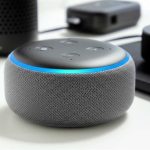
Yes, you absolutely can pair multiple speakers with Alexa! It’s super easy to set up and creates an amazing, room-filling sound experience for your music, podcasts, and more. Get ready to boost your audio game!
Hey there, tech explorers! Max here from AffTechy.com, your go-to spot for making gadgets feel super simple. You know how sometimes you just want your music to follow you from room to room? Or maybe you love blasting your favorite playlist for a party, but one speaker just doesn’t cut it? I totally get it! Tech can sometimes feel like a puzzle, especially when it comes to getting the best sound. But don’t worry, we’re going to untangle it all together.
I’m here to show you that making your Alexa devices sing in harmony is totally achievable. No confusing jargon, no complicated steps – just pure, easy-to-follow guidance. We’ll turn your smart speakers into a symphony orchestra, making every corner of your home a sweet spot for sound.
So, grab your favorite beverage, settle in, and let’s break down how you can pair multiple speakers with your Alexa. It’s easier than you think, and the results are seriously impressive!
Let’s Talk About Sound: Why More Speakers?
Imagine this: you’re cooking in the kitchen, and your favorite podcast is playing. Then you move to the living room to relax, and suddenly, the sound is far away or too quiet. That’s where pairing multiple speakers comes in handy! It’s like giving your music superpowers.
With a few Alexa-enabled speakers, you can fill your whole house with the same music. No more dead zones for sound! It’s perfect for when you’re entertaining guests or just want a consistent audio experience as you move around. Plus, setting up a stereo pair can make your music sound richer and more immersive.
Think of it like this: one speaker is like a single instrument, which is great. But a group of speakers working together is like a full band, delivering a much more powerful and engaging performance. And the best part? Alexa makes it surprisingly simple to get this amazing setup going.
Understanding Alexa Speaker Pairing: The Basics
So, what does “pairing multiple speakers” actually mean when it comes to Alexa? It’s not like pairing your phone to a single Bluetooth speaker. With Alexa, we’re talking about two main ways to get multiple speakers working together:
Multi-Room Music
This is when you tell Alexa to play the same song on several different Echo devices simultaneously. You can have music playing in your living room, kitchen, and bedroom all at once, perfectly in sync. It’s fantastic for parties or just making sure your tunes follow you wherever you go in the house.
Stereo Pairs
This is a bit different. For this, you need two identical Echo speakers (like two Echo Dots, or two Echo Shows). When you pair them as a stereo pair, Alexa treats them as a left and right channel. This creates a much more dynamic and detailed sound experience, perfect for enjoying music with richer audio.
It’s important to know the difference because the setup process and the benefits are slightly different for each. But don’t sweat it, we’ll cover both!
Can I Pair Multiple Speakers With Alexa? Yes, You Can!
The short answer is a resounding YES! Amazon designed Alexa and its Echo devices with multi-room audio and stereo pairing in mind. It’s one of the coolest features that really elevates the smart home audio experience. You don’t need to be a tech wizard to make it happen.
Many people think they can only connect one speaker at a time. But Alexa is more powerful than that! It can manage groups of speakers, allowing for synchronized playback across your home. This capability makes Alexa a really versatile hub for all your audio needs.
Let’s dive into how you can achieve this amazing sound setup.
Setting Up Multi-Room Music with Alexa
This is where you get to have your music everywhere! It’s perfect for when you’re hosting a get-together or just want background music throughout your home.
Step 1: Make Sure Your Speakers are Set Up
First things first, ensure all the Alexa-enabled speakers you want to use are already set up in your Alexa app and are connected to your Wi-Fi. If you haven’t done this yet, you’ll need to go through the initial setup for each device.
Step 2: Create a Speaker Group in the Alexa App
This is the magic step! Open your Alexa app on your smartphone or tablet.
Tap on the “Devices” icon in the bottom right corner.
Tap the “+” icon in the top right corner.
Select “Add group.”
Choose “Multi-room music.”
You’ll see a list of your available Echo devices. Select the ones you want to include in your group.
Give your group a name, like “Downstairs Music,” “Whole House,” or “Party Sound.”
Tap “Save.”
And voilà! You’ve just created a group.
Step 3: Play Music on Your New Group
Now for the fun part! You can ask Alexa to play music on your group using a voice command. Try saying:
“Alexa, play my ‘Morning Vibes’ playlist on [Your Group Name].”
“Alexa, play [Song Title] by [Artist] on [Your Group Name].”
“Alexa, play the news on [Your Group Name].”
The music will then play simultaneously on all the speakers you added to that group. It’s that simple!
Here’s a quick tip: For the best synchronization, make sure all your speakers are relatively close to your Wi-Fi router. A strong Wi-Fi signal is key for smooth multi-room audio!
Setting Up a Stereo Pair with Alexa
This setup is for those who want a richer, more immersive sound experience from two identical Echo speakers. It’s like turning your music into a concert!
Step 1: Get Two Identical Echo Speakers
This is crucial. For a stereo pair, you need two of the exact same Echo speaker model. For example, two Echo Dots (4th Gen), or two Echo Studios. You can’t mix and match different models or generations for a stereo pair.
Step 2: Set Them Up in the Alexa App
Just like with multi-room music, make sure both speakers are already set up and connected to your Alexa app.
Step 3: Create the Stereo Pair in the Alexa App
Open the Alexa app and tap “Devices.”
Tap the “+” icon in the top right corner.
Select “Add group.”
Choose “Stereo pair.”
Select the two identical Echo devices you want to pair.
Choose which speaker will be the “Left” and which will be the “Right.” This is important for the sound balance!
Give your stereo pair a name, like “Living Room Sound” or “Bedroom Beats.”
Tap “Save.”
Alexa will confirm that the stereo pair has been created. Now, when you play music, one speaker will handle the left audio channel, and the other will handle the right, creating a beautiful stereo effect.
Fun Fact: Setting up a stereo pair can significantly improve the perceived soundstage and detail in your music, making it sound much more like you’re listening in a dedicated listening room.
What Kind of Speakers Can I Pair?
This is a common question, and it’s important to get right! When we talk about pairing multiple speakers with Alexa, we’re primarily referring to Amazon’s own Echo devices.
Supported Devices for Pairing
Echo Devices: Most Echo speakers (Echo Dot, Echo, Echo Studio, Echo Show, Echo Plus) can be used for multi-room music and, if they are identical models, for stereo pairs.
Echo Auto: While you can use Echo Auto for voice commands, it’s not typically part of multi-room music groups or stereo pairs in the same way as home Echo devices.
Third-Party Alexa-Enabled Speakers: Some speakers from brands like Sonos, Bose, or Harman Kardon have Alexa built-in. You can usually include these in multi-room music groups, but they generally cannot form stereo pairs with each other or with Amazon Echo devices. Always check the manufacturer’s specifications.
It’s good to know that while you can group many Alexa-enabled devices, the best experience for both multi-room music and stereo pairs comes from using two or more of the same model of Amazon Echo speakers.
Comparing Echo Speaker Models for Pairing
If you’re thinking about expanding your Alexa speaker setup, knowing the differences between Echo models can help you choose the best ones for your needs. Here’s a quick look at some popular options and their suitability for pairing:
| Echo Model | Best For | Multi-Room Music | Stereo Pair | Sound Quality Notes |
|---|---|---|---|---|
| Echo Dot (4th Gen) | Compact, affordable, smart home control | Yes | Yes (with another Echo Dot 4th Gen) | Good for background music, voice control. Not for bass-heavy listening. |
| Echo (4th Gen) | Balanced sound, good for music and smart home | Yes | Yes (with another Echo 4th Gen) | Decent bass and clarity. A solid all-rounder. |
| Echo Studio | Premium sound, immersive audio | Yes | Yes (with another Echo Studio) | Excellent for music lovers. Supports Dolby Atmos and 360-degree audio. |
| Echo Show (Various Models) | Visuals, smart home control, music playback | Yes | Yes (with another identical Echo Show) | Sound quality varies by model but is generally good for casual listening. |
As you can see, if you’re aiming for that amazing stereo sound, getting two of the same Echo model is the way to go. For just spreading music around the house, you have more flexibility with different Echo devices. The Echo Studio is a powerhouse for serious music fans, especially when paired!
Tips for the Best Multi-Speaker Alexa Setup
Getting your speakers to work together is great, but making them work optimally is even better! Here are a few tips to ensure your multi-speaker Alexa setup sounds fantastic and runs smoothly:
Keep Your Wi-Fi Strong
A robust Wi-Fi connection is the backbone of any multi-room audio system. If your Wi-Fi is spotty, you might experience audio dropouts or delays.
Consider a mesh Wi-Fi system if you have a larger home or areas with weak signals.
Placement Matters
For stereo pairs, place the speakers equidistant from your listening position and facing you. About 6-10 feet apart is often a good starting point.
For multi-room music, strategically place speakers in the areas where you spend the most time to ensure even sound distribution.
Update Your Devices
Make sure your Echo devices and the Alexa app are running the latest software updates. Amazon frequently releases improvements that can enhance performance and stability.
You can usually check for updates within the Alexa app under device settings.
Experiment with Group Names
Use clear, easy-to-remember names for your speaker groups and stereo pairs. This makes voice commands much simpler.
Test Your Sync
After setting up, play a song and walk around your home. Listen to see if the music is in sync across all speakers. If there’s a slight delay, sometimes rebooting the affected speaker can help.
Consider Your Music Source
The quality of the music stream can impact the overall sound. If you subscribe to a premium music service (like Amazon Music Unlimited, Spotify Premium, Apple Music), you’ll generally get better audio quality than free, compressed streams.
Troubleshooting Common Pairing Issues
Even with the best tech, things can sometimes go a little sideways. Don’t worry, most Alexa pairing issues are fixable!
Problem: Music is Out of Sync
Solution: Ensure all speakers are on the same Wi-Fi network and have a strong signal. Try restarting your router and then your Echo devices. In the Alexa app, you can sometimes re-create the group to reset the sync.
Problem: Speakers Not Appearing in the App
Solution: Make sure your Echo devices are powered on and connected to Wi-Fi. Check that your Alexa app is updated. Try closing and reopening the app, or even signing out and back in.
Problem: Stereo Pair Not Working Correctly
Solution: Double-check that you have two identical Echo models. Try deleting the stereo pair in the Alexa app and setting it up again, paying close attention to which speaker you assign as Left and Right.
Problem: Voice Commands Not Recognized for Groups
Solution: Speak clearly and ensure you are using the exact name of your speaker group or stereo pair. If the name is too similar to another Alexa command or device, try renaming it to something unique.
If you’re still stuck, a quick restart of your Echo devices and your Wi-Fi router is often the magic fix. It’s like giving them a fresh start!
Can I Pair Non-Echo Speakers with Alexa?
This is where things get a little nuanced. If you have a Bluetooth speaker that you’ve connected to your Alexa app as a primary speaker for a specific Echo device, you can’t directly add that Bluetooth speaker into a multi-room music group or stereo pair with other Echo devices.
However, there are some clever workarounds and specific scenarios:
Third-Party Alexa-Enabled Speakers: As mentioned earlier, speakers from brands like Sonos, Bose, or Harman Kardon that have Alexa built-in can often be added to multi-room music groups. You just manage them through the Alexa app like any other Echo device.
Using Alexa as a Bluetooth Source: You can pair a standard Bluetooth speaker to one Echo device. Then, you can play music on that Echo device, and it will output to the connected Bluetooth speaker. However, this single Bluetooth speaker cannot be part of a larger multi-room music setup with other Echo devices.
Amazon Echo Devices with Bluetooth Output: Some Echo devices can act as Bluetooth transmitters. This means you could potentially stream audio from your Echo device to a compatible Bluetooth speaker. But again, this is usually a one-to-one connection and not for multi-room syncing.
So, while you can’t just grab any old Bluetooth speaker and throw it into an Alexa group, you have good options if you’re looking at smart speakers with Alexa built-in.
A Quick Look at Alexa’s Audio Capabilities
Amazon is constantly improving Alexa’s audio features. Here’s a little peek at what makes it so versatile:
| Feature | Description | Benefit |
|---|---|---|
| Multi-Room Music | Play synchronized audio across multiple Echo devices. | Fill your entire home with music or news. |
| Stereo Pairs | Combine two identical Echo speakers for left/right channel audio. | Creates a wider, more immersive soundstage for music. |
| Amazon Music Integration | Seamless playback of Amazon Music playlists and stations. | Easy access to a vast music library. |
| Third-Party Music Services | Support for Spotify, Apple Music, Pandora, and more. | Flexibility to use your preferred music streaming service. |
| Voice Control | Control playback, volume, and skip tracks with your voice. | Hands-free convenience. |
These features really highlight how Alexa is designed to be a central part of your home’s entertainment system, not just a simple voice assistant.
Frequently Asked Questions About Pairing Alexa Speakers
Let’s tackle some common questions to make sure you’re a total pro!
Q1: Can I pair different generations of Echo speakers?
A: For stereo pairs, you need two identical models and generations (e.g., two Echo Dot 3rd Gen). However, you can mix different generations and models for multi-room music groups.
Q2: Do I need a subscription for multi-room music?
A: No, you don’t need a subscription for the multi-room music feature itself. However, the music services you use to play music (like Amazon Music, Spotify, etc.) might require their own subscriptions for full functionality or to avoid ads.
Q3: How far apart can my stereo pair speakers be?
A: For the best stereo effect, keep them within about 10-15 feet of each other. Too far apart, and you might lose the sense of a unified soundstage.
Q4: Can I use an Echo Input or Echo Link with my existing speakers for pairing?
A: Yes! Devices like the Echo Input or Echo Link can connect to your traditional stereo systems or passive speakers. You can then include these connected systems in multi-room music groups.
Q5: Will all my Alexa devices play music at the same time?
A: Only the devices you explicitly add to a specific multi-room music group will play together. You can create multiple groups for different zones in your home.
Q6: What if I want to play different music on different speakers?
A: You can’t play different songs on speakers within the same* multi-room music group or stereo pair. However, you can create separate groups or control individual speakers independently.
Q7: Can I connect a soundbar to Alexa for multi-room audio?
A: Some Alexa-enabled soundbars can be included in multi-room music groups, but it depends on the specific soundbar model and its integration with Amazon’s ecosystem. Check the soundbar’s specifications.
Conclusion: Your Home, Your Symphony!
See? Pairing multiple speakers with Alexa is totally doable and opens up a whole new world of audio enjoyment. Whether you’re aiming for a house filled with your favorite tunes or a rich stereo experience for critical listening, Alexa has got you covered. You’ve learned how to set up multi-room music for parties and gatherings, and how to create immersive stereo pairs for a truly elevated sound.
Don’t be afraid to experiment with different speaker placements and group names. The power is in your hands to customize your home’s soundscape. It’s all about making your technology work for you, making life a little more fun and a lot more harmonious.
Now go forth and fill your home with amazing sound! Make every moment louder and better with your newly enhanced Alexa audio setup. Happy listening!