
Need to charge your Bluetooth speaker? It’s super easy! Just find the charging port, plug in the right cable, and let it juice up. In no time, you’ll be back to enjoying your music or podcasts!
Hey there, tech adventurer! So, you’ve got a Bluetooth speaker, huh? Awesome! These little gadgets are fantastic for bringing your favorite tunes to life, whether you’re chilling at home, having a picnic, or just want to blast some tunes while you clean. They make movies more epic and parties way more fun. But what happens when the music stops? Yep, it’s probably time to give it a little energy boost.
Sometimes, figuring out all the buttons and ports on new gadgets can feel a bit like solving a puzzle. You might look at your speaker and think, “Okay, where does this go?” Don’t worry, I get it! It’s totally normal to feel a little unsure when you’re first getting to know your tech. That’s where I come in.
My goal is to make technology feel less like a confusing mystery and more like a friendly tool. We’ll walk through charging your Bluetooth speaker together, step by step. You’ll see how simple it really is, and soon you’ll be a charging pro.
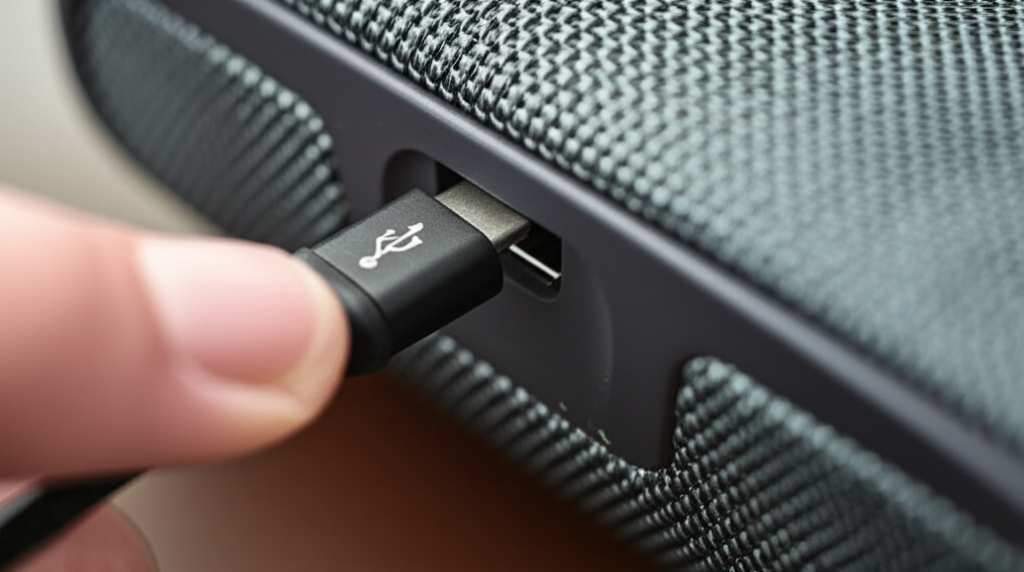
Ready to get that speaker singing again? Let’s break it down and make charging your Bluetooth speaker a breeze!
Why Keeping Your Speaker Charged Matters
Imagine you’re all set for a backyard barbecue, the perfect playlist is ready to go, and then… silence. Your speaker is dead! It’s a bummer, right? Keeping your Bluetooth speaker charged means you’re always ready for spontaneous dance parties, movie nights, or just enjoying some background music. It’s the key to uninterrupted fun and good vibes.
These speakers are designed to be portable, and that portability comes from their built-in batteries. Just like your phone, they need to be plugged in now and then to get that power back. Knowing how to charge it properly ensures your speaker lasts longer and performs at its best. It’s like giving your favorite gadget a healthy snack!

Finding the Charging Port: Your Speaker’s Power Outlet
Okay, first things first. Every Bluetooth speaker has a place where you plug in the charger. This is usually a small port on the speaker itself. Think of it as the speaker’s tiny doorway for electricity. You’ll often find it on the back, side, or sometimes even under a protective flap.
Most modern speakers use a USB port for charging. You’ll see different types of USB ports. The most common ones are Micro-USB (older, more rectangular) and USB-C (newer, oval-shaped and reversible, meaning you can plug it in either way). Some larger or more rugged speakers might use a DC power input, which looks like a small barrel connector.
What You’ll Need: The Charging Essentials
To get your speaker powered up, you’ll need a couple of things. It’s usually pretty straightforward, and you might already have them lying around.
The Charging Cable
This is the wire that connects your speaker to the power source. The cable that came with your speaker is always your best bet. It’s designed to work perfectly with your device. If you’ve lost it, don’t worry! You can usually buy a replacement. Just make sure it matches the port on your speaker.
Micro-USB Cable: Common for many older or budget-friendly speakers.
USB-C Cable: Found on most newer speakers. Super convenient because it fits either way up.
Proprietary Cable: Some speakers, especially high-end ones, might use a unique cable. Always check your speaker’s manual if you’re unsure.
The Power Source
You need something to plug the cable into. This is where the electricity comes from to charge your speaker. You have a few options here:
Wall Adapter (AC Adapter): This is the little brick that plugs into your wall outlet. Many phone chargers use these. Make sure the adapter’s power output (measured in Amps or Watts) is suitable for your speaker. Using one that’s too powerful could potentially damage it, though most modern devices have safeguards.
USB Port on a Computer: Your laptop or desktop computer has USB ports that can provide power. This is a great option if you don’t have a wall adapter handy or want to charge your speaker while working. It might charge a bit slower than a wall adapter.
Power Bank: These are portable batteries that can charge your devices on the go. If your speaker has a USB charging port, you can plug it into a power bank to charge it anywhere.
Car Charger: If you have a USB car charger adapter, you can even charge your speaker on a road trip.
Step-by-Step: How to Charge Your Bluetooth Speaker
Let’s get down to business! Charging your speaker is a simple process. Follow these easy steps, and you’ll be back to listening in no time.
-
Locate the Charging Port
Look carefully on your speaker for the charging port. It’s usually labeled with a small icon that looks like a battery or a lightning bolt, or simply the word “DC” or “USB.” If there’s a rubber flap covering it, gently lift it open.
-
Connect the Charging Cable
Take the correct charging cable (the one that came with your speaker or a compatible replacement) and plug one end into the speaker’s charging port. It should fit snugly.
-
Connect to a Power Source
Now, plug the other end of the charging cable into your chosen power source. This could be a wall adapter plugged into an outlet, a USB port on your computer, a power bank, or a car charger.
-
Check for a Charging Indicator
Most Bluetooth speakers have a small LED light that indicates charging status. This light might be red while charging and turn green or blue, or turn off completely, when fully charged. Some speakers might display a battery icon on their surface or even in a companion app. Consult your speaker’s manual to know what its indicator lights mean.
-
Let It Charge
Be patient! The time it takes to fully charge can vary depending on the speaker’s battery size and the power source you’re using. It can range from 1-2 hours for smaller speakers to 4-6 hours or more for larger ones. Avoid using the speaker heavily while it’s charging, as this can slow down the charging process.
-
Disconnect When Fully Charged
Once the indicator light shows that your speaker is fully charged, unplug the charging cable from both the speaker and the power source. Close any protective flaps to keep the port clean and safe.
And that’s it! You’ve successfully charged your Bluetooth speaker. Now you can disconnect it from the power source and enjoy your wireless sound experience.
Understanding Charging Indicators: What Do Those Lights Mean?
Those little LED lights on your speaker aren’t just for show! They’re your speaker’s way of talking to you about its battery status. Learning what they mean can save you a lot of guesswork.
Solid Red: Usually means the speaker is charging. Keep an eye on it!
Solid Green/Blue (or Light Off): This often signals that the speaker is fully charged. Time to unplug!
Flashing Red: This could mean the battery is very low. It’s a clear signal to find your charger.
Pulsing Light: Some speakers use a pulsing light to show they are charging, which can be a bit different from a solid light.
No Light: Don’t panic! Some speakers turn off their indicator lights once charging is complete, or if they are completely dead. Try plugging it in for a few minutes to see if any light appears.
It’s always a good idea to check your speaker’s manual to be sure. Every brand and model can have slightly different indicator meanings.
Charging Speed: What Affects How Fast It Charges?
Ever feel like your speaker takes forever to charge? Several things can influence how quickly it powers up.
Power Source Output
This is a big one. A higher-wattage wall adapter will generally charge your speaker faster than a low-wattage USB port on an older computer. Look for adapters that match or slightly exceed the recommended output for your speaker.
Battery Health and Capacity
Just like a smartphone, a speaker’s battery can degrade over time. An older battery might not hold a charge as long and could take longer to recharge. Larger capacity batteries naturally take more time to fill up.
Speaker Usage While Charging
If you’re playing music at a high volume while charging, your speaker is using power as it’s receiving it. This can significantly slow down the charging process. For the fastest charge, it’s best to turn the speaker off or at least keep the volume low while it’s plugged in.
Cable Quality
A worn-out or low-quality charging cable might not deliver power as efficiently as a good one. Using the original cable or a certified replacement is usually best.
Quick Tips for Optimal Charging and Battery Life
Want your speaker’s battery to last as long as possible? Here are some handy tips.
- Use the Right Charger: Always try to use the original charger and cable that came with your speaker. If you need a replacement, ensure it’s compatible and meets the power specifications.
- Avoid Extreme Temperatures: Batteries don’t like it too hot or too cold. Don’t leave your speaker in a hot car or direct sunlight for long periods, and avoid charging it in freezing temperatures.
- Don’t Always Drain It Completely: Modern lithium-ion batteries (common in speakers) don’t need to be fully drained before recharging. It’s actually better for the battery health to top it up when you can.
- Unplug When Full: While most modern speakers have protection against overcharging, it’s still a good habit to unplug them once they’re fully charged.
- Store Properly: If you won’t be using your speaker for a long time, charge it to about 50% and store it in a cool, dry place. A completely dead battery can sometimes be harder to revive.
Common Charging Problems and How to Fix Them
Sometimes, things don’t go as planned. If your speaker isn’t charging, don’t despair! Here are a few common issues and their solutions.
Problem: Speaker won’t charge at all.
- Check Connections: Make sure the cable is plugged in firmly at both ends.
- Try a Different Cable: The charging cable might be faulty. Test with another compatible cable.
- Try a Different Power Source: The wall adapter or USB port might not be working. Try plugging into your computer or a different wall adapter.
- Clean the Port: Dust or debris in the charging port can prevent a good connection. Gently clean it with a dry, soft brush or a can of compressed air. Be careful not to damage the pins.
Problem: Charging is very slow.
- Check Power Source: Ensure you’re using a sufficiently powerful adapter. A computer USB port might be slower than a dedicated wall charger.
- Stop Using the Speaker: If possible, turn off the speaker or significantly lower the volume while charging.
- Inspect Cable: A damaged cable can reduce charging speed.
Problem: Speaker only charges when the cable is wiggled.
- Faulty Cable or Port: This usually indicates a loose connection within the charging cable or, less commonly, within the speaker’s port. It’s time to replace the cable. If the issue persists with a new cable, the speaker’s port might be damaged and require professional repair.
If you’ve tried these steps and your speaker still won’t charge, it might be time to contact the manufacturer’s customer support or consult a repair professional.
Comparing Charging Methods: Which Is Best?
Let’s look at how different ways of charging stack up.
| Charging Method | Pros | Cons | Best For |
|---|---|---|---|
| Wall Adapter (AC) | Fastest charging speed, reliable power | Requires a wall outlet | Home or office charging, when speed is important |
| Computer USB Port | Convenient if computer is nearby, no extra adapter needed | Slower charging, requires computer to be on | Charging while working, when speed isn’t critical |
| Power Bank | Ultimate portability, charges anywhere | Limited by power bank’s capacity, can be slower | Outdoor use, travel, situations without power outlets |
As you can see, the wall adapter usually gives you the quickest and most consistent charge. But for ultimate freedom, a power bank is a lifesaver!
A Look at Battery Life: How Long Will It Last?
The battery life of a Bluetooth speaker can vary a lot. It depends on the speaker’s size, the battery capacity, and how you use it.
Small, portable speakers: Often offer 6-10 hours of playtime.
Medium-sized speakers: Can range from 10-20 hours.
Large, high-end speakers: Some can boast 24 hours or even more on a single charge!
Features like LED lights, powerful bass, and playing at high volumes will drain the battery faster. Lower volumes and fewer active features mean longer listening times. For example, a speaker rated for 20 hours might only last 12 hours if played loud with bright lights on.
For more detailed information on specific models, you can check out reviews from tech sites like CNET or TechRadar.
Frequently Asked Questions (FAQ)
Got more questions? Here are some common ones beginners ask about charging Bluetooth speakers.
Q1: Can I leave my Bluetooth speaker plugged in all the time?
It’s generally okay for most modern speakers. They have built-in circuits to prevent overcharging. However, it’s still a good practice to unplug them occasionally once fully charged to help the battery last longer.
Q2: Do I have to use the original charger?
The original charger is always the safest bet. If you use a different charger, make sure it has the correct voltage and amperage (power output) recommended for your speaker. Using a charger that’s too powerful could* damage the battery or speaker, while one that’s too weak will charge very slowly or not at all.
Q3: How do I know if my speaker is charging?
Look for an indicator light! Most speakers have an LED that glows a specific color (often red) while charging. It usually changes color or turns off when charging is complete. Check your speaker’s manual for the exact meaning of its indicator lights.
Q4: My speaker won’t turn on even after charging. What should I do?
First, ensure you’ve charged it for a decent amount of time (at least 30 minutes to an hour) with a known good charger and cable. If it still won’t power on, try a different charging cable and power source. If that doesn’t work, the battery might be completely depleted or faulty, and you may need to contact customer support.
Q5: Can I use my phone’s fast charger for my Bluetooth speaker?
This can be tricky. Some speakers are designed to work with fast chargers, while others are not. If your speaker supports USB-C PD (Power Delivery) or Quick Charge, it might be fine. However, if you’re unsure, it’s safer to use a standard 5V/1A or 5V/2A charger to avoid potential issues.
Q6: How long does it take to charge a typical Bluetooth speaker?
It varies a lot! Smaller speakers might charge in 1-3 hours. Larger or more powerful speakers with bigger batteries can take anywhere from 3-6 hours, or even more. It also depends on the power output of your charger.
Q7: What’s the difference between Micro-USB and USB-C charging?
Micro-USB is an older standard, with a smaller, trapezoidal connector that only fits one way. USB-C is newer, oval-shaped, and reversible, meaning you can plug it in upside down or right-side up – much more convenient! Most new devices, including speakers, are moving towards USB-C.
Conclusion: Power Up and Enjoy the Sound!
There you have it! Charging your Bluetooth speaker is really as simple as finding the right port, plugging in the cable, and giving it some juice. You’ve learned how to identify the charging port, what accessories you need, the step-by-step process, and even how to troubleshoot common issues.
Remember, keeping your speaker charged means more time enjoying your favorite music, podcasts, or audiobooks without interruption. It’s all about making your tech work for you, easily and effectively.
Now that you’re a charging expert, you can feel confident that your speaker will always be ready for action. Don’t hesitate to explore its features and take it with you on all your adventures.
Now go enjoy amazing sound and make every moment louder and better!


