You can’t charge a Bluetooth speaker using an AUX cable. AUX cables transmit audio, not power. To charge, you’ll need the correct charging cable and a power source.
Hey there, tech adventurer! Ever found yourself surrounded by friends, ready to blast some tunes, only to realize your Bluetooth speaker is giving you the silent treatment? It’s a bummer, right? We’ve all been there, scrambling to find a solution.
Music makes everything better, from chill evenings to epic parties. But what happens when your trusty speaker runs out of juice? It can feel like the fun stops dead. Sometimes, we try to get creative, and that’s where questions like “Can I charge my Bluetooth speaker with an AUX cable?” pop up.
It’s a smart thought to try and use what you have! AUX cables are super common for connecting devices. But when it comes to charging, they just don’t have the right stuff. Don’t worry, though! I’m here to make it super simple. We’ll figure out exactly how to get your speaker powered up so the music can keep playing.
Let’s dive into how charging actually works for these cool gadgets and what you really need. Get ready to become a charging pro!
Why AUX Cables Are for Sound, Not Power
So, let’s talk about that AUX cable. You know, the one with the headphone-jack-like connector on both ends? Its main job is to send audio signals. Think of it like a tiny highway for music or podcasts to travel from your phone to your speaker.
This cable is fantastic for listening to music when Bluetooth isn’t an option or when you want a direct connection. However, it’s designed for audio signals, which are very different from the electrical signals needed to charge a battery. Power needs a specific kind of connection and cable to flow safely and effectively.
The Real Way to Charge Your Bluetooth Speaker
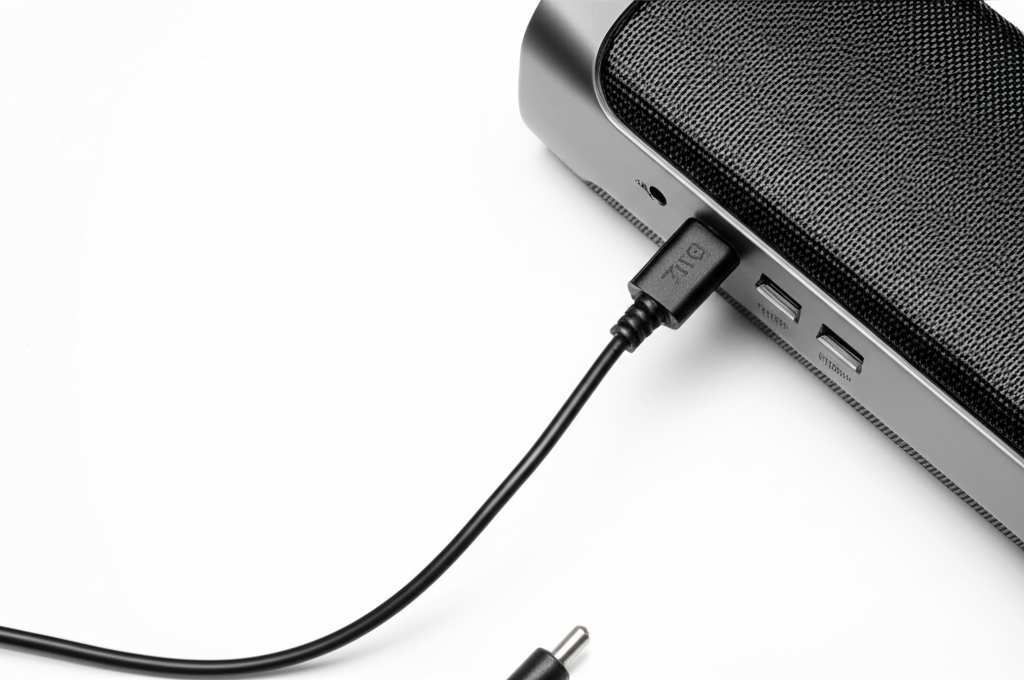
Every Bluetooth speaker needs a power source to recharge its battery. This usually involves a charging port on the speaker and a compatible charging cable. Most speakers come with a charging cable right in the box, which is super convenient.
Finding the right cable is key. It’s usually a USB cable, but the end that plugs into your speaker might vary. We’ll look at the common types you’ll find. Getting this right means your speaker will get the power it needs to keep the party going.
Common Charging Ports and Cables
Bluetooth speakers use a few different types of charging ports. Knowing which one your speaker has is the first step to finding the right charger. Let’s break down the most common ones you’ll see.
Here are the typical charging ports you’ll find on most Bluetooth speakers:
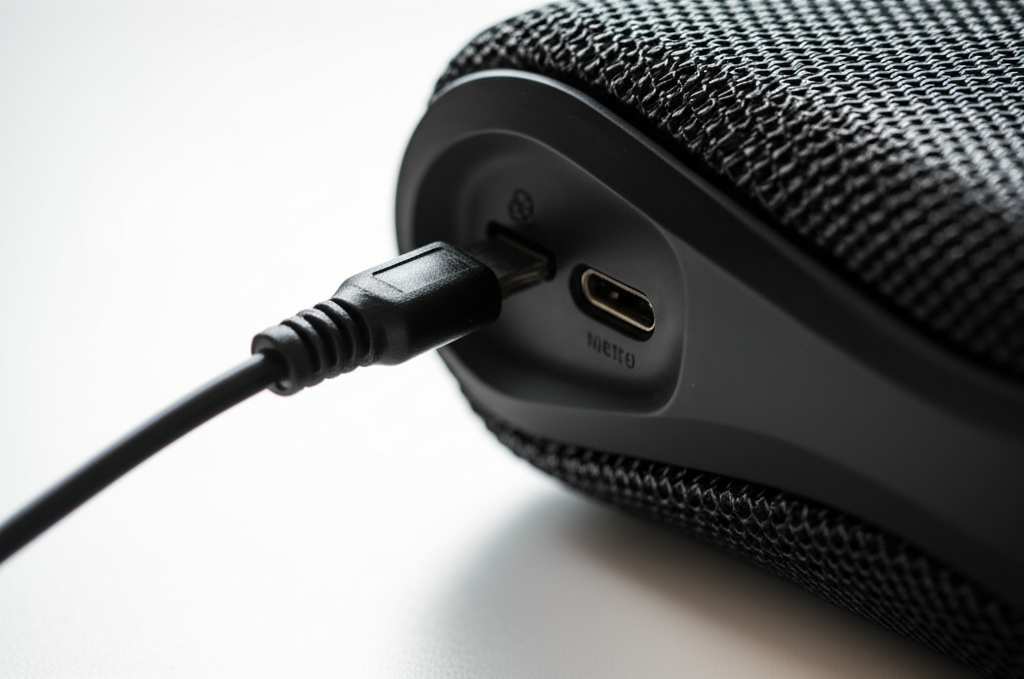
Micro-USB: This was the standard for a long time. It’s a small, trapezoidal connector. Many older speakers and some budget-friendly models still use this.
USB-C: This is the modern champion! It’s a small, oval-shaped connector that’s reversible, meaning you can plug it in either way up. Most new speakers use USB-C because it’s faster and more convenient.
Proprietary Charging Ports: Some speakers, especially higher-end or rugged ones, might have their own unique charging port. These often come with a special cable.
The cable you need will match the port on your speaker. For Micro-USB and USB-C, a standard cable will work. If your speaker has a proprietary port, you’ll need to use the cable that came with it.
Step-by-Step: How to Properly Charge Your Speaker
Okay, let’s get your speaker charged up! It’s a straightforward process once you have the right gear. Follow these simple steps, and you’ll be back to enjoying your tunes in no time.
Here’s how to charge your Bluetooth speaker:
1. Identify Your Speaker’s Charging Port: Take a close look at your speaker. You’ll find the charging port, usually on the back or side. See if it’s Micro-USB, USB-C, or something else.
2. Find the Right Charging Cable: Grab the cable that came with your speaker. If you’ve lost it, check the port type. For Micro-USB or USB-C, a standard cable will work.
3. Connect the Cable to the Speaker: Plug the smaller end of the cable into your speaker’s charging port. It should fit snugly.
4. Connect the Other End to a Power Source: The other end of the cable is usually a USB-A connector. Plug this into a USB wall adapter, a power bank, or a USB port on your computer or TV.
5. Check for a Charging Indicator: Most speakers have an LED light that shows when they are charging. It might turn red, orange, or yellow while charging and change color or turn off when fully charged.
6. Let It Charge: Give your speaker enough time to charge fully. This can take anywhere from 1 to 4 hours, depending on the speaker’s battery size and the power source.
7. Unplug and Enjoy: Once the indicator shows it’s fully charged, unplug the cable. Your speaker is now ready to play!
Choosing the Right Power Source
Where you plug in your charging cable can make a difference. Different power sources offer different charging speeds. It’s good to know your options!
Here are common power sources for charging:
USB Wall Adapter: This is the brick you plug into your wall outlet. Using a good quality adapter, especially one with fast-charging technology, can speed up the process.
Power Bank: These portable battery packs are great for charging on the go. They’re perfect for camping trips or when you’re away from an outlet.
Computer USB Port: Plugging into your laptop or desktop works, but it’s often slower than a wall adapter. This is handy if you’re working and want to top up your speaker.
Car USB Port: Some cars have USB ports that can charge devices. This is useful for road trips.
For the quickest charge, a wall adapter with a decent wattage (like 5W or 10W) is usually your best bet.
Understanding Charging Indicators
Those little lights on your speaker aren’t just for show! They’re your speaker’s way of talking to you about its battery status. Learning what they mean can save you a lot of guesswork.
Here’s a common guide to charging indicator lights:
Solid Red/Orange: Charging in progress.
Solid Blue/Green/White: Fully charged.
Flashing Red: Low battery.
No Light: May indicate charging is complete or the speaker is off.
Always check your speaker’s manual for the exact meaning of its indicator lights, as they can vary by brand and model. It’s like learning a secret language your speaker uses!
When Your Speaker Won’t Charge: Troubleshooting Tips
Sometimes, even with the right cable, a speaker might refuse to charge. Don’t panic! There are a few common issues you can check. Often, it’s a simple fix that gets things working again.
Here are some troubleshooting steps:
Check the Cable Connection: Make sure the charging cable is plugged in firmly at both ends – into the speaker and the power source. A loose connection is a frequent culprit.
Try a Different Cable: Cables can get damaged internally. If you have another compatible cable (Micro-USB or USB-C), try using that one.
Try a Different Power Source: The wall adapter or USB port you’re using might be faulty. Try plugging into a different outlet, a different power bank, or your computer.
Clean the Charging Port: Dust or debris can get stuck in the charging port. Gently clean it with a dry, soft brush or a puff of compressed air. Be careful not to damage the port.
Restart the Speaker: Sometimes, a simple reboot can fix charging issues. Turn the speaker off, unplug it, wait a minute, then plug it back in and turn it on.
Check the Manual: Your speaker’s manual might have specific troubleshooting advice for charging problems.
If none of these steps work, there might be a deeper issue with the speaker’s battery or charging circuit. In that case, it’s worth contacting the manufacturer’s customer support.
Comparing Charging Speeds: What to Expect
Charging times can really vary. It depends on the battery size, the charger’s output, and the speaker’s charging technology. Knowing this helps you manage your expectations.
Let’s look at some typical charging scenarios:
| Speaker Battery Size | Typical Charging Time (with 5W adapter) | Typical Charging Time (with 10W adapter) |
| :——————- | :————————————– | :————————————— |
| 1000-2000 mAh | 2-3 hours | 1.5-2.5 hours |
| 2000-4000 mAh | 3-5 hours | 2.5-4 hours |
| 4000+ mAh | 5+ hours | 4-6 hours |
Note: mAh stands for milliampere-hour, which is a measure of battery capacity. Higher mAh means a bigger battery and longer playtime, but also longer charging times.
As you can see, a more powerful charger (like a 10W adapter) can significantly cut down charging time. It’s like using a faster lane on the highway to get to your destination quicker!
The Benefits of Keeping Your Speaker Charged
Why is it so important to keep your speaker topped up? Well, a charged speaker means uninterrupted fun! Imagine being at a picnic and your music dies halfway through your favorite song. That’s no good.
Keeping your speaker charged ensures:
Continuous Playback: No sudden stops in your music, podcasts, or calls.
Reliability: You can count on your speaker to work when you need it, whether it’s for a party or a quiet evening.
Optimal Performance: Some speakers might perform better or have features activated when they have a full charge.
Longevity: Regularly charging and discharging your battery within its optimal range can help extend its overall lifespan.
It’s like making sure your phone is always ready for that important call – your speaker deserves the same care!
Quick Tips for Battery Health
Want your speaker’s battery to last as long as possible? There are a few simple habits that can help. Treating your battery right means more playtime for years to come.
Here are some easy tips for battery health:
Avoid Extreme Temperatures: Don’t leave your speaker in a hot car or freezing conditions. Extreme heat or cold can damage the battery.
Don’t Always Drain It Completely: While modern batteries are better, constantly draining them to 0% isn’t ideal. Charging when it’s around 20% is often a good practice.
Unplug When Fully Charged (Mostly): While most speakers have circuitry to prevent overcharging, it’s generally good practice to unplug them once they’re full, especially if you’re using a very powerful charger for a long time.
Use the Right Charger: Always try to use the charger that came with your speaker or a reputable replacement. Cheap, uncertified chargers can sometimes cause issues.
These little habits add up to a healthier battery and a happier speaker!
Exploring Advanced Charging Options
For the tech-savvy among us, you might be wondering about faster charging or wireless charging. While not all Bluetooth speakers support these, some do! It’s worth checking your speaker’s specifications.
Fast Charging: Some newer speakers support fast-charging standards like Quick Charge. This requires a compatible charger and cable to deliver power much faster.
* Wireless Charging: A few high-end speakers are starting to incorporate wireless charging capabilities. You’d place the speaker on a wireless charging pad, and it would power up without any cables plugged in. This is super convenient but less common.
Always refer to your speaker’s manual or the manufacturer’s website to see if it supports any advanced charging technologies. You might be surprised! For more on the latest charging tech, check out CNET’s guide to USB Power Delivery.
Frequently Asked Questions (FAQs)
Let’s clear up any lingering questions you might have. Here are some common things people ask about charging Bluetooth speakers.
—
Q1: Can I charge my Bluetooth speaker using my phone’s charger?
A1: Generally, yes! If your phone uses a USB-C charger and your speaker has a USB-C port, it should work. Similarly, if your phone uses a Micro-USB charger and your speaker has that port, it’s usually fine. Just make sure the cable fits both devices.
—
Q2: Will charging my speaker with a tablet charger be faster?
A2: It might be! Tablet chargers often have a higher wattage (like 10W or more) than phone chargers. If your speaker can handle it, using a more powerful charger can indeed speed up the charging process.
—
Q3: How do I know if my speaker is charging?
A3: Most speakers have an indicator light. It usually turns red or orange while charging and changes color (like to green or blue) or turns off when fully charged. Check your speaker’s manual for the specific light meanings.
—
Q4: Is it bad to charge my speaker overnight?
A4: For most modern Bluetooth speakers, it’s generally okay to charge them overnight. They have built-in protections to prevent overcharging. However, to maximize battery health in the long run, it’s often recommended to unplug it once it’s fully charged.
—
Q5: What if I lost my original charging cable? Can I use any USB cable?
A5: If your speaker uses a standard Micro-USB or USB-C port, you can use any compatible USB cable. However, it’s best to use a good quality cable. If your speaker has a proprietary charging port, you’ll need to find a replacement cable specifically for that model.
—
Q6: Can I use my speaker while it’s charging?
A6: Yes, most Bluetooth speakers can be used while they are charging. This is a great feature if you want to keep the music playing for an extended period or if your speaker’s battery is very low.
—
Q7: Does an AUX cable damage the speaker if I try to charge with it?
A7: No, an AUX cable will not damage your speaker if you try to use it for charging. It simply won’t work because it can’t transmit power. It’s like trying to fill a car’s gas tank with water – the connection is wrong, and nothing will happen.
—
Conclusion: Power Up and Party On!
So there you have it! We’ve cleared up the mystery: an AUX cable is for sound, not for charging your Bluetooth speaker. The real magic happens with the right charging cable and a power source.
You now know how to identify your speaker’s charging port, find the correct cable, and use common power sources to get your device juiced up. Remember those indicator lights and troubleshooting tips, too! Keeping your speaker charged ensures your soundtrack never has to pause unexpectedly.
It’s all about using the right tool for the job. With this knowledge, you’re all set to keep the music, podcasts, and audiobooks flowing. Don’t let a dead battery stop the fun!
Now go enjoy amazing sound and make every moment louder and better! Happy listening!