
Struggling to charge your Bluetooth speaker? Don’t sweat it! This guide shows you super simple ways to get your speaker powered up fast, so your music never misses a beat. We’ll cover everything from cables to common fixes, making charging a breeze.
Hey there, tech explorer! Max here, your go-to friend for all things gadgety at AffTechy.com. You know, those awesome Bluetooth speakers that fill our lives with music, make movie nights epic, and even amp up our gaming sessions? They’re pretty magical. But sometimes, the magic needs a little juice!
I get it. Picking out the perfect speaker can feel like a quest. Then, when it’s time to power it up, you might find yourself scratching your head. Is it the cable? Is it the port? Don’t worry, we’ve all been there.
My goal is to make tech feel as easy and fun as listening to your favorite playlist. We’re going to break down how to charge your Bluetooth speaker in a way that’s super clear and totally stress-free.
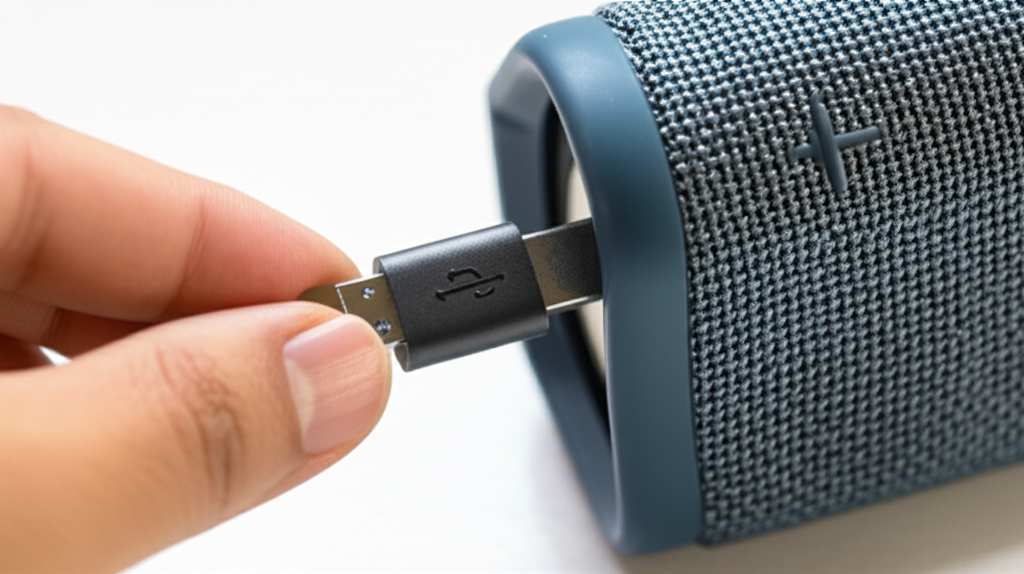
So, let’s get that speaker singing again! We’ll dive into all the nitty-gritty, step-by-step, so you’re a charging pro in no time.
Why Your Bluetooth Speaker Needs a Charge
Think of your Bluetooth speaker like your smartphone. It has a battery inside that needs to be refilled so it can do its thing. This battery powers all the cool sound magic that comes out of it. When the battery gets low, the sound might start to fade, or the speaker might even shut down completely.
It’s like your favorite song suddenly stopping mid-chorus – a total bummer! Keeping your speaker charged means you’re always ready for spontaneous dance parties, important calls, or just enjoying some chill tunes. It’s all about keeping the good vibes flowing without interruption.
The Basics: What You Need to Charge
Most Bluetooth speakers are pretty straightforward when it comes to charging. You usually only need two main things: the speaker itself and a charging cable. It’s usually a standard USB cable, but the type can vary a little.
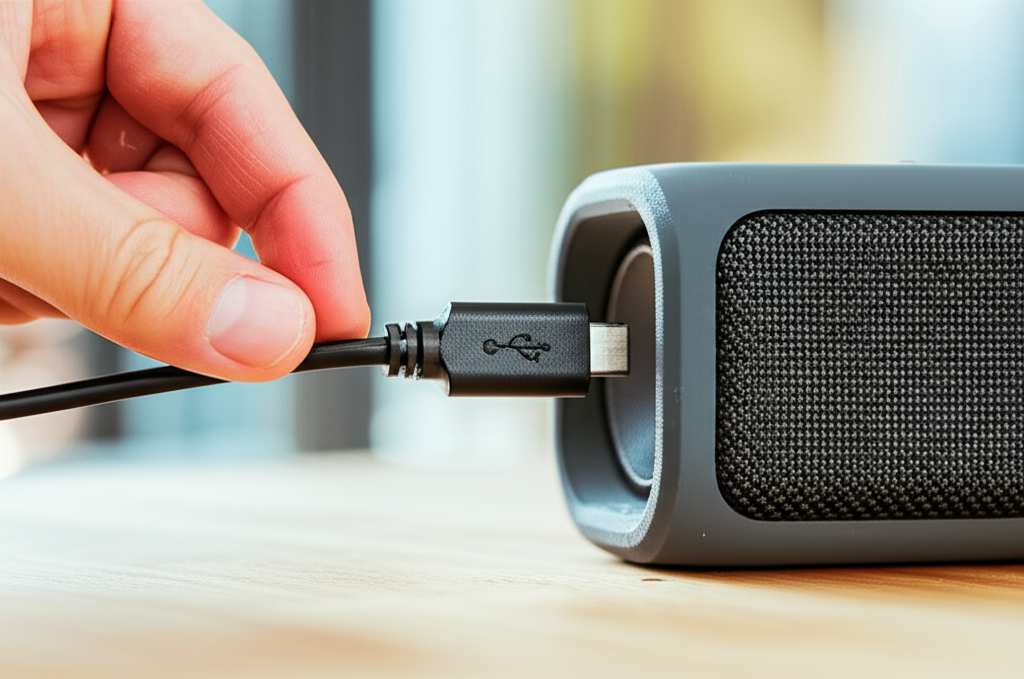
Sometimes, the speaker comes with its own special cable. Other times, it uses a common type like USB-A to Micro-USB or the newer USB-C. Knowing which cable your speaker uses is the first step to a speedy charge.
Finding the Right Charging Cable
This is where things can sometimes get a little confusing, but we’ll clear it right up! Most speakers use a USB cable to get their power. The end that plugs into your speaker is usually a small rectangle (Micro-USB) or a slightly larger, oval shape (USB-C). The other end, the one that plugs into the power source, is often a standard USB-A connector, like the one you see on computer ports or wall adapters.
Here’s a quick rundown of common cable types:
- Micro-USB: This is a small, trapezoidal connector that was very common on older Android phones and many Bluetooth speakers.
- USB-C: This is the newer, reversible oval connector that’s becoming the standard on most modern devices, including many new speakers. It’s usually faster and more robust.
- Lightning: While less common for speakers, some devices might use Apple’s Lightning cable.
Pro Tip: Always check your speaker’s manual or the manufacturer’s website if you’re unsure. Using the wrong cable usually won’t damage anything, but it won’t charge your speaker either!
Where to Plug In Your Speaker
Once you have the right cable, you need a place to plug it in to get that power flowing. This is like finding a wall outlet for your phone. You have a few good options, and some are faster than others.
Let’s look at the most common power sources:
- Wall Adapter (Power Brick): This is the little cube you plug into a wall outlet. Many phone chargers use these. They’re usually the fastest way to charge because they provide a steady stream of power.
- Computer USB Port: You can plug the USB cable directly into a USB port on your laptop or desktop computer. This is convenient but often slower than a wall adapter.
- Power Bank: These are portable battery packs. They’re super handy for charging on the go, especially if you’re out camping or at a park.
- Car USB Port: Some cars have USB ports that can provide power. This is great for road trips!
Fun Fact: The amount of power a charger provides is measured in watts (W) or amps (A) and volts (V). Higher numbers generally mean faster charging, but your speaker is designed to only accept a certain amount of power to protect its battery.
Step-by-Step: How to Charge Your Bluetooth Speaker
Ready to get charging? It’s super simple. Follow these easy steps, and you’ll be back to enjoying your tunes in no time.
Here’s how to do it:
- Check Your Speaker’s Battery Level: Most speakers have an indicator light or an app that shows you how much battery is left. If it’s blinking red or orange, it’s probably time to charge.
- Find the Charging Port: Look for a small port on your speaker. It might be hidden behind a rubber flap or on the back or bottom.
- Connect the Charging Cable: Plug the correct end of your USB cable into the speaker’s charging port. Make sure it fits snugly.
- Connect to a Power Source: Plug the other end of the USB cable into your chosen power source – like a wall adapter, computer, or power bank.
- Look for the Indicator Light: Your speaker should have a small LED light that shows it’s charging. It might be red, orange, or blue. This light usually changes color or turns off when the speaker is fully charged.
- Wait for the Charge: Depending on your speaker and the power source, this can take anywhere from 1 to 4 hours.
- Disconnect and Enjoy: Once the indicator light shows it’s full, unplug the cable. Your speaker is ready to go!
Insider Tip: For the fastest charge, always try to use a wall adapter with a decent power output. It’s usually much quicker than plugging into a computer.
Troubleshooting: What If It’s Not Charging?
Sometimes, even with the best intentions, things don’t work perfectly. If your speaker isn’t charging, don’t panic! There are a few common culprits we can check. It’s usually something simple to fix.
Let’s go through some quick fixes:
- Check the Cable: Is it plugged in all the way on both ends? Try a different USB cable if you have one. Cables can sometimes get damaged internally.
- Try a Different Power Source: Plug it into a different wall adapter, a different USB port on your computer, or a different power bank. The original source might be the issue.
- Inspect the Charging Port: Look closely at the port on your speaker. Is there any dust or debris stuck inside? You can try gently cleaning it with a dry, soft brush or a can of compressed air. Be very careful not to damage the pins inside.
- Restart the Speaker: Sometimes, a simple restart can fix charging glitches. Turn the speaker off completely, unplug it, wait a minute, and then plug it back in to charge.
- Check the Manual: If you still have it, your speaker’s manual might have specific troubleshooting steps for charging issues.
Real-Life Example: My friend Sarah had an older speaker that suddenly stopped charging. We tried everything, and it turned out the Micro-USB port was a little loose. She had to wiggle the cable just right to get it to charge. It wasn’t ideal, but it worked until she got a new one!
Understanding Charging Lights and Indicators
Those little lights on your speaker aren’t just for decoration! They’re actually super helpful indicators of what’s going on. Most speakers use them to show battery status and charging progress.
Here’s a general idea of what those lights might mean:
- Solid Red/Orange: Usually means the speaker is charging.
- Flashing Red/Orange: Often indicates a low battery.
- Solid Green/Blue (or light turns off): Typically means the speaker is fully charged.
- Pulsing Light: Can sometimes mean it’s in pairing mode or just powered on.
Important Note: The exact meaning of these lights can vary a lot between different brands and models. Always check your speaker’s manual for the most accurate information!
Fast Charging vs. Standard Charging
You might hear terms like “fast charging” when talking about phones, and it applies to speakers too! Fast charging means the speaker can accept more power in a shorter amount of time, topping up its battery quicker.
To get the fastest charge, you typically need:
- A compatible speaker: Not all speakers are designed for fast charging.
- A high-output charger: This is usually a wall adapter that provides more watts (e.g., 18W, 30W, or more).
- A high-quality USB cable: Some cables are only built for basic charging speeds.
Why it matters: If you’re in a hurry and need your speaker charged for a party or a trip, fast charging can be a lifesaver. A standard charge might take 3-4 hours, while fast charging could get you to 80% in under an hour!
Battery Health: Tips for Longevity
Just like any battery, your speaker’s battery can degrade over time. But there are some simple things you can do to help it last longer and keep its charging capacity strong.
Here are some easy tips:
- Avoid Extreme Temperatures: Don’t leave your speaker in a super hot car or freezing cold garage. Extreme heat and cold can damage the battery.
- Don’t Always Drain It Completely: While it’s okay to let it run low sometimes, try not to let the battery completely die out regularly.
- Don’t Overcharge Constantly: Most modern speakers have smart charging that stops when full. However, if you’re leaving it plugged in for days on end, it’s generally better to unplug it once it’s charged.
- Use the Right Charger: Stick to chargers that are recommended by the manufacturer or have similar power ratings to the original.
Did You Know? Lithium-ion batteries, common in speakers, perform best when kept between 20% and 80% charge. This is a bit trickier with speakers since they don’t always show precise percentages, but the general idea is to avoid extremes.
Comparing Charging Speeds and Methods
Let’s look at how different charging methods stack up. This can help you decide the best way to power up your speaker depending on how much time you have.
Charging Speed Comparison Table
| Charging Method | Typical Charge Time (for a full charge) | Best For | Notes |
| :——————— | :————————————– | :—————————————— | :—————————————————————— |
| Wall Adapter (Standard) | 2-4 hours | Daily charging, convenience | Reliable and safe. |
| Computer USB Port | 4-6 hours | When no wall adapter is available | Slower, but works in a pinch. |
| Power Bank | 2-4 hours | On-the-go, travel, outdoor use | Portable power solution. |
| Wall Adapter (Fast Charge) | 1-2 hours | When you need power quickly | Requires compatible speaker and higher-wattage adapter. |
| Car USB Port | 3-5 hours | Road trips, while driving | Varies greatly by car model. |
What this table means for you: If you need your speaker ready fast, a good wall adapter is your best bet. If you’re traveling and don’t have access to outlets, a power bank is a lifesaver. Plugging into your computer is okay if you have plenty of time or are using the speaker while it charges.
Advanced Tips for Power Users
For those of you who love to dig a little deeper, here are some extra tips to get the most out of your speaker’s battery and charging. These are for when you want to optimize everything!
- Check Firmware Updates: Sometimes, manufacturers release software updates for speakers that can improve battery management and charging efficiency. Check your speaker’s app or the manufacturer’s website.
- Use the Original or Certified Charger: While generic chargers might work, using the one that came with your speaker or a reputable certified alternative ensures it’s providing the correct power and is safe for your device.
- Understand Power Delivery (PD) and Quick Charge (QC): If your speaker supports these advanced charging technologies (more common on higher-end models), you’ll need a charger that also supports them for the fastest speeds.
- Clean Contacts: Occasionally, the charging pins on the cable or inside the port can get dirty. A gentle cleaning with a dry cotton swab or a puff of compressed air can sometimes improve connection.
Cool Tech Fact: USB Power Delivery (USB PD) is a standard that allows devices and chargers to communicate and negotiate the optimal power level for charging. This means your charger can intelligently deliver more power when your speaker can handle it, speeding things up safely.
Frequently Asked Questions (FAQs)
Let’s tackle some common questions you might have about charging your Bluetooth speaker.
Q1: How do I know when my Bluetooth speaker is fully charged?
A1: Most speakers have an indicator light. It usually turns solid green, blue, or white, or it might turn off completely when charging is finished. Check your speaker’s manual for specifics!
Q2: Can I use my phone charger to charge my Bluetooth speaker?
A2: Usually, yes! Most phone chargers use standard USB cables and provide a safe amount of power for your speaker. Just make sure the cable type matches.
Q3: How long does it take to charge a Bluetooth speaker?
A3: It varies! Smaller speakers might charge in 1-2 hours, while larger ones can take 3-4 hours or even longer. Using a fast charger can significantly cut down the time.
Q4: Can I use my Bluetooth speaker while it’s charging?
A4: Yes, most speakers can be used while plugged in and charging. Just be aware that charging might be slower if the speaker is playing loudly.
Q5: My speaker won’t charge. What should I do?
A5: First, try a different cable and power source. Check the charging port for debris. If it still doesn’t work, you might need to contact the manufacturer for support.
Q6: Does it hurt the battery to charge my speaker overnight?
A6: Modern speakers have built-in protection to prevent overcharging. So, charging overnight is generally safe, but it’s still a good habit to unplug it once it’s full if you can.
Q7: Can I use a portable power bank to charge my speaker?
A7: Absolutely! Power banks are excellent for charging speakers on the go. Just connect your speaker to the power bank using the correct USB cable.
Conclusion: Power Up and Keep the Music Playing!
So there you have it! Charging your Bluetooth speaker is a straightforward process once you know the basics. From picking the right cable to understanding those handy indicator lights, you’re now equipped to keep your favorite audio companion powered up and ready for action.
Remember, a little care goes a long way in keeping your speaker’s battery healthy. By using the correct chargers and avoiding extreme conditions, you’ll ensure many more hours of great sound.
Now you can confidently charge your speaker, troubleshoot any minor hiccups, and keep the tunes flowing without a second thought. Go forth and enjoy amazing sound, making every moment louder and better!


