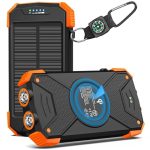
Can’t find your Bluetooth speaker charger? Don’t worry! You can still juice it up using common USB ports on computers, power banks, or even car chargers. Plus, learn how to extend battery life so you don’t need to charge as often. Let’s get your tunes playing again!
Hey there, tech pals! It’s Max from AffTechy.com, your go-to buddy for making gadgets easy and fun. We all love our Bluetooth speakers, right? They bring our favorite music to life, make movie nights epic, and even add a fun vibe to parties. But what happens when that little charging cable goes missing? It can feel like a total buzzkill, leaving you wondering how to get the music flowing again.
I get it. Sometimes, the tech world can feel a bit overwhelming with all the different ports, cables, and specs. Picking the right speaker or figuring out how to keep it powered up shouldn’t be a headache. That’s where I come in! My mission is to break down all that tech jargon into simple, friendly advice.
So, if you’re stuck with a silent speaker and no charger in sight, don’t panic. We’re going to explore some clever ways to bring it back to life. We’ll cover everything from using everyday devices to charge your speaker to simple tips that help your battery last longer. Let’s dive in and make sure your speaker is always ready to play!

Lost Your Bluetooth Speaker Charger? No Sweat!
It happens to the best of us. You’re all set for a chill evening with your favorite playlist, or maybe you’re heading out for a picnic, and then you realize it: the charging cable for your Bluetooth speaker is nowhere to be found. It’s a common problem, but thankfully, it’s usually easy to solve. Most Bluetooth speakers use standard charging ports, making them pretty versatile.
The good news is that you likely have a way to charge it already lying around your home or office. We’re talking about those trusty USB ports that seem to be everywhere these days. Think about your laptop, your desktop computer, or even that portable power bank you use for your phone. All of these can be lifesavers when your speaker needs a boost.
Understanding Your Speaker’s Charging Port
Before we jump into the charging hacks, let’s quickly look at what kind of charging port your speaker might have. This is super important because it tells you what kind of cable you’ll need. Most modern Bluetooth speakers use one of these common types:
- Micro-USB: This is a smaller, older standard. You’ll see it on many budget-friendly speakers and older models. The cable is usually flat and has a trapezoidal connector.
- USB-C: This is the newer, reversible standard that’s becoming very common. It’s a small oval shape and works no matter which way you plug it in. You’ll find this on many newer smartphones and speakers.
- Lightning: This is Apple’s proprietary connector, mostly found on iPhones and iPads. While less common for speakers, some accessories might use it.
- 3.5mm Aux-in (for audio, not charging): Just a quick note – some speakers have a 3.5mm audio jack for wired connections. This is for sound, not for power, so don’t try to charge with it!
The easiest way to find out what you have is to look at the charging port on your speaker itself. It’s usually on the back or bottom. If you’re still unsure, a quick peek at your speaker’s manual or a search for your speaker’s model online will tell you exactly what you need.
Genius Hack #1: The Universal USB Power Source
This is the most common and easiest way to charge your Bluetooth speaker without its original charger. Most Bluetooth speakers charge using a USB cable. This means you can plug them into almost any device that provides USB power. Here are some of your best bets:
Using Your Computer or Laptop
Your computer is a treasure trove of charging power! Almost every laptop and desktop computer has multiple USB ports. You just need the right USB cable that matches your speaker’s charging port (usually Micro-USB or USB-C).
How to do it:
- Find the USB cable that came with your speaker, or any compatible USB cable (e.g., a Micro-USB to USB-A cable if your speaker uses Micro-USB).
- Plug the smaller end into your Bluetooth speaker.
- Plug the larger USB-A end into an available USB port on your computer.
- Your speaker should indicate that it’s charging. This might be a light that turns red or orange, or a battery icon on the speaker’s display if it has one.
Why it works: Computers are designed to supply power through their USB ports. While it might not charge as quickly as a dedicated wall adapter, it’s a reliable method when you’re working or at home.
Power Up with a Power Bank
Power banks are specifically designed to charge your devices on the go. If you have a power bank for your phone, you probably have a way to charge your speaker too! They’re like portable batteries for all your gadgets.
How to do it:
- Connect your speaker’s charging cable to the speaker.
- Plug the other end of the USB cable into the power bank’s output port.
- Most power banks will automatically start charging the connected device. Check for any indicator lights on both the speaker and the power bank.
Fun Fact: The average smartphone power bank can fully charge a typical Bluetooth speaker at least once, and often two or three times!
Car USB Ports and Adapters
Driving somewhere? Your car is a mobile charging station! Many newer cars come with built-in USB ports, usually located on the dashboard or center console. If your car doesn’t have one, you can easily get a USB car charger adapter that plugs into your cigarette lighter socket.
How to do it:
- If your car has a USB port, simply plug in your speaker’s USB cable.
- If not, insert a USB car charger adapter into the cigarette lighter socket. Then, plug your speaker’s USB cable into the adapter.
- Make sure your car is turned on or in the accessory mode to supply power.
Pro Tip: Keep a spare USB car charger adapter and a few common USB cables in your glove compartment. You never know when you or a friend might need a quick charge!
Wall Adapters (The “Phone Charger” Trick)
Do you have an old smartphone wall charger lying around? Many of these chargers use a standard USB-A port. If your speaker uses a USB-A to Micro-USB or USB-A to USB-C cable, you can often use your old phone charger as a power source!
How to do it:
- Take the USB cable that connects to your speaker.
- Plug the USB-A end into the wall adapter.
- Plug the wall adapter into a power outlet.
- The other end of the cable connects to your speaker.
Important Note: Check the power output (in Amps or Watts) of your old phone charger. While most should work fine, using a very low-power adapter might charge your speaker very slowly. High-power adapters (like those for tablets or fast-charging phones) are generally safe to use and might even charge your speaker faster.
Genius Hack #2: The Dummy Battery & Universal Charger Combo (Less Common)
This is a bit more niche, but some older or specialized Bluetooth speakers might have used removable battery packs. In rare cases, you might find third-party “dummy batteries” or universal battery chargers that can work. However, for the vast majority of modern Bluetooth speakers, this isn’t applicable. They are designed with internal, non-removable batteries.
If your speaker does have a removable battery pack, you might be able to find a universal battery charger that fits. These often have adjustable pins to accommodate different battery sizes. However, this is becoming quite uncommon.
Genius Hack #3: Borrowing a Cable
Sometimes, the simplest solution is the best. Do you have a friend, family member, or coworker who also owns Bluetooth speakers or uses devices with similar charging ports (like a smartphone)? They might have a spare Micro-USB or USB-C cable you can borrow.
Why it’s smart: Many people have a collection of USB cables lying around from old phones, tablets, or other gadgets. A quick “Hey, do you have a spare charging cable for a speaker?” can save you a lot of hassle.
Genius Hack #4: Using a Speaker with Power-Sharing Capabilities
This is a pretty cool feature found on some higher-end or rugged Bluetooth speakers. Certain models have the ability to share their battery power with other devices, much like a power bank. If your speaker has this feature, you might be able to use it to charge another device, but it won’t help you charge the speaker itself.
However, if you have two speakers and one has power-sharing, and the other needs charging, you might be able to connect them via a USB cable (if both support it) and transfer power. This is extremely rare, but worth checking your speaker’s manual for!
Maximizing Your Speaker’s Battery Life (So You Charge Less!)
Once you’ve got your speaker charged up, you’ll want to make that battery last as long as possible. Here are some easy tips to extend your listening time between charges:
- Lower the Volume: This is the biggest one! Playing music at maximum volume drains the battery much faster. Try turning it down a bit. You’ll be surprised how much longer it lasts.
- Reduce Bass Boost: If your speaker has a bass boost or EQ setting, turning it off or reducing it can save power. Bass frequencies require more energy.
- Turn Off Unused Features: Does your speaker have LED lights, a built-in radio, or voice assistant capabilities you’re not using? Turn them off. These features consume extra power.
- Disconnect When Not in Use: Don’t leave your speaker connected to your phone via Bluetooth if you’re not actively playing music. The constant Bluetooth connection uses a small amount of battery on both devices.
- Keep it Cool: Extreme temperatures, especially heat, can degrade battery performance over time. Avoid leaving your speaker in a hot car or direct sunlight for long periods.
- Charge Fully (Sometimes): While modern lithium-ion batteries don’t suffer from “memory effect” like older batteries, it’s generally good practice to charge your speaker fully when you can. Avoid leaving it at very low battery levels for extended periods.
- Update Firmware: Manufacturers sometimes release firmware updates that can improve battery efficiency. Check your speaker’s app or the manufacturer’s website for updates.
Comparing Charging Speeds and Methods
Not all charging methods are created equal. Some will be faster than others. Here’s a quick look at what you can generally expect:
| Charging Method | Typical Charging Time (for a full charge) | Notes |
|---|---|---|
| Original Wall Charger (if you had it) | 2-4 hours | Designed for optimal speed and battery health. |
| Computer USB Port (USB 2.0) | 5-8+ hours | Slower due to lower power output (0.5A). |
| Computer USB Port (USB 3.0) | 4-6 hours | Faster than USB 2.0 (0.9A). |
| Power Bank | 3-6 hours | Varies greatly depending on the power bank’s output. |
| Old Phone Wall Adapter | 3-7 hours | Depends on the adapter’s Amperage. Higher Amps = faster charging. |
| Car USB Port/Adapter | 4-7 hours | Similar to computer USB 3.0, depending on car’s output. |
What this table means for you: As you can see, using your computer’s older USB 2.0 port will take the longest. If you’re in a hurry, try to use a power bank or an old phone wall adapter with a higher Amp rating. The key takeaway is that while charging methods might vary in speed, most common USB sources will eventually get your speaker powered up!
Speaker Comparison: Battery Life & Charging
Let’s look at how different types of speakers stack up. This isn’t about specific models but general categories. Knowing this can help you understand battery expectations.
| Speaker Type | Typical Battery Life (Hours) | Common Charging Port | Charging Speed Notes |
|---|---|---|---|
| Mini Portable Speakers | 8-15 hours | Micro-USB or USB-C | Usually charges within 3-5 hours. |
| Mid-Size Bluetooth Speakers | 10-20 hours | USB-C (most common) or Micro-USB | Can take 3-6 hours to charge. |
| Large Party Speakers | 15-30+ hours | USB-C, sometimes proprietary DC input | May take longer, 4-8+ hours, or have faster charging tech. |
| Rugged/Waterproof Speakers | 12-24 hours | USB-C | Generally charges in 3-5 hours. |
Why this matters: This table shows that even basic mini speakers offer decent listening time. When choosing a new speaker, always check its advertised battery life and charging port. A USB-C port is generally a good sign for faster charging and future compatibility. For more detailed reviews on specific models, check out sites like CNET.
Troubleshooting Common Charging Issues
Sometimes, even with the right cable and power source, your speaker might not charge. Here are a few things to check:
- Check the Cable: Is the cable damaged? Frayed wires or bent connectors can prevent charging. Try a different, known-working USB cable.
- Check the Ports: Look inside both the speaker’s charging port and the USB port on your power source. Are they clean? Lint or debris can block the connection. You can gently clean them with a dry toothbrush or compressed air.
- Try a Different Power Source: If charging from your computer isn’t working, try a wall adapter or power bank. Some computer USB ports might have power-saving settings that interfere.
- Restart Your Speaker: Sometimes, a simple restart can resolve temporary glitches. Turn the speaker off, wait a minute, and turn it back on before trying to charge again.
- Ensure Correct Cable Type: Double-check that you’re using a charging cable, not just a data transfer cable (though most USB cables do both). For USB-C, ensure it’s capable of power delivery.
Frequently Asked Questions (FAQs)
Q1: Can I charge my Bluetooth speaker with my phone’s fast charger?
Generally, yes! Most modern Bluetooth speakers can handle the higher power output from fast chargers. It might even charge your speaker faster. Just make sure you’re using the correct USB cable (Micro-USB or USB-C) that fits your speaker.
Q2: Will charging my speaker with a computer wear out my computer’s battery?
Not significantly. While it does draw power, the amount is usually quite small. If you’re concerned, you can unplug the speaker when you’re done charging, or use a powered USB hub.
Q3: My speaker still won’t charge. What else could be wrong?
If you’ve tried different cables and power sources and your speaker still won’t charge, the issue might be with the speaker’s battery or charging port itself. It might be time to contact the manufacturer or consider a repair.
Q4: How do I know if my speaker is charging?
Most speakers have an indicator light. It often turns red or orange while charging and might turn blue or green, or turn off, when fully charged. Some speakers might also show a battery icon on a small display.
Q5: Can I use a USB hub to charge my speaker?
Yes, you can use a powered USB hub. If it’s an unpowered hub, it might work, but charging could be very slow or unreliable, as it shares power with other connected devices and the computer.
Q6: Is it safe to leave my speaker plugged in overnight?
For most modern speakers with lithium-ion batteries, it’s generally safe. They have circuitry to prevent overcharging. However, it’s always best to unplug it once it’s fully charged to prolong battery health.
Wrapping Up: Get Your Music Back On!
See? Finding a way to charge your Bluetooth speaker without its original charger is totally doable! You’ve got the power of USB ports on computers, power banks, car chargers, and even old phone adapters right at your fingertips. It’s all about using those common connections you already have.
Remember those tips for making your battery last longer too. Lowering the volume and turning off extra lights can make a big difference. You’re now equipped to keep the tunes playing, whether you’re at home, on a road trip, or enjoying the great outdoors.
So next time you find yourself charger-less, don’t stress! You know the hacks. Go ahead, grab a compatible cable, plug it into one of the many USB sources around you, and let the good times roll. Now go enjoy amazing sound and make every moment louder and better!