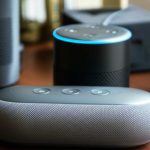
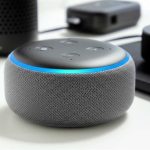
Yes, Alexa can absolutely connect to Wi-Fi speakers, and it’s often a much better experience than Bluetooth! Get ready for amazing sound and seamless streaming.
Hey there, tech explorers! Ever find yourself wanting to fill your home with music, podcasts, or even just the ambient sounds of a movie without the fuss of wires or the limitations of Bluetooth? It’s something we all crave, right? Imagine your favorite tunes flowing effortlessly from room to room, or your smart home responding with crystal-clear audio. Sometimes, figuring out how to connect all these cool gadgets can feel like a puzzle. But don’t worry, that’s exactly why I’m here! We’re going to dive into the wonderful world of connecting Alexa to Wi-Fi speakers, and I promise to make it super simple and fun. Let’s break down how you can ditch the Bluetooth blues and embrace some truly awesome sound.
Alexa and Your Speakers: A Love Story
So, you’ve got this awesome Alexa device – maybe an Echo Dot, an Echo Show, or even just the Alexa app on your phone. And you’ve got some speakers, maybe a fancy new set or even some smart speakers that look really cool. The big question is: how do you make them sing together? For a long time, Bluetooth was the go-to. It’s pretty easy to pair your phone to a speaker, so why not Alexa? Well, Bluetooth is great for short distances and quick connections. But when you want to stream music all day, or have your smart home assistant play something without interruption, Wi-Fi speakers often steal the show. They offer better sound quality, a more stable connection, and you can even control them from further away. Plus, they unlock a whole new level of smart home integration that Bluetooth just can’t match.
Why Wi-Fi Speakers are Your Alexa’s New Best Friend
Think about it: Bluetooth is like a quick chat between two devices. It’s good for a short conversation. Wi-Fi, on the other hand, is like having a dedicated highway for data. When Alexa connects to a Wi-Fi speaker, it’s not just shouting across the room; it’s sending instructions and audio data over your home network. This means more bandwidth, which translates to higher quality audio. No more choppy music or dropped connections because you walked too far away! It’s also how you get those really cool multi-room audio setups where the same song plays in your kitchen and living room at the exact same time. Pretty neat, huh?
Let’s dive into the amazing possibilities that open up when Alexa and Wi-Fi speakers team up.
Can Alexa Connect To Wi-Fi Speakers Instead Of Bluetooth? Yes, and Here’s How!
This is the million-dollar question, and the answer is a resounding YES! While many Alexa devices can connect to Bluetooth speakers, using Wi-Fi speakers offers a significantly better experience for many scenarios. It’s not just about connecting; it’s about unlocking the full potential of both your Alexa device and your audio gear.
Here’s the cool part: when Alexa connects to a Wi-Fi speaker, it’s usually through your home Wi-Fi network. This means Alexa sends the audio directly to the speaker over the network, bypassing the limitations of Bluetooth. It’s like upgrading from a dial-up modem to fiber optic internet for your sound!
The Two Main Ways Alexa Connects to Speakers
Before we get into the nitty-gritty, let’s understand the two primary ways your Alexa device can work with speakers:
1. Bluetooth Connection: This is the classic way. You “pair” your Alexa device to a Bluetooth speaker. It’s simple and works with most speakers. However, it can sometimes have connection dropouts and isn’t ideal for multi-room audio.
2. Wi-Fi Connection (Direct or via Alexa App): This is where the magic happens for superior audio. Alexa devices themselves can connect to Wi-Fi speakers in a few ways, either directly or by controlling them through their own apps and then linking them to Alexa. This usually offers better sound, a more stable connection, and advanced features.
Setting Up Alexa with Wi-Fi Speakers: Step-by-Step
So, how do you actually make this happen? It depends a little on the type of Wi-Fi speaker you have. Some are designed to work seamlessly with Alexa right out of the box, while others might require a little more setup. Let’s walk through the most common scenarios.
Scenario 1: Using an Amazon Echo Device as the Speaker
This is the easiest scenario! If you have an Amazon Echo device (like an Echo Dot, Echo, Echo Plus, Echo Studio, or Echo Show), it’s already a Wi-Fi speaker. It connects to your home Wi-Fi network automatically when you set it up.
How to use your Echo device:
1. Set up your Echo device: If you haven’t already, download the Alexa app on your smartphone or tablet. Follow the app’s instructions to connect your Echo device to your Wi-Fi network.
2. Ask Alexa to play music: Once connected, simply say, “Alexa, play [song name]” or “Alexa, play [genre] music.” The sound will come directly from your Echo device.
Scenario 2: Connecting an Echo Device to a Non-Amazon Wi-Fi Speaker (or a Soundbar/AV Receiver)
This is where things get really interesting and can significantly upgrade your audio experience. Many Wi-Fi speakers, soundbars, and even home theater systems are designed to be controlled by Alexa.
Here’s how you generally set this up:
1. Set up your Wi-Fi Speaker: First, make sure your Wi-Fi speaker is set up and connected to your home Wi-Fi network using its own manufacturer’s app. This is crucial. For example, if you have a Sonos speaker, you’ll use the Sonos app to connect it to Wi-Fi.
2. Enable the Speaker’s Alexa Skill: This is the key step. Most smart Wi-Fi speaker brands have an “Alexa Skill” that you need to enable.
Open the Alexa app on your smartphone or tablet.
Go to “More” (usually in the bottom right corner).
Tap on “Skills & Games.”
Search for the brand of your Wi-Fi speaker (e.g., “Sonos,” “Bose,” “Denon”).
Tap on the skill and then tap “Enable to Use.”
3. Link Your Accounts: When you enable the skill, you’ll usually be prompted to link your account for that speaker brand with your Amazon account. Follow the on-screen instructions. This allows Alexa to control your speakers.
4. Discover Devices: Once your accounts are linked, Alexa needs to find your speakers.
In the Alexa app, go to “Devices.”
Tap the “+” icon (usually in the top right).
Tap “Add Device.”
Follow the prompts. You might need to select “Speaker” or “Other,” and then Alexa will search your network for compatible devices. Alternatively, you can often just say, “Alexa, discover devices.”
5. Control Your Speakers: After discovery, your Wi-Fi speakers should appear in your Alexa app under “Devices.” You can then:
Ask Alexa to play music on a specific speaker: “Alexa, play my morning playlist on the living room speaker.”
Group speakers for multi-room audio.
Control volume and playback with your voice.
Scenario 3: Using Alexa as a Voice Remote for Wi-Fi Speakers (No Direct Connection)
Sometimes, you might have Wi-Fi speakers that don’t have a direct “skill” for Alexa, or you want to use a standard Bluetooth speaker with your Alexa device. In this case, your Alexa device can act as the source and send audio to the speaker via Bluetooth.
Here’s the breakdown for using Bluetooth:
1. Put your Bluetooth speaker in pairing mode: Check your speaker’s manual. Usually, you press and hold a Bluetooth button until a light blinks.
2. Open the Alexa app: Go to “Devices.”
3. Select your Echo device: Choose the Echo device you want to connect.
4. Tap “Bluetooth Devices”: Look for the Bluetooth settings for that specific Echo.
5. Tap “Pair a New Device”: Your Echo will search for nearby Bluetooth devices.
6. Select your speaker: When your speaker appears in the list, tap on it to pair.
7. Confirm connection: Alexa will usually say something like, “Connected to [Speaker Name].”
8. Play music: Now, when you ask Alexa to play music, it will send the audio via Bluetooth to your speaker.
Important Note: While this works, remember that Wi-Fi connections (as described in Scenario 2) generally offer superior audio quality and stability compared to Bluetooth for Alexa.
Understanding Wi-Fi Speaker Technologies for Alexa
Not all Wi-Fi speakers are created equal, and understanding a few terms can help you choose the best one for your Alexa setup.
Common Wi-Fi Audio Technologies
AirPlay (Apple): Primarily for Apple devices, but some Alexa-compatible speakers might support it. It’s a robust streaming protocol.
Chromecast Built-in (Google): While this is Google’s tech, some speakers that have Chromecast built-in can also be controlled via Alexa through specific integrations or by using Alexa to control the Chromecast feature.
Spotify Connect: Allows you to stream directly from Spotify to compatible speakers. If your speaker supports Spotify Connect, you can often control it with Alexa, especially if the speaker has an Alexa Skill.
Manufacturer Proprietary Protocols: Brands like Sonos have their own robust Wi-Fi streaming systems that integrate very well with Alexa through their dedicated skills.
Why Wi-Fi is Superior for Alexa Integration
Higher Audio Quality: Wi-Fi networks can handle much more data than Bluetooth. This means richer, more detailed sound without compression.
Longer Range: Your Alexa device and Wi-Fi speaker don’t need to be in the same room. As long as they’re on the same Wi-Fi network, they can communicate.
Multi-Room Audio: This is a huge benefit! You can group multiple Wi-Fi speakers together and have Alexa play the same music in every room simultaneously. This is very difficult or impossible with Bluetooth.
Stable Connections: Wi-Fi is generally more stable and less prone to interference than Bluetooth, especially in busy wireless environments.
No Pairing Hassle: Once set up, your Wi-Fi speakers are always available to Alexa, unlike Bluetooth which often requires re-pairing.
Popular Wi-Fi Speaker Brands That Play Nicely with Alexa
Many brands offer fantastic Wi-Fi speakers that integrate wonderfully with Alexa. Here are a few popular ones and what makes them great:
Table 1: Top Wi-Fi Speakers for Alexa Integration
| Brand Name | Key Alexa Integration Feature | Typical Sound Quality | Multi-Room Capability | Best For |
| :——— | :—————————- | :——————– | :——————– | :——- |
| Sonos | Dedicated Alexa Skill, Voice Control | Excellent, Room-Filling | Yes (Sonos Multi-Room) | Audiophiles, Whole-Home Audio |
| Bose | Alexa Built-in (on some models), Alexa Skill | Rich, Balanced Sound | Yes (with SoundTouch/Bose Music App) | Premium Sound, Ease of Use |
| Denon | HEOS Technology, Alexa Skill | Detailed, Powerful | Yes (HEOS Multi-Room) | Home Theater Enthusiasts, Hi-Fi Sound |
| JBL | Alexa Built-in (on some models), Alexa Skill | Dynamic, Punchy | Yes (with specific JBL multi-room systems) | Versatile Use, Smart Features |
| Amazon Echo Studio | Built-in Alexa, Premium Sound | Immersive, Hi-Res Audio Ready | Yes (with other Echo devices) | Deep Amazon Ecosystem Users |
What this table means for you: As you can see, brands like Sonos and Denon offer robust multi-room systems that are controlled via Alexa skills. This means you can command your entire home audio setup with just your voice! Bose and JBL offer some models with Alexa built right in, making them stand-alone smart speakers that also sound great. The Amazon Echo Studio is Amazon’s own premium offering, designed to deliver top-tier sound and deep Alexa integration.
Comparing Wi-Fi vs. Bluetooth for Alexa
Let’s break down the pros and cons of each connection type when you’re using Alexa. This should help you decide which is best for your situation.
Table 2: Wi-Fi vs. Bluetooth for Alexa Connections
| Feature | Wi-Fi Connection (via Skill/App) | Bluetooth Connection |
| :————— | :—————————————————————– | :—————————————————- |
| Audio Quality| Excellent; High-resolution audio supported; Less compression. | Good to Very Good; Dependent on Bluetooth version; Can have compression. |
| Range | Unlimited (within your Wi-Fi network coverage). | Limited (typically 30-50 feet, less with obstacles). |
| Stability | Very Stable; Less prone to interference. | Can be prone to dropouts, especially with distance or interference. |
| Multi-Room | Excellent; Easy to group multiple speakers for synchronized playback. | Very Difficult/Impossible; Not designed for synchronized multi-room. |
| Setup | Requires initial Wi-Fi setup and Alexa Skill linking. | Simple pairing process. |
| Power | Speakers are usually mains-powered, ensuring continuous operation. | Speakers can be mains-powered or battery-powered. |
| Device Control| Full control over speaker features and playback via Alexa. | Primarily audio playback control; some limited speaker functions. |
| Connection | Always connected when on the same Wi-Fi network. | Requires re-pairing if connection is lost or device goes out of range. |
| Use Case | Whole-home audio, high-fidelity music streaming, stable smart home. | Portable speakers, quick connections, single-room audio. |
Why this comparison matters: If you’re looking for the best possible sound for your home, or want to fill multiple rooms with music, Wi-Fi is the clear winner. It offers a more robust and seamless experience for your smart home. Bluetooth is great for convenience and portability, but for dedicated Alexa audio, Wi-Fi unlocks a whole new level.
Tips for the Best Alexa Wi-Fi Speaker Experience
Ready to get the most out of your setup? Here are some friendly tips:
Ensure a Strong Wi-Fi Signal: Your Wi-Fi speakers and Alexa devices need a good connection. If you have dead spots in your home, consider a Wi-Fi extender or a mesh network.
Keep Software Updated: Always update the Alexa app, your Echo devices, and your Wi-Fi speakers’ firmware. Updates often bring new features and improve performance.
Organize Your Speakers in the Alexa App: Give your speakers clear, easy-to-remember names (e.g., “Kitchen Speaker,” “Living Room Soundbar”). This makes voice commands much simpler.
Create Speaker Groups: If you have multiple Wi-Fi speakers, group them in the Alexa app for synchronized multi-room playback. You can name these groups too, like “Downstairs” or “Whole House.”
Experiment with Audio Settings: Some Wi-Fi speakers allow you to adjust EQ settings through their own apps. Tweak these to find the sound profile you like best.
Consider “Alexa Built-in” Speakers: Some Wi-Fi speakers have Alexa built directly into them. This means you don’t even need a separate Echo device to control them with your voice – they are your Alexa device.
Can Alexa Play Music from Any Wi-Fi Speaker?
This is a common question, and the answer is a bit nuanced. Alexa can play music through a Wi-Fi speaker if:
1. The speaker is an Amazon Echo device itself.
2. The speaker has a dedicated Alexa Skill that you can enable and link to your Amazon account. This is the most common way for third-party Wi-Fi speakers (like Sonos, Bose, Denon) to work with Alexa.
3. The speaker supports a streaming protocol that Alexa can cast to, like Spotify Connect, and you use Alexa to control Spotify.
4. You use your Alexa device to send audio via Bluetooth to a speaker that only supports Bluetooth.
So, while it’s not every single Wi-Fi speaker out there, a vast majority of popular smart Wi-Fi speakers are designed to integrate with Alexa. Always check the speaker’s specifications or the Alexa Skill store to confirm compatibility.
Troubleshooting Common Issues
Even with the best tech, sometimes things go a little sideways. Don’t worry, these are usually easy to fix!
Alexa can’t find my speaker:
Make sure both your Alexa device and the speaker are on the exact same Wi-Fi network.
Restart your router, your Echo device, and your speaker.
Ensure the speaker’s Alexa Skill is enabled and linked correctly.
Try rediscovering devices in the Alexa app.
Audio is choppy or cutting out:
Your Wi-Fi signal might be weak. Try moving the speaker or Alexa device closer to the router.
Too many devices on your Wi-Fi network can cause congestion. Try disconnecting some less essential devices.
Restart your router.
Voice commands aren’t working:
Check that the speaker’s microphone is on (if it has one).
Ensure the Alexa Skill is properly linked and enabled.
Try re-linking the account for the speaker brand in the Alexa app.
Make sure you are using clear, concise commands.
The Future of Alexa and Wi-Fi Audio
The way we listen to music and interact with our homes is constantly evolving. Amazon and other speaker manufacturers are always working on better integrations. We’re seeing more Wi-Fi speakers with Alexa built-in, and improved multi-room audio capabilities. The trend is definitely towards more seamless, high-quality audio streaming over Wi-Fi, making your smart home sound better than ever.
Frequently Asked Questions (FAQ)
Q1: Can I connect my Alexa to any Wi-Fi speaker I buy?
A1: Not necessarily any* Wi-Fi speaker, but most major brands are designed to work with Alexa through their own Alexa Skills. Always check the speaker’s compatibility before buying.
Q2: Will connecting Alexa to Wi-Fi speakers improve my music sound quality compared to Bluetooth?
A2: Yes, generally! Wi-Fi allows for higher bandwidth, which means less compression and a richer, more detailed sound experience.
Q3: Do I need a separate Echo device if my Wi-Fi speaker has Alexa built-in?
A3: No! If a Wi-Fi speaker has “Alexa Built-in,” it acts as your Alexa device, so you don’t need another Echo. You can control it directly with your voice.
Q4: How do I set up multi-room audio with Alexa and Wi-Fi speakers?
A4: You set up your Wi-Fi speakers with Alexa (usually via their skills), then use the Alexa app to create a “Speaker Group” with your chosen speakers and control them together.
Q5: Is it hard to link my Wi-Fi speaker brand’s account to Alexa?
A5: It’s usually quite straightforward. You’ll enable the speaker’s skill in the Alexa app and then follow prompts to log in to your speaker brand’s account.
Q6: Can Alexa play music from different streaming services on Wi-Fi speakers?
A6: Yes! Once you set up your preferred music services (like Spotify, Apple Music, Amazon Music, Pandora) in the Alexa app, you can ask Alexa to play music from them on your Wi-Fi speakers.
Q7: What’s the difference between Alexa connecting to a Wi-Fi speaker and a Bluetooth speaker?
A7: Wi-Fi offers better sound quality, longer range, and multi-room capabilities by using your home network. Bluetooth is simpler for quick, direct connections but is more limited in range and features.
Wrapping It All Up: Your Sound, Amplified!
So there you have it! Connecting Alexa to Wi-Fi speakers instead of relying solely on Bluetooth is a game-changer for your home audio. You’ve learned that it’s not only possible but often the best way to get amazing sound quality, stable connections, and those cool multi-room audio features we all love. Whether you’re using an Echo device as your speaker, or integrating third-party smart speakers with Alexa Skills, the process is totally manageable.
Remember, tech is meant to make our lives easier and more enjoyable. By understanding how to connect your Alexa to Wi-Fi speakers, you’re unlocking a world of immersive sound for your music, podcasts, and even your smart home routines. Don’t be afraid to explore the options, set up those skills, and create the perfect audio environment for your home.
Now go enjoy amazing sound and make every moment louder and better!