Want to stream music to your old speakers wirelessly? You can easily make any speaker Bluetooth with a simple, affordable adapter. It’s a fantastic upgrade that brings new life to your sound system without buying new gear!
Hey there, tech explorers! Max Donovan here from AffTechy.com, your friendly guide to making technology super simple and fun. You know, sometimes the best way to enjoy your favorite tunes or dive into a movie is with really good sound. We all have those speakers, right? Maybe they’re the ones you’ve had for ages, tucked away in a corner, or perhaps they’re part of a home stereo system that still sounds amazing. But in today’s world, we’re all about wireless convenience, and those trusty old speakers might feel a bit… well, wired.
It can be a little confusing when you start looking at all the different speaker options out there. So many technical terms, so many buttons and ports! You might think, “Do I really need to buy a whole new set of speakers just to use my phone wirelessly?” The good news is, you absolutely don’t! We’re going to explore a super neat trick that lets you keep the great sound you love and add that modern wireless magic.
Think about it: your favorite playlist on your phone, your podcast, or that epic movie soundtrack. Wouldn’t it be awesome if you could send all that sound to your best-sounding speakers without fussing with cables? It’s totally possible, and it’s way easier than you might think. We’re going to dive into how you can transform any speaker into a Bluetooth powerhouse. Let’s get this audio upgrade party started!
Why Go Bluetooth with Your Old Speakers?
Let’s face it, cables can be a real pain. They get tangled, they limit where you can place your speakers, and they just feel a little dated. Bluetooth technology has changed the game, offering us a tangle-free way to connect our devices. Imagine being able to control your music from anywhere in the room, or letting guests easily connect their phones to your sound system. That’s the magic of Bluetooth!
Your older speakers probably have fantastic sound quality. They were built to last, and often, the audio they produce is richer and more robust than many of today’s smaller, cheaper wireless options. Instead of letting them gather dust, we can give them a new lease on life. This is where the “make any speaker Bluetooth” trick really shines. It’s an eco-friendly and budget-friendly way to enjoy the best of both worlds: superior sound and modern wireless freedom.
Understanding the Magic: Bluetooth Adapters
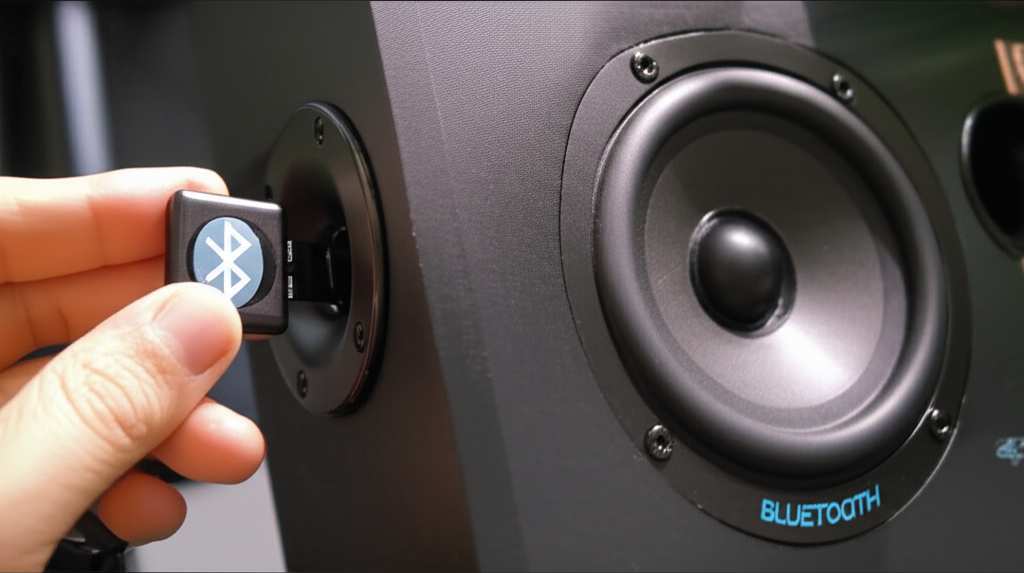
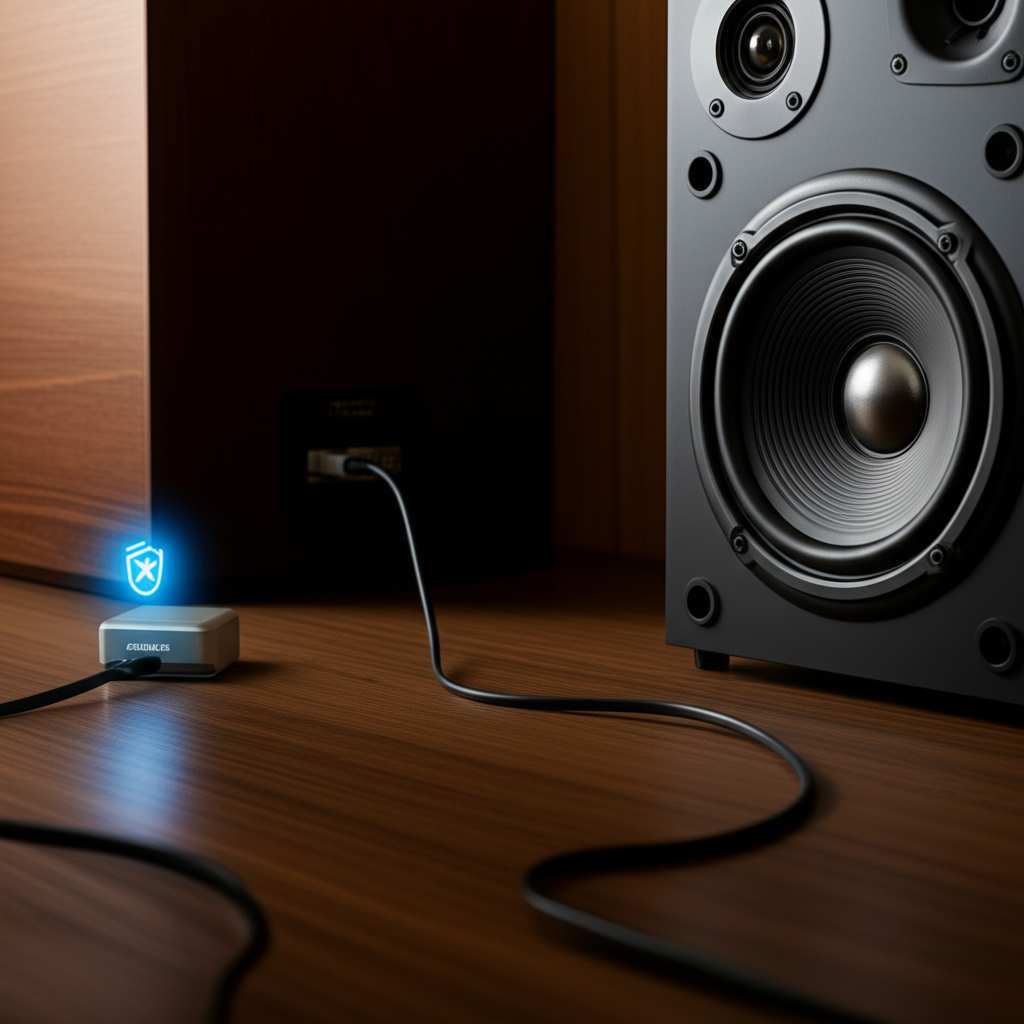
So, how do we actually make this happen? It all comes down to a small, clever gadget called a Bluetooth audio receiver, or adapter. Think of it as a translator. Your phone or tablet speaks Bluetooth, and your old speaker speaks through cables. This adapter bridges that gap. It receives the Bluetooth signal from your device and then outputs it as an audio signal that your speaker can understand.
These adapters are usually pretty small and don’t require any complicated setup. They plug into your speaker’s existing audio input port, and then you pair your phone to the adapter. That’s it! Your speaker is now ready to receive audio wirelessly. It’s like giving your old speakers a brand new, invisible superpower.
Types of Bluetooth Adapters: Finding Your Perfect Match
There are a few different kinds of Bluetooth adapters out there, and choosing the right one depends on your speakers and how you plan to use them. Don’t worry, we’ll break it down so it’s super clear.
1. The Simple 3.5mm Audio Adapter
This is probably the most common type. It looks like a small dongle with a 3.5mm male plug on one end (the kind you used to plug your headphones into). On the other end, it has a Bluetooth receiver built-in. Many adapters also come with a small cable that has 3.5mm male plugs on both ends, or a red and white RCA cable for older stereo systems.
How it works: You plug the adapter into your speaker’s auxiliary (AUX) input. Then, you pair your phone to the adapter. The adapter sends the sound to the AUX cable, which then goes into your speaker.
Best for: Speakers with a 3.5mm AUX input, computer speakers, car stereos with AUX ports, and some portable speakers.
2. RCA to Bluetooth Adapters
If your speakers or stereo system use the classic red and white RCA connectors, you’ll want an adapter that has these built-in or comes with an RCA to 3.5mm cable. Some adapters have a 3.5mm output, and then you use an included 3.5mm to RCA cable. Others have both 3.5mm and RCA outputs directly.
How it works: You connect the adapter’s RCA plugs (red and white) to the corresponding RCA input ports on your speaker or stereo system. Then, you pair your phone.
Best for: Traditional home stereo systems, older TVs with RCA audio outputs, and soundbars that use RCA inputs.
3. Bluetooth Adapters with Built-in Speakers
These are a bit different. They are essentially portable Bluetooth speakers that also have an audio input. You can use them as a regular Bluetooth speaker, or you can plug them into your existing speaker system via their AUX input. The adapter then amplifies the Bluetooth signal and sends it through its own speaker and out to your larger speaker.
How it works: You plug this adapter into your main speaker’s AUX input. Then, you pair your phone to the adapter. The adapter acts as both a receiver and a mini-speaker, passing the audio signal to your main speaker.
Best for: Situations where you might not have an AUX input on your main speaker, or if you want a portable Bluetooth option that can also boost your existing sound.
4. USB Bluetooth Audio Adapters
These are less common for speaker upgrades but exist. They plug into a USB port and can transmit audio. However, they are usually designed for computers, not for direct connection to speakers. For making your speakers Bluetooth, the AUX or RCA types are generally what you’ll be looking for.
Setting Up Your Bluetooth Upgrade: A Step-by-Step Guide
Ready to get started? It’s a straightforward process. Let’s walk through it together.
Step 1: Identify Your Speaker’s Audio Input
First things first, take a look at the back or side of your speaker. You need to find the port where you’d normally plug in an audio cable.
Look for a small, round port labeled “AUX,” “Line In,” or sometimes with a headphone symbol. This is usually a 3.5mm jack.
If you see two round ports, one red and one white, labeled “Audio In” or “Line In,” those are RCA ports.
Step 2: Choose the Right Bluetooth Adapter
Based on the input port you found, pick the adapter that’s compatible.
If you have a 3.5mm AUX port, grab a 3.5mm Bluetooth audio receiver.
If you have red and white RCA ports, get an adapter with RCA connectors or one that comes with an RCA adapter cable.
Step 3: Connect the Adapter to Your Speaker
This is the physical connection part.
For 3.5mm adapters: Plug the 3.5mm male end of the adapter (or the included cable) into your speaker’s AUX input.
For RCA adapters: Plug the red connector into the red RCA input port on your speaker and the white connector into the white RCA input port.
Step 4: Power Up the Adapter (If Necessary)
Some Bluetooth adapters are powered via USB. If yours has a USB cable, plug it into a USB power source. This could be a USB wall adapter, a USB port on your TV, or even a power bank. Many adapters are powered by their own internal battery, which you’ll need to charge first according to the manufacturer’s instructions.
Step 5: Put the Adapter in Pairing Mode
On your Bluetooth adapter, there’s usually a button. You’ll need to press and hold this button until a light starts blinking, often blue or red and blue. This blinking light means the adapter is ready to connect to a new device. Check your adapter’s manual if you’re unsure how to activate pairing mode.
Step 6: Pair Your Phone or Device to the Adapter
Now, grab your smartphone, tablet, or computer.
Go to your device’s Bluetooth settings.
Turn Bluetooth on if it’s not already.
Your device will scan for available Bluetooth devices.
You should see the name of your Bluetooth adapter appear in the list (e.g., “BT-Audio,” “XYZ Receiver”).
Tap on the adapter’s name to connect. You might hear a beep or see a solid light on the adapter once it’s successfully paired.
Step 7: Play Your Music!
That’s it! Now, when you play any audio on your paired device, the sound will be sent wirelessly to the Bluetooth adapter, which then sends it through the cable to your speaker. You can now control the volume and playback from your phone.
Quick Tips for a Smooth Setup
Here are a few extra tips to make your Bluetooth speaker upgrade even better.
Check the Range: Most Bluetooth adapters work best within about 30 feet (10 meters). Walls and other electronic devices can sometimes interfere with the signal, so keep that in mind when placing your speaker and device.
Battery Life: If your adapter is battery-powered, make sure it’s charged before you need it. Many adapters can work while plugged in, so you don’t have to worry about running out of power mid-song.
Firmware Updates: Some advanced adapters might have firmware updates available. Check the manufacturer’s website occasionally. These updates can sometimes improve performance or add new features.
Multiple Device Pairing: Some adapters can remember multiple devices. However, they usually only connect to one device at a time. You might need to disconnect from one device before connecting another.
Comparing Popular Bluetooth Adapter Features
When you’re looking at adapters, a few features really stand out. Here’s a quick look at what to expect.
| Feature | Description | What It Means for You |
| :—————— | :———————————————————————— | :—————————————————————————————– |
| Bluetooth Version | e.g., 4.0, 4.2, 5.0, 5.1, 5.2 | Newer versions (like 5.0+) offer better range, faster connection, and more stable audio. |
| Audio Output | 3.5mm AUX, RCA | Ensures compatibility with your existing speakers or stereo system. |
| Power Source | USB-powered, Rechargeable Battery | USB means it needs a power outlet nearby; battery means portability but needs charging. |
| Codec Support | e.g., SBC, AAC, aptX, aptX HD | Better codecs (like aptX HD) mean higher-quality audio transmission, especially for music. |
| Multipoint Pairing| Connects to two devices simultaneously | Lets you switch easily between your phone and tablet without re-pairing. |
| Low Latency | Minimizes delay between video and audio | Important if you plan to watch movies or play games; reduces lip-sync issues. |
For most users, a Bluetooth 5.0 adapter with AAC support is a great sweet spot for good sound quality and reliable connections. If you’re an audiophile or plan to sync audio with video, looking for aptX Low Latency or aptX HD support would be beneficial. For example, adapters that support aptX HD aim to deliver near CD-quality wireless audio, making a noticeable difference for music lovers.
Real-World Examples: Making the Upgrade Happen
Let’s paint a picture with some real-life scenarios where this upgrade is a game-changer.
The Old Stereo System: Sarah inherited her dad’s awesome vintage stereo system. It sounds incredible, but she loves listening to podcasts from her phone. She bought a simple 3.5mm to RCA adapter, plugged it into the stereo’s AUX input, paired her phone, and now she can stream her favorite shows through those powerful vintage speakers. No more tinny phone speakers for her!
The Car Audio Dilemma: Mark’s car has a great sound system but no built-in Bluetooth. He was tired of using aux cables that would always get tangled. He found a small, battery-powered Bluetooth receiver that plugs into his car’s AUX port. Now, his phone connects automatically when he gets in the car, and he can play music and take calls wirelessly. It feels like a brand-new car stereo!
The Dorm Room Setup: College students often have computer speakers that are only wired. A student named Chloe wanted to stream music from her laptop and phone to her desktop speakers without moving them. She got a USB-powered Bluetooth adapter that plugs into the speaker’s AUX input. Now, her dorm room is filled with great sound, and she can easily switch between her devices.
Understanding Audio Codecs: The Secret to Better Sound
You might see terms like SBC, AAC, or aptX when looking at Bluetooth adapters. These are called audio codecs. Think of them as languages that your device and the adapter use to talk about the sound.
SBC (Subband Coding): This is the basic, standard codec. It works everywhere but might not give you the best audio quality. It’s like a clear but not super-detailed conversation.
AAC (Advanced Audio Coding): This is what Apple devices (iPhones, iPads) use. It generally provides better sound quality than SBC. If you use Apple products, an adapter that supports AAC is a good choice.
aptX & aptX HD: These are popular for Android devices and offer significantly better sound quality than SBC, closer to CD quality. aptX HD is even better, providing higher resolution audio. If you’re serious about sound, especially for music, look for aptX or aptX HD support.
Here’s a little table to help visualize the quality difference:
| Codec | Typical Quality | Device Compatibility |
|---|---|---|
| SBC | Basic/Standard | Universal (all Bluetooth devices) |
| AAC | Good (better than SBC) | Apple devices, some Android, Windows |
| aptX | Very Good (near CD quality) | Many Android devices, some others |
| aptX HD | Excellent (High-Res Audio) | Higher-end Android devices, some headphones |
So, if you’re listening to music on an iPhone, an adapter supporting AAC will be great. If you’re on an Android phone and want the best possible wireless sound, look for aptX or aptX HD. It’s like choosing between a regular phone call and a high-definition video call – the experience is much richer with the better option!
Troubleshooting Common Issues
Even with simple tech, sometimes things don’t go perfectly the first time. Here are a few common hiccups and how to fix them.
Issue: The adapter won’t pair with my phone.
Check Pairing Mode: Make sure the adapter is definitely in pairing mode. The blinking light is your clue!
Restart Devices: Turn off Bluetooth on your phone, then turn it back on. Restart the adapter by unplugging it or turning it off and on.
Forget Device: In your phone’s Bluetooth settings, “forget” any previous connections to this adapter and try pairing again.
Distance: Make sure your phone is close to the adapter when trying to pair.
Issue: I’m connected, but there’s no sound.
Speaker Volume: Is your speaker’s volume turned up? It sounds obvious, but it’s often the culprit!
Adapter Volume: Some adapters have their own volume controls, though most rely on your phone’s volume.
Correct Input: Ensure your speaker is set to the correct input (e.g., AUX, Line In).
Cable Check: Make sure the audio cable is plugged in securely at both ends. Try a different cable if you have one.
Source Device Volume: Is the volume up on your phone or tablet?
Issue: The sound is choppy or cutting out.
Distance: Move your phone closer to the adapter.
Interference: Other wireless devices (microwaves, Wi-Fi routers, other Bluetooth devices) can cause interference. Try moving away from them.
Battery: If the adapter is battery-powered, ensure it’s fully charged.
Codec: If you have options, try a different Bluetooth codec if supported by your devices.
Where to Buy Your Bluetooth Adapter
You can find these handy adapters in a few places:
Online Retailers: Amazon, eBay, and similar sites have a huge selection. You can compare prices and read reviews easily.
Electronics Stores: Best Buy, Walmart, and other big electronics retailers usually carry them in their audio or accessories sections.
Specialty Audio Shops: For higher-end adapters with premium codecs, you might find them at stores focusing on audio equipment.
When buying, look for reputable brands and check reviews to ensure good sound quality and reliability. For example, brands like Anker, Mpow (though some products are being rebranded), UGREEN, and Taotronics often offer good value and performance.
Frequently Asked Questions (FAQs)
Got more questions? We’ve got answers!
Q1: Can I make any* speaker Bluetooth?
A: Pretty much! If your speaker has an audio input port (like AUX or RCA), you can use a Bluetooth adapter to make it wireless. If your speaker has no input ports at all, it’s much harder, but some adapters with built-in speakers can act as a bridge.
Q2: Will the sound quality be as good as a dedicated Bluetooth speaker?
A: It depends! If you use a good quality adapter with a speaker that already sounds great, you can get amazing sound. Adapters supporting codecs like aptX HD can offer near CD-quality audio. However, a cheap adapter with a mediocre speaker might not sound as good as a well-designed, dedicated Bluetooth speaker.
Q3: Do I need to keep the adapter plugged in all the time?
A: If your adapter is USB-powered, yes, it needs to be plugged in. If it has a rechargeable battery, you can use it wirelessly until the battery runs out, then recharge it. Many people choose to keep them plugged in for convenience.
Q4: How far can the Bluetooth signal reach?
A: Standard Bluetooth range is about 30 feet (10 meters) in an open area. Walls, furniture, and other electronic devices can reduce this range. Some newer adapters with Bluetooth 5.0+ might offer a bit more range.
Q5: Can I connect multiple phones to the adapter at once?
A: Most adapters can pair with multiple devices, but they typically only play audio from one device at a time. You’ll usually need to disconnect from one device before connecting another. Some advanced “multipoint” adapters can connect to two devices simultaneously, allowing you to switch easily.
Q6: Is it hard to set up?
A: Not at all! It’s usually just a matter of plugging in the adapter, turning on Bluetooth on your phone, and pairing them. It’s one of the simplest tech upgrades you can make.
Q7: What’s the difference between a Bluetooth receiver and a transmitter?
A: A receiver (what we’ve been talking about) takes a Bluetooth signal and outputs it as audio (like to your speakers). A transmitter takes an audio signal and sends it out via Bluetooth (like from your TV to Bluetooth headphones). You want a receiver for this upgrade!
Conclusion: Your Speakers, Reimagined!
And there you have it! You’ve just learned how to give your existing speakers a fantastic, modern Bluetooth upgrade. It’s a simple, affordable, and incredibly effective way to enjoy wireless audio without replacing your beloved sound system. You can keep the rich sound you love and add the convenience of streaming from any device.
Remember, it’s all about finding the right adapter for your speaker’s input – whether it’s a standard 3.5mm AUX or those classic red and white RCA connectors. With just a few minutes of setup, you’ll be streaming your favorite music, podcasts, and movies wirelessly. It’s a small change that makes a huge difference in your daily listening experience.
So, go ahead, dust off those speakers, grab a Bluetooth adapter, and get ready to enjoy your audio in a whole new way. The power of wireless sound is now at your fingertips. Now go enjoy amazing sound and make every moment louder and better!