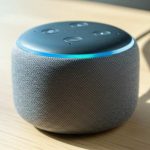
No, you absolutely do not need WiFi for a Bluetooth speaker! Bluetooth speakers connect directly to your phone or tablet using Bluetooth technology, not your home internet. Think of it like wireless headphones – they use Bluetooth too!
Hey there, tech explorer! So, you’re thinking about getting a new speaker, maybe to blast your favorite tunes at a picnic or add some oomph to your movie nights. That’s awesome! It’s exciting to think about how much better sound can make any moment.
But then you see all these techy terms, and suddenly it feels a bit overwhelming, right? You might be wondering, “Do I need WiFi for this Bluetooth speaker?” It’s a super common question, and honestly, it can get confusing with all the different gadgets out there.
Don’t sweat it! I’m here to make it all crystal clear. We’re going to break down exactly how Bluetooth speakers work and why they’re so awesome, even without a WiFi connection.
Let’s dive in and uncover the amazing truth about Bluetooth speakers and WiFi!
Bluetooth vs. WiFi: What’s the Big Deal?
Imagine you have a bunch of friends over, and you want to share your music. You have a few ways to do that. One way is like passing a physical cord from your phone to the speaker. That’s a wired connection, and it works, but it’s not very convenient, is it?
Then you have wireless options. Bluetooth and WiFi are both wireless, but they do different jobs. Think of Bluetooth as a super-short-range walkie-talkie between just two devices. It’s perfect for connecting your phone to your speaker directly, or your phone to your wireless earbuds.
WiFi, on the other hand, is like a big network that connects many devices to the internet. It’s how your laptop gets online, how your smart TV streams shows, and how many smart home devices talk to each other and the wider world.
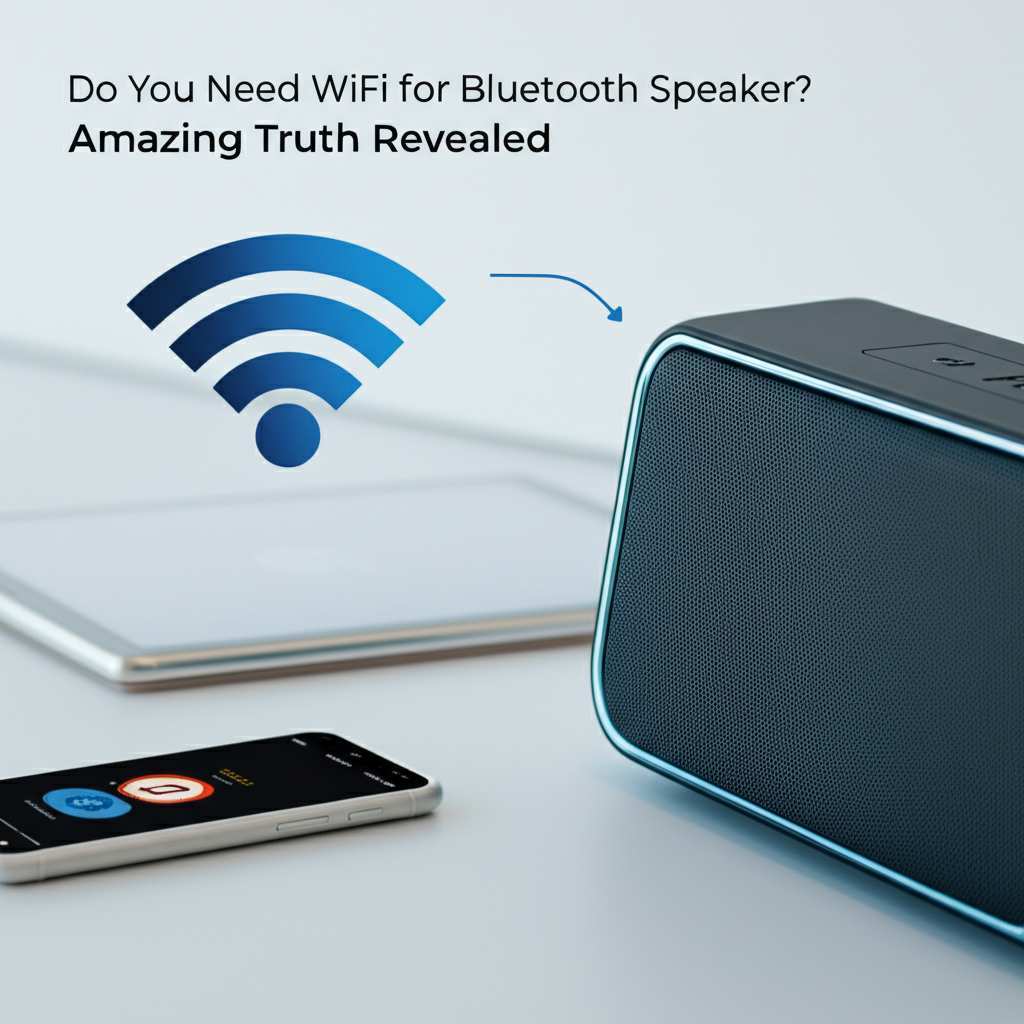
So, when it comes to your speaker, Bluetooth is the star of the show for simple, direct connections. WiFi isn’t usually in the picture for basic Bluetooth speakers.
Do You Need WiFi for a Bluetooth Speaker? The Short Answer!
Okay, let’s get straight to the point. Do you need WiFi for a Bluetooth speaker? Nope! It’s like asking if your wireless mouse needs WiFi to talk to your computer. It doesn’t!
Bluetooth speakers are designed to be super easy to use. You just pair them with your device using Bluetooth, and bam, you’re ready to go. No passwords, no network hassles, no WiFi router required.
This is why Bluetooth speakers are so popular for parties, camping trips, or just moving around the house. You can take them anywhere, and as long as your phone or tablet has Bluetooth, you’re good to stream your music.
How Bluetooth Speakers Work: A Little Tech Magic!
So, how does this magic happen without WiFi? It’s all thanks to Bluetooth technology.
Bluetooth uses short-range radio waves to send data between devices. It’s a standard technology found in almost all smartphones, tablets, and laptops. When you turn on your Bluetooth speaker and put it in pairing mode, it’s like it’s saying, “Hey, I’m here and ready to connect!”
Your phone or tablet then scans for nearby Bluetooth devices. You’ll see your speaker’s name pop up on your screen. You tap it, and they do a little handshake – that’s the pairing process. Once paired, they remember each other, so the next time you turn them on, they usually connect automatically.
This connection is direct, device-to-device. Your phone sends the audio signal wirelessly through Bluetooth to the speaker. It’s efficient and designed for exactly this kind of audio streaming.
Why You DON’T Need WiFi for Most Bluetooth Speakers
The main reason you don’t need WiFi is that most Bluetooth speakers are designed for portability and simplicity.
Simplicity is Key
Imagine trying to connect every speaker to your home WiFi. You’d need to enter your WiFi password on the speaker, which can be a pain, especially for a small, portable device. Bluetooth pairing is usually just a button press or two.
Portability Power
Bluetooth speakers are meant to go places. You might take them to the park, a friend’s house, or even on vacation. These places might not have WiFi, or you might not want to use their network. Bluetooth works independently of any network.
Direct Connection Convenience
You’re not streaming from the internet; you’re streaming from your device. Your phone has the music, and Bluetooth sends it directly to the speaker. It’s a straightforward, dedicated connection for audio.
Cost-Effectiveness
Adding WiFi capabilities to a speaker would increase its cost and complexity. For many users, the convenience of Bluetooth is all they need, making basic Bluetooth speakers more affordable.
But Wait, What About “Smart” Speakers?
Now, you might be thinking, “What about those smart speakers like Amazon Echo or Google Home?” That’s where things get a little different, and it’s a common point of confusion!
These are often called “smart speakers” because they do need WiFi. They use WiFi to connect to the internet. This allows them to do amazing things like:
Stream music directly from online services (like Spotify, Apple Music, Pandora) without needing your phone.
Answer questions by searching the web.
Control other smart home devices (lights, thermostats).
Receive software updates over the internet.
So, while they are speakers, their primary function relies on an internet connection via WiFi, not just Bluetooth for music playback. Many smart speakers also have Bluetooth, so you can use them as a regular Bluetooth speaker with your phone if you want. But their “smart” features? Those need WiFi.
Let’s Talk Sound: Bluetooth vs. WiFi Audio
When you use a Bluetooth speaker, your device (phone, tablet) is the source of the audio. It sends that audio data over Bluetooth. The speaker then converts that digital data into sound waves you can hear.
Bluetooth Audio
How it works: Device plays music -> sends audio data via Bluetooth -> speaker plays sound.
Pros: Easy to set up, works anywhere, great for portability.
Cons: Can sometimes have slight compression, range is limited (usually around 30 feet/10 meters).
WiFi Audio (for Smart Speakers)
How it works: Speaker connects to WiFi -> speaker fetches music directly from online service or your home network -> speaker plays sound.
Pros: Can stream higher quality audio if the service supports it, no need for your phone to be nearby once set up, can connect multiple speakers in a system.
Cons: Requires a stable WiFi network, setup can be more involved, often more expensive.
For the average user who just wants to play music from their phone or tablet without wires, Bluetooth is perfect. You get great sound quality for everyday listening.
Understanding Bluetooth Versions: A Quick Peek
You might see numbers like Bluetooth 4.0, 4.2, 5.0, 5.1, 5.2, or 5.3 on speaker specs. What does this mean? It’s like how your phone gets newer.
Newer versions (like 5.0 and above) are generally better. They offer:
Faster speeds: This means quicker pairing and more stable audio streaming.
Longer range: You can often walk further away from your device before the music cuts out.
Lower power consumption: This can help your speaker (and your phone) last longer on a single charge.
Improved reliability: Fewer dropouts and a more consistent connection.
So, while you don’t need WiFi, looking for a newer Bluetooth version can give you a better experience!
How to Connect Your Bluetooth Speaker: Step-by-Step Fun!
Connecting your Bluetooth speaker is super easy. Let’s walk through it together!
1. Charge Up Your Speaker: First things first, make sure your speaker has enough battery. Most speakers have an indicator light that shows you when they’re charging or fully charged.
2. Turn On Your Speaker: Find the power button and press it. You’ll usually hear a little sound or see a light flash to let you know it’s on.
3. Activate Pairing Mode: This is the most important step! Most speakers have a dedicated Bluetooth button (often with the Bluetooth symbol on it). Press and hold this button until you hear a sound or see a light blinking differently. This means it’s ready to connect to a new device.
4. Open Bluetooth Settings on Your Device: Go to the settings menu on your smartphone, tablet, or computer. Find the Bluetooth section.
5. Turn On Bluetooth: Make sure the Bluetooth toggle is switched on. Your device will start searching for nearby Bluetooth devices.
6. Select Your Speaker: You should see your speaker’s name appear in the list of available devices. Tap on it.
7. Pair and Connect: Your device and speaker will now pair. You might hear a confirmation sound from the speaker, or your device might say “Connected.”
8. Play Your Music! That’s it! Now you can open your music app and start playing. The sound should come out of your Bluetooth speaker.
It’s usually that simple! Some speakers might ask you to enter a PIN code (often “0000” or “1234”), but this is rare with modern devices.
Features to Look For in a Bluetooth Speaker (Besides WiFi!)
Since WiFi isn’t a requirement, what should you look for? Here are some key features that make a Bluetooth speaker great:
Battery Life
This is a big one for portability! How long can it play music on a single charge? Some speakers offer 6-8 hours, while others can go for 15-20 hours or even more. Think about where you’ll use it most. A picnic in the park might need longer life than just moving from room to room.
Sound Quality
This is subjective, but generally, look for speakers that offer clear highs, rich mids, and decent bass. Reviews can be helpful here, as they often describe the sound profile.
Portability and Durability
Do you need something small and light to toss in a bag? Or maybe something rugged that can handle a little splash or dust (look for IP ratings like IPX7)?
Connectivity Options
While Bluetooth is the main thing, some speakers offer an auxiliary (AUX) input. This lets you connect non-Bluetooth devices with a cable, which can be handy if your device’s Bluetooth isn’t working or if you have an older MP3 player.
Speakerphone Functionality
Many Bluetooth speakers have a built-in microphone. This means you can use them to take calls hands-free. When a call comes in, you can press a button on the speaker to answer.
Multi-Speaker Pairing (Stereo or Party Mode)
Some speakers allow you to pair two of the same model together. This can create a true stereo sound experience (one speaker for left channel, one for right) or a “party mode” where both speakers play the same audio, filling a larger space.
Bluetooth Speaker vs. WiFi Speaker: A Quick Comparison
Here’s a little table to help visualize the differences. Remember, this is for basic Bluetooth speakers versus smart WiFi speakers.
| Feature | Basic Bluetooth Speaker | Smart WiFi Speaker (e.g., Echo, Google Home) |
| :—————- | :————————————— | :——————————————- |
| Primary Connection | Bluetooth | WiFi |
| Internet Required? | No | Yes (for smart features) |
| Setup Simplicity | Very High (Pairing only) | Moderate (WiFi setup, account linking) |
| Portability | High (often battery-powered) | Moderate (needs power outlet, WiFi) |
| Music Source | Paired Device (phone, tablet) | Internet Streaming Services, Cloud |
| Voice Assistant | No | Yes (Alexa, Google Assistant, etc.) |
| Smart Home Control | No | Yes |
| Typical Use | Casual listening, parties, on-the-go | Home audio, smart home integration |
| Price Range | Wide, generally more affordable | Wide, often starts higher |
This table really shows how different their purposes can be. If you want music from your phone without wires, a Bluetooth speaker is your friend. If you want a speaker that acts as a central hub for your home and streams music itself, a WiFi speaker is the way to go.
Can You Use Bluetooth and WiFi Together? Yes, Sometimes!
Here’s a cool twist! Some speakers are hybrids. They are primarily Bluetooth speakers, but they also have WiFi capabilities.
These speakers can offer the best of both worlds. You can use Bluetooth for quick, easy connections on the go. Then, when you’re home, you can connect them to your WiFi to stream music directly from online services, just like a smart speaker.
These are often called “multi-room speakers” or “smart portable speakers.” They can be a bit more expensive, but they give you a lot of flexibility. For example, you could take it on a camping trip using Bluetooth, and then back home, use it to play music throughout your house by linking it with other compatible speakers over WiFi.
For example, Sonos speakers are famous for their multi-room capabilities, and while they primarily use WiFi, many of their models also include Bluetooth for added convenience.
Troubleshooting Common Bluetooth Speaker Issues
Even the best tech can have a hiccup now and then. Here are a few common things that might pop up and how to fix them, without needing WiFi at all!
Speaker won’t pair:
Make sure the speaker is in pairing mode.
Turn Bluetooth off and on again on your device.
Restart both your device and the speaker.
If the speaker was previously paired to another device, try “forgetting” the speaker in your device’s Bluetooth settings and then re-pairing.
Audio is cutting out or choppy:
Move your device closer to the speaker. Walls and other electronic devices can interfere.
Make sure there aren’t too many other Bluetooth devices active nearby.
Close other apps on your phone or tablet that might be using a lot of processing power.
Ensure your speaker has a good battery charge.
No sound from the speaker:
Check that the speaker is powered on and connected.
Make sure the volume on both your device and the speaker is turned up.
Verify that your device’s audio output is set to the Bluetooth speaker.
Speaker won’t charge:
Try a different USB cable and power adapter.
Ensure the charging port on the speaker is clean.
These fixes are all about managing the Bluetooth connection or the speaker’s power, not about your internet connection.
Frequently Asked Questions About Bluetooth Speakers
Let’s tackle some more common questions you might have!
Can I use my Bluetooth speaker without my phone?
If it’s a basic Bluetooth speaker, no. It needs a paired device like a phone or tablet to send it music. However, if you have a “smart” speaker that also has Bluetooth, you can use it to stream music directly from the internet over WiFi without your phone.
Will my Bluetooth speaker work with my laptop?
Yes! Most modern laptops have built-in Bluetooth. You can pair your laptop with your Bluetooth speaker just like you would with your phone to play audio from your computer.
Is Bluetooth audio quality bad?
Not at all for everyday listening! While professional audio engineers might notice very subtle differences compared to a wired connection, for most people, Bluetooth audio sounds fantastic. Newer Bluetooth versions offer excellent sound quality.
How far can my Bluetooth speaker be from my device?
The standard range for Bluetooth is about 30 feet (10 meters). However, this can be affected by walls, interference from other devices, and even the specific Bluetooth version. Newer versions like Bluetooth 5.0 offer a longer, more stable range.
Do I need an app to use a Bluetooth speaker?
Typically, no. You just need to pair it through your device’s Bluetooth settings. Some higher-end speakers might have companion apps for advanced features like EQ settings or firmware updates, but they aren’t required for basic playback.
Can I connect multiple Bluetooth speakers to one phone?
Generally, a standard Bluetooth speaker can only be paired with one device at a time. However, some newer phones and speakers support “dual audio” or “stereo pairing” features that allow you to connect to two speakers simultaneously or pair two speakers for stereo sound.
Is Bluetooth safe to use?
Yes, Bluetooth is very safe for its intended uses. It uses encrypted connections, and the short-range nature makes it difficult for someone to intercept your data from a distance.
The Amazing Truth: Simplicity Wins!
So, there you have it! The amazing truth is that you absolutely, positively do not need WiFi for your Bluetooth speaker. They are designed to be simple, portable, and easy to use, connecting directly to your devices using Bluetooth.
Think of it this way: Bluetooth is your personal, wireless connection for your speaker. WiFi is for connecting to the big, wide internet. They serve different purposes, and for enjoying music from your phone or tablet, Bluetooth is the hero.
Don’t let tech jargon confuse you. Whether you’re choosing your first Bluetooth speaker or upgrading to a new one, focus on what matters for your needs: battery life, sound quality, durability, and the Bluetooth version.
Now go forth and enjoy your music, podcasts, or whatever audio delights you choose, all wirelessly and wonderfully with your Bluetooth speaker! Make every moment louder and better!