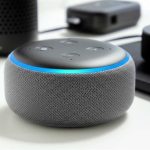
No, a Bluetooth speaker does NOT need Wi-Fi to work! It uses Bluetooth technology to connect wirelessly to your phone or tablet. Wi-Fi is for smart speakers or speakers that stream music directly from the internet.
Hey there, tech explorer! You know how music just makes everything better? Whether you’re chilling at home, having a picnic, or powering through a workout, a good speaker can totally transform the vibe. But then you start looking at all the options, and suddenly you’re drowning in tech jargon.
It’s like trying to pick out a new gadget when all the labels look the same. You see “Bluetooth” and “Wi-Fi” and wonder, “Wait, do I need both for this to play my awesome playlist?” It’s a super common question, and honestly, it can be a little confusing!
Don’t worry, though. That’s exactly why I’m here. We’re going to break down this whole “Bluetooth vs. Wi-Fi speaker” thing so it makes perfect sense. Think of me as your friendly guide through the wonderful world of sound.
We’ll explore exactly what Bluetooth speakers do and how they connect. We’ll also look at when Wi-Fi actually comes into play with speakers. By the end of this, you’ll know precisely what you need for your perfect listening experience. Let’s dive in and make this tech stuff simple and fun!
The Big Question: Bluetooth Speaker and Wi-Fi – What’s the Deal?
Let’s get straight to the point, because I know you’re curious. Does a Bluetooth speaker need Wi-Fi? The short answer is a resounding no! Your typical Bluetooth speaker is designed to connect wirelessly using Bluetooth technology, which is built right into most smartphones, tablets, and laptops.
Think of Bluetooth as a short-range walkie-talkie for your devices. It creates a direct link between your phone and the speaker. This means you can play music, podcasts, or anything else with sound from your phone, and the speaker will play it loud and clear. No internet needed for this magic to happen!
This is why Bluetooth speakers are so popular. You can take them anywhere – to the park, a friend’s house, or even just from room to room in your own home. As long as your phone is nearby, your music will follow. It’s all about simple, wireless freedom.
Let’s Talk About Bluetooth: The Magic Behind the Connection
So, what exactly is this Bluetooth thing? It’s a wireless technology standard that lets devices exchange data over short distances. It was actually named after a Viking king, Harald Bluetooth, who united Denmark and Norway back in the day! Pretty cool, right?
For your speaker, Bluetooth means it can “pair” with your phone or tablet. This pairing is like a handshake between devices. Once they’re paired, they remember each other and can connect automatically whenever they are close and turned on. It’s a secure and convenient way to stream audio.
This technology uses radio waves, but don’t worry, it’s totally safe. It’s designed for low power consumption, which is great for keeping your speaker’s battery alive for longer. Most modern smartphones come with Bluetooth built-in, so you’re probably already ready to go.
How Bluetooth Speakers Connect: A Simple Pairing Process
Connecting a Bluetooth speaker is usually a breeze. Most of the time, it’s just a few simple steps. You’ll want to make sure your speaker is charged and turned on. Then, you’ll put it into “pairing mode.” This is often indicated by a flashing light or a specific sound.
Next, you’ll grab your phone or tablet and go to its Bluetooth settings. You should see a list of available devices. Find your speaker’s name in the list and tap on it. Your devices will then connect, and you’ll hear a confirmation sound from the speaker.
Once paired, your speaker becomes an audio output option for your device. You can then play any audio from your phone, and it will come out of the speaker instead of your phone’s tiny built-in speaker. It’s like giving your music a bigger, better voice!
When Does Wi-Fi Enter the Picture for Speakers?
Now, you might be wondering, “If my Bluetooth speaker doesn’t need Wi-Fi, why do some speakers talk about Wi-Fi?” That’s a great question! Wi-Fi comes into play for speakers that are a bit smarter or have different capabilities. These are often called “smart speakers” or “wireless multi-room speakers.”
Unlike Bluetooth, which relies on a direct connection from your phone, Wi-Fi speakers can connect to your home’s internet network. This opens up a whole new world of possibilities. For instance, they can stream music directly from online services like Spotify or Apple Music without needing your phone to be actively playing it.
This means your phone is free to do other things, or you can even leave it in another room. The speaker itself accesses the internet to get the music. It’s like having a radio that can play any song you want, anytime, from the internet.
Smart Speakers vs. Bluetooth Speakers: Knowing the Difference
It’s super important to know the difference between a standard Bluetooth speaker and a smart speaker. They serve different purposes and connect in different ways. Understanding this will help you pick the perfect speaker for your needs.
A Bluetooth speaker is your go-to for simple, direct wireless audio streaming from a nearby device. It’s portable and easy to use. You play music from your phone, and the speaker plays it. Its main job is to amplify sound from your connected device.
A smart speaker, on the other hand, often has Wi-Fi connectivity. This allows it to do much more. It can act as a voice assistant (like Alexa or Google Assistant), control smart home devices, play music directly from streaming services, and sometimes even connect to other smart speakers in your home for a multi-room audio experience.
Here’s a little table to help clear things up:
| Feature | Bluetooth Speaker | Smart Speaker (often Wi-Fi enabled) |
|---|---|---|
| Primary Connection | Bluetooth | Wi-Fi (often also Bluetooth) |
| Internet Required for Music? | No | No (can stream directly from internet services) |
| Voice Assistant Capabilities | No | Yes (e.g., Alexa, Google Assistant) |
| Portability | High | Varies (often designed for home use, but some are portable) |
| Multi-Room Audio | Limited (often requires multiple paired devices) | Yes (can sync multiple speakers across the home) |
| Direct Streaming Services | No (relies on connected device) | Yes |
See? The key difference is that Wi-Fi opens up independent internet access for the speaker, while Bluetooth keeps it tethered to your phone or tablet for the audio source.
Why Bluetooth is Awesome for Most Speakers
Bluetooth technology is fantastic for speakers for several reasons. Firstly, its widespread compatibility is a huge win. Almost every modern phone, tablet, and laptop has Bluetooth. This means you don’t need special apps or complicated setups to get started.
Secondly, it’s incredibly easy to use. Pairing is usually a one-time process, and then your devices connect seamlessly. This user-friendliness is a big deal, especially for people who aren’t super tech-savvy. You just want to play your music, and Bluetooth lets you do that without a fuss.
Plus, Bluetooth speakers are generally more affordable than their Wi-Fi enabled counterparts. Because they don’t need the complex internet connectivity and processing power of smart speakers, their manufacturing costs are lower, which translates to savings for you.
The Advantages of Wi-Fi in Speakers
While Bluetooth is great for simplicity and portability, Wi-Fi offers some distinct advantages, especially for home use or more advanced audio setups. One of the biggest perks is sound quality and reliability. Wi-Fi can handle higher bandwidth, meaning potentially better audio quality, especially for lossless music formats.
Wi-Fi also allows for true multi-room audio. You can have multiple Wi-Fi speakers spread throughout your house, all playing the same music or different songs, controlled from a single app. This is amazing for parties or just enjoying music everywhere.
Another big advantage is that Wi-Fi speakers can be controlled by voice commands. This hands-free convenience is a game-changer. You can ask for a song, adjust the volume, or even get the news without lifting a finger. It makes the speaker a central hub for your smart home.
Can a Speaker Use Both Bluetooth and Wi-Fi?
Absolutely! Many modern speakers are designed to be versatile and offer both Bluetooth and Wi-Fi connectivity. These are often referred to as “smart speakers” that also have Bluetooth capabilities, or “premium wireless speakers.”
This dual functionality gives you the best of both worlds. You can use Bluetooth for quick, easy connections when you’re on the go or just want to play something from your phone instantly. Then, when you’re at home, you can connect it to your Wi-Fi network to take advantage of streaming services, voice control, or multi-room audio.
These speakers are often a bit more expensive, but they offer incredible flexibility. You get the convenience of Bluetooth for portability and the power of Wi-Fi for advanced features and higher-quality streaming when you’re in your home network’s range.
Setting Up Your Bluetooth Speaker: A Quick Guide
Ready to get your Bluetooth speaker hooked up? It’s easier than you think! Here’s a simple step-by-step guide:
Step 1: Charge Your Speaker
Before you do anything, make sure your speaker has enough power. Most Bluetooth speakers come with a USB charging cable. Plug it into the speaker and a power source. You’ll usually see an indicator light showing it’s charging.
Step 2: Turn On Your Speaker
Once it’s charged (or if it has battery life already), press the power button. You’ll often hear a startup sound or see a light come on.
Step 3: Put the Speaker in Pairing Mode
This is the crucial step for connecting. Look for a button labeled “Bluetooth” or with the Bluetooth symbol (a stylized “B”). Press and hold this button for a few seconds. You should hear a sound or see a light that flashes differently, indicating it’s ready to pair.
Step 4: Enable Bluetooth on Your Device
Grab your smartphone, tablet, or laptop. Go to your device’s Settings menu. Find the “Bluetooth” option and turn it on.
Step 5: Scan for Devices
Your device will start looking for nearby Bluetooth devices. In the list that appears, you should see the name of your speaker. It might be something like “JBL Flip 5” or “Sony SRS-XB13.”
Step 6: Select Your Speaker to Pair
Tap on your speaker’s name in the list. Your devices will then attempt to connect. You might be asked to confirm a pairing code, but often it’s automatic.
Step 7: Confirmation!
Once successfully paired, your speaker will usually make a confirmation sound, and the flashing light will turn solid. Now, any audio you play on your device will come out of your Bluetooth speaker!
Troubleshooting Common Bluetooth Speaker Issues
Sometimes, things don’t go perfectly the first time. Don’t get frustrated! Here are a few common issues and how to fix them:
Speaker won’t show up in list: Make sure the speaker is in pairing mode and close enough to your device. Try turning Bluetooth off and on again on your device.
Connection keeps dropping: Ensure you’re within the recommended Bluetooth range (usually around 30 feet or 10 meters). Thick walls or other electronic devices can sometimes interfere.
No sound from speaker: Check the volume on both your device and the speaker. Make sure the speaker is actually connected in your device’s Bluetooth settings.
Can’t pair with a new device: Some speakers can only be paired with one device at a time. Try disconnecting it from any other devices it might be paired with.
Beyond Bluetooth: Exploring Wi-Fi Speaker Features
If you’re eyeing a speaker that uses Wi-Fi, you’re stepping into a world of advanced features. These speakers often come with their own companion apps that unlock even more power. You can use these apps to:
Set up multi-room audio: Group speakers together to play synchronized music.
Access streaming services: Link your Spotify, Apple Music, or other accounts directly.
Use voice assistants: Control playback, ask questions, and manage smart home devices.
Update speaker firmware: Keep your speaker running smoothly with the latest software.
* Adjust EQ settings: Fine-tune the sound to your preferences.
Popular Wi-Fi speaker systems include Sonos, Google Nest Audio, and Amazon Echo devices. These are designed to be integrated into your home network for a seamless audio experience.
A Quick Look at Speaker Connectivity Options
To really drive home the point, let’s look at how different types of speakers connect. It’s not just Bluetooth and Wi-Fi, though those are the most common for wireless sound.
| Connection Type | How it Works | Best For |
|---|---|---|
| Bluetooth | Direct wireless pairing between two devices over short distances. | Portability, simple audio streaming from phones/tablets. |
| Wi-Fi | Connects to your home internet network for streaming and control. | Home audio, multi-room sound, voice control, direct streaming. |
| Auxiliary (Aux) Cable | Wired connection using a 3.5mm audio cable. | Reliable connection when wireless isn’t an option, older devices. |
| USB | Wired connection, often for charging and audio transmission (less common for speakers). | Direct computer audio or charging. |
| AirPlay (Apple) | Apple’s proprietary wireless streaming protocol over Wi-Fi. | Seamless audio streaming from Apple devices. |
| Chromecast Built-in (Google) | Google’s protocol for streaming audio and video over Wi-Fi. | Easy streaming from Android and Chrome devices. |
As you can see, there are many ways to get sound from your device to your speaker. But for a standard, everyday wireless speaker, Bluetooth is your main man (or woman!).
Choosing the Right Speaker: Bluetooth vs. Wi-Fi for You
So, which type of speaker is right for you? It really comes down to how you plan to use it.
If you need a speaker that’s super portable, easy to connect with your phone for listening to music at the park, beach, or backyard BBQ, then a Bluetooth speaker is probably your best bet. They are generally more affordable and straightforward.
If you’re looking for a speaker to be the center of your home audio experience, something that can play music from Spotify without your phone, or something that can fill multiple rooms with sound, then a Wi-Fi enabled smart speaker is likely the way to go. They offer more advanced features and integration with your smart home.
And if you want the ultimate flexibility? Look for a speaker that offers both Bluetooth and Wi-Fi connectivity. This gives you the freedom to use it however you like, whenever you like.
Fun Facts About Wireless Audio
Did you know that the Bluetooth standard has evolved significantly over the years? Newer versions of Bluetooth (like Bluetooth 5.0 and beyond) offer longer range, faster speeds, and better power efficiency. This means your music can play even further away from your phone, and your speaker’s battery will last longer!
Also, the concept of multi-room audio, which is a big draw for Wi-Fi speakers, was pioneered by companies like Sonos. They built an entire ecosystem around streaming music wirelessly to speakers all over your house, making it a popular feature that many other brands have adopted.
Frequently Asked Questions About Bluetooth Speakers and Wi-Fi
Here are some common questions people have about connecting their speakers:
Q1: Can I connect my Bluetooth speaker to my TV?
Yes, many modern TVs have Bluetooth built-in. You can pair your Bluetooth speaker directly with your TV to get better sound for movies and shows. Check your TV’s settings to see if it supports Bluetooth audio output.
Q2: How far can my Bluetooth speaker be from my phone?
Typically, Bluetooth has a range of about 30 feet (10 meters). However, this can be affected by obstacles like walls, furniture, and even other electronic devices. For the best experience, try to keep your devices within about 20 feet (6 meters) of each other.
Q3: Do I need an app to use a Bluetooth speaker?
Usually, no! For basic audio playback, you just need your device’s built-in Bluetooth settings. However, some brands offer companion apps that can unlock extra features like EQ adjustments, multi-speaker pairing, or firmware updates.
Q4: What is “pairing mode” for a Bluetooth speaker?
Pairing mode is a special state your speaker enters when it’s ready to connect to a new device. It’s usually activated by pressing and holding the Bluetooth button. This is when your phone or tablet can “see” and connect to the speaker.
Q5: Can I connect multiple Bluetooth speakers to one phone?
While some older Bluetooth versions only allowed one connection, newer Bluetooth standards (like Bluetooth 5.0) can support connecting to two speakers simultaneously for a stereo effect. However, this feature depends on both your phone and the speakers supporting it. Some brands also have apps that let you link more speakers.
Q6: Is Wi-Fi better than Bluetooth for sound quality?
Wi-Fi can potentially offer better sound quality because it has a higher bandwidth than Bluetooth. This means it can transmit more audio data, which is beneficial for high-fidelity music. However, for most casual listening, a good Bluetooth speaker will sound fantastic.
Q7: My Bluetooth speaker is making weird noises. What should I do?
Weird noises can sometimes be caused by interference. Try moving the speaker and your device away from other wireless devices like routers or microwaves. Also, ensure the speaker is fully charged. If the problem persists, try unpairing and re-pairing the devices, or consult the speaker’s manual for troubleshooting.
Conclusion: Your Sound, Your Way!
So, there you have it! The mystery of whether a Bluetooth speaker needs Wi-Fi is solved. Your trusty Bluetooth speaker works its magic using its own wireless connection, no internet required. It’s all about pairing your device directly for easy, portable sound.
Wi-Fi speakers are awesome for a different set of features, like direct streaming and smart home control, but they’re not what you need if you just want to play tunes from your phone without a fuss. Many speakers even give you both options, so you’re never limited.
Now you know the difference and can confidently choose the speaker that fits your lifestyle. Whether you’re a park picnicker, a home DJ, or a smart home enthusiast, there’s a speaker out there perfect for you.
Now go enjoy amazing sound and make every moment louder and better!