Nope, not just any Bluetooth speaker will work seamlessly with Alexa. While many can connect for music playback, only specific types can act as full Alexa voice control devices.
Hey there, tech adventurer! Max here from AffTechy.com, ready to dive into a question that pops up more often than a notification on your phone: Can any Bluetooth speaker play nice with Alexa? You know, the smart assistant that’s probably in your kitchen, living room, or even your bedroom, ready to play your favorite tunes or answer burning questions. It’s super tempting to just grab any old speaker and expect it to become a voice-controlled music marvel.
We all love our music, right? And the idea of controlling it with just our voice sounds like pure magic. But sometimes, when we try to connect our favorite Bluetooth speaker to Alexa, it’s not quite the seamless experience we dreamed of. Maybe it only plays music, or maybe it doesn’t work at all. It can be a little confusing, like trying to assemble furniture without instructions.
That’s why we’re here! Today, we’re going to untangle this tech mystery. We’ll figure out what works, what doesn’t, and why. Think of me as your friendly guide, holding a flashlight through the tech jungle. We’ll break down the jargon and get to the heart of how your Bluetooth speakers and Alexa can (or can’t) team up.
So, grab a comfy seat, maybe a snack, and let’s make this super simple. We’ll explore the exciting world of smart speakers and Bluetooth, and by the end, you’ll be a pro at knowing which speaker plays ball with Alexa and how to make it happen. Let’s get started!
Let’s Talk About Bluetooth and Alexa
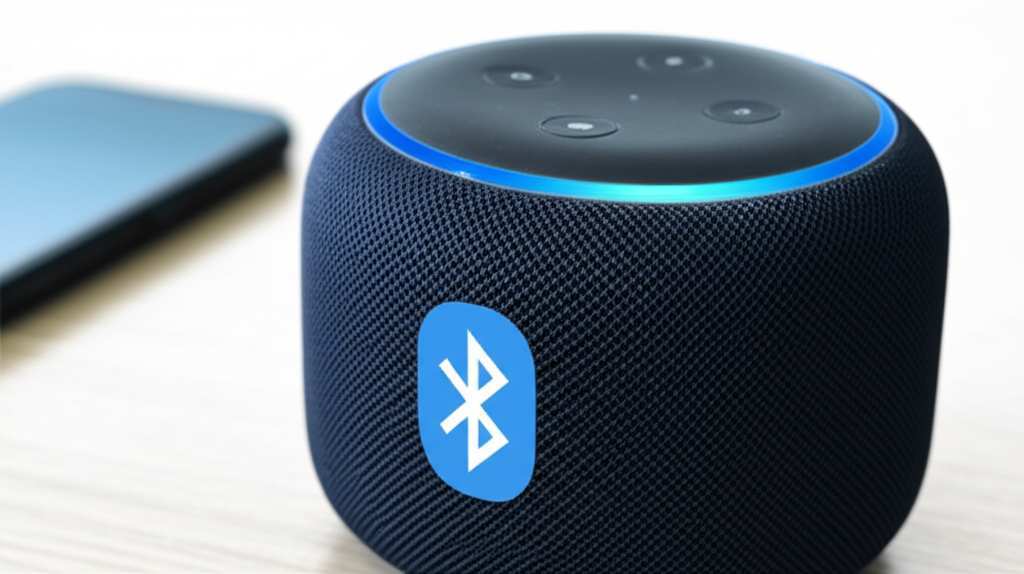
So, you’ve got a Bluetooth speaker. It’s awesome for jamming out to tunes from your phone. Now, you’re wondering if Alexa can use it. This is where things get a little interesting. Alexa is super smart, but she needs a little help to connect to devices.
Bluetooth speakers are designed to connect to one device at a time, usually your phone or tablet. Alexa devices, like Echo Dots or Echo Shows, are built with specific tech to understand your voice commands and stream music directly. They have their own speakers built-in for that.
When you connect a Bluetooth speaker to an Alexa device, you’re essentially telling Alexa, “Hey, use this speaker for your sound output.” It’s like giving Alexa a new pair of headphones to use. This means Alexa can play music, podcasts, or any audio through your Bluetooth speaker.
But here’s the key: Alexa still lives inside her own device. The Bluetooth speaker is just a sound-maker for her. It doesn’t suddenly give the Bluetooth speaker its own Alexa brain. So, while your regular Bluetooth speaker can play Alexa’s audio, it can’t hear your commands or talk back to you like a full-fledged Alexa device.
Why the Difference? It’s All About the Brains!
Think of it like this: your regular Bluetooth speaker is a fantastic radio. It plays whatever music you send its way. An Alexa device, however, is like a super-smart DJ who also happens to have a great radio. The DJ (Alexa) can take requests, chat with you, and then play the music through the radio (either its own speaker or your Bluetooth speaker).
The Bluetooth speaker doesn’t have the DJ’s brain. It just plays the music. So, it can’t understand you asking, “Alexa, what’s the weather?” or “Alexa, play my workout playlist.” That processing power is all in the Alexa device.
This is why the answer to “Can any Bluetooth speaker work with Alexa?” is a bit of a nuanced “yes, but with limits.” They can work together for sound, but not for full voice control features.
The Shocking Truth: Not All Bluetooth Speakers Are Created Equal for Alexa
Here’s the part that can be a little surprising! While most Bluetooth speakers can connect to an Alexa device to play audio, they can’t become Alexa devices themselves. You can’t just pair any Bluetooth speaker and expect to start asking it questions or telling it to turn on your smart lights.
Why is this? It all comes down to what’s inside the speaker. Alexa-enabled devices have special microphones to hear you, processors to understand your commands, and software that makes Alexa work. Your standard Bluetooth speaker usually just has the components needed to play sound from another device.
So, if you have a Bluetooth speaker, and you connect it to your Echo Dot, the Echo Dot is still the one listening to you and thinking. The Bluetooth speaker is just the external speaker. It’s like plugging a really good set of headphones into your phone – the phone still does all the work, the headphones just make the sound.
When a Bluetooth Speaker Can Be More (But Still Isn’t Quite Alexa)
There are some speakers that blur the lines a bit. Some higher-end Bluetooth speakers have built-in voice assistant support. They might have a button you press, and then you can talk to Siri or Google Assistant. These are still not Alexa, though. They have their own smart assistant brain, not Alexa’s.
The goal here is to understand that Alexa is a service, a smart assistant, that lives in Amazon Echo devices or other Alexa-enabled products. A Bluetooth speaker is a hardware device for sound. They can work together, but one doesn’t become the other.
How to Connect Your Bluetooth Speaker to Alexa
Okay, so you’ve got your Bluetooth speaker, and you want to use it with your Alexa device. It’s actually pretty straightforward! You’ll be using the Alexa app on your phone or tablet to make the magic happen.
First things first, make sure your Bluetooth speaker is turned on and in pairing mode. This is usually indicated by a flashing light or a specific sound. You’ll need to check your speaker’s manual for how to do this, as it varies from brand to brand.
Next, open the Alexa app. You’ll need to go to the devices section. From there, you’ll find an option to add a new device. Look for something like “Add Device” or a plus (+) sign.
Once you tap that, you’ll see a list of device types. You want to select “Speaker” and then “Bluetooth.” The app will then start searching for nearby Bluetooth devices that are in pairing mode.
Your Bluetooth speaker should pop up in the list. Tap on its name. The Alexa app will then try to pair with your speaker. If it’s successful, you’ll get a confirmation message, and your Bluetooth speaker will be listed as a connected audio device for your Alexa.
Steps to Connect Your Bluetooth Speaker to Alexa
Here’s a quick rundown of the steps:
Step 1: Turn on your Bluetooth speaker.
Step 2: Put your Bluetooth speaker into pairing mode (check its manual!).
Step 3: Open the Alexa app on your phone or tablet.
Step 4: Go to “Devices.”
Step 5: Tap the “+” icon (Add Device).
Step 6: Select “Speaker” and then “Bluetooth.”
Step 7: Wait for your speaker to appear in the list and tap its name.
Step 8: Confirm the connection.
Once connected, you can tell Alexa to play music, and it will come out of your Bluetooth speaker! You can also set it as your preferred music playback device in the Alexa app settings. This means Alexa will automatically try to connect to that speaker whenever it’s in range.
Making Alexa Your Default Speaker
After you’ve successfully paired your Bluetooth speaker with your Alexa device, you might want to make it the default for all your music. This is super handy because you won’t have to tell Alexa every single time to play through that specific speaker.
In the Alexa app, go back to your Devices. Find the Alexa device you want to manage (like your Echo Dot). Tap on it, and then look for settings related to “Audio” or “Music.” You should see an option to select your preferred music playback device.
Here, you can choose your newly connected Bluetooth speaker. This tells Alexa, “When I ask for music, use this speaker first!” It’s a small step that makes a big difference in convenience.
Why Setting a Default Matters
Imagine you have multiple Alexa devices and multiple Bluetooth speakers. Setting a default means you always know where your music will play from without having to specify each time. It’s like setting your favorite coffee shop as your default destination for your GPS.
What Kind of Bluetooth Speaker Works Best?
While any Bluetooth speaker can connect, some might offer a slightly better experience. The main thing to consider is the quality of the speaker itself and its Bluetooth version.
A speaker with good sound quality will obviously make your music sound better. Also, newer Bluetooth versions (like Bluetooth 5.0 or higher) tend to offer a more stable connection with less lag. This means less chance of your music cutting out or being out of sync.
Key Features to Look For in a Bluetooth Speaker for Alexa
Sound Quality: Obvious, but important! A good speaker makes listening a joy.
Bluetooth Version: Newer versions (4.2, 5.0, 5.1, 5.2) are generally more reliable and energy-efficient.
Battery Life: If you plan to move the speaker around, a long-lasting battery is a plus.
Durability: Some speakers are built to be water-resistant or dustproof, which is great for outdoor use.
Brand Reputation: Stick with reputable brands for better quality and support.
Here’s a quick look at how some popular Bluetooth speaker types might perform when connected to Alexa:
| Speaker Type | Primary Function | Alexa Connection Capability | Voice Control with Speaker? | Best For |
|---|---|---|---|---|
| Standard Portable Bluetooth Speaker | Wireless audio playback from a source device | Yes (as an audio output) | No | Adding Alexa audio to any room |
| Smart Speaker (e.g., Amazon Echo) | Voice commands, smart home control, audio playback | Built-in (is an Alexa device) | Yes (it is Alexa) | Full Alexa experience |
| Bluetooth Speaker with Voice Assistant Button (e.g., some JBL, Bose) | Wireless audio playback; access to phone’s assistant (Siri/Google) | Yes (as an audio output) | No (connects to phone’s assistant, not Alexa) | Enhancing phone assistant use |
| Wi-Fi Enabled Smart Speaker (some non-Amazon brands) | Audio playback, often with app control; some may integrate with Alexa | Potentially (via skills or direct integration) | Potentially (if it has its own assistant or Alexa skill) | Users with multiple smart home ecosystems |
As you can see from the table, the standard portable Bluetooth speaker is your go-to for simply getting Alexa’s sound to play through it. It acts purely as an external speaker.
What About Alexa Built-in Speakers?
Now, there are speakers that are designed to be Alexa-enabled. These are often branded as “Alexa Built-in” speakers. Companies like Sonos, Bose, and even some car manufacturers put Alexa directly into their devices.
These speakers are different. They have microphones, they can hear you, and they are Alexa. You don’t connect them to an Echo Dot; they are the Echo Dot (or similar). So, if you’re looking for a speaker that can be Alexa, you need to specifically look for these “Alexa Built-in” models. They offer the full voice control experience.
Troubleshooting Common Connection Issues
Sometimes, things don’t connect perfectly on the first try. Don’t worry, it happens to the best of us! Here are a few common issues and how to fix them.
Problem 1: Alexa Can’t Find My Bluetooth Speaker
Solution: Make sure your Bluetooth speaker is on and in pairing mode. Double-check the speaker’s manual for how to activate pairing mode. Also, ensure your Alexa device is close enough to the speaker. Sometimes, just turning Bluetooth off and then on again in the Alexa app can help.
Problem 2: The Speaker Connects, But No Sound
Solution: Check the volume on both your Bluetooth speaker and your Alexa device. Make sure the Bluetooth speaker is selected as the audio output in the Alexa app. Try unpairing and re-pairing the speaker. Also, ensure you haven’t muted Alexa or your speaker.
Problem 3: Audio is Choppy or Cuts Out
Solution: This could be due to distance or interference. Try moving your Alexa device and Bluetooth speaker closer together. Other wireless devices, like microwaves or Wi-Fi routers, can sometimes interfere. Try turning off other Bluetooth devices nearby that you aren’t using. A speaker with a newer Bluetooth version might also help with stability.
Problem 4: Alexa Says It’s Connected, But I Can’t Control It
Solution: Remember, the Bluetooth speaker is just for sound output. You can’t control your smart home devices through the Bluetooth speaker itself. All voice commands need to be directed to the Alexa device (like your Echo Dot). The speaker just plays the sound of Alexa’s response.
Pro-Tip for a Stable Connection
Sometimes, a simple restart can fix a lot of tech gremlins. Try unplugging your Alexa device and your Bluetooth speaker for about 30 seconds, then plug them back in and try connecting again. It’s like giving them a quick nap to refresh!
Can I Use My Bluetooth Speaker to Control Alexa?
This is a super important point, and it’s where the “shocking truth” really hits home for many people. The answer is generally no.
Your standard Bluetooth speaker, even when connected to Alexa for audio playback, does not have the microphones or the processing power to hear your voice commands. You can’t say, “Hey speaker, what’s the weather?” and expect an answer.
All the voice recognition and command processing happens on the Alexa device itself (your Echo, Echo Dot, Echo Show, etc.). The Bluetooth speaker is simply an external output device, like a pair of headphones or a larger sound system.
What About “Alexa Built-in” Speakers?
Now, if you have a speaker that is specifically advertised as “Alexa Built-in” (like a Sonos One, Bose Soundbar 700 with Alexa, or an Amazon Echo Studio), then yes, it absolutely can control Alexa! These speakers have microphones and the necessary tech to act as a full Alexa device. You don’t need to connect them to another Alexa device; they are the Alexa device.
| Feature | Standard Bluetooth Speaker Connected to Alexa | “Alexa Built-in” Speaker |
|---|---|---|
| Plays Alexa Audio | Yes | Yes |
| Hears Your Voice Commands | No | Yes |
| Processes Voice Commands | No | Yes |
| Controls Smart Home Devices | No (Alexa device does this) | Yes |
| Requires Separate Alexa Device | Yes | No |
This table really highlights the core difference. If your goal is to have a speaker that is Alexa and can hear you, you need an “Alexa Built-in” device. If your goal is just to have Alexa’s music or audio play through a speaker you already own, then connecting your Bluetooth speaker is the way to go.
The Benefits of Using a Bluetooth Speaker with Alexa
Even though your Bluetooth speaker won’t become a new Alexa, there are still some fantastic reasons to connect them!
Better Sound Quality: Many Bluetooth speakers, especially higher-end ones, offer much richer, fuller sound than the built-in speakers on smaller Alexa devices like the Echo Dot. You can enjoy your music with booming bass and crisp highs.
Room Filling Audio: If you have a larger room, a powerful Bluetooth speaker can fill it with sound much more effectively than a small smart speaker alone.
Portability: You can easily move your Bluetooth speaker around your house or even take it outside (if it’s portable and battery-powered). Alexa’s audio will follow it!
Cost-Effective: Instead of buying a new, expensive Alexa speaker for every room, you can use Bluetooth speakers you might already own to extend Alexa’s audio reach.
Stereo Pairing (Sometimes): Some Bluetooth speakers can be paired together to create a stereo sound experience. If you have two identical speakers, you might be able to connect both to your Alexa device for immersive sound.
It’s all about leveraging the strengths of both your Alexa device and your Bluetooth speaker to create a more enjoyable listening experience.
Tips for Choosing the Right Bluetooth Speaker for Alexa Use
If you’re in the market for a new Bluetooth speaker specifically to use with Alexa, here are a few things to keep in mind:
1. Prioritize Sound Quality: Since the Alexa device is handling the “brains,” focus on how good the music will sound. Read reviews that talk about bass, clarity, and volume.
2. Check Bluetooth Version: Aim for Bluetooth 4.2 or newer for a more stable and efficient connection.
3. Consider Battery Life: If you plan to move it around, look for speakers that last several hours on a single charge.
4. Think About Durability: If you want to use it outdoors or near a pool, a water-resistant speaker is a smart choice.
5. Read Reviews on Connectivity: While most speakers connect, some might have quirks. See if other users mention any issues when pairing with smart assistants.
6. Don’t Expect Voice Control: Remember, unless it explicitly says “Alexa Built-in,” it’s just going to play sound.
A great resource for checking out speaker reviews is sites like CNET or TechRadar. They often have comprehensive lists of the best Bluetooth speakers available.
A Little Fun Fact!
Did you know that Bluetooth technology was named after a Viking king, Harald Bluetooth? He was known for uniting warring Danish tribes, much like Bluetooth technology unites devices wirelessly! Pretty cool, right?
Frequently Asked Questions (FAQ)
- Can I talk to my Bluetooth speaker and have it control my Alexa devices?
- Generally, no. Standard Bluetooth speakers act as audio output devices for Alexa. They can play Alexa’s sound but cannot hear or process your voice commands to control Alexa or smart home devices. For that, you need an “Alexa Built-in” speaker.
- How do I know if my Bluetooth speaker is compatible with Alexa?
- Any Bluetooth speaker that can pair with your phone or tablet is likely compatible with Alexa for audio playback. The compatibility is more about the Alexa device’s ability to connect via Bluetooth than the speaker itself having special Alexa features.
- Will my Bluetooth speaker automatically connect to Alexa?
- Once you pair your Bluetooth speaker with your Alexa device and set it as the default playback device in the Alexa app, it will usually reconnect automatically when it’s powered on and in range. You might need to re-pair it occasionally if issues arise.
- What’s the difference between a Bluetooth speaker and an Alexa speaker?
- A Bluetooth speaker wirelessly plays audio from a connected device. An Alexa speaker (like an Amazon Echo) has microphones and software to understand and respond to voice commands, acting as a smart assistant. They can be connected so the Alexa speaker uses the Bluetooth speaker for sound, but the Bluetooth speaker doesn’t gain Alexa’s voice capabilities.
- Can I use two Bluetooth speakers with one Alexa device?
- Yes, some Alexa devices, like the Echo Studio or Echo Plus, can support stereo pairing with two identical Bluetooth speakers. You’ll need to set this up in the Alexa app. Check your specific Alexa device’s capabilities.
- Is there a way to make my non-smart Bluetooth speaker a “smart” speaker?
- Not really, in the way you might be thinking. You can connect it to an existing Alexa device to play audio, but you can’t give the Bluetooth speaker its own voice control capabilities. For true smart features, you’d need an “Alexa Built-in” speaker or a separate Alexa device.
- Does connecting a Bluetooth speaker drain my Alexa device’s battery faster?
- If your Alexa device is battery-powered (like some portable Echo models), connecting and maintaining a Bluetooth connection might use slightly more battery. However, for plug-in devices like the Echo Dot, this isn’t a concern.
Conclusion: Your Sound, Your Way!
So there you have it! The “shocking truth” is that while any Bluetooth speaker can be a fantastic audio companion for your Alexa device, it won’t magically gain Alexa’s smart brain. Think of it as giving your Alexa a powerful voice upgrade, not turning your speaker into Alexa herself.
You’ve learned that connecting is easy through the Alexa app, and setting your Bluetooth speaker as the default can make your daily listening even smoother. We’ve also covered what to look for if you’re buying a new speaker and how to troubleshoot common hiccups.
The beauty of this setup is flexibility. You can use that awesome Bluetooth speaker you already love and enjoy Alexa’s music, podcasts, and more with richer sound. Or, if you’re after full voice control from a speaker, you know to look for those special “Alexa Built-in” models.
Now you’re equipped with the knowledge to make the best choices for your audio setup. Don’t be afraid to experiment and find what works best for your space and your ears.
Now go enjoy amazing sound and make every moment louder and better! Happy listening!