Your Bluetooth speaker running on empty? No worries! Just plug in the right cable, check the charging port, and give it some juice. It’s usually as simple as charging your phone, and we’ll show you exactly how to do it fast!
Hey there, tech adventurer! It’s Max from AffTechy.com, your go-to buddy for making gadgets feel super simple. We all love our Bluetooth speakers, right? They bring the party to life, make movie nights awesome, and even help us focus when we need to. But what happens when that awesome sound suddenly cuts out because your speaker is out of power? It can be a real bummer!
Picking the perfect Bluetooth speaker can feel a bit like choosing a favorite song – so many options, and sometimes the techy bits can be confusing. But don’t sweat it! Today, we’re tackling one of the most important things: getting your speaker powered up and ready to play. Think of it like giving your speaker a delicious energy drink so it can keep the tunes flowing.
We’re going to walk through how to charge your Bluetooth speaker, from finding the right cable to understanding those little lights. It’s not complicated at all, and by the end of this, you’ll be a charging pro. So, let’s dive in and make sure your soundtrack never has to stop!
Why Keeping Your Speaker Charged is a Big Deal
Imagine this: you’re at a picnic, the sun is shining, and your favorite playlist is ready to go. Then, your speaker dies. Total buzzkill, right? Keeping your Bluetooth speaker charged means spontaneous dance parties, epic gaming sessions, and crystal-clear calls without interruption. It’s the secret to unlocking all that portable sound magic whenever and wherever you want it.
A charged speaker is a happy speaker! It means you’re always ready for an impromptu singalong, a movie under the stars, or just some background music while you’re chilling. Think about all the fun moments a good speaker can add to your day. Keeping it powered up is like making sure your best friend is always ready to hang out.
What You Need to Charge Your Speaker
Before we plug anything in, let’s make sure you have the right gear. Most Bluetooth speakers are pretty straightforward when it comes to charging. They usually come with a specific cable. If you’ve lost it, don’t worry, there are common types that work.
Here’s what you’ll typically need:
Your Bluetooth Speaker: Of course!
A Charging Cable: This is the most important part. It usually has a connector that fits into your speaker and another that plugs into a power source.
A Power Source: This could be a wall adapter (like your phone charger), a USB port on a computer, a power bank, or even a car charger.
Sometimes, speakers use a USB-C cable, which is becoming super common for phones and other gadgets. Older ones might use a micro-USB cable. And some really fancy or rugged speakers might have a unique charging port. Always check your speaker’s manual if you’re unsure!
Finding the Charging Port: Where Does the Magic Happen?
This is usually the easiest part! Most Bluetooth speakers have a designated spot for charging. It’s often hidden a bit to keep things looking sleek and to protect it from the elements.
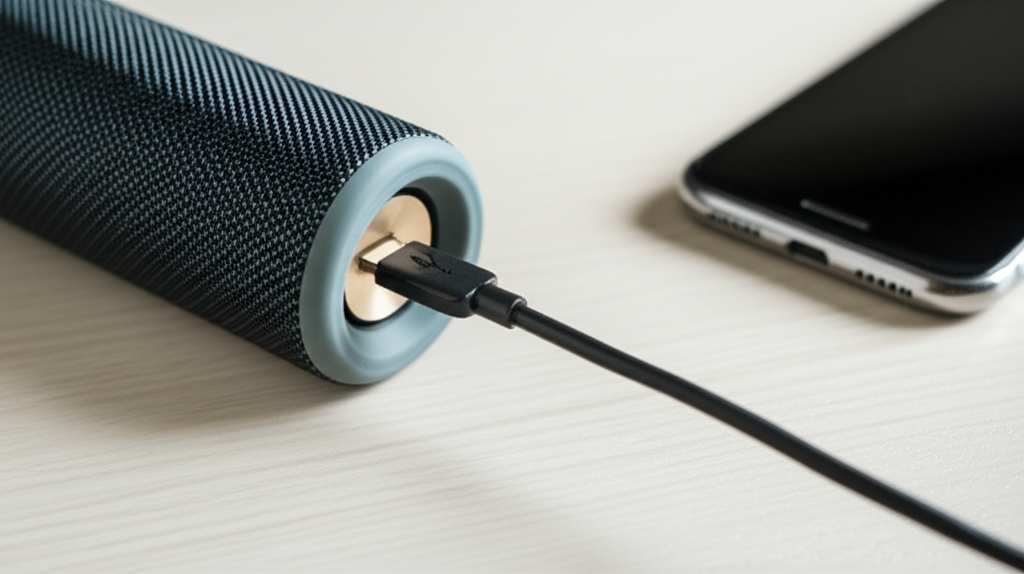
Look around the edges and the back of your speaker. You might find a small rubber flap or a cap. Gently lift or open this flap. Inside, you’ll see the charging port. It’s a small slot where your charging cable fits snugly.
Some speakers might have the port right out in the open, especially simpler models. If your speaker is waterproof or dustproof, that little flap is extra important for keeping water and dirt out. So, always make sure it’s closed tightly after you’re done charging.
The Charging Cable: What Kind Do You Need?
This is where a little bit of detail can save you a headache. The type of charging cable your speaker uses depends on the model.
USB-C: This is the modern standard. If your speaker has a USB-C port, you’ll need a USB-C cable. These are great because they’re reversible, meaning you can plug them in either way up – no more fumbling!
Micro-USB: This was the standard for many years. It’s a small, trapezoid-shaped connector. You’ll see this on older speakers or more budget-friendly models.
Proprietary Connectors: Some brands, especially for their higher-end or specialized speakers, might use their own unique charging connector. This is less common but does happen.
If you’ve lost your original cable, don’t panic. You can usually find replacements online or at electronics stores. Just make sure you get the right type for your speaker! A quick peek at your speaker’s manual or the manufacturer’s website can tell you exactly what you need.
Plugging In: The Simple Steps to Power Up
Okay, you’ve found the port and the right cable. Now, let’s get that speaker juiced up! It’s a simple process, much like charging your phone.
Here’s how to do it step-by-step:
1. Connect the Cable to the Speaker: Take the end of the charging cable that fits into your speaker and gently plug it into the charging port. It should slide in easily. Don’t force it! If it doesn’t go in smoothly, double-check that you have the correct cable and that it’s oriented the right way.
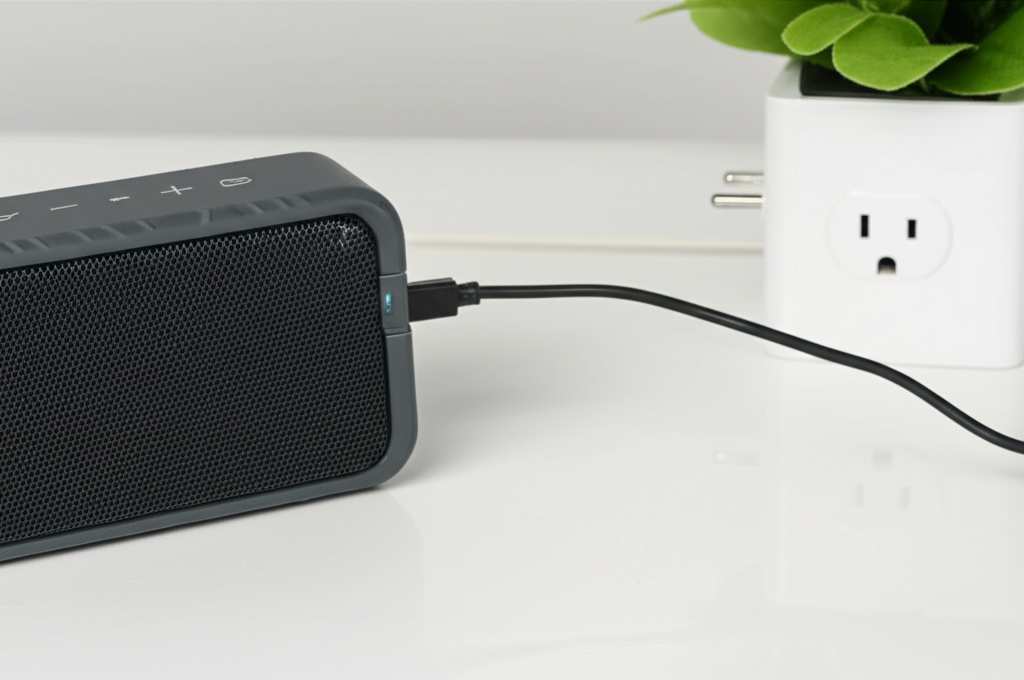
2. Connect the Other End to Power: Now, plug the other end of the cable into your power source.
Wall Adapter: Plug it into a wall outlet. This is usually the fastest way to charge.
Computer USB Port: Plug it into an available USB port on your laptop or desktop. This is convenient but might charge slower.
Power Bank: Connect it to your portable power bank. Great for when you’re on the go and away from an outlet!
Car Charger: If you have a USB adapter for your car, you can plug it in there.
3. Look for Charging Indicators: Most speakers have lights that tell you they are charging. This is usually a small LED light. It might be red while charging and turn green or blue when fully charged. Some speakers might blink while charging and stay solid when done. Check your speaker’s manual to know what its lights mean.
4. Let It Charge: Give your speaker enough time to get a good charge. The time it takes can vary depending on the speaker’s battery size and the power source you’re using. It’s usually best to let it charge until the indicator light shows it’s full.
And that’s it! You’ve successfully charged your Bluetooth speaker. Easy peasy, right?
Understanding Those Little Lights: What Do They Mean?
Those tiny LED lights on your speaker aren’t just for decoration. They’re actually your speaker’s way of talking to you! They give you important information about its power status.
Here’s a general guide to what those lights often mean:
Solid Red Light: Usually means the speaker is charging.
Flashing Red Light: Sometimes indicates a very low battery, almost dead.
Solid Green or Blue Light: Often means the speaker is fully charged.
Pulsing or Breathing Light: Can also indicate charging, and might change color or stop pulsing when full.
Blue Flashing Light: Typically means the speaker is in Bluetooth pairing mode, looking for a device to connect to.
Solid Blue Light (after pairing): Usually means it’s successfully connected via Bluetooth.
Pro Tip: Always check your speaker’s user manual. Every brand and model can have slightly different light indicators. Knowing what your specific speaker’s lights mean is super helpful for quick troubleshooting.
How Long Does Charging Take?
This is a common question, and the answer is… it depends! The charging time for a Bluetooth speaker can vary quite a bit based on a few factors.
Battery Size: Bigger batteries take longer to fill up. Think of it like filling a bigger water bottle – it just needs more time.
Power Source: Charging from a standard USB port on a computer is often slower than using a powerful wall adapter.
Cable Quality: Using a good quality charging cable can make a difference.
Speaker Model: Some speakers are designed for faster charging than others.
Generally, a full charge for a typical Bluetooth speaker can take anywhere from 2 to 5 hours. Smaller, portable speakers might charge faster, while larger, more powerful ones might take a bit longer.
Quick Guide to Charging Times:
| Speaker Size/Type | Typical Battery Capacity | Estimated Charging Time (with standard adapter) |
| :—————- | :———————– | :———————————————- |
| Mini/Ultra-Portable | 500-1500 mAh | 1-3 hours |
| Medium/Standard | 2000-5000 mAh | 2-4 hours |
| Large/Boombox | 5000+ mAh | 3-6 hours |
What this table means for you: If you have a tiny speaker, you can probably get it charged up for a quick outing in no time. For those bigger, room-filling speakers, plan a bit more time to get them to 100%. It’s always a good idea to charge your speaker fully before a long trip or an event so you don’t have to worry about it dying mid-fun.
What If My Speaker Isn’t Charging? Quick Fixes!
Sometimes, technology throws us a curveball. If you plug in your speaker and nothing seems to be happening, don’t panic! There are a few simple things you can try to get it charging again.
Here are some quick fixes to try:
Check the Cable Connections: Make sure the charging cable is securely plugged into both the speaker and the power source. Sometimes a loose connection is all it is.
Try a Different Cable: The charging cable itself might be faulty. If you have another compatible cable (USB-C, micro-USB, etc.), try using that one.
Try a Different Power Source: The wall adapter or USB port you’re using might not be working. Try plugging into a different wall outlet, a different USB port on your computer, or a known-good power bank.
Clean the Charging Port: Dust, lint, or debris can get into the charging port and prevent a good connection. Carefully use a toothpick or a dry, soft brush (like an old toothbrush) to gently clean out the port. Be very gentle!
Restart the Speaker: Sometimes, electronics just need a good old restart. Turn the speaker off, unplug it, wait a minute, and then plug it back in and turn it on.
Check for Speaker Damage: If the port looks damaged, or if none of these steps work, there might be physical damage to the speaker or its charging port.
If you’ve tried all these steps and your speaker still won’t charge, it might be time to contact the manufacturer’s customer support. They can often help you troubleshoot further or arrange for a repair. You can usually find support information on their website, like on sites such as CNET’s support section.
Keeping Your Speaker Powered Up for Longer
Want to get the most out of your speaker’s battery life? It’s not just about charging; it’s also about how you use it!
Here are some tips to make your battery last longer between charges:
Adjust the Volume: Playing music at very high volumes drains the battery faster. Try keeping the volume at a moderate level when possible.
Turn Off Unused Features: Some speakers have extra features like LED lights, NFC, or even voice assistant integration. If you’re not using them, turn them off to save power.
Disconnect When Not in Use: Once you’re done listening, disconnect the Bluetooth connection from your phone or device. This prevents the speaker from constantly trying to maintain a connection, which uses battery.
Store Properly: If you’re storing your speaker for a long time, don’t leave the battery completely drained or fully charged. Aim for around 50% charge for long-term storage to keep the battery healthy.
Keep it Cool: Extreme temperatures can affect battery performance and lifespan. Avoid leaving your speaker in a very hot car or direct sunlight for extended periods.
By following these tips, you can ensure your Bluetooth speaker is ready to go when you are, and that its battery stays in good shape for a long time.
Popular Bluetooth Speaker Charging Methods Compared
Let’s look at how different ways of powering up stack up. Understanding these can help you choose the best method for your situation.
| Charging Method | Pros | Cons | Best For |
| :——————– | :—————————————————————- | :—————————————————————– | :———————————————————————— |
| Wall Adapter (USB) | Fast charging, reliable power | Requires a wall outlet | Home, office, or anywhere with an accessible power outlet. |
| Computer USB Port | Convenient if your computer is on, no extra adapter needed | Slower charging speed, requires computer to be on | When you’re already using your computer and don’t need a super-fast charge. |
| Power Bank | Portable, great for on-the-go, no outlet needed | Power bank needs to be charged itself, can be slower than wall adapter | Traveling, camping, picnics, or any situation away from power outlets. |
| Car Charger Adapter | Convenient for road trips | Requires a car charger adapter and a working car power outlet | Long car journeys. |
| Wireless Charging | Convenient, no cables to plug in (if supported) | Slower charging, requires a compatible wireless charging pad | Speakers that specifically support wireless charging, for ultimate ease. |
Why this matters: If you’re in a rush, a wall adapter is your best bet for a quick power boost. If you’re out in nature, a power bank is a lifesaver. Knowing these options helps you keep the music playing, no matter where you are!
Frequently Asked Questions About Charging Bluetooth Speakers
Got more questions buzzing around your head? That’s totally normal! Here are some common ones that beginners often ask, with super simple answers.
Q1: Can I leave my Bluetooth speaker plugged in all the time?
A1: Most modern Bluetooth speakers have smart charging technology that prevents overcharging. Once the battery is full, they stop charging. So, it’s generally safe to leave them plugged in, but it’s still good practice to unplug them occasionally.
Q2: My speaker came with a USB cable but no wall adapter. What do I do?
A2: That’s very common now! The USB cable is designed to plug into any standard USB power adapter you already use for your phone or tablet. Just use one of those, or plug it into a USB port on your computer.
Q3: Can I use a different brand’s charger if I lost mine?
A3: Yes, you usually can, as long as it’s the correct type of connector (USB-C, micro-USB) and provides the right voltage and amperage. Using a charger with too high an amperage could* potentially damage the speaker, though most modern speakers have protection. It’s always safest to use the original or a reputable replacement.
Q4: Does it matter which way I plug in my micro-USB cable?
A4: Yes, it does! Micro-USB cables only fit one way. If it feels like you have to force it, flip the cable over. USB-C cables, on the other hand, are reversible and can be plugged in either way.
Q5: How do I know when my speaker is fully charged?
A5: Look for the indicator light! It usually changes color (e.g., from red to green or blue) or stops blinking and becomes solid when charging is complete. Check your speaker’s manual for the exact meaning of its lights.
Q6: Can I use my speaker while it’s charging?
A6: In most cases, yes! Many speakers can be used while they are plugged in and charging. However, playing at very high volumes while charging might slow down the charging process or even cause the speaker to discharge if it’s drawing more power than it’s receiving.
Q7: My speaker is old. Will it still charge properly?
A7: Older speakers might have batteries that don’t hold a charge as long as they used to, but the charging process itself should be the same. If you notice the battery life is significantly shorter, it might be time to consider a battery replacement or a new speaker. For more info on battery care, check out tech guides like those on TechRadar.
Ready to Rock (and Roll, and Charge)!
So there you have it! Charging your Bluetooth speaker is a straightforward process that keeps the good times rolling. From finding the right port to understanding those helpful indicator lights, you’re now equipped to keep your tunes playing all day long.
Remember, it’s all about the simple steps: find the port, use the right cable, plug it in, and watch those lights. And if something seems a bit off, those quick fixes are your best friends. Keeping your speaker powered up means more music, more fun, and more memories.
Now go enjoy amazing sound and make every moment louder and better! Happy listening!