Connecting your Crosley record player is super simple! You can easily link it to your Bluetooth speaker for effortless, wire-free audio. Get ready to spin those vinyls and enjoy your music with clear, powerful sound in no time.
Hey there, music lovers! Ever felt that thrill when you find a cool vintage record player? Crosley makes some of the most stylish and easy-to-use ones out there. But then comes the question: how do you get that amazing vinyl sound playing through your modern speakers? It can feel a bit tricky, right?
We’ve all been there, staring at a tangle of wires or a mysterious Bluetooth button, wondering where to start. But don’t worry! Connecting your Crosley record player to your favorite speakers, especially Bluetooth ones, is way simpler than you might think.
Think of it like this: your record player is the artist, and your speaker is the concert hall. We just need to set up the stage so the music can reach everyone. I’m here to walk you through it, step by step, making sure it’s fun and easy.
Let’s dive in and get your Crosley spinning and singing!
Why Connect Your Crosley Record Player?
So, why bother connecting your Crosley record player to other speakers? It’s all about getting the best sound experience. Many Crosley players have built-in speakers, which are great for a little listening session. But if you want to fill a room with rich audio or enjoy your favorite albums with deeper bass, connecting to external speakers is the way to go.
Plus, modern homes are full of awesome tech, and the most exciting part is making it all work together. Imagine spinning a classic jazz record and having that warm, analog sound fill your living room through a powerful Bluetooth speaker. It’s a fantastic way to blend the old-school charm of vinyl with the convenience of today’s technology.
Understanding Your Crosley Record Player
Before we connect anything, let’s get to know your Crosley player a little better. Most Crosley record players fall into a few main categories when it comes to sound output. Some have simple RCA outputs, others might have a headphone jack, and many newer models come with built-in Bluetooth transmission capabilities.
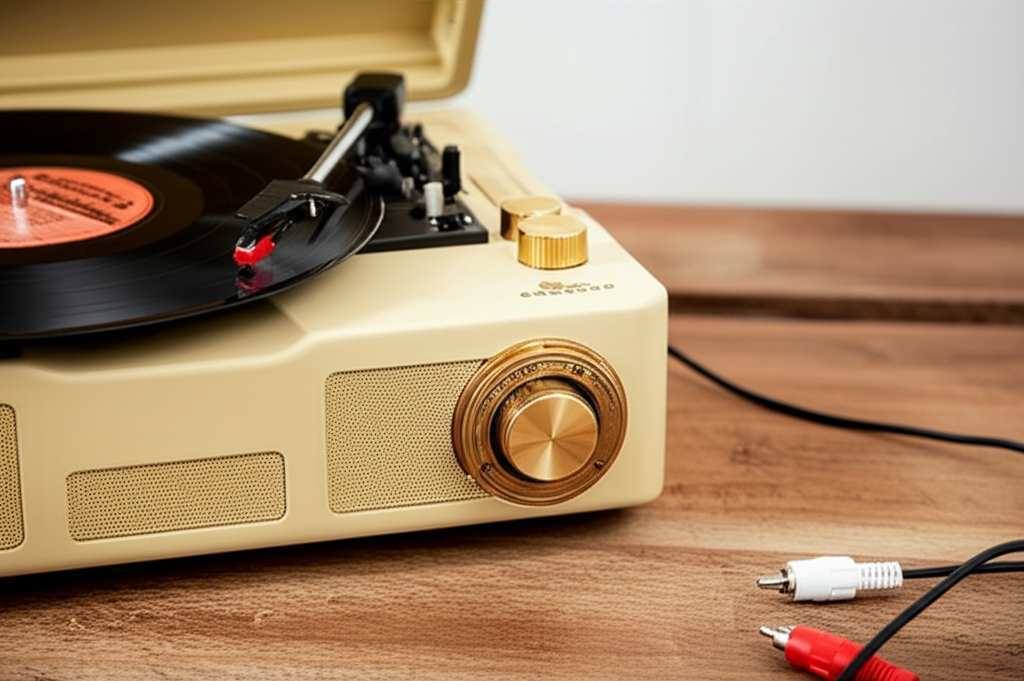
The key is to identify what kind of connection options your specific Crosley model offers. This will tell us exactly how we can bridge the gap between your vinyl and your speakers. Don’t worry if you’re not sure; we’ll cover how to find out!
Identifying Your Crosley Model’s Connections
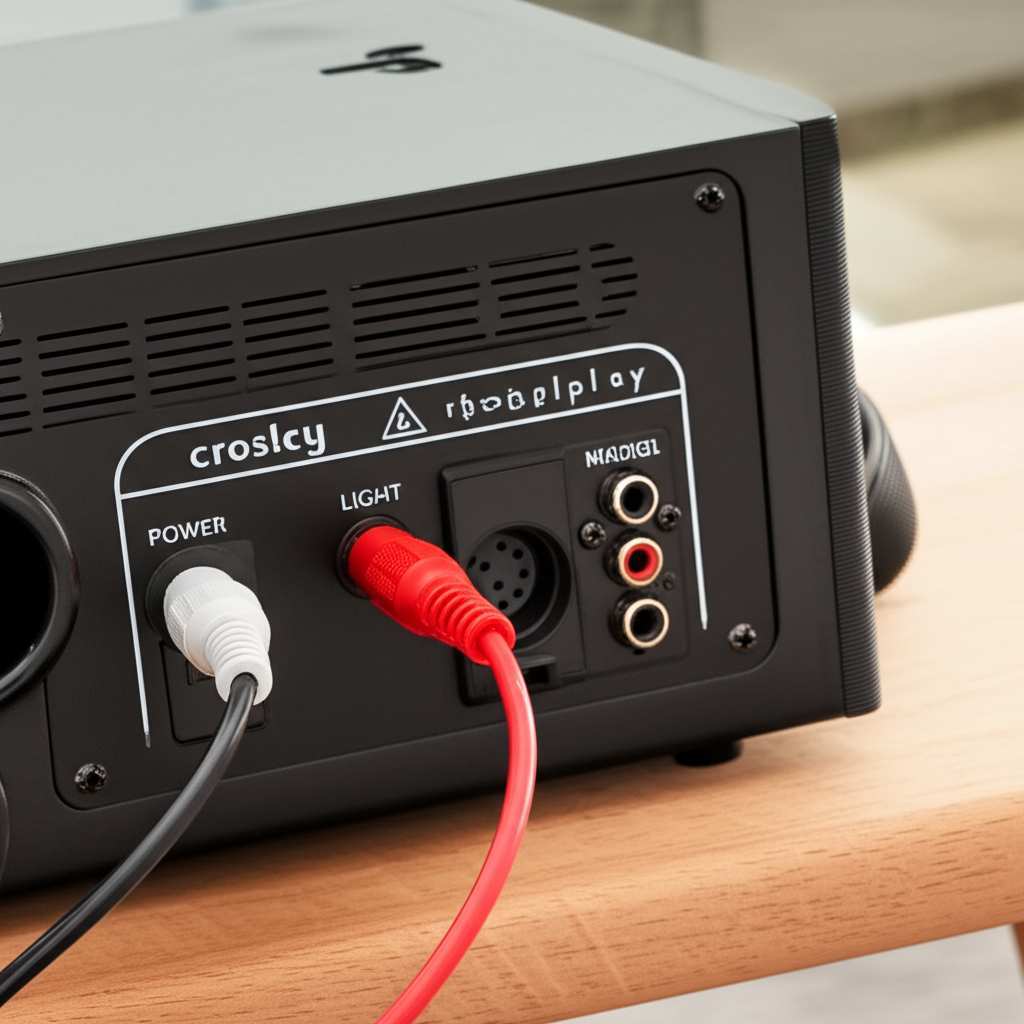
The first step is to take a peek at the back or side of your Crosley record player. You’re looking for different types of ports. These ports are like little doorways for sound to travel through.
- RCA Outputs: These are the most common. You’ll see two jacks, usually red and white, labeled “OUT” or sometimes with a little diagram of a sound wave.
- Headphone Jack: A standard 3.5mm jack, just like on your phone or headphones.
- Bluetooth Transmission: Some Crosley models can send audio via Bluetooth. Look for a Bluetooth logo or a pairing button.
- Built-in Speakers: If your model has speakers on it, they’ll be clearly visible.
If you’re still unsure, a quick search online for your Crosley model number will bring up its specifications and manual. That’s always a reliable way to get the exact details!
Connecting to Bluetooth Speakers: The Modern Way
This is where things get really exciting! Connecting your Crosley record player to a Bluetooth speaker means you can enjoy your vinyl without any messy wires. It’s all about wireless freedom and great sound.
The process varies a bit depending on whether your Crosley player has built-in Bluetooth transmission or if you need a little helper device. Let’s break down both scenarios.
Scenario 1: Your Crosley Has Built-In Bluetooth Transmission
This is the easiest and most direct method. If your Crosley record player is designed to transmit Bluetooth audio, the setup is a breeze. It’s like your record player has its own little radio transmitter built-in!
Step-by-Step Guide to Connecting via Built-in Bluetooth:
- Power On Your Crosley: Make sure your record player is plugged in and turned on.
- Put Your Crosley in Bluetooth Pairing Mode: You’ll usually find a dedicated Bluetooth button on the player. Press and hold it until a light starts blinking, often blue or white. This means it’s ready to find a speaker.
- Power On Your Bluetooth Speaker: Turn on your Bluetooth speaker and make sure it’s also in pairing mode. Check your speaker’s manual if you’re unsure how to do this – it often involves holding down the power or Bluetooth button.
- Wait for Them to Connect: Your Crosley player will scan for nearby Bluetooth devices. Your speaker should appear on a list, or they might just find each other automatically. A solid light on both the player and speaker usually indicates a successful connection.
- Play Your Record: Once connected, place your record on the turntable and start playing it. The sound should now come out of your Bluetooth speaker!
It’s super satisfying when that little light turns solid and the music starts flowing wirelessly. It really feels like magic, doesn’t it?
Scenario 2: Your Crosley Needs a Little Help (Bluetooth Transmitter)
What if your Crosley player doesn’t have built-in Bluetooth transmission? No problem at all! You can easily add this capability with a small, inexpensive Bluetooth transmitter. These little gadgets plug into your record player and send the audio signal wirelessly to your speaker.
What You’ll Need:
- A Crosley record player with RCA or headphone output.
- A Bluetooth transmitter (make sure it’s a transmitter, not a receiver).
- An audio cable (usually a 3.5mm to RCA cable or a 3.5mm to 3.5mm cable, depending on your transmitter and player).
- Your Bluetooth speaker.
Step-by-Step Guide Using a Bluetooth Transmitter:
- Connect the Transmitter to Your Crosley: Find the audio output on your record player. This is usually the RCA (red and white) jacks or the headphone jack. Plug one end of your audio cable into the player and the other end into the “IN” port on your Bluetooth transmitter.
- Power Up the Transmitter: Most Bluetooth transmitters are powered via USB. Plug it into a USB power adapter or a powered USB port.
- Put the Transmitter in Pairing Mode: Press and hold the pairing button on the transmitter until its indicator light starts blinking.
- Power On and Pair Your Bluetooth Speaker: Turn on your Bluetooth speaker and put it in pairing mode, just like you would when connecting any other device.
- Wait for the Connection: Give them a minute to find each other. The blinking lights on both the transmitter and the speaker should turn solid once they’re paired.
- Play Your Record: Now, when you play a record on your Crosley, the sound will be sent wirelessly from the transmitter to your Bluetooth speaker.
This method is a fantastic way to upgrade older record players and give them a modern twist. It’s like giving your classic tech a superpower!
Connecting to Wired Speakers or Soundbars
While Bluetooth is super convenient, sometimes you might want to connect your Crosley record player to wired speakers or a soundbar for a different audio setup. This is often a straightforward process, especially if your Crosley has RCA outputs.
Using RCA Outputs
This is the most common method for wired connections. Your Crosley player likely has a pair of RCA output jacks on the back. These are designed to connect directly to an amplifier, receiver, or powered speakers.
What You’ll Need:
- Your Crosley record player with RCA outputs.
- A pair of RCA cables (often red and white ends).
- Powered speakers, an amplifier, or an AV receiver.
Step-by-Step Guide:
- Identify RCA Outputs: Look for the red and white jacks on the back of your Crosley player, usually labeled “OUT.”
- Connect the RCA Cables: Plug the red end of the RCA cable into the red “OUT” jack on your player and the white end into the white “OUT” jack.
- Connect to Your Speakers/Amplifier: Now, take the other ends of the RCA cables and plug them into the corresponding “IN” jacks on your powered speakers, amplifier, or receiver. Make sure the colors match (red to red, white to white).
- Power Everything On: Turn on your Crosley record player, then turn on your speakers or amplifier.
- Select the Correct Input: On your amplifier or receiver, you’ll need to select the correct input source that your Crosley is connected to (e.g., “Phono,” “Aux,” or “Line In”). If you’re using powered speakers with direct RCA inputs, this step might not be necessary.
- Play Your Record: Place your record and start playing. The sound should come through your wired speakers!
This connection method often provides a very clean and stable audio signal, which many audiophiles prefer.
Using the Headphone Jack
Some Crosley models might not have RCA outputs but do have a headphone jack. This is also a usable output for connecting to other audio devices, though the sound quality might be slightly different than using RCA outputs.
What You’ll Need:
- Your Crosley record player with a headphone jack.
- A 3.5mm audio cable (sometimes called an aux cable).
- Powered speakers or a device with a 3.5mm auxiliary input.
Step-by-Step Guide:
- Locate the Headphone Jack: It’s usually a small, circular port on the front or back of your player.
- Connect the 3.5mm Cable: Plug one end of the cable into the headphone jack on your Crosley player.
- Connect to Your Speakers/Device: Plug the other end of the cable into the auxiliary input (usually a 3.5mm jack) on your powered speakers or audio device.
- Adjust Volume: You’ll likely need to control the volume from your Crosley player’s headphone output. Set it to a moderate level, and then adjust the volume on your speakers.
- Play Your Record: Start playing your vinyl, and the sound should come through your connected speakers.
It’s a good trick to know if RCA outputs aren’t available on your specific model!
Troubleshooting Common Connection Issues
Even with the simplest setups, sometimes technology throws a curveball. If you’re having trouble connecting your Crosley record player, don’t get discouraged! Most issues are pretty easy to fix.
Here are some common problems and how to solve them:
- No Sound: Double-check all your connections. Make sure cables are plugged in securely. Ensure your record player and speakers are powered on. Select the correct input source on your amplifier or receiver.
- Bluetooth Won’t Connect: Make sure both your Crosley player (or transmitter) and your speaker are in pairing mode. Ensure they are close enough to each other. Try turning both devices off and on again. Sometimes, forgetting the device on your phone or tablet and re-pairing can help.
- Low Volume: Check the volume levels on both your Crosley player and your speakers. If using a headphone jack, ensure the Crosley’s volume is turned up sufficiently.
- Sound is Distorted or Crackly: This could be due to a loose connection or interference. For Bluetooth, try moving your devices closer or removing obstructions. Ensure your record player’s stylus (needle) is clean and in good condition.
A quick tip: always refer to the manuals for both your Crosley record player and your speakers. They often have specific troubleshooting sections that can be super helpful!
Crosley Bluetooth Speaker Connection Tips & Tricks
Connecting your Crosley to a Bluetooth speaker is fantastic for flexibility. Here are some tips to make your wireless audio experience even better.
Choosing the Right Bluetooth Speaker
Not all Bluetooth speakers are created equal! For the best vinyl experience, consider speakers that offer:
- Good Bass Response: Vinyl has a warm, full sound, and speakers with strong bass can really bring it to life.
- Clear Mids and Highs: You want to hear all the details in your music, from vocals to crisp cymbal hits.
- Stable Bluetooth Connection: Look for speakers that use newer Bluetooth versions (like 5.0 or higher) for a more reliable and longer-range connection.
Brands like Bose, JBL, and Sonos often get high marks for sound quality and reliable connectivity. You can find great reviews and comparisons on sites like CNET to help you choose.
Optimizing Your Bluetooth Setup
To get the best sound and connection:
- Keep Devices Close: While Bluetooth has a decent range, keeping your record player (or transmitter) and speaker within the same room and relatively close can prevent dropouts.
- Minimize Interference: Other wireless devices like microwaves or Wi-Fi routers can sometimes interfere with Bluetooth signals. Try to position your speaker and player away from these.
- Firmware Updates: If your speaker or transmitter has an app, check for firmware updates. These can sometimes improve performance and connectivity.
Understanding Audio Latency
One thing to be aware of with Bluetooth is audio latency, which is a slight delay between when the sound is produced and when you hear it. For casual listening, this delay is usually unnoticeable. However, if you’re very sensitive to it, or if you’re using the record player for something where precise timing matters (which is rare for home listening), you might notice it.
If latency is a major concern, a wired connection will always offer zero delay. But for most people, the convenience of Bluetooth far outweighs this minor potential drawback.
Comparing Connection Methods
Let’s look at how different connection methods stack up. This can help you decide which is best for your setup and preferences.
Connection Method Comparison Table
| Method | Pros | Cons | Best For |
|---|---|---|---|
| Built-in Bluetooth Transmission | Easiest setup, no extra accessories, wireless freedom. | Requires a compatible Crosley model, potential for minor latency. | Beginners, users with modern Crosley players. |
| Bluetooth Transmitter | Adds Bluetooth to any Crosley, wireless freedom, affordable. | Requires extra device and cable, potential for minor latency. | Users with older Crosley models, budget-conscious wireless setups. |
| Wired (RCA) | Excellent sound quality, no latency, stable connection. | Requires wires, less flexibility in speaker placement. | Audiophiles, users prioritizing sound fidelity, connecting to receivers. |
| Wired (Headphone Jack) | Works with many devices, relatively simple. | Sound quality can vary, volume control may be split. | When RCA is not available, connecting to basic powered speakers. |
As you can see, each method has its own strengths. If you have a Crosley with built-in Bluetooth, that’s usually the most straightforward path to wireless bliss. For those with older models, a Bluetooth transmitter is a game-changer. And for the purest sound experience, wired connections remain a solid choice.
Fun Facts About Vinyl and Sound
Did you know that the grooves on a vinyl record are incredibly tiny? If you were to look at them under a microscope, they’d resemble a miniature landscape of peaks and valleys that carry the sound information!
Also, the concept of Bluetooth has been around for a while! The technology was developed in the late 1990s and named after a Viking king, Harald Bluetooth. It’s pretty cool how that historical inspiration powers our modern wireless connections.
Maintaining Your Crosley Record Player for Great Sound
To ensure your Crosley record player always sounds its best, a little maintenance goes a long way. Keeping things clean and in good shape will make your connections smoother and your music clearer.
- Clean Your Records: Dust and grime on your vinyl can cause pops, crackles, and even damage your stylus. Use a carbon fiber brush before each play.
- Clean the Stylus (Needle): The stylus is delicate and picks up dust. Use a stylus brush or a specialized stylus cleaning fluid every so often. A clean stylus means a cleaner sound.
- Keep it Level: Ensure your record player is on a stable, level surface. This is crucial for proper tracking and sound quality.
- Handle with Care: Always lift and lower the tonearm gently. Avoid touching the stylus with your fingers.
Regular, simple care ensures your Crosley player performs beautifully and your music sounds fantastic, no matter how you connect it.
Frequently Asked Questions (FAQs)
Q1: Do all Crosley record players have Bluetooth?
A1: Not all Crosley record players have built-in Bluetooth transmission. Many newer models do, but older or more basic models might not. Always check your specific model’s features or manual.
Q2: Can I connect my Crosley to my soundbar?
A2: Yes, you can! If your soundbar has RCA or 3.5mm auxiliary inputs, you can connect your Crosley player using RCA cables or a 3.5mm audio cable. If your soundbar is Bluetooth-enabled, you can connect wirelessly using a Crosley with built-in Bluetooth or a separate Bluetooth transmitter.
Q3: What does it mean if my Bluetooth speaker won’t connect?
A3: It usually means they aren’t in pairing mode, are too far apart, or there’s interference. Try turning both devices off and on again, bringing them closer, and making sure they are actively trying to pair.
Q4: Can I use my Crosley’s headphone jack to connect to my speakers?
A4: Absolutely! If your Crosley has a headphone jack, you can use a 3.5mm audio cable to connect it to powered speakers or any device with an auxiliary input. Just remember to adjust the volume on your Crosley player.
Q5: Will connecting via Bluetooth affect sound quality?
A5: Bluetooth involves some compression, so theoretically, a wired connection can offer slightly higher fidelity. However, for most listeners, the difference is minimal, and the convenience of wireless far outweighs it. High-quality Bluetooth speakers and transmitters minimize this effect.
Q6: How do I know if my Crosley is sending or receiving Bluetooth?
A6: If your Crosley player can connect to a Bluetooth speaker without any extra accessories, it’s transmitting. If it needs a separate device to connect to a speaker, it’s likely not transmitting. Some Crosley models have both capabilities, but it’s less common.
Q7: What is the best way to connect my Crosley if I want the absolute best sound?
A7: For the absolute best and most uncompressed sound quality, a wired connection using RCA outputs to a good quality amplifier or powered speakers is typically recommended. This bypasses any potential compression or latency associated with Bluetooth.
Your Vinyl Journey, Amplified!
There you have it! Connecting your Crosley record player to your speakers, especially Bluetooth ones, is totally doable and opens up a world of richer sound. Whether you’re using built-in Bluetooth, a handy transmitter, or sticking with trusty wired connections, you’re now equipped to get your favorite vinyl spinning.
Remember, the goal is to enjoy your music. Don’t be afraid to experiment a little to find the setup that works best for you. And if you ever get stuck, just revisit these steps. You’ve got this!
Now go forth, connect, and let the warm sounds of your records fill your space. Happy listening!