Yes, you absolutely can use almost any speakers with your record player, but there are a few key things to know to get the best sound! It’s easier than you might think to connect your favorite speakers and enjoy your vinyl collection.
Hey there, fellow music lover! Ever spun a favorite vinyl record and thought, “Man, this sound could be even better”? I totally get that. There’s something magical about the crackle and warmth of a record, but sometimes the built-in speakers on record players just don’t do the music justice. It leaves you wondering, “Can I just hook up my awesome Bluetooth speakers or my old bookshelf speakers?”
It can feel a bit overwhelming trying to figure out all the different audio connections. You see terms like “preamp,” “phono input,” and “line output,” and your eyes might start to glaze over. Don’t worry, though! I’m here to be your friendly guide. We’re going to break down exactly how you can connect different speakers to your record player so you can enjoy crystal-clear sound without any headaches.
Think of it like this: your record player is the artist, and the speakers are the stage where the music performs. We just need to make sure they can talk to each other properly to give you the best show. Ready to dive in and make your vinyl sound amazing? Let’s break it down step by step!
So, Can You Use Any Speakers With a Record Player?
This is the big question, right? The short answer is: mostly yes, but with a few important details to consider. Not every record player is the same, and not every speaker is the same. The magic happens when you match them up correctly.
Most modern record players have built-in features to make this easier. Some even have small speakers already attached! But if you’re like me, you probably want to tap into something with a bit more power or clarity. You’ve got those fantastic bookshelf speakers gathering dust, or maybe a cool soundbar you love for movies. The good news is, connecting them is often straightforward.
The key is understanding what kind of “output” your record player has and what kind of “input” your speakers need. It sounds technical, but we’ll make it super simple. Let’s explore how this all works.
Understanding Your Record Player’s “Voice” (Outputs)
Your record player needs to send the sound signal somewhere. This is called its “output.” Think of it as the record player’s voice. Where that voice comes out will tell you what kind of speakers it can talk to.
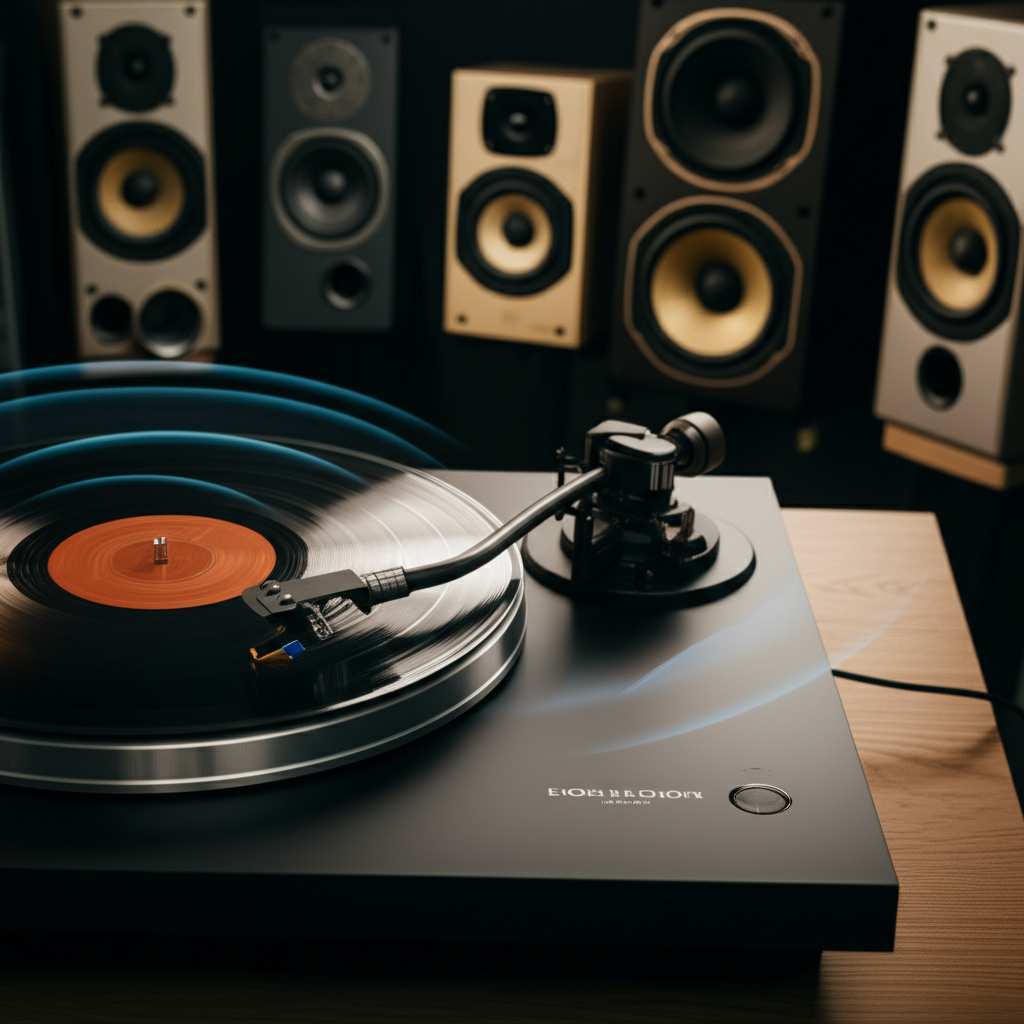
Built-in Speakers: The All-in-One Solution
Many entry-level record players come with speakers built right into the unit. These are super convenient! You just plug it in, put on a record, and you’ve got sound.
Pros: Super easy to set up, no extra cables needed, great for beginners.
Cons: Sound quality is often basic, not very powerful.
If your record player has built-in speakers, it’s already set up to play! But if you’re looking for an upgrade, you’ll need to find the other types of outputs.
RCA Outputs: The Most Common Connection
Most record players that can connect to external speakers have RCA outputs. You’ll usually see a pair of colored jacks on the back: red for the right channel and white (or sometimes black) for the left channel.
What they look like: Two round jacks, typically red and white.
What they do: They send an audio signal out of the record player.
What you need: An RCA cable to connect these to your speakers.
Some record players might have RCA outputs labeled “PHONO” and others labeled “LINE.” This is important!
Phono vs. Line Output: What’s the Difference?
This is where things can get a little tricky, but I’ll make it easy.
Phono Output: This is a special signal directly from the turntable. It’s very quiet and needs extra amplification (a “phono preamp”) to sound good. If your record player has only a phono output, you’ll need an external phono preamp or speakers that have one built-in.
Line Output: This signal has already been amplified by a built-in phono preamp. It’s ready to go! You can connect this directly to powered speakers or an amplifier.
Many modern turntables have a switch that lets you choose between “PHONO” and “LINE.” If you see this, and you’re connecting to powered speakers or an amplifier, set it to “LINE.” If you’re connecting to a receiver with a dedicated “PHONO” input, you might switch it to “PHONO” and use that input.
Headphone Jack: A Sneaky Way to Connect
Some record players have a standard headphone jack (usually 3.5mm). While designed for headphones, you can often use this to connect to powered speakers!
What it looks like: A small, round hole where you plug in your headphones.
What you need: A 3.5mm to RCA cable or a 3.5mm to 3.5mm cable, depending on your speakers.
This is a great option if your record player doesn’t have RCA outputs but does have a headphone jack.
Bluetooth: The Wireless Wonder
More and more record players are coming with built-in Bluetooth! This makes connecting to wireless speakers or headphones incredibly simple.
How it works: You just pair your record player to your Bluetooth speaker like you would your phone.
Pros: Super convenient, no wires needed, easy to use with modern speakers.
Cons: Sound quality can sometimes be compressed compared to wired connections, though it’s gotten much better.
If your record player has Bluetooth, check its manual for pairing instructions. It’s usually a straightforward process of putting the player in pairing mode and selecting it on your speaker.
Your Speakers’ “Ears” (Inputs)
Now let’s look at the other side of the connection: your speakers. What kind of “ears” do they have? This determines what kind of “voice” they can understand.
Powered Speakers (Active Speakers): The Easiest Match
Powered speakers are fantastic because they have the amplifier built right in! This means they don’t need a separate stereo receiver or amplifier to work.
What they have: They plug directly into the wall for power and have audio inputs.
Common Inputs: RCA, 3.5mm, XLR, or sometimes even USB.
How to connect: If your record player has RCA outputs, you’ll use an RCA cable to connect from the record player’s “LINE” output to the speaker’s RCA input. If your record player has a headphone jack, you can use a 3.5mm cable.
These are often the simplest way to upgrade your record player’s sound. You’ll find them as bookshelf speakers, soundbars, or even larger studio monitors.
Passive Speakers: They Need a Little Help
Passive speakers don’t have a built-in amplifier. They need to be connected to a separate amplifier or receiver to get the power they need to produce sound.
What they have: Speaker wire terminals (often red and black posts) on the back.
What they need: An amplifier or receiver.
How to connect: You’ll run speaker wire from the amplifier’s output terminals to the passive speakers.
If you have a traditional stereo system with an amplifier or receiver, you can connect your record player to the receiver (if it has a “PHONO” input, or via a preamp to a “LINE” input) and then connect your passive speakers to the receiver.
Computer Speakers: A Quick Option
Many computer speaker systems are powered and have a 3.5mm input.
How to connect: If your record player has a headphone jack, you can use a 3.5mm to 3.5mm cable to connect it directly to the computer speakers.
Sound Quality: These are usually a step up from built-in record player speakers but might not offer the same richness as dedicated bookshelf speakers.
Wireless Speakers (Bluetooth): The Modern Choice
If your record player has Bluetooth, connecting to a wireless speaker is a breeze.
How to connect: Simply pair the two devices.
What to look for: Ensure your record player has Bluetooth output. Some speakers might also have an AUX (3.5mm) input if you prefer a wired connection.
Connecting the Dots: Step-by-Step Guides
Let’s walk through the most common ways to connect different types of speakers.
Scenario 1: Connecting to Powered Speakers (The Easy Upgrade!)
This is a super popular way to get better sound.
1. Check your record player’s outputs: Look for RCA outputs (red and white jacks) or a headphone jack. Make sure your RCA outputs are set to “LINE” if you have that option.
2. Check your powered speakers’ inputs: They will likely have RCA or 3.5mm inputs.
3. Gather your cable:
If both have RCA: You need a standard RCA cable (red and white on both ends).
If your record player has RCA and speakers have 3.5mm: You need a 3.5mm to RCA cable.
If your record player has a headphone jack (3.5mm) and speakers have 3.5mm: You need a 3.5mm to 3.5mm cable.
If your record player has a headphone jack (3.5mm) and speakers have RCA: You need a 3.5mm to RCA cable.
4. Connect the cable: Plug one end into the appropriate output on your record player and the other end into the corresponding input on your powered speakers.
5. Power on and play: Turn on your record player and speakers. Set the volume on your speakers to a moderate level. Play a record! You might need to adjust the volume on both the record player (if it has a volume knob) and the speakers.
Scenario 2: Connecting to a Stereo Receiver/Amplifier and Passive Speakers
This is the classic hi-fi setup.
1. Check your receiver/amplifier: Does it have a “PHONO” input? This is ideal for direct connection. If not, it needs to have standard “LINE” inputs (like AUX, CD, TAPE, etc.).
2. Check your record player:
If it has a PHONO output: You can connect this directly to the receiver’s “PHONO” input.
If it has a LINE output: You can connect this to any “LINE” input on your receiver (like AUX).
If it only has a PHONO output AND your receiver doesn’t have a PHONO input: You will need an external phono preamp. Connect the record player’s PHONO output to the preamp’s input, and then connect the preamp’s output to a LINE input on your receiver.
3. Connect the record player to the receiver: Use the appropriate RCA cables based on the outputs/inputs mentioned above.
4. Connect passive speakers to the receiver: Use speaker wire to connect the speaker terminals on the back of your receiver to the terminals on your passive speakers. Pay attention to polarity (red to red, black to black).
5. Power on and play: Turn on your receiver and speakers. Select the correct input source on your receiver (e.g., PHONO, AUX). Play a record and adjust the volume on your receiver.
Scenario 3: Connecting via Bluetooth
The wireless wonder!
1. Check your record player: Does it have Bluetooth output?
2. Check your Bluetooth speaker: Make sure it’s ready to pair.
3. Pair the devices:
Turn on your record player and put it into Bluetooth pairing mode (check your manual).
Turn on your Bluetooth speaker and put it into pairing mode.
On your record player (or your phone/tablet if the record player uses it for Bluetooth control), look for available Bluetooth devices and select your speaker’s name.
4. Play: Once paired, the audio from your record player should stream to your Bluetooth speaker. Adjust volume as needed.
A Quick Look at Connectivity Options
Here’s a handy table to quickly see what you might need:
| Record Player Output Type | Speaker Input Type | Cable Needed | Notes |
| :———————— | :—————————— | :———————————- | :——————————————————————— |
| RCA (LINE) | RCA | RCA Cable | Most common and straightforward. |
| RCA (LINE) | 3.5mm | 3.5mm to RCA Cable | Connects to many powered speakers and computer speakers. |
| Headphone Jack (3.5mm) | 3.5mm | 3.5mm to 3.5mm Cable | Easy if your record player lacks RCA outputs. |
| Headphone Jack (3.5mm) | RCA | 3.5mm to RCA Cable | Useful for powered speakers with RCA inputs. |
| Bluetooth | Bluetooth | None (Wireless) | Super convenient, no cables. Check for pairing compatibility. |
| RCA (PHONO) | Receiver PHONO Input | RCA Cable | Requires a dedicated PHONO input on your receiver. |
| RCA (PHONO) | External Phono Preamp | RCA Cable (for preamp) | If receiver lacks a PHONO input. Preamp then connects to receiver LINE. |
This table helps you visualize the connections. For example, if your record player has RCA LINE outputs and your powered speakers have 3.5mm inputs, you know you need a 3.5mm to RCA cable. Easy peasy!
When You Might Need a Phono Preamp
This is a crucial point for many vinyl enthusiasts. A phono preamp is a small box (or sometimes built into speakers or receivers) that boosts the very weak signal from a turntable’s cartridge.
Why you need it: The “phono” signal from a record player is incredibly low in volume and has a specific equalization curve (RIAA). Without a phono preamp, you’ll get very quiet, tinny sound.
Where they are found:
Built into some record players: Many modern turntables have a switch for “PHONO/LINE” output, meaning they have a preamp built-in. Set to “LINE” for most external speakers.
Built into some powered speakers: Some powered speakers are designed to accept a PHONO signal directly. Check their specs!
Built into some stereo receivers: Traditional hi-fi receivers often have a dedicated “PHONO” input.
As a standalone device: If your record player only has a PHONO output and your speakers/receiver don’t have a built-in preamp, you’ll need to buy one.
Here’s a quick look at common phono preamp options:
| Preamp Type | Pros | Cons | Best For |
| :——————— | :———————————————— | :——————————————- | :——————————————————————- |
| Built into Turntable | Convenient, saves space and money. | May be basic quality. | Beginners, those with limited space. |
| Built into Powered Speakers | Simplifies setup, good for minimalists. | Limited to specific speaker models. | Users who want an all-in-one solution with powered speakers. |
| Built into Receiver | Standard for older hi-fi systems. | Requires a full stereo system. | Traditional audio enthusiasts. |
| Standalone Preamp | Often higher quality, more flexibility. | Extra cost and another component to connect. | Audiophiles, those upgrading their setup, or using older equipment. |
If your record player only has a “PHONO” output and no “LINE” output, and your speakers or receiver doesn’t have a “PHONO” input, you will need a standalone phono preamp. You connect your record player to the preamp, and then the preamp connects to your speakers or receiver’s “LINE” input.
Making the Sound Amazing: Tips and Tricks
It’s not just about connecting; it’s about getting the best sound!
Speaker Placement: Where you put your speakers matters! Try to place them at ear level and spread apart to create a good stereo image. Avoid corners, which can sometimes make bass sound boomy.
Volume Levels: Start with moderate volume on your speakers. If your record player also has a volume control, find a balance. Too much volume too soon can damage your equipment or your ears!
Cable Quality: While you don’t need super expensive cables, decent quality ones can make a difference in signal clarity.
Clean Your Records: Dust and grime are the enemies of good sound. Invest in a good record cleaning brush.
Consider Subwoofers: If you want more bass, many powered speakers and receivers can connect to a subwoofer for that extra rumble.
Frequently Asked Questions (FAQ)
Let’s tackle some common questions you might have.
Q1: Can I use my computer speakers with my record player?
A: Yes, often you can! If your record player has a headphone jack (3.5mm output), you can usually connect it to computer speakers that have a 3.5mm input using a 3.5mm to 3.5mm audio cable. If your record player has RCA outputs, you’ll need a 3.5mm to RCA cable.
Q2: My record player only has a “PHONO” output. Can I use it with my powered speakers?
A: It depends on your powered speakers. If your powered speakers have a dedicated “PHONO” input, then yes! If they only have “LINE” inputs (like AUX or RCA), you will need an external phono preamp. Connect your record player to the preamp, and then connect the preamp to your powered speakers.
Q3: Do I need a special kind of speaker for vinyl?
A: Not necessarily! You can use most types of speakers, including Bluetooth speakers, bookshelf speakers, soundbars, or even home theater systems. The key is ensuring you have the right connections and possibly a phono preamp if your setup requires it. For the best vinyl experience, speakers designed for audio fidelity (like bookshelf speakers) are often recommended.
Q4: What does “phono” mean on my record player or receiver?
A: “Phono” refers to the specific type of audio signal that comes directly from a record player’s cartridge. This signal is very weak and needs a special amplifier called a “phono preamp” to boost it to a usable level and correct its frequency response (RIAA equalization). A receiver with a “PHONO” input has this preamp built-in.
Q5: Can I connect my record player to a soundbar?
A: Yes, you often can! Many soundbars have AUX (3.5mm) or RCA inputs. If your record player has a headphone jack, use a 3.5mm cable. If it has RCA outputs (set to LINE), use an RCA cable. Some modern soundbars also have Bluetooth, which could work if your record player has Bluetooth output.
Q6: Will my Bluetooth speaker sound good with my record player?
A: It can sound quite good, especially with newer Bluetooth technology like aptX! It’s incredibly convenient. However, purists might argue that a wired connection offers superior sound quality due to less compression. It’s a great option for casual listening and ease of use.
Q7: How do I know if my record player has a built-in preamp?
A: Check the back of your record player. If you see a switch labeled “PHONO/LINE” or if it has RCA outputs that are not* explicitly labeled “PHONO,” it likely has a built-in preamp and outputs a “LINE” level signal. If it only has a “PHONO” output, it does not have a built-in preamp. Always check your record player’s manual if you’re unsure!
Ready to Rock Your Vinyl!
See? Connecting speakers to your record player is totally doable, and it’s one of the best ways to breathe new life into your vinyl collection. Whether you’re using simple powered speakers, your existing stereo system, or even a cool Bluetooth speaker, the process is pretty straightforward once you know what to look for.
Remember, the goal is to match the output of your record player with the input of your speakers. Don’t be afraid to experiment a little! You’ve got this.
Now go enjoy amazing sound and make every moment louder and better with your favorite records!