Connect your Bluetooth speaker to your Crosley record player easily! This guide shows you the simple steps to get amazing wireless sound for your vinyl. No tech headaches, just pure music.
Hey there, music lovers! Ever found yourself spinning your favorite vinyl on your Crosley record player and wishing you could blast that warm, classic sound through a modern Bluetooth speaker? It’s a common thought, right? You’ve got this awesome record player, but maybe its built-in speakers aren’t quite cutting it, or you just love the convenience of wireless audio.
The world of tech can sometimes feel like a maze, with all sorts of jargon and confusing buttons. Picking out the right speaker or figuring out how to connect devices can leave you scratching your head. But don’t worry! That’s exactly why I’m here. My goal is to make technology feel simple, fun, and totally doable for everyone.
Today, we’re going to dive into how you can easily pair your Bluetooth speaker with your Crosley record player. It’s simpler than you might think, and it opens up a whole new way to enjoy your music collection. Let’s make this happen, step by step!
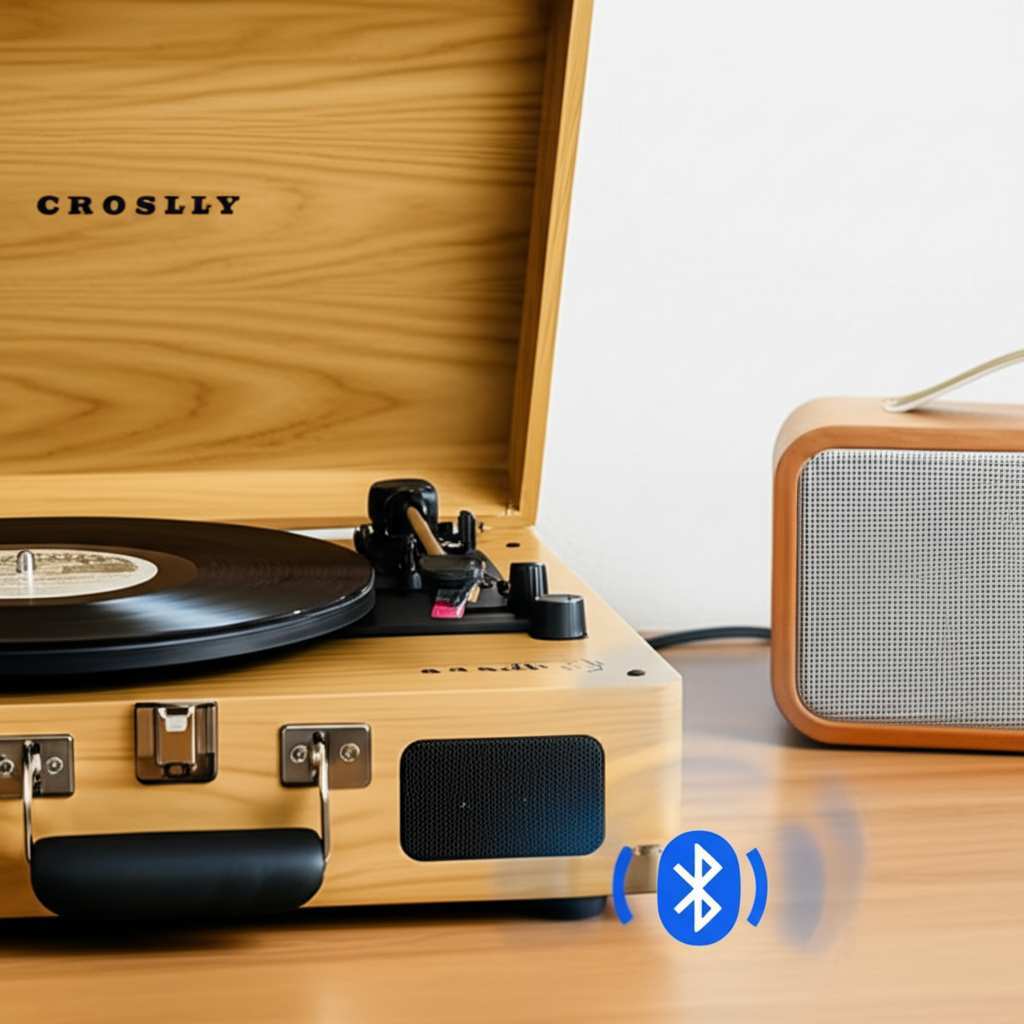
Why Connect Your Bluetooth Speaker to Your Crosley?
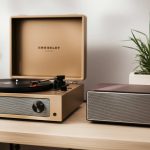
Think about it: your Crosley record player brings that authentic, tactile joy of playing records. But sometimes, the built-in speakers are a bit… well, basic. They’re great for a casual listen, but they might not fill your room with rich sound. That’s where your trusty Bluetooth speaker swoops in to save the day!
Connecting your Crosley to a Bluetooth speaker lets you combine the best of both worlds. You get the classic vinyl experience with all its warm tones and character. Plus, you get the powerful, room-filling sound that modern Bluetooth speakers are known for. It’s like giving your turntable a super-powered audio upgrade, all wirelessly.
Imagine hosting a party and playing your favorite vintage records, with the music flowing effortlessly through your high-quality Bluetooth speaker. Or maybe you just want to relax in another room while your record spins. This connection makes it all possible without any messy wires. Let’s get to the good stuff!
Does Your Crosley Record Player Have Bluetooth?
This is the first and most important question! Not all Crosley record players are created equal, and some are built with modern tech features while others are more traditional. You need to know if your specific Crosley model is equipped with Bluetooth output capabilities. This is usually the easiest way to connect.
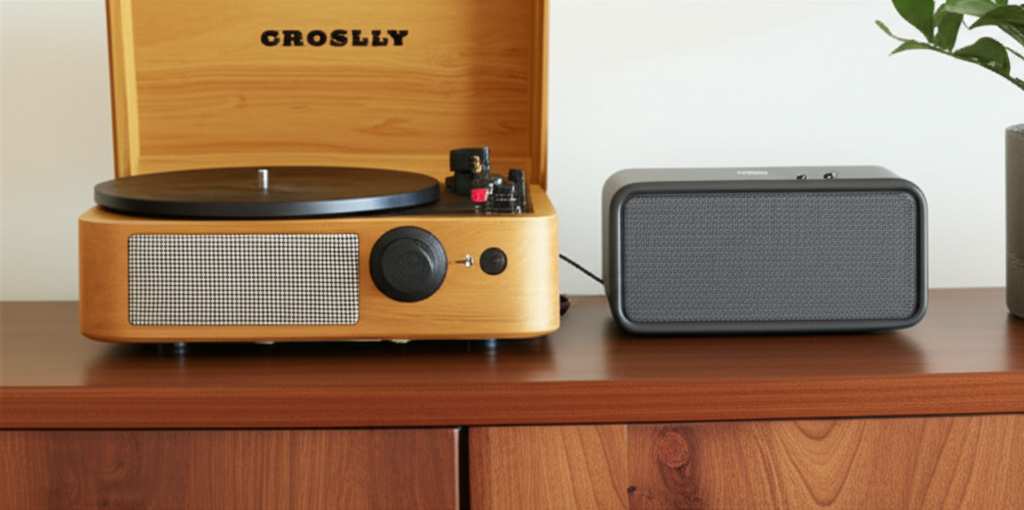
How do you find out? Check your record player’s manual. If you don’t have it handy, you can usually find a digital version on the Crosley website by searching for your model number. Another quick way is to look for a Bluetooth symbol or a pairing button directly on your record player. Sometimes, it’s a small icon near the controls or on the back.
If your Crosley does have built-in Bluetooth output, congratulations! You’re halfway there. The process will be super straightforward. If it doesn’t, don’t despair! We’ve got alternative solutions coming up. It just means we’ll need a little extra gadget to bridge the gap.
Checking Your Crosley Model
Here’s a quick guide to help you figure out if your Crosley has Bluetooth output:
- Look for Physical Buttons/Icons: Search your record player for a button labeled “Bluetooth,” “Pair,” or a symbol that looks like a stylized “B.”
- Check the Ports: Sometimes, Bluetooth output might be indicated near specific audio output ports on the back.
- Consult the Manual: This is your best bet. Search for “Bluetooth output” or “wireless connectivity” in the documentation.
- Visit Crosley’s Website: Look up your specific model. The product description or specifications list should mention Bluetooth capabilities if they exist.
Scenario 1: Your Crosley Has Built-In Bluetooth Output
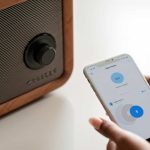
If your Crosley record player is one of the newer models with Bluetooth output, this is the dream scenario! It means your turntable can broadcast its audio signal wirelessly to any compatible Bluetooth speaker. It’s designed to be simple, so let’s walk through it.
The general idea is to put both your record player and your Bluetooth speaker into pairing mode. This is like them saying “hello” to each other for the first time. Once they recognize each other, they’ll form a connection, and the sound from your record will stream to your speaker.
It’s a bit like introducing two friends who you know will get along great. You just need to help them meet! Here’s how to get them acquainted.
Step-by-Step Pairing (Built-in Bluetooth)
Follow these steps to connect your Bluetooth speaker to your Crosley record player:
- Turn On Your Bluetooth Speaker: Make sure your speaker is charged or plugged in, and turn it on.
- Put Your Speaker in Pairing Mode: Most Bluetooth speakers have a dedicated pairing button. It might be labeled “Pair,” “Bluetooth,” or have a blinking light. Consult your speaker’s manual if you’re unsure how to activate its pairing mode.
- Turn On Your Crosley Record Player: Power on your turntable.
- Activate Bluetooth on Your Crosley: Find the Bluetooth button or switch on your Crosley. Press and hold it until the indicator light starts blinking. This usually means it’s searching for devices.
- Wait for Them to Connect: Keep both devices close to each other. Your Crosley should automatically search for and connect to the nearest available Bluetooth speaker.
- Indicator Lights: Once connected, the blinking light on your Crosley (and possibly your speaker) will usually turn solid, indicating a successful connection.
- Play Your Record: Start playing a record! The sound should now come from your Bluetooth speaker.
Pro Tip: If your Crosley has multiple Bluetooth output options or lists nearby devices, you might need to select your speaker’s name from a list on the record player’s display (if it has one). Again, check your Crosley manual for specifics!
Scenario 2: Your Crosley Does NOT Have Built-In Bluetooth Output
Okay, so maybe your Crosley is a classic model, or it just doesn’t have that handy Bluetooth transmitter built-in. Don’t worry, this doesn’t mean you’re stuck with its original sound! We can add Bluetooth capability with a small, inexpensive device called a Bluetooth transmitter (or adapter).
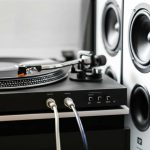
A Bluetooth transmitter is like a translator for your record player. It takes the audio signal from your Crosley (which is usually sent via standard RCA cables) and converts it into a Bluetooth signal that your speaker can understand. It’s a fantastic way to add modern functionality to older, beloved tech.
Think of it as giving your vintage record player a secret superpower. It’s a little piece of tech magic that bridges the old and the new, making your vinyl sound fantastic through your wireless speakers. Ready to see how it works?
What You’ll Need: A Bluetooth Transmitter
You’ll need to purchase a Bluetooth transmitter. These are readily available online and at most electronics stores. When choosing one, look for these key features:
- RCA Input: Most record players use RCA cables (the red and white audio jacks) for output. Ensure your transmitter has RCA input ports or comes with an adapter to connect to them.
- Bluetooth Version: Look for Bluetooth 4.0 or higher for better stability and sound quality.
- Power Source: Some transmitters are battery-powered, while others plug into a wall outlet or a USB port. Choose what’s most convenient for your setup.
- Low Latency: This is important for audio/video sync, but for just playing records, it’s less critical. Still, a transmitter with low latency ensures the sound is as close to real-time as possible.
Fun Fact: Bluetooth technology was actually named after a Viking king, Harald Bluetooth! He was known for uniting Danish tribes, much like Bluetooth technology unites different devices.
Step-by-Step Connection with a Bluetooth Transmitter
Here’s how to connect your Crosley (without built-in Bluetooth) to your speaker using a transmitter:
- Connect the Transmitter to Your Crosley:
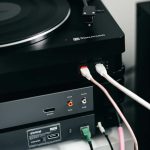
- Locate the “Audio Out” or “Line Out” ports on the back of your Crosley record player. These are usually RCA ports (red and white).
- Use the RCA cables that came with your Crosley (or purchase a new set) to connect the record player’s output to the input ports on your Bluetooth transmitter. Make sure red connects to red and white connects to white.
- Power Up the Transmitter: Plug in your Bluetooth transmitter according to its instructions. If it’s battery-powered, ensure the batteries are inserted correctly.
- Turn On Your Bluetooth Speaker: Power on your speaker and put it into pairing mode. (Refer to your speaker’s manual for this step).
- Pair the Transmitter and Speaker:
- Press the pairing button on your Bluetooth transmitter. It will usually blink to indicate it’s searching.
- Keep the transmitter and speaker close together. They should automatically find each other and connect.
- The blinking light on the transmitter will typically turn solid once paired successfully.
- Play Your Record: Put on a record! The sound will now travel from your Crosley, through the transmitter, and wirelessly to your Bluetooth speaker.
Helpful Tip: If your Crosley only has a headphone jack output, you might need a 3.5mm to RCA adapter cable to connect it to the transmitter. Always double-check the output ports on your record player!
Choosing the Right Bluetooth Speaker for Your Crosley
Now that you know how to connect, let’s chat about picking the perfect Bluetooth speaker to complement your vinyl setup. It’s not just about volume; it’s about sound quality and how it fits into your listening experience.
Think about where you’ll be listening. Do you want a small, portable speaker for a cozy corner, or a larger one to fill a whole room with sound? Consider the type of music you listen to most. Some speakers excel at deep bass for hip-hop, while others offer crisp highs for classical or jazz.
Here’s a quick look at some factors to keep in mind:
Key Features to Consider
- Sound Quality: This is subjective, but look for speakers that offer balanced sound with clear mids, highs, and decent bass. Reading reviews from reputable tech sites can help.
- Battery Life: If portability is key, check how long the speaker can play on a single charge.
- Connectivity Options: While we’re focusing on Bluetooth, some speakers also offer aux-in ports, which can be a nice backup.
- Durability: If you plan to move your speaker around a lot, consider water-resistant or rugged models.
- Size and Design: Does it fit your aesthetic? Some speakers are designed to look like furniture, while others are sleek and modern.
Speaker Comparison Table: A Quick Glance
Here’s a simplified look at how different types of Bluetooth speakers might stack up for your Crosley setup. Remember, prices and exact specs can vary widely!
| Speaker Type | Typical Price Range | Portability | Sound Profile | Best For |
|---|---|---|---|---|
| Compact Portable | $30 – $100 | High | Balanced, can be light on bass | Small rooms, personal listening |
| Mid-Size All-Rounder | $80 – $200 | Medium | Good balance, decent bass | Medium rooms, general use |
| Large / Home Audio | $150 – $400+ | Low | Rich bass, full-bodied sound | Large rooms, immersive listening |
| Smart Speaker (with Bluetooth) | $50 – $300+ | Medium | Varies, often good all-round | Convenience, multi-functional use |
What this table means for you: If you’re on a budget and mostly listen in your office, a compact speaker might be perfect. If you want to fill your living room with the warm sound of your records, you might lean towards a mid-size or even a larger home audio speaker. Smart speakers offer the bonus of voice control, but their primary function isn’t always about audiophile-grade vinyl playback.
For detailed reviews and comparisons, check out sites like CNET or TechRadar. They do a fantastic job of breaking down the pros and cons of various models.
Tips for the Best Listening Experience
Once you’ve got your Crosley and your Bluetooth speaker connected, you’ll want to make sure you’re getting the best possible sound. A few small adjustments can make a big difference!
It’s all about creating the right environment for your music. Think about how the sound waves travel and interact with your room. A little bit of attention to placement can really elevate your listening sessions.
Maximizing Your Sound
- Speaker Placement: Don’t hide your speaker in a corner or behind furniture. Placing it on a stable surface at ear level, away from walls, can improve clarity and bass response.
- Crosley Placement: Ensure your record player is on a level surface, free from vibrations. This is crucial for good playback regardless of your speaker setup.
- Volume Balance: Start with both your Crosley (if it has a volume control) and your Bluetooth speaker at a moderate level. Gradually increase them to find the sweet spot without distortion.
- Record Condition: Clean your records! Dust and grime can cause pops and clicks that will be amplified by any speaker system.
- Experiment: Try different records and different genres. See how your setup handles various types of music.
Did You Know? The warmth often associated with vinyl sound comes from the analog nature of the recording and playback process, which creates subtle harmonic distortions that many find pleasing.
Troubleshooting Common Connection Issues
Sometimes, technology throws us a curveball. If your Crosley and Bluetooth speaker aren’t connecting, don’t panic! Most issues are easily fixed with a few simple steps.
It’s usually something minor, like a setting being slightly off or a device needing a quick refresh. Think of it as giving your gadgets a little nudge in the right direction. Let’s tackle some common problems together.
Quick Fixes for Connection Problems
- Re-pair Devices: Turn off Bluetooth on both your Crosley (or transmitter) and your speaker. Then, turn them back on and try the pairing process again from scratch.
- Check Distance: Make sure your record player (or transmitter) and speaker are within the Bluetooth range, typically around 30 feet (10 meters). Obstacles like walls can reduce this range.
- Interference: Other wireless devices like microwaves, Wi-Fi routers, or even other Bluetooth devices can sometimes cause interference. Try moving them further apart.
- Update Firmware: For some modern speakers or transmitters, a firmware update might be available. Check the manufacturer’s website for instructions.
- Reset Devices: If all else fails, try resetting both your speaker and your Bluetooth transmitter (if you’re using one) to their factory default settings. Consult their manuals for how to do this.
- Test with Another Device: Try pairing your Bluetooth speaker with your phone or tablet to ensure the speaker itself is working correctly.
A Little Extra Help: For more in-depth troubleshooting, sites like Wired offer comprehensive guides on resolving Bluetooth issues.
Frequently Asked Questions (FAQ)
Q1: Can I connect any Bluetooth speaker to my Crosley record player?
A1: If your Crosley has built-in Bluetooth output, it can connect to most standard Bluetooth speakers. If you’re using a Bluetooth transmitter, it will also work with virtually any Bluetooth speaker.
Q2: Will the sound quality be as good as wired speakers?
A2: Modern Bluetooth technology offers excellent sound quality, often comparable to wired. However, factors like the quality of your speaker, the Bluetooth version, and potential interference can play a role.
Q3: Do I need to buy a special transmitter for my Crosley?
A3: Not necessarily. A standard Bluetooth transmitter that accepts RCA input will work with most Crosley record players. Just ensure it has the correct ports for your turntable’s output.
Q4: How do I know if my Crosley has Bluetooth output?
A4: Check the manual for your specific Crosley model or look for a Bluetooth symbol or pairing button on the record player itself. Most manufacturers list this feature on their website.
Q5: What if my Crosley only has a headphone jack?
A5: You can still connect it! You’ll need a 3.5mm to RCA adapter cable to connect the headphone jack to the RCA input on your Bluetooth transmitter.
Q6: Can I connect multiple Bluetooth speakers to my Crosley?
A6: Most record players (and transmitters) can only broadcast to one Bluetooth device at a time. Some advanced Bluetooth speakers have a feature to pair two speakers together, but this usually connects them to each other, not to the source simultaneously.
Q7: My connection keeps dropping. What should I do?
A7: Try moving your speaker closer to the record player or transmitter, ensure there are no major obstructions, and turn off other nearby wireless devices that might be causing interference. Re-pairing the devices can also help.
Enjoy Your Amplified Vinyl Experience!
There you have it! Connecting your Bluetooth speaker to your Crosley record player is totally achievable, whether your turntable has built-in Bluetooth or you need a little help from a transmitter. You’ve learned how to identify your Crosley’s capabilities, the simple steps for pairing, and even how to pick out a great speaker.
You’re now ready to experience your favorite albums with richer, fuller sound. Imagine the satisfying crackle of the needle hitting the groove, followed by warm, powerful audio filling your space. It’s a fantastic way to bring your vinyl collection into the modern age of audio.
Don’t be afraid to experiment and find the setup that sounds best to you. With these easy steps, you’ve unlocked a new level of enjoyment for your music. Now go spin some records and let the good times roll!