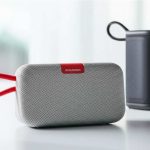
Pairing your Bluetooth speaker is super easy! This guide will show you step-by-step how to connect your phone or device for awesome sound. Get ready to enjoy your music, podcasts, and more, wirelessly and without any fuss.
Hey there, tech explorers! It’s Max from AffTechy.com, your go-to spot for making technology feel as simple as a walk in the park. Today, we’re diving into something that brings a whole lot of joy to our lives: amazing sound. Think about your favorite songs, that thrilling movie scene, or that podcast you can’t stop listening to. What if you could make all of that sound even bigger and better, without being tied down by wires? That’s where Bluetooth speakers come in!
I know sometimes looking at gadgets can feel a bit overwhelming. You see all these buttons and blinking lights, and you might wonder, “How does this even work?” Or maybe you’ve bought a cool new speaker and now you’re staring at it, wondering how to get your music from your phone to that shiny new device. Don’t worry, I’ve been there! It’s totally normal to feel a little lost at first.
But here’s the best part: connecting your Bluetooth speaker is actually one of the simplest tech tasks you can do. It’s like making a new friend for your music. We’re going to walk through it together, step by simple step. You’ll be jamming out in no time, and you’ll feel like a pro.

So, let’s get ready to unlock the magic of wireless sound and make every listening moment that much better. Grab your speaker and your phone, and let’s break it down together!
Why We Love Wireless Sound
Imagine this: you’re having a backyard BBQ, and you want some music to set the mood. Or maybe you’re relaxing in the bath, and you want to catch up on your favorite podcast. Wires can be a real buzzkill, right? They get tangled, they limit where you can place your sound, and let’s be honest, they just aren’t very cool.
Bluetooth technology is like a magic wand for your devices. It lets them talk to each other wirelessly, over short distances. This means your phone can send music to your speaker without any cables getting in the way. It’s freedom for your sound!
This simple connection has changed how we enjoy audio. It’s made portable speakers a must-have for so many of us. From picnics in the park to loud parties at home, a Bluetooth speaker is often the life of the gathering. It’s all about convenience and great sound, wherever you go.

Let’s Talk About Pairing: The Magic Word
So, what exactly is “pairing”? In the world of Bluetooth, pairing is simply the process of establishing a secure, one-time connection between two Bluetooth devices. Think of it like introducing your speaker to your phone for the first time. Once they’ve met and recognize each other, they can connect automatically whenever they’re near.
This pairing process is what allows your phone to send audio signals to your speaker. It’s the key that unlocks the wireless sound experience. Don’t let the word “pairing” scare you; it’s a super straightforward process that we’ll cover in detail.
Most modern smartphones, tablets, and laptops have Bluetooth built-in. And a huge variety of speakers use this same technology. This means you can likely connect almost any Bluetooth speaker to your favorite device. It’s all about making technology work for you, easily.
Getting Your Bluetooth Speaker Ready: The First Steps
Before we can get to the fun part of pairing, there are a couple of quick things to do. It’s like prepping your ingredients before you start cooking a delicious meal. Making sure these steps are done will make the whole pairing process smooth sailing.
First off, make sure your Bluetooth speaker is charged. A dead battery won’t do anyone any good! Most speakers have a charging light or an indicator that tells you when they’re full. If it’s brand new, give it a good few hours to charge up.
Next, you need to turn your speaker on. Usually, there’s a power button that you hold down for a few seconds. You’ll often hear a little chime or see a light come on. This is your speaker saying, “I’m awake and ready to party!”
Putting Your Speaker in Pairing Mode: The Secret Handshake
This is where the magic really starts to happen. For your phone or device to find your speaker, the speaker needs to be in “pairing mode.” This mode tells the speaker, “Hey, I’m looking for a new device to connect to!” Every speaker is a little different, but there are common ways to do this.
Often, there’s a dedicated Bluetooth button on the speaker. You might need to press and hold this button for a few seconds. Sometimes, it’s combined with the power button. Look for a symbol that looks like a stylized ‘B’ or a circle with a line through it.
When your speaker is in pairing mode, you’ll usually see a light flashing. This light might be blue, or it might change color. You might also hear a distinct sound or a voice prompt saying, “Pairing mode activated” or “Ready to connect.” This flashing light is your signal that it’s ready to be found.
Connecting Your Phone or Device: The Big Reveal
Now that your speaker is ready to mingle, it’s time to get your phone or tablet involved. This is where we tell your device to go out and find that speaker. It’s usually found within your device’s settings menu.
Here’s how you typically do it on most smartphones:
Step-by-Step Guide to Pairing
1.
Open your device’s Settings. On an iPhone, tap the “Settings” app (it looks like gears). On Android, you’ll find it in your app drawer or by swiping down from the top of the screen and tapping the gear icon.
2.
Find the Bluetooth menu. In Settings, look for an option that says “Bluetooth.” Tap on it.
3.
Turn on Bluetooth. Make sure the Bluetooth switch is toggled ON. You’ll usually see a slider that turns green or blue when it’s active.
4.
Scan for devices. Your phone will automatically start looking for nearby Bluetooth devices. If it doesn’t, you might see a “Scan” or “Refresh” button you can tap.
5.
Find your speaker. Under a section like “Available Devices” or “Other Devices,” you should see the name of your Bluetooth speaker. It might be the brand name or a model number.
6.
Tap to connect. Once you see your speaker’s name, tap on it. Your phone will try to connect.
7.
Confirm if needed. Sometimes, you might see a pairing request pop up on your phone asking you to confirm. Just tap “Pair” or “Connect.” For some older devices, you might need to enter a PIN, but this is rare now (it’s often 0000 or 1234).
8.
You’re connected! If successful, you’ll see your speaker move to a list of “Paired Devices” or “My Devices.” The flashing light on your speaker should turn solid, and you might hear a confirmation sound. Now, any audio you play on your phone will come out of your speaker!
Isn’t that neat? It’s like your devices are saying, “We’re friends now!” You only have to do this pairing process once for each device. After that, your speaker and phone will remember each other.
What If It Doesn’t Work? Troubleshooting Tips
Sometimes, tech doesn’t cooperate right away. If your speaker isn’t showing up or connecting, don’t panic! Here are a few common issues and how to fix them:
Is Bluetooth ON? Double-check that Bluetooth is actually turned on on your phone or device. It sounds simple, but it’s the most common oversight!
Are they close enough? Bluetooth works best when devices are close. Try bringing your phone and speaker within a few feet of each other.
Is the speaker in pairing mode? Make sure you’ve pressed and held the correct button to put the speaker into pairing mode. The flashing light is your key indicator here.
Is it already connected to something else? Some speakers can only connect to one device at a time. If your speaker was previously connected to a tablet or another phone, you might need to disconnect it from that device first.
Restart both devices. Turn off your speaker and turn off Bluetooth on your phone. Then, turn them back on and try pairing again. A quick restart can often solve minor glitches.
Forget the device and re-pair. If you’ve paired before but it’s not working, go into your phone’s Bluetooth settings, find your speaker in the list of paired devices, and tap “Forget This Device” or “Unpair.” Then, put your speaker back into pairing mode and try connecting again from scratch.
If you’ve tried all of these and it’s still not working, it’s always a good idea to check your speaker’s manual. It will have specific instructions for your model.
Understanding Bluetooth Features: What Do They Mean?
You might hear terms like “Bluetooth version” or “codec” when looking at speakers. Let’s break down what they mean in simple terms.
Here’s a quick look at common Bluetooth versions:
| Bluetooth Version | Release Year | Key Improvements |
|---|---|---|
| Bluetooth 4.0 | 2010 | Introduced Bluetooth Low Energy (BLE), improved power efficiency. |
| Bluetooth 4.1 | 2013 | Better co-existence with Wi-Fi, improved connectivity. |
| Bluetooth 4.2 | 2014 | Faster data transfer, improved security. |
| Bluetooth 5.0 | 2016 | 2x faster speeds, 4x longer range, 8x broadcasting capacity. |
| Bluetooth 5.1 | 2019 | Direction finding capabilities, improved connection stability. |
| Bluetooth 5.2 | 2020 | Enhanced power efficiency, LE Audio support. |
| Bluetooth 5.3 | 2021 | Further improvements in efficiency and reliability. |
What does this table tell you? Basically, newer versions of Bluetooth are better! Bluetooth 5.0 and later are fantastic because they offer a longer range (meaning your phone can be further away from the speaker) and faster speeds. This means a more stable connection with less chance of audio dropouts. When you’re shopping for a new speaker, aiming for Bluetooth 5.0 or higher is a great idea.
What About Codecs?
Codecs are like translators for your audio. They compress the sound data from your device so it can be sent wirelessly to the speaker, and then decompress it for playback. Different codecs can affect sound quality.
SBC (Subband Coding): This is the basic, standard codec. It works on all Bluetooth devices but offers the lowest quality. It’s like a standard definition video.
AAC (Advanced Audio Coding): Used a lot by Apple devices (iPhones, iPads). It offers better sound quality than SBC and is more efficient.
aptX: A popular codec for Android devices. It offers near CD-quality sound and lower latency (delay), which is great for watching videos.
LDAC: Developed by Sony, this codec can transmit much higher quality audio than others, especially over Wi-Fi. It’s great for audiophiles.
So, if you’re an Apple user, AAC is great. If you have an Android and want the best sound, look for speakers that support aptX or LDAC. It makes a noticeable difference!
Choosing the Right Bluetooth Speaker for You
With so many options out there, picking the perfect Bluetooth speaker can seem daunting. But let’s think about what you’ll use it for. This will help narrow down your choices.
Key Features to Consider:
Sound Quality: This is the most important! Read reviews and listen if you can. Some speakers are designed for deep bass, others for clear vocals.
Portability: Do you want a tiny speaker for your backpack, or a larger one for your living room? Size and weight matter.
Battery Life: How long do you need it to play? Check the advertised battery life – some last 6 hours, others 20+ hours.
Water Resistance: If you plan to use it by the pool, beach, or in the bathroom, look for speakers with an IPX rating (like IPX7) to protect against water and dust.
Connectivity Options: Most use Bluetooth, but some also have an AUX-in port to connect with a cable, or even USB ports to charge other devices.
Durability: If it’s going to get tossed around, look for rugged designs with protective grilles and shock-absorbing materials.
Here’s a quick comparison of popular speaker types:
| Speaker Type | Best For | Pros | Cons |
|---|---|---|---|
| Ultra-Portable Mini | Travel, small spaces, everyday listening | Lightweight, fits in pockets, affordable | Smaller sound, less bass |
| Mid-Size All-Rounder | Home use, picnics, casual parties | Good balance of sound, portability, and battery life | Can be bulkier than mini speakers |
| Rugged Outdoor | Camping, beach, adventures | Durable, water/dustproof, long battery life | Can be heavier and more expensive |
| Smart Speaker | Home integration, voice control | Voice assistant capabilities (Alexa, Google Assistant), multi-room audio | Requires Wi-Fi, less portable |
This table gives you a snapshot. For example, if you’re a big traveler, an Ultra-Portable Mini speaker might be your best bet. It’s easy to carry and won’t weigh down your luggage. If you’re looking for something to fill your entire house with sound and control your smart home, a Smart Speaker is the way to go. It’s all about matching the speaker to your lifestyle! For more in-depth reviews, sites like CNET often have great comparisons.
Making Your Speaker Last: Care and Maintenance
Once you’ve got your speaker paired and sounding great, a little care goes a long way. Keeping your speaker in good condition ensures it sounds amazing for years to come.
Keep it Clean: Wipe down the exterior with a soft, dry cloth. If it has a grille, you can use a soft brush or compressed air to gently remove dust.
Avoid Extreme Temperatures: Don’t leave your speaker in a super hot car or out in freezing weather. Extreme temperatures can damage the battery and internal components.
Charge Responsibly: While most speakers have overcharge protection, it’s generally good practice not to leave them plugged in for days on end after they’re fully charged. Follow the manufacturer’s recommendations.
Protect from Water (If Not Waterproof): If your speaker isn’t water-resistant, keep it away from spills, rain, and high humidity areas.
*
Update Firmware: Some speakers allow for firmware updates. These can improve performance or fix bugs. Check your speaker’s app or the manufacturer’s website for instructions.
A little bit of attention means your speaker will keep delivering awesome sound for every adventure and every chill session.
Frequently Asked Questions (FAQs)
Q1: How do I know if my speaker is in pairing mode?
A1: Your speaker will usually have a flashing light (often blue) and might make a specific sound or voice prompt like “Pairing mode” or “Ready to connect.” Always check your speaker’s manual for exact indicators.
Q2: Do I need to pair my speaker every time I use it?
A2: Nope! You only need to pair your speaker with a device the first time. After that, as long as Bluetooth is on for both devices and they are within range, they should connect automatically.
Q3: Can I connect my speaker to multiple devices at once?
A3: Most Bluetooth speakers can only be actively connected to one device at a time for audio playback. Some advanced speakers allow you to “multipoint pairing,” where they remember several devices, but you still have to switch between them manually.
Q4: What does it mean if my speaker has an IPX rating?
A4: The IPX rating (like IPX7) tells you how well the speaker is protected against water. IPX7, for example, means it can be submerged in water up to 1 meter for 30 minutes. It’s great for pool parties or beach days!
Q5: My speaker is connected but there’s no sound. What should I do?
A5: First, check the volume on both your phone and the speaker – make sure neither is turned all the way down. Then, try playing a different song or app to see if the issue is with the audio source. You can also try disconnecting and reconnecting.
Q6: Can I use my Bluetooth speaker as a speakerphone?
A6: Many Bluetooth speakers have a built-in microphone and can function as a speakerphone. When a call comes in, you can usually answer it by pressing a button on the speaker. Check your speaker’s features to see if it supports this!
Q7: How far can my Bluetooth speaker be from my phone?
A7: The typical Bluetooth range is about 30 feet (10 meters). However, this can be affected by obstacles like walls, furniture, or even your body. Newer Bluetooth versions (like 5.0) offer longer ranges.
Conclusion: Your Sound, Your Way!
See? Connecting your Bluetooth speaker is a breeze. You’ve learned how to get your speaker ready, put it in pairing mode, and connect it to your phone or tablet. You’ve even figured out what those fancy terms like “Bluetooth version” mean and how to pick the perfect speaker for your needs.
Now you have the power to fill any space with your favorite tunes, podcasts, or audiobooks, all without being tangled up. It’s about enjoying your sound, your way, wherever you go.
Don’t be afraid to experiment! Try connecting to different devices, maybe even a laptop or a smart TV if it supports Bluetooth. Explore the features of your speaker. The world of wireless audio is yours to discover.
Now go enjoy amazing sound and make every moment louder and better! Happy listening!