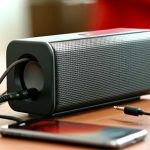
Yes, you absolutely can connect a waterproof sound box to your TV! While “waterproof sound box” often implies portable Bluetooth speakers, the connection process depends on your TV’s capabilities. We’ll explore both wired and wireless options to enhance your viewing experience.
## Can I Connect Waterproof Sound Box to TV? Your Ultimate Audio Upgrade Guide
Imagine this: you’re settling in for a movie night, or maybe catching up on your favorite sports game. The picture is great, but the audio from your TV’s built-in speakers is, well, a bit tinny. You’ve got this awesome waterproof sound box – perfect for backyard barbecues or pool parties – and you’re wondering, “Can I connect this to my TV to get some serious audio power?” The short answer is a resounding YES!
While the term “waterproof sound box” might conjure images of rugged, portable speakers meant for outdoor adventures, the technology that makes them waterproof often overlaps with what makes them connectable to other devices. Most modern waterproof sound boxes are essentially high-quality Bluetooth speakers, designed for versatility. This means that, with a few considerations, you can absolutely leverage their superior sound for your home entertainment.
This guide will walk you through everything you need to know to connect your waterproof sound box to your TV, ensuring you get the best possible audio experience without compromising on convenience or sound quality. We’ll cover wireless and wired methods, troubleshoot potential issues, and help you make the most of your setup.
## Understanding Your Waterproof Sound Box and TV’s Capabilities
Before diving into the connection methods, it’s crucial to understand what makes your waterproof sound box tick and what your TV offers in terms of audio output. This will determine the best way to achieve that immersive sound.
### What Makes a Sound Box “Waterproof”?
Waterproof sound boxes typically achieve their durability through a combination of sealed enclosures, robust materials, and specialized internal components. This doesn’t inherently change how they connect to other devices, but it means they are often designed with portability and outdoor use in mind. Many are equipped with Bluetooth for wireless convenience, which is key for TV connections.
### Your TV’s Audio Output Options
Your TV is the gateway to your audio. The ports and connectivity features on your television will dictate how you can connect your sound box. Common audio output options include:
*
Bluetooth: Many smart TVs now come with built-in Bluetooth. This is the most convenient way to connect a wireless sound box, like most waterproof ones.
*
3.5mm Aux (Headphone Jack): If your TV has a headphone port, you can often use a 3.5mm audio cable to connect to your sound box, provided it has an Aux input.
*
Optical (Toslink) Audio Out: This digital audio connection offers excellent sound quality. You’ll need an Optical cable and a sound box with an Optical input, or an adapter.
*
RCA Audio Out (Red and White Ports): Older TVs might have these analog audio outputs. You’ll need an RCA to 3.5mm cable if your sound box has an Aux input.
*
HDMI ARC (Audio Return Channel): This is a more advanced feature that allows audio to be sent back from the TV to an audio device via an HDMI cable. It’s usually found on soundbars, but some high-end Bluetooth speakers might support it indirectly via an adapter.
### Checking Your Sound Box’s Input Options
Similarly, your waterproof sound box will have its own set of input options. Most portable Bluetooth speakers will have:
*
Bluetooth: This is the most common and convenient for wireless connectivity.
*
3.5mm Aux Input: Many also include a physical port for wired connections.
*
USB Port: While often for charging or firmware updates, some might support audio playback, though this is less common for TV connections.
## Connecting Wirelessly: The Bluetooth Method
The most straightforward and popular method for connecting a waterproof sound box to a TV is via Bluetooth, assuming both devices support it. This is especially common if your waterproof sound box is a portable Bluetooth speaker.
### Pairing Your Bluetooth Sound Box to Your Smart TV
The process can vary slightly depending on your TV’s brand and operating system, but the general steps are consistent:
1.
Enable Bluetooth on Your TV: Navigate to your TV’s settings menu. Look for “Bluetooth,” “Sound,” “Audio Output,” or “Wireless & Networks.” Turn Bluetooth on.
2.
Put Your Sound Box into Pairing Mode: Most Bluetooth speakers have a dedicated pairing button (often marked with a Bluetooth symbol). Press and hold it until an indicator light flashes, signifying it’s ready to connect.
3.
Scan for Devices on Your TV: Within your TV’s Bluetooth settings, select “Scan for Devices” or “Add Device.” Your TV will search for available Bluetooth devices.
4.
Select Your Sound Box: Your waterproof sound box should appear in the list of available devices. Select it to initiate the pairing process.
5.
Confirm Pairing: You might need to confirm the pairing on either your TV or sound box, or both. Once connected, your TV should indicate that the Bluetooth speaker is paired and active.
Tip: If you have a Roku TV, you might find specific instructions helpful. For instance, check out guides on how to connect your Bluetooth speaker to your Roku TV.
### Troubleshooting Bluetooth Connections
Sometimes, Bluetooth connections can be finicky. Here are a few things to try if you encounter issues:
*
Proximity: Ensure your sound box is close to your TV (within about 30 feet) and that there are no major obstructions.
*
Reboot Devices: Turn both your TV and your sound box off and then back on again. Sometimes a simple restart can resolve connection glitches.
*
Unpair and Re-pair: If the connection was established but is now unstable, try unpairing the sound box from your TV and then repeating the pairing process.
*
Check for Interference: Other wireless devices (microwaves, other Bluetooth devices) can sometimes cause interference. Try moving them away or disabling them temporarily.
*
Update Firmware: Ensure both your TV and sound box have the latest firmware updates installed. This can often fix connectivity bugs.
Consider Latency: While Bluetooth is convenient, it can sometimes introduce a slight delay (latency) between the video and audio. This is usually unnoticeable for movies and TV shows, but it can be an issue for gaming. If you play a lot of fast-paced games, you might want to explore wired options or dedicated gaming audio solutions. For gaming consoles, you might want to look at how to connect a Bluetooth speaker to your PS5 or connect your Xbox to a Bluetooth speaker.
## Connecting Via a Bluetooth Transmitter/Adapter
What if your TV doesn’t have built-in Bluetooth? Don’t worry, you can still go wireless! A Bluetooth transmitter (sometimes called an adapter) can be your best friend here.
### How a Bluetooth Transmitter Works
A Bluetooth transmitter is a small device that you connect to your TV’s audio output (usually an Optical or 3.5mm Aux port). The transmitter then converts the TV’s audio signal into a Bluetooth signal, which your waterproof sound box can receive.
### Connecting Using a Transmitter
1.
Choose the Right Transmitter: Select a transmitter that matches your TV’s audio output (e.g., optical or 3.5mm). Many transmitters also have both inputs, offering flexibility.
2.
Connect the Transmitter to Your TV: Plug the transmitter into the appropriate audio out port on your TV using the included cable. For example, an optical cable from the TV’s Optical Out to the transmitter’s Optical In.
3.
Power the Transmitter: Most transmitters are powered via a USB cable. You can often plug this into a USB port on your TV or use a separate USB power adapter.
4.
Put the Transmitter into Pairing Mode: Follow the manufacturer’s instructions for your transmitter to put it into pairing mode. This usually involves pressing a button.
5.
Put Your Sound Box into Pairing Mode: Just like with the direct Bluetooth connection, put your waterproof sound box into its pairing mode.
6.
Pair the Devices: The transmitter and your sound box should automatically find and pair with each other. Some transmitters might have a confirmation step.
Pro Tip: Look for transmitters that support aptX Low Latency if you’re concerned about audio delay, especially for gaming or fast action. This codec is designed to minimize lag.
## Wired Connections: Reliability and Simplicity
For those who prefer a foolproof connection or have older TVs without Bluetooth, wired options are excellent. They eliminate latency and often offer superior audio fidelity.
### Using a 3.5mm Aux Cable
If both your TV and your waterproof sound box have a 3.5mm Aux input/output, this is the simplest wired solution.
1.
Locate the Ports: Find the headphone jack (usually marked with a headphone icon or 3.5mm) on your TV and the Aux In port on your sound box.
2.
Connect the Cable: Plug one end of a 3.5mm audio cable into your TV’s headphone jack and the other end into the Aux In port on your sound box.
3.
Select the Correct Input on Your Sound Box: You might need to switch your sound box to “Aux” mode or “Line In” mode via its buttons or an app.
4.
Adjust TV Audio Output: On your TV, you may need to go into the audio settings and ensure that the audio output is set to “Headphone” or “Line Out” rather than internal speakers.
Important Note: When using the headphone jack, the TV’s internal speakers will likely mute automatically. You may also have limited control over the volume from the TV remote, with volume control primarily handled by the sound box itself.
### Using an Optical (Toslink) Cable
The Optical audio output provides a digital signal, which can offer higher quality sound than an analog Aux connection.
1.
Identify Ports: Find the Optical Out port on your TV (often a small, square port with a red light indicator) and an Optical In port on your sound box. Note that many portable sound boxes might not have a direct Optical input.
2.
Connect the Cable: Use an Optical (Toslink) cable. Gently insert the cable into the Optical Out port on your TV and the Optical In port on your sound box. These connectors are keyed and will only fit one way.
3.
Configure TV Audio Settings: In your TV’s audio settings, select “Optical” or “Digital Audio Out” as your audio output. You might also need to choose a digital audio format (PCM or Bitstream). PCM is generally more compatible.
4.
Use an Optical to Bluetooth Converter: If your sound box lacks an Optical input but has Bluetooth, you’ll need an Optical to Bluetooth converter. This device takes the optical signal from your TV and transmits it via Bluetooth to your sound box.
## When Your TV Lacks the Necessary Outputs
It’s possible that your TV is quite old or lacks some of the common audio outputs. In such cases, you might need an adapter or a different approach.
### HDMI Audio Extractors
If your TV only has HDMI ports and no other audio outputs, an HDMI audio extractor can be very useful.
1.
How it Works: This device connects to your TV’s HDMI output (often via an HDMI ARC connection if supported, or a standard HDMI port). It then “extracts” the audio signal and provides separate outputs, such as Optical or 3.5mm Aux.
2.
Connection: You would connect the extractor between your TV and any other HDMI device (like a streaming stick or game console), or directly from the TV’s ARC port. Then, connect the extractor’s audio output to your sound box using the appropriate cable (Optical or Aux).
This method is best for TVs that primarily rely on HDMI for all inputs and outputs.
### Universal Audio Converters
There are also universal audio converters that can take various inputs (like Coaxial or even Analog RCA) and convert them to digital (Optical/Coaxial) or analog (3.5mm/RCA) outputs, giving you more options for connecting to your sound box.
## Final Checks and Tips for the Best Experience
Once you’ve made the connection, a few final steps can ensure your audio experience is top-notch.
### Volume Control: Where’s the Knob?
*
Bluetooth: Volume is usually controlled by your TV remote, but sometimes the sound box has its own independent volume. Experiment to see which controls your audio.
*
Wired (Aux): The TV’s volume might be fixed, and you’ll primarily use your sound box’s volume controls.
*
Wired (Optical): Volume control can vary. Some TVs allow volume control over optical, while others send a fixed signal, meaning you’ll control the volume on the sound box.
### Powering Your Sound Box
Ensure your waterproof sound box is adequately charged or plugged in if it has a power adapter. Running out of battery mid-movie is never ideal!
### Enjoying the Outdoors
The “waterproof” aspect of your sound box is a bonus for watching outdoor movies or sports in the backyard. Just ensure your Wi-Fi signal or Bluetooth range is sufficient for your outdoor setup. For those looking to extend their entertainment outside, consider how you might connect a Bluetooth speaker to your car stereo if you’re having a viewing party in a different location!
## Conclusion: Unleash Your TV’s Audio Potential
So, can you connect a waterproof sound box to your TV? Absolutely! The key is understanding the connectivity options of both your TV and your sound box. Whether you opt for the seamless convenience of Bluetooth, the reliable performance of wired connections, or the versatility of adapters, upgrading your TV’s audio with a waterproof sound box is an achievable and rewarding endeavor.
From enhancing movie nights with cinematic sound to making sports broadcasts more thrilling, a good sound box can transform your viewing experience. No longer are you limited to the often underwhelming sound of built-in TV speakers. Embrace the possibilities, experiment with the connections, and get ready to immerse yourself in richer, more powerful audio. Your waterproof sound box is ready to become your TV’s new best audio friend!
Key Takeaways
- Most waterproof sound boxes are Bluetooth-enabled, making wireless connection to smart TVs possible.
- Check your TV’s audio output options; Bluetooth, Optical (Toslink), or 3.5mm Aux are common.
- Wired connections are reliable for TVs without Bluetooth, using an Aux or Optical cable.
- Bluetooth adapters can be used if your TV lacks built-in Bluetooth functionality.
- Consider latency with Bluetooth for gaming or fast-paced action; wired connections typically have none.
- Ensure your waterproof sound box is charged or powered for a seamless audio experience.
- Waterproof features are great for outdoor use but don’t affect the TV connection process itself.
Frequently Asked Questions
Can I connect any waterproof sound box to my TV?
Generally, yes. The connection method will depend on whether your sound box uses Bluetooth or has wired input options like Aux, and what your TV supports. Most modern waterproof sound boxes are Bluetooth enabled.
Will connecting a waterproof sound box affect my TV’s warranty?
No, connecting an external sound device like a waterproof sound box does not typically void your TV’s warranty. It’s a standard way to enhance audio.
Is Bluetooth the best way to connect my waterproof sound box to my TV?
Bluetooth is the most convenient for wireless setup. However, for absolute minimal latency, especially for gaming, a wired connection via Aux or Optical cable is often preferred.
My TV doesn’t have Bluetooth. Can I still use my waterproof sound box wirelessly?
Yes! You can use a Bluetooth transmitter plugged into your TV’s audio output (like Optical or 3.5mm Aux) to send the audio signal wirelessly to your sound box.
How do I adjust the volume once my waterproof sound box is connected?
Volume control depends on the connection type. With Bluetooth, it’s usually controlled by your TV remote. For wired connections, you often control the volume directly on the sound box.
Does the “waterproof” feature of the sound box matter for TV connection?
The waterproof aspect is for durability and outdoor use. It doesn’t directly impact the connection process itself, but many waterproof speakers are designed with Bluetooth for easy connectivity.