Experiencing an overheating sound box can lead to performance issues and potential damage. Fortunately, fixing this common problem is often straightforward. By understanding the causes and implementing simple solutions like improving ventilation, reducing load, and checking for firmware updates, you can restore your sound box to optimal working condition.
Is your sound box getting uncomfortably warm? Feeling like it’s about to burst into flames? A hot sound box isn’t just a minor inconvenience; it can lead to distorted audio, reduced performance, and in the worst-case scenario, permanent damage to your beloved speaker. This common issue, often referred to as a sound box overheating problem, can be a real buzzkill when you’re trying to enjoy your music, podcasts, or audiobooks.
But don’t despair! Most of the time, an overheating sound box is a fixable problem. You don’t need to be a tech wizard to get your speaker back to its cool, calm, and collected self. This guide will walk you through the common causes of a sound box overheating issue and provide practical, easy-to-follow solutions to get your audio experience back on track. So, let’s dive in and troubleshoot this heat problem together!
Key Takeaways
- Identify the signs: Recognize symptoms like the speaker feeling unusually hot to the touch, distorted sound, or automatic shut-offs.
- Improve ventilation: Ensure adequate airflow around your sound box by clearing obstructions and avoiding enclosed spaces.
- Reduce the workload: Lowering the volume or disabling unnecessary features can prevent the speaker from being overworked.
- Check for firmware updates: Manufacturers often release updates that can optimize performance and address overheating issues.
- Inspect connections and cables: Loose or damaged cables can sometimes contribute to electrical strain and heat.
- Consider environmental factors: Extreme ambient temperatures or direct sunlight can significantly impact a sound box’s operating temperature.
- Seek professional help: If simple troubleshooting doesn’t resolve the issue, it might indicate a more serious internal problem requiring expert attention.
📑 Table of Contents
Understanding Why Your Sound Box Gets Hot
Before we can fix the problem, it’s helpful to understand what’s causing your sound box to overheat in the first place. Think of it like a car engine – when it gets too hot, something isn’t working as efficiently as it should. For your sound box, several factors can contribute to this excess heat.
Internal Components Working Overtime
The heart of any sound box is its amplifier, which is responsible for boosting the audio signal so you can hear it clearly. When you turn up the volume, the amplifier has to work harder, and this increased effort generates heat. If the amplifier is pushed to its limits for extended periods, it can become a major source of heat. Similarly, other internal components like the power supply and processing chips also generate heat during operation.
Limited Airflow and Ventilation
Just like us, electronic devices need to breathe. Sound boxes often have small vents or grilles designed to allow air to circulate, dissipating the heat generated by the internal components. If these vents are blocked or if the speaker is placed in a confined space with no room for air to escape, the heat can build up rapidly, leading to overheating. This is especially common with compact or portable speakers.
Environmental Factors
The environment your sound box operates in plays a significant role. High ambient temperatures, like those found in a hot car or direct sunlight on a summer day, will naturally make the speaker hotter. Humidity can also sometimes play a role, though it’s less common as a primary cause of overheating compared to temperature.
Software or Firmware Glitches
Sometimes, the issue isn’t purely physical. A bug in the speaker’s software or firmware could cause certain components to work unnecessarily hard or inefficiently, leading to increased heat generation. This is similar to how a software glitch can make your laptop overheat.
Troubleshooting Common Overheating Causes

Visual guide about How to Fix Overheating Issue in Sound Box
Image source: i0.wp.com
Now that we know why your sound box might be getting too hot, let’s explore some practical solutions. We’ll start with the easiest fixes and work our way up.
1. Enhance Ventilation and Airflow
This is often the simplest and most effective solution. Your sound box needs space to breathe.
Clear Obstructions
Take a good look at your sound box. Are there any objects like books, papers, or other electronic devices piled on top of it or directly in front of its vents? Remove anything that could be blocking the airflow. Ensure that the vents on the back, sides, or bottom of the speaker are clear.
Strategic Placement
Avoid placing your sound box in enclosed cabinets, tight shelves, or directly against walls. Give it at least a few inches of space on all sides to allow for proper air circulation. If you’re using it outdoors, try to keep it out of direct sunlight, which can significantly increase its surface temperature. For portable speakers, consider their placement on surfaces that don’t trap heat.
Clean the Vents
Over time, dust and debris can accumulate in the speaker’s vents, acting like insulation and preventing heat from escaping. Gently clean the vents using a soft brush, compressed air, or a vacuum cleaner with a brush attachment on a low setting. Be careful not to force anything into the vents or damage the delicate components.
2. Reduce the Speaker’s Workload
Just like any machine, pushing your sound box too hard can lead to problems.
Lower the Volume
It sounds obvious, but consistently playing your sound box at maximum volume puts a significant strain on the amplifier and other components. Try turning the volume down a notch or two. You might find that a slightly lower volume is perfectly adequate for your listening needs and will keep your speaker running cooler.
Disable Unnecessary Features
Some sound boxes come with extra features like LED lights, bass boost, or virtual surround sound. While these can enhance your audio experience, they also consume power and generate heat. If you’re not actively using these features, try disabling them to see if it makes a difference in the speaker’s temperature.
Give it a Break
If you’re planning a long listening session, consider giving your sound box short breaks every hour or so. Turn it off for a few minutes to allow it to cool down. This is particularly useful for older speakers or those that tend to run hotter.
3. Check Connections and Cables
While less common, faulty or loose connections can sometimes contribute to overheating.
Secure Audio Cables
If you’re using wired connections, ensure that the audio cables are securely plugged into both the sound box and your audio source. A loose connection can create intermittent signal flow, causing the amplifier to work erratically and generate extra heat.
Inspect Power Adapter and Cable
The power adapter and its cable are crucial. Make sure they are the original ones recommended by the manufacturer. Using an incompatible or damaged power adapter can lead to inefficient power delivery and overheating. Check the adapter and cable for any signs of wear, fraying, or damage. If you suspect a problem, replace them with genuine parts.
4. Update Software and Firmware
Manufacturers often release software or firmware updates to improve performance, fix bugs, and enhance efficiency. These updates can sometimes address underlying issues that cause overheating.
Check Manufacturer’s Website
Visit the support section of your sound box manufacturer’s website. Look for your specific model and see if there are any available firmware updates. Follow the instructions carefully to download and install the update. This process usually involves connecting the speaker to a computer or using a mobile app.
Consult the Manual
Your sound box’s user manual will provide specific instructions on how to check for and install firmware updates. If you’ve lost your manual, you can usually find a digital copy on the manufacturer’s website.
5. Consider Environmental Factors
As mentioned earlier, the environment plays a crucial role.
Avoid Direct Sunlight and Extreme Heat
Never leave your sound box in direct sunlight or in extremely hot environments like a car on a sunny day. These conditions can quickly raise the internal temperature to dangerous levels. If you must use it outdoors, place it in a shaded area.
Extreme Cold (Less Common, but Possible)**
While less likely to cause overheating, extremely cold temperatures can affect battery performance and, in some cases, the efficiency of internal components. However, for overheating, heat is the primary concern.
6. Perform a Reset
Sometimes, a simple reset can clear temporary software glitches that might be contributing to the overheating.
Refer to Your Manual
The method for resetting a sound box varies greatly by model. Consult your user manual or the manufacturer’s website for specific instructions on how to perform a factory reset. Be aware that a factory reset will usually erase any custom settings you’ve made.
When to Seek Professional Help
Visual guide about How to Fix Overheating Issue in Sound Box
Image source: itsmarttricks.com
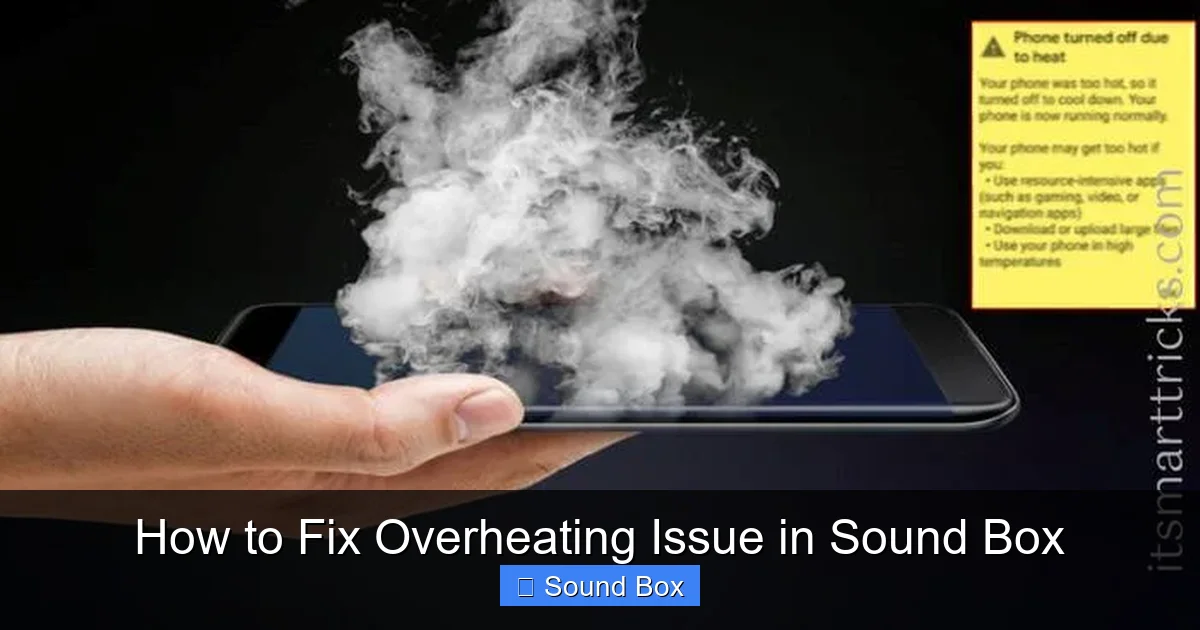
If you’ve tried all the above steps and your sound box continues to overheat, it might be time to seek professional help. Persistent overheating, even after implementing these solutions, could indicate a more serious internal hardware problem.
Internal Component Failure
A faulty capacitor, a failing amplifier, or a short circuit within the sound box can all cause excessive heat generation. These issues require diagnosis and repair by a qualified technician. Attempting to repair such problems yourself without the proper knowledge and tools can lead to further damage or even pose a safety risk.
Manufacturing Defect
In rare cases, a manufacturing defect might be the culprit. If your sound box is relatively new and still under warranty, contact the manufacturer for repair or replacement.
Conclusion
Visual guide about How to Fix Overheating Issue in Sound Box
Image source: saintlad.com
Overheating in your sound box doesn’t have to be the end of your audio enjoyment. By understanding the common causes and implementing these practical troubleshooting steps, you can often resolve the issue yourself. Remember to prioritize good ventilation, avoid pushing your speaker too hard, and keep an eye on environmental factors. If the problem persists, don’t hesitate to reach out to a professional. Keeping your sound box cool will ensure it performs at its best and lasts for years to come, delivering crisp, clear sound every time you power it on. Enjoy your music, worry-free!
Frequently Asked Questions
Why does my sound box feel so hot after just a few minutes?
If your sound box gets hot very quickly, it likely indicates a significant issue. This could be due to blocked vents preventing heat dissipation, an amplifier working extremely hard at high volumes, or possibly a faulty internal component.
Can playing music loudly cause my sound box to overheat?
Yes, playing your sound box at very high volumes for extended periods can definitely cause it to overheat. The amplifier has to work harder to produce louder sound, generating more heat in the process. Lowering the volume can often resolve this issue.
Is it safe to use a sound box that is overheating?
It’s generally not recommended to use a sound box that is significantly overheating. Continued use under such conditions can lead to performance degradation, distorted sound, and potentially permanent damage to the internal components. It’s best to let it cool down.
How often should I clean the vents of my sound box?
The frequency of cleaning depends on your environment. If you live in a dusty area or have pets, you might need to clean the vents more often, perhaps every few months. For less dusty environments, an annual cleaning might suffice. Visually inspect them periodically.
What should I do if my sound box suddenly shuts off due to overheating?
If your sound box shuts off unexpectedly, it’s a clear sign it has overheated and activated its safety protection. Let it cool down completely before attempting to turn it back on. Once cool, try using it at a lower volume and ensure good ventilation. If it shuts off again, it likely needs professional inspection.
Does the brand of the sound box affect its tendency to overheat?
While some brands might have better thermal management designs than others, overheating can occur with any sound box, regardless of brand. Factors like usage patterns, environment, and individual unit defects play a larger role than brand alone.