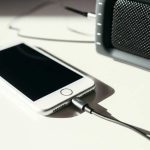
An Aux port on your Bluetooth speaker is a simple wired connection, letting you play audio from devices without Bluetooth, like older phones or MP3 players. It’s a handy backup for instant, reliable sound!
Hey there, tech adventurer! Ever feel like your awesome Bluetooth speaker is just missing something? You know, that one little port that looks like a tiny headphone jack? That, my friend, is the Aux port, and it’s a total game-changer for how you can enjoy your tunes. It’s like having a secret superpower for your speaker!
Sometimes, technology can feel a bit like a puzzle. You see all these buttons and ports, and you just want to know what they do. We’ve all been there, right? Staring at a gadget, wondering if you’re about to break it by touching the wrong thing. But don’t worry, that’s why I’m here!
Today, we’re diving deep into what that little Aux port is all about. It’s surprisingly simple, but it unlocks a whole new world of audio possibilities for your Bluetooth speaker. Get ready to make your music, podcasts, and movie nights even better!

Let’s break it down step by step, the easy way.
What Exactly Is This “Aux” Thing?
Okay, so “Aux” is short for “auxiliary.” Think of it as a backup entrance for your sound. It’s a physical port, usually a 3.5mm jack, just like the one on your headphones. This port allows you to connect devices directly to your speaker using an audio cable.
It’s a super straightforward way to get audio from one device to another. No complicated pairing, no Bluetooth signals to worry about – just plug and play! It’s been around for ages and is still incredibly useful.
Why Would I Even Need Aux on a Bluetooth Speaker?
Great question! You might be thinking, “But I have Bluetooth, isn’t that enough?” Bluetooth is awesome, for sure! It lets you connect wirelessly, which is super convenient. But what happens when:

Your device’s Bluetooth is acting up?
You want to connect an older device that doesn’t have Bluetooth, like a classic MP3 player or an old laptop?
You’re in a place with a lot of wireless interference, and Bluetooth keeps cutting out?
You just want the simplest, most reliable connection possible?
That’s where the Aux port shines! It’s your reliable fallback. It ensures you can always get sound out of your speaker, no matter what. It’s like having a spare key for your audio world!
How Does the Aux Connection Actually Work?
It’s all about sending an analog audio signal. When you plug a cable into the Aux port, you’re creating a direct physical link. The audio signal travels through this cable from your device (like a phone or tablet) straight into your speaker.
Your speaker then takes that analog signal and converts it into sound waves you can hear. It’s a direct line, bypassing the wireless signals that Bluetooth uses. This can sometimes even mean a slightly cleaner sound, as there are fewer digital steps involved.
Let’s Talk About the Aux Cable
To use the Aux port, you’ll need an Aux cable. These are also commonly called 3.5mm audio cables. They have the same connector on both ends. You plug one end into your device’s headphone jack and the other into the Aux-In port on your speaker.
You can find these cables almost anywhere – electronics stores, supermarkets, even online. They come in various lengths, so pick one that suits your needs. A 3-foot or 6-foot cable is usually a good starting point for most setups.
Here are some quick tips for choosing an Aux cable:
Length: Make sure it’s long enough to comfortably connect your devices without pulling.
Build Quality: Look for cables with sturdy connectors and a durable cable. This prevents them from breaking easily.
Shielding: Better shielded cables can reduce interference, leading to clearer sound. Though for most casual listening, standard cables are fine.
Identifying the Aux Port on Your Speaker
This is the easy part! Look for a small circular hole, usually about the size of your headphone jack. It will often be labeled with “AUX,” “Line In,” or sometimes just a small icon that looks like headphones.
You’ll find it on the back or side of most Bluetooth speakers that have this feature. It’s usually grouped with other ports like the charging port or a USB port.
Here’s a visual to help you spot it:
| Feature | Description | Common Labeling |
| :————- | :———————————————- | :————– |
| Aux Port | Small, round audio input jack | AUX, Line In |
| Headphone Jack | Same size and shape, but for outputting audio | (No label) |
| Charging Port | Varies, often USB-C or Micro-USB | (No label) |
See? Simple! It’s that little circle waiting to connect your audio.
Setting Up Your Aux Connection: It’s a Breeze!
Getting your speaker hooked up via Aux is incredibly easy. Seriously, you’ll be playing music in under a minute. Let’s walk through the super-simple steps.
Step-by-Step Guide to Using Aux
1. Locate the Aux-In Port: Find the Aux-In port on your Bluetooth speaker. It’s usually on the back or side and might be labeled “AUX” or “Line In.”
2. Find Your Aux Cable: Grab your 3.5mm audio cable. Make sure it has the correct connectors on both ends.
3. Connect to Your Speaker: Plug one end of the Aux cable into the Aux-In port on your speaker.
4. Connect to Your Device: Plug the other end of the Aux cable into the headphone jack of your audio source. This could be your smartphone, tablet, MP3 player, laptop, or even an older TV.
5. Select Aux Mode on Speaker: Turn on your speaker. You might need to press a button or cycle through modes until the speaker is set to Aux input. The speaker might have a dedicated “AUX” button or you might need to press a “Mode” or “Source” button repeatedly. Some speakers automatically detect an Aux connection and switch over.
6. Play Your Audio: Start playing music or any audio on your connected device. You should now hear the sound coming from your speaker!
7. Adjust Volume: You can control the volume from your device, your speaker, or both. Experiment to find what works best for you.
And that’s it! You’re now enjoying audio through your speaker via a wired connection. Pretty neat, huh?
What Devices Can I Connect via Aux?
The beauty of the Aux port is its compatibility with a vast range of devices. If it has a headphone jack, chances are you can connect it.
Here are some common devices that work great with Aux:
Smartphones and Tablets: Even if they have Bluetooth, older models or ones with buggy Bluetooth can use Aux.
MP3 Players: Those trusty old iPods or other dedicated music players are perfect for Aux.
Laptops and Computers: Connect your computer to your speaker for richer sound during work or entertainment.
Older TVs: If your TV has a headphone out or audio out port, you can connect it for better sound.
Gaming Consoles: Some older consoles or handhelds might have audio outputs suitable for Aux.
Car Stereos (with Aux input): While not a Bluetooth speaker, this shows the versatility of the Aux port itself!
Microphones (with appropriate adapters): Some basic microphones can be connected for simple voice input.
It’s a universal connector for audio, making your speaker much more versatile than just relying on Bluetooth.
When Aux Beats Bluetooth (And Vice Versa!)
Both Aux and Bluetooth have their own superpowers. Understanding when to use each one will make your audio experience even better.
Advantages of Using Aux
Reliability: No dropouts, no interference. It’s a stable, consistent connection.
Simplicity: Just plug it in! No pairing process needed.
Compatibility: Works with almost any device that has a headphone jack, even older ones.
No Battery Drain on Source Device: Bluetooth can drain your phone’s battery faster. Aux generally uses less power from your source device.
Potentially Better Audio Quality: For audiophiles, the direct analog signal can sometimes offer a slight edge in clarity and detail.
Advantages of Using Bluetooth
Wireless Freedom: No messy cables! You can move around freely.
Convenience: Easy to switch between devices without physically unplugging anything.
Multi-device Support: Many Bluetooth speakers can connect to multiple devices simultaneously.
No Physical Port Needed on Source: If your device lacks a headphone jack (like many modern smartphones), Bluetooth is your only option.
When to Choose Aux Over Bluetooth
You’ll definitely want to use Aux when:
Your Bluetooth connection is unstable or cutting out.
You’re connecting an older device without Bluetooth.
You need a quick, no-fuss connection.
You’re in an environment with lots of wireless signals (like a crowded coffee shop).
You’re a bit of an audio purist and want the most direct signal path.
When to Stick with Bluetooth
Bluetooth is your go-to when:
You hate dealing with cables.
You want to control your music from across the room.
Your phone or device doesn’t have a headphone jack.
You’re setting up a quick party playlist and want to let friends easily connect their phones.
It’s great to have both options, isn’t it? Your Bluetooth speaker with an Aux port is like a Swiss Army knife for sound!
Fun Facts About Aux and Audio Cables
Did you know that the 3.5mm jack has been around for a really long time? It was first standardized by the EIA in the 1950s! Initially, it was for connecting headphones to transistor radios. Now, it’s everywhere!
Think about how many devices have this tiny port: phones, laptops, car stereos, musical instruments, even some high-end audio equipment. It’s a testament to its simple, effective design. It’s one of the unsung heroes of everyday tech.
The standard 3.5mm Aux cable carries two channels of audio: one for the left speaker and one for the right. This is why it’s called a “stereo” audio cable. Some specialized cables can carry more signals, but for your speaker, it’s all about that stereo sound!
Keeping Your Aux Connection Crystal Clear
Just like any tech, a little care can go a long way to ensure your Aux port and cable keep working perfectly.
Troubleshooting Common Aux Issues
No Sound:
Check the Connections: Make sure the cable is plugged in securely at both ends.
Select Aux Mode: Confirm your speaker is set to the Aux input.
Check Volume: Ensure the volume is up on both your device and your speaker.
Try a Different Cable: The cable itself might be damaged.
Test Your Device: Plug headphones into your device to see if it’s outputting sound.
Crackling or Static:
Wiggle the Connectors: Sometimes, a loose connection is the culprit.
Inspect the Cable: Look for any damage or fraying on the cable or connectors.
Move Away from Interference: Electrical devices can sometimes cause static.
Try a Higher Quality Cable: Better shielded cables can help.
Only One Side Working (Stereo Issue):
Check the Cable: This is often a sign of a damaged Aux cable where one of the stereo channels is broken. Try a new cable.
Check Device Settings: Make sure your device isn’t set to mono output.
Cleaning Your Aux Port
Dust and debris can sometimes get into the Aux port, causing connection issues.
Use Compressed Air: A quick puff of compressed air can often dislodge loose dust.
Use a Non-Metallic Tool: If you see visible lint, try gently removing it with a wooden toothpick or a plastic dental pick. Never use metal, as it can short-circuit the port.
Be Gentle: The port is delicate, so avoid forcing anything into it.
A clean port means a clean connection for clear sound!
Comparing Bluetooth Speakers with and without Aux Ports
When you’re shopping for a new Bluetooth speaker, you’ll notice some have an Aux-In port, and some don’t. Which is better for you? It really depends on how you plan to use it.
Here’s a quick look at what you might find:
| Feature | Speaker with Aux Port | Speaker without Aux Port |
| :—————— | :——————————————— | :——————————————- |
| Connectivity | Bluetooth and Wired (Aux) | Bluetooth Only |
| Device Support | Wide range, including older devices | Devices with Bluetooth only |
| Reliability | High (Bluetooth for wireless, Aux for wired) | Relies solely on Bluetooth performance |
| Setup Simplicity| Very simple for both modes | Simple (Bluetooth pairing) |
| Use Cases | Versatile: parties, travel, home, backup | Primarily for modern wireless devices |
| Cost | Often similar, sometimes slightly higher | Can be very competitive |
| Portability | Cables add a small consideration | No cables needed from source device |
What this table means for you: If you have a mix of old and new gadgets, or if you’ve experienced Bluetooth frustration, a speaker with an Aux port offers fantastic flexibility. It’s a safety net that ensures you’re never without sound. If you only use modern devices with reliable Bluetooth, a non-Aux speaker might be perfectly fine and potentially a bit sleeker.
For example, a portable speaker like the JBL Flip series often includes an Aux-In, making it great for impromptu jams from any device. Meanwhile, some ultra-minimalist speakers might forgo the Aux port to save space and cost, focusing purely on the wireless experience. You can find great reviews and comparisons on sites like CNET or TechRadar to see specific models.
Frequently Asked Questions About Aux in Bluetooth Speakers
Got more questions bubbling up? Let’s clear them up!
Q1: Can I use my Bluetooth speaker’s Aux port to connect it to my TV?
A: Absolutely! If your TV has a headphone output or an audio-out port (usually a 3.5mm jack), you can use an Aux cable to connect it to your Bluetooth speaker. It’s a fantastic way to boost your TV’s sound without buying a whole soundbar.
Q2: Does using Aux drain my phone’s battery faster than Bluetooth?
A: Generally, no. Bluetooth actively uses radio waves to transmit data, which consumes more power. An Aux connection uses a simple wired signal and typically drains your phone’s battery much slower, if at all, compared to Bluetooth.
Q3: Will I need to charge my speaker more if I use the Aux port?
A: Not usually. The Aux port is an input for audio signals. The speaker’s power comes from its own battery or power adapter, regardless of whether you’re using Bluetooth or Aux. The actual sound reproduction still uses the speaker’s power.
Q4: What’s the difference between Aux-In and Aux-Out?
A: Aux-In (on your speaker) is where audio signals come into the speaker to be played. Aux-Out (on a device like a phone or MP3 player) is where audio signals go out* to be played elsewhere. Your Bluetooth speaker’s Aux port is an Aux-In.
Q5: Can I use a USB port on my speaker as an Aux input?
A: Usually, no. USB ports on speakers are typically for charging the speaker itself, playing music from a USB drive (if supported), or sometimes for firmware updates. They don’t usually function as audio inputs like an Aux port. Always look for the specific 3.5mm Aux-In jack.
Q6: Is the sound quality better with Aux or Bluetooth?
A: This is debated! Bluetooth uses compression to send audio wirelessly, which can sometimes slightly reduce quality. Aux provides a direct analog signal, which purists argue is cleaner. However, modern Bluetooth codecs are very good, and for most people, the difference is barely noticeable. It often comes down to the quality of the speaker and the audio file itself.
Q7: My Aux cable is plugged in, but I still only hear sound from Bluetooth. What do I do?
A: You likely need to tell your speaker to use the Aux input! Most speakers have a button (often labeled “Mode,” “Source,” or “AUX”) that you press to cycle through the input options. Keep pressing it until the speaker indicates it’s in Aux mode. Some speakers automatically switch when they detect a cable, but many require you to select it manually.
Your Sound, Your Way: The Aux Advantage
So there you have it! The Aux port on your Bluetooth speaker isn’t just a small hole; it’s a versatile gateway to more audio possibilities. It’s your reliable backup, your connection to older tech, and your simple solution for instant sound.
You’ve learned what Aux means, how it works, and why it’s so handy. You know how to set it up in a few easy steps and how to troubleshoot common issues. Plus, you’ve got the lowdown on when to choose Aux and when to go wireless with Bluetooth.
Armed with this knowledge, you can now make the most of your Bluetooth speaker. Don’t be afraid to plug in that old MP3 player or connect your laptop for a richer movie experience. The power to choose your sound connection is in your hands!
Now go enjoy amazing sound and make every moment louder and better!