TWS mode lets you connect two identical Bluetooth speakers for bigger, stereo sound. It’s like giving your music a superpower boost, making parties and movie nights way more immersive and fun!
Hey there, tech adventurer! Ever feel like your music is just… okay? You’ve got a cool Bluetooth speaker, but sometimes you wish it could fill the whole room with sound. Or maybe you’re setting up for a backyard party and want that epic concert feel. I get it! It’s like having a single speaker for your favorite tunes, but wishing you had a whole band playing.
Sometimes, the tech specs can look like a secret code. What’s this TWS thing? Does it make your speaker fly? (Spoiler: not quite, but it’s still pretty amazing!). Don’t worry, I’m here to break it all down. Think of me as your friendly guide, here to make all this gadget stuff super simple and fun.
We’re going to dive into what TWS mode really means for your Bluetooth speakers. We’ll explore how it works, why it’s awesome, and how you can use it to get the most out of your audio gear. Ready to turn up the volume on your knowledge? Let’s get started!
What Exactly is TWS Mode? Let’s Talk Sound!
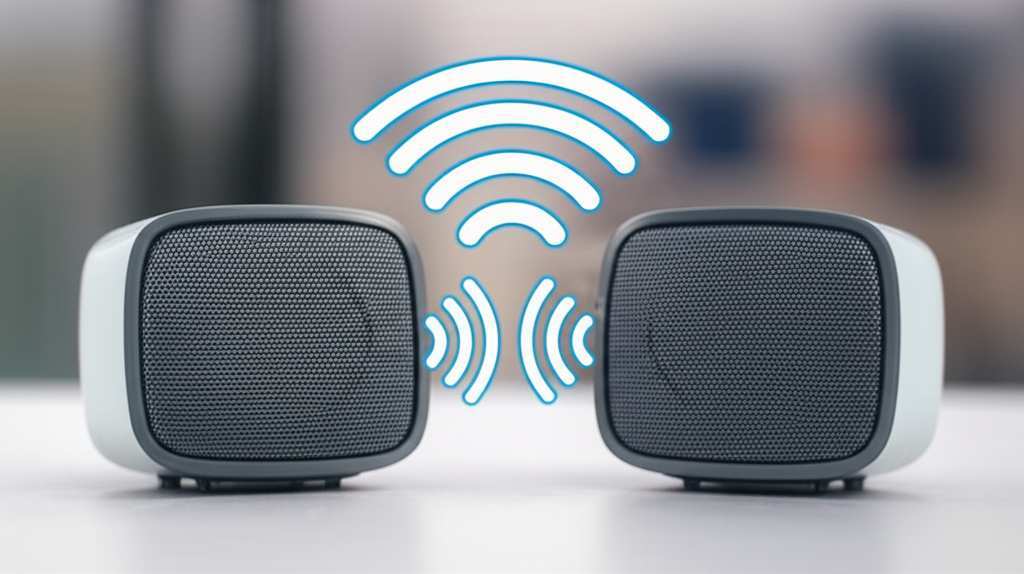
So, what’s this TWS thing all about? TWS stands for True Wireless Stereo. That might sound a bit fancy, but it’s actually a really cool feature that lets you connect two identical Bluetooth speakers together. Once they’re linked, they work as a pair!
This means one speaker plays the left channel of your audio, and the other plays the right channel. It’s just like having a proper stereo system, but without all the wires. This creates a much wider, more immersive sound experience. You get a true stereo soundstage, making music, movies, and games feel so much more alive.
Imagine your favorite song. With one speaker, the sound comes from one spot. With two speakers in TWS mode, the music spreads out. You can hear the guitar solo from one side and the vocals from the other. It’s a much richer and more engaging way to listen. It’s like going from watching TV in standard definition to high definition – the difference is huge!
Why You’ll Love TWS Mode: More Than Just Louder
TWS mode isn’t just about making things louder, although that’s a nice bonus! It’s about transforming your listening experience. Think about your movie nights. Instead of sound coming from one corner of the room, you get it filling the space. The dialogue feels clearer, and the action scenes are way more exciting. It’s like bringing the cinema home!
For music lovers, TWS mode is a game-changer. You get a much more balanced sound. Instruments sound like they’re in their own place. The bass feels deeper, and the treble sounds crisper. It really makes you feel like you’re at a live concert, with the music all around you. It’s a much more detailed and enjoyable way to appreciate your favorite artists.
And for gamers? Oh boy, TWS mode is fantastic! Imagine the sound of footsteps coming from your left when an enemy is approaching from that direction. Or the roar of an engine surrounding you. It adds a whole new level of immersion to your gaming sessions. It makes the virtual world feel so much more real and engaging.
How Does TWS Mode Actually Work? The Magic Behind the Sound
It sounds like magic, right? Two speakers talking to each other wirelessly? Well, it’s clever technology! When you activate TWS mode, one speaker becomes the “master” and the other becomes the “slave.” The master speaker connects to your phone or device via Bluetooth as usual.
Then, the master speaker sends the audio signal for its channel (say, the left channel) to the slave speaker. The slave speaker receives this signal and plays its assigned channel (the right channel). This is all done wirelessly, usually using a special Bluetooth connection between the two speakers themselves. It’s super efficient and designed to keep the audio in sync.
The whole setup is designed to be seamless. You pair them up, and they just work. Most modern Bluetooth speakers that support TWS mode have a dedicated button or a specific way to initiate the pairing. It’s usually a simple process that takes just a few seconds. We’ll get into how to do that later!
Setting Up TWS Mode: Your Step-by-Step Guide
Ready to get your two speakers singing in harmony? Setting up TWS mode is usually pretty straightforward. Every speaker brand might have a slightly different method, but the core steps are very similar. Let’s walk through it!
Step 1: Get Your Speakers Ready
First things first, make sure you have two identical Bluetooth speakers that support TWS mode. You can’t mix and match different brands or even different models from the same brand usually. They need to be twins to work as a TWS pair!
Also, make sure both speakers are fully charged or plugged in. You don’t want your epic sound system to die halfway through your favorite album. Ensure Bluetooth is enabled on your phone or tablet, the device you’ll be using to play music.
Step 2: Power On Both Speakers
Turn on both of your Bluetooth speakers. You’ll usually hear a startup sound or see an indicator light. Don’t connect them to your phone just yet. We need to pair the speakers to each other first.
Step 3: Initiate TWS Pairing on One Speaker
This is the key step. On one of your speakers, you need to activate the TWS pairing mode. How you do this varies by brand. It might involve:
- Pressing and holding a specific button (often labeled with a TWS icon, a Bluetooth symbol, or a play/pause button) for a few seconds.
- Pressing two buttons simultaneously.
- Turning the speakers on in a specific sequence.
Check your speaker’s manual if you’re unsure. You’ll usually hear a confirmation sound or see a blinking light that indicates it’s trying to find its partner. Some speakers will announce, “TWS pairing mode.”
Step 4: Pair the Second Speaker
Once the first speaker is in TWS pairing mode, you then need to put the second speaker into the same mode. This is often done by pressing the same button (or combination of buttons) on the second speaker. It will then search for the first speaker.
Alternatively, some systems only require you to activate TWS on one speaker, and it automatically finds and pairs with the second identical speaker when it’s powered on nearby and in pairing mode. Again, your manual is your best friend here!
Step 5: Confirm the Connection
You’ll know it worked when you hear a confirmation sound from both speakers, or the indicator lights change. They might stop blinking and turn solid, or you might hear a voice prompt saying “TWS connected.” Now, the two speakers are linked together!
Step 6: Connect to Your Device
Now, go to your phone or tablet’s Bluetooth settings. You should see the name of your speaker appear. Connect to it as you normally would. However, you might only see the name of one speaker in your device’s Bluetooth list. This is normal!
When you connect to that one speaker, your phone will automatically send audio to both speakers in stereo. You’ve officially set up True Wireless Stereo!
Step 7: Enjoy Your Stereo Sound!
Start playing your music, podcast, or movie! You should now experience a much wider and more immersive sound. You can usually adjust the volume from your phone, and it will control both speakers simultaneously.
Troubleshooting Common TWS Issues
Sometimes, tech doesn’t work perfectly the first time. Don’t get discouraged! Most TWS issues are easy to fix. Here are a few common problems and how to solve them:
- Speakers won’t pair: Ensure both speakers are the exact same model and firmware version. Turn both off and on again, then try the pairing process from scratch. Make sure they are close to each other during pairing.
- One speaker isn’t playing sound: Check if the “slave” speaker is still connected. You might need to re-initiate TWS pairing. Also, ensure the volume on your device is turned up.
- Audio is choppy or cutting out: This can happen if the speakers are too far apart, or if there’s a lot of Bluetooth interference from other devices. Try moving the speakers closer together and minimizing interference.
- TWS disconnects randomly: Ensure your speakers’ firmware is up to date. Sometimes, a software update can fix stability issues. Also, check your phone’s battery saving settings, as they can sometimes interfere with Bluetooth connections.
Remember, if you’re really stuck, your speaker’s manual or the manufacturer’s support website is your best bet. They often have specific troubleshooting guides for their models.
Key Features to Look For in TWS Speakers
If you’re in the market for new speakers and TWS mode is a must-have, here are some things to consider. These features can make a big difference in your overall experience.
Identical Models
This is the most crucial point for TWS. You absolutely need two of the exact same speaker model. Trying to pair different speakers simply won’t work for TWS.
Bluetooth Version
Look for speakers with Bluetooth 5.0 or higher. Newer Bluetooth versions offer a more stable connection, better range, and faster pairing. This is super important for TWS to work smoothly without dropouts.
Battery Life
Since you’re running two speakers, battery life becomes even more important. Check the advertised battery life for each speaker. If you plan on using them for long periods without charging, look for models with extended battery performance.
Sound Quality
While TWS enhances stereo separation, the overall sound quality still depends on the individual speakers. Read reviews and check specs for things like driver size, frequency response, and power output to ensure they sound good on their own, too.
Water Resistance
If you plan to use your speakers outdoors, by the pool, or in the bathroom, look for water-resistant ratings (like IPX4, IPX5, or IPX7). This is a great feature for party speakers!
Portability and Design
Consider how you’ll use the speakers. Are they small and lightweight for easy transport? Do they have a rugged design for outdoor adventures? Or are they sleek and stylish for your living room? The design should match your lifestyle.
Ease of TWS Pairing
Some speakers make TWS pairing incredibly simple, while others can be a bit more fiddly. If possible, check reviews or watch videos to see how easy the TWS setup process is for the models you’re considering.
TWS Mode vs. Other Speaker Connection Methods
It’s helpful to know how TWS compares to other ways you might connect speakers. This way, you can choose the best option for your needs.
TWS Mode (True Wireless Stereo)
- How it works: Two identical speakers wirelessly connect to each other, and then one connects to your device.
- Pros: True stereo sound, no wires, immersive experience, easy setup once paired.
- Cons: Requires two identical speakers, might need re-pairing occasionally, best for relatively close proximity.
Bluetooth Daisy-Chaining (Multi-Point Pairing)
- How it works: Some speakers allow you to connect multiple different speakers (or even headphones) to a single device simultaneously. However, this often doesn’t provide true stereo separation; it’s more for playing the same audio on multiple devices.
- Pros: Can connect different speaker models, good for playing music in multiple rooms.
- Cons: Not true stereo, can sometimes have sync issues, sound quality might be compromised.
Wired Connections (Aux-In)
How it works: You connect your audio source (phone, MP3 player) to a speaker using a 3.5mm audio cable. Some speakers have an “Aux Out” port that lets you daisy-chain to another speaker with an Aux-In.
- Pros: Very stable connection, no reliance on Bluetooth, can connect to older devices.
- Cons: Requires physical cables, limits placement, not “wireless” for the whole setup.
For the ultimate immersive stereo experience from wireless speakers, TWS is generally the way to go. It’s designed specifically for that purpose, delivering true left and right channel separation.
Real-World Scenarios: When TWS Really Shines
Let’s paint a picture of where TWS mode truly makes a difference. These are the moments where you’ll be so glad you have that extra speaker!
Backyard BBQs and Parties
Imagine hosting a party. You’ve got people mingling all over the yard. With two speakers in TWS mode, strategically placed, the music reaches everyone with a rich, full sound. No more “dead zones” where the music is faint. It creates a lively atmosphere that fills the entire space.
Movie Marathons
You’re settled in for a movie night. Instead of the sound coming from a small speaker on the coffee table, you can place two speakers on either side of your TV. The audio will envelop you, making dialogue clearer and action sequences more impactful. It’s a simple upgrade that dramatically improves the cinematic experience at home.
Outdoor Adventures
Going camping or to the beach? Many portable Bluetooth speakers are rugged and water-resistant. Pairing two of them in TWS mode means you can spread them out to cover a larger area with sound. You get a much more satisfying audio experience than a single small speaker could provide outdoors.
Home Office or Gaming Setup
For those who work from home or are serious gamers, TWS can elevate your setup. Placing speakers on either side of your monitor creates a focused, immersive soundstage. This is fantastic for conference calls, background music while you work, or diving deep into game worlds.
A Quick Look at Popular TWS-Enabled Speakers
Many brands offer speakers with TWS functionality. Here’s a tiny glimpse at what you might find, just to give you an idea. Remember, specs and models change, so always check the latest offerings!
| Speaker Brand | Example Model | Typical Bluetooth Version | Estimated Battery Life (per speaker) | Key TWS Feature |
|---|---|---|---|---|
| JBL | Flip 6 / Charge 5 | 5.0 | 12-20 hours | Connect up to two JBL speakers for stereo sound. |
| Sony | SRS-XB23 / SRS-XG300 | 5.0 | 12-24 hours | Party Connect allows connecting up to 100 speakers (though TWS is typically for two identical). |
| Anker (Soundcore) | Motion+ / Flare 2 | 5.0 | 12-20 hours | Dual pairing for stereo sound. |
| Bose | SoundLink Flex | 4.2 | 12 hours | Pair two Bose speakers for stereo or party mode. |
As you can see, TWS is a common feature across many popular brands. When you’re looking at speakers, keep an eye out for terms like “TWS,” “Stereo Pairing,” or “Dual Speaker Connect.” This table just shows a few examples, and there are many more great options out there!
For instance, brands like Ultimate Ears (UE) are also famous for their robust TWS capabilities, allowing you to link multiple speakers for even bigger sound. The key is always checking that the two speakers you buy are identical models to ensure they can pair via TWS.
Fun Fact: The Evolution of Wireless Audio
Did you know that True Wireless Stereo technology has roots in the development of Bluetooth itself? Early Bluetooth was great for single connections, like a headset. But as the technology improved, with faster speeds and lower power consumption (thanks to versions like Bluetooth 4.0 and 5.0), it became possible for devices to manage multiple, stable connections simultaneously. This paved the way for TWS, allowing speakers to communicate with each other reliably, creating that immersive stereo sound without any cables. It’s a great example of how technology keeps evolving to give us more freedom and better experiences!
Frequently Asked Questions About TWS Mode
Got more questions buzzing in your head? Here are some quick answers to common queries about TWS mode.
Q1: Can I connect any two Bluetooth speakers together for TWS?
A1: No, you generally need two identical speakers of the same model from the same brand. They need to be designed to work together for TWS.
Q2: How far apart can my TWS speakers be?
A2: The optimal distance is usually within 30 feet (about 10 meters). For the best performance and to avoid audio dropouts, it’s best to keep them closer, especially in noisy environments.
Q3: If I connect two speakers in TWS, will my phone’s battery drain faster?
A3: Slightly, yes. Your phone is sending a Bluetooth signal to one speaker, which then relays it to the other. This uses a bit more power than connecting to a single speaker, but it’s usually not a dramatic difference.
Q4: Can I control the volume of both speakers at once?
A4: Yes, typically when connected in TWS mode, adjusting the volume from your phone or the master speaker will control both speakers simultaneously. Some speakers might have independent volume controls for the slave speaker, but this is less common.
Q5: What if I only have one speaker with TWS?
A5: If you only have one speaker that supports TWS, it will function as a regular Bluetooth speaker. TWS mode only activates when you have two compatible speakers and pair them together.
Q6: How do I disconnect TWS mode?
A6: Usually, you press and hold the TWS button on one of the speakers again for a few seconds. You might hear a disconnection sound. After that, each speaker will be ready to pair individually with your device.
Q7: Does TWS mode affect sound quality?
A7: In a good way! TWS mode creates a true stereo soundstage, which is much richer and more immersive than a single speaker. The quality of the individual speakers still matters, but TWS enhances the spatial audio experience significantly.
Conclusion: Get Ready for Bigger, Better Sound!
There you have it! You’ve unlocked the secret of TWS mode in Bluetooth speakers. It’s a fantastic technology that takes your audio experience from good to absolutely amazing. By pairing two identical speakers, you create a true stereo sound system that fills your space with rich, immersive sound.
Whether you’re powering up a backyard party, settling in for a movie night, or just want to enjoy your music with more depth, TWS mode is your ticket. Remember, the key is two identical speakers and a simple pairing process. Don’t be afraid to try it out with your current speakers or consider upgrading to a TWS-compatible pair for your next audio adventure.
Now go forth and enjoy your bigger, better, and more vibrant sound! Happy listening!