Quick answer: For most everyday uses on the 2.4 GHz band, 20 MHz is generally better than 40 MHz because it offers a more stable connection and less interference. However, if you’re looking for faster speeds and your environment is less crowded, 40 MHz can provide a boost, but with increased risk of interference and network issues.
Choosing between 20 MHz and 40 MHz for your 2.4 GHz Wi-Fi depends on your environment and usage needs. If you’re in a busy area crowded with many Wi-Fi networks, sticking with 20 MHz is typically smarter to avoid interference and maintain a reliable connection. On the other hand, if you want quicker data transfer and your network isn’t heavily congested, 40 MHz might seem appealing. This decision impacts your speed, stability, and overall Wi-Fi experience, so understanding the trade-offs can help you optimize your home or office network effectively.

Which is better, 20mhz or 40mhz for 2.4 GHz?
Understanding Wi-Fi Channels and Bandwidth
To decide between 20MHz and 40MHz bandwidth options, it’s important to understand what these numbers mean. Bandwidth refers to the amount of data your Wi-Fi network can transmit at once. A wider bandwidth, like 40MHz, can transfer more data, potentially speeding up your internet connection.
How Wi-Fi Channels Work in the 2.4 GHz Band
The 2.4 GHz band includes several channels, typically numbered 1 through 14. Each channel has a certain bandwidth; 20MHz channels occupy a narrower space, while 40MHz channels combine two adjacent 20MHz channels. This combination affects how the Wi-Fi signals overlap and interfere.
Advantages of Using 20MHz in 2.4 GHz
Using 20MHz bandwidth is common because it reduces interference from other networks. Since the 2.4 GHz band is crowded, narrower channels are less likely to overlap with neighboring Wi-Fi signals. This results in a more stable connection in congested areas like apartment complexes.
Better Stability and Reliability
A 20MHz channel limits interference, leading to fewer dropped connections and smoother browsing. It’s especially useful when multiple devices are connected or in environments with many competing Wi-Fi networks.
Less Interference with Nearby Networks
Because 20MHz channels occupy less spectrum, they are less likely to interfere with other Wi-Fi networks, making them safer for crowded settings.
Advantages of Using 40MHz in 2.4 GHz
40MHz bandwidth doubles the data transfer capacity by combining two 20MHz channels. When interference is low, and the environment is less crowded, this wider channel can significantly boost your network speeds.
Higher Data Speeds
A 40MHz channel can provide faster download and upload speeds, making it ideal for activities like streaming high-definition videos or online gaming, where bandwidth matters.
Potential for Better Performance in Low-Interference Areas
In less crowded environments, using 40MHz can lead to noticeably quicker data transfer, enhancing overall user experience.
Challenges of Using 40MHz in the 2.4 GHz Band
While 40MHz offers speed benefits, it comes with challenges, mainly due to spectrum congestion and interference. These issues can reduce the actual speeds and stability of your Wi-Fi.
Increased Interference and Overlap
Since 40MHz channels cover a larger spectrum, they are more prone to overlap with neighboring Wi-Fi networks. This can cause signal degradation and slower speeds.
Lower Reliability in Crowded Networks
In densely populated areas, the use of 40MHz often results in more frequent disconnections or signal drops because the wider channels are more sensitive to interference.
Performance Comparison: 20MHz vs. 40MHz
| Feature | 20MHz | 40MHz |
| — | — | — |
| Data Speed | Moderate | Up to double in ideal conditions |
| Interference | Less | More prone to interference |
| Stability | More stable | Less stable in crowded environments |
| Use Cases | Daily browsing, streaming, gaming | Heavy data transfer, 4K streaming, large downloads |
This comparison shows that while 40MHz can boost speeds, it might not always provide the best user experience in noisy or crowded settings.
Choosing the Best Bandwidth for Your Needs
The ideal bandwidth depends on your environment and internet use. For most households and apartment dwellings, 20MHz ensures consistent, reliable Wi-Fi. If your area has little Wi-Fi congestion and you need faster speeds for large file transfers, 40MHz could be beneficial.
For Urban and Congested Areas
Stick with 20MHz to avoid interference and maintain a stable connection, especially if multiple devices are connected simultaneously.
For Less Crowded Environments or Specific Tasks
If you have a quiet Wi-Fi space with minimal interference and need faster speeds, switching to 40MHz might improve your experience.
Impact on Network Performance and Device Compatibility
Some devices may not support 40MHz channels in the 2.4 GHz band. Check your router’s capabilities and your device compatibility before upgrading to wider bandwidth options.
Device Compatibility
Older devices often only support 20MHz channels, so using 40MHz could limit their connectivity or cause network issues.
Network Performance
Using 20MHz generally ensures that all devices get a stable and consistent signal, which is crucial for reliable internet access.
Tips for Optimizing Wi-Fi Bandwidth Choices
Selecting the right bandwidth involves more than just choosing 20MHz or 40MHz. Here are some tips:
- Scan your environment to see how many Wi-Fi networks are operating nearby.
- Use network analysis tools or apps to identify the least crowded channels.
- Start with 20MHz and switch to 40MHz only if needed and if your environment permits.
- Update your router’s firmware for the latest features and improvements.
- Position your router centrally and avoid obstacles for optimal signal strength.
Related Topics to Consider
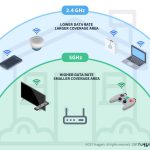
Understanding the differences between 2.4 GHz and 5 GHz bands can also impact your bandwidth choices. While 2.4 GHz offers better range, 5 GHz provides faster speeds with less interference, often making it preferable for high-bandwidth activities.
Dual-Band Routers
Many modern routers operate on both frequencies, allowing you to assign devices to the most suitable band based on your needs.
Channel Selection and Optimization
Manually choosing optimal channels can help improve Wi-Fi performance, especially when using wider bandwidths like 40MHz.
Final Thoughts on Choosing Between 20MHz and 40MHz
Deciding whether to use 20MHz or 40MHz in the 2.4 GHz band requires evaluating your environment and internet needs. For most users, especially in crowded areas, 20MHz offers a more stable and interference-resistant experience. If your environment is less noisy and you need faster speeds for specific tasks, 40MHz can be considered, but with caution.
Balancing speed and stability is key. Think about your home layout, number of devices, and typical internet activities. Regularly monitor your network performance to make decisions that keep your Wi-Fi reliable and efficient.
Does 2.4GHz at 20MHz or 40MHz Bandwidth Increase Network Range?
Frequently Asked Questions
How does channel bonding affect network performance on 2.4 GHz?
Channel bonding combines two adjacent channels to increase bandwidth, which can potentially improve data transfer speeds. However, on the 2.4 GHz band, using wider channels like 40 MHz may lead to increased interference and signal congestion because more devices share the same frequency spectrum. In contrast, narrower channels such as 20 MHz reduce interference, providing more stable connections, especially in networks with many active devices.
What are the potential drawbacks of using a 40 MHz channel on 2.4 GHz?
Using a 40 MHz channel on the 2.4 GHz frequency can cause significant interference with neighboring networks due to the broader spectrum it occupies. This interference can lead to decreased connection stability and slower speeds. Additionally, many routers and devices automatically avoid using 40 MHz on 2.4 GHz to prevent disruptions, which limits its effectiveness in crowded environments.
In what scenarios is a 20 MHz channel preferable for 2.4 GHz devices?
A 20 MHz channel works best in areas with many Wi-Fi networks or high device density. It offers better stability and less interference, which helps maintain consistent speeds and reliable connections. If you prioritize a stable connection over maximum throughput, especially in crowded environments like apartment buildings or offices, sticking with 20 MHz channels proves more effective.
Can using a 40 MHz channel improve gaming or streaming experiences on 2.4 GHz?
While a 40 MHz channel can theoretically provide higher speeds suitable for gaming or streaming, it often leads to increased interference on the 2.4 GHz band. This interference can result in latency spikes and connection drops, negatively affecting real-time activities. For such purposes, sticking with 20 MHz channels typically offers a more stable and responsive experience.
How does the router’s environment influence the choice between 20 MHz and 40 MHz channels?
The environment plays a crucial role in selecting the appropriate channel width. In areas with many Wi-Fi networks, using 20 MHz channels minimizes interference and maintains connection quality. Conversely, in less congested environments, a 40 MHz channel can boost speeds, but only if the router and devices support it reliably. Assessing network density and interference helps decide the best option.
Final Thoughts
Choosing between 20MHz and 40MHz for 2.4 GHz depends on your needs. The 20MHz channel offers better stability and less interference, ideal for crowded environments. Conversely, the 40MHz channel provides higher speeds but may suffer from congestion.
For most users, 20MHz remains the safer option for consistent performance. Which is better, 20MHz or 40MHz for 2.4 GHz? It ultimately hinges on your environment and priorities.