
Bluetooth might seem like the battery hog, but your speaker often uses way more power! Learn why and how to keep your gadgets charged longer.
Hey there, tech adventurers! Ever found yourself wondering why your phone suddenly dies when you’re trying to blast your favorite tunes? It’s a common puzzle, right? You’ve got your phone hooked up to a cool portable speaker, maybe for a backyard party or just to make your movie night epic. But then, poof! Your phone’s battery meter is looking sad. You might think, “Is it the Bluetooth connection that’s draining my phone?” It’s a fair question, and one I get asked a lot.
I remember one sunny afternoon, I was trying to set up a picnic with some friends. We had our phones playing music through a small Bluetooth speaker. Everything was going great until about an hour in, and my phone was already down to 40%! I was baffled. I always thought Bluetooth was the main culprit for battery drain. But then I started digging, and the real story is actually pretty surprising, and honestly, a bit of a game-changer for how we think about our gadgets.
It’s easy to get lost in all the tech jargon when we’re looking at speakers or trying to figure out why our devices aren’t lasting as long as we’d hoped. But don’t worry, that’s where I come in! I’m here to break down these tech mysteries into super simple, easy-to-understand bits. We’ll uncover the truth about what’s really guzzling your battery power. Get ready to feel like a tech whiz, because we’re about to dive deep and find out what uses more battery: Bluetooth or the speaker itself. Let’s make this easy!
Let’s Talk About Sound (and Power!)
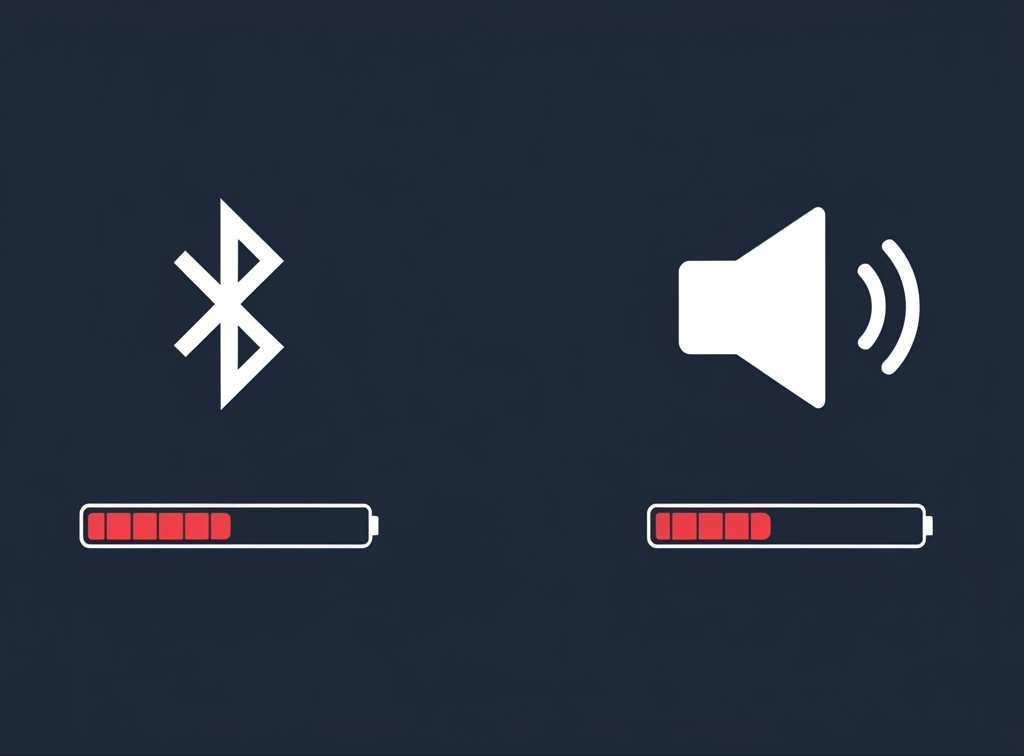
Imagine your phone as a little powerhouse. It’s doing all sorts of things: running apps, connecting to the internet, and yes, sending out that Bluetooth signal. Now, think of your speaker. It’s a whole different beast. Its main job is to take that sound signal and make it loud and clear for everyone to hear. To do that, it needs a significant amount of energy.
When we talk about battery drain, we often point fingers at the wireless connection. Bluetooth does use power, there’s no doubt about it. It’s constantly searching for devices, pairing, and sending data. However, the energy it uses is usually a small, steady trickle. It’s like a gentle drip from a faucet.
The Speaker: The Real Power Hungry Monster?
Now, let’s turn our attention to the speaker. A speaker, especially a portable one, has a built-in amplifier and often a battery of its own. Its job is to convert electrical signals into sound waves. This conversion process, particularly when you’re cranking up the volume, requires a lot of energy. Think of it like this: making a tiny whisper requires less effort than shouting at the top of your lungs.
The louder you play music through a speaker, the more power its amplifier needs. This is the primary reason why speakers, when actively producing sound at decent volumes, tend to consume more energy than the Bluetooth connection itself. It’s not just about playing music; it’s about how loud you play it.
Understanding Bluetooth’s Role
So, how does Bluetooth work, and why does it use power? Bluetooth is a short-range wireless technology. It’s designed for simple data exchange, like sending audio from your phone to your headphones or speaker. To do this, your phone’s Bluetooth chip needs to be active. It’s like having a tiny radio on, constantly broadcasting and listening for its partner device.
When your phone is connected to a Bluetooth speaker, it’s sending a continuous stream of audio data. This process requires power. Factors like the strength of the signal, the distance between devices, and the version of Bluetooth can all influence how much power is used. Newer Bluetooth versions, like Bluetooth 5.0 and above, are generally more power-efficient than older ones.
The Speaker’s Power Demands Explained
Speakers, especially portable ones, are designed to be listened to. That means they need to amplify sound. Amplification is an energy-intensive process. The more sound you want to produce, the more power the amplifier needs. This power comes from the speaker’s battery (if it’s a portable speaker) or from a wall outlet.
Consider a small, low-power Bluetooth earbud. It doesn’t need to be super loud. Now think of a booming portable party speaker. To get that loud, rich sound, it needs a much bigger battery and a more powerful amplifier. This is the core difference. The speaker’s fundamental function is to create sound, and that’s where the big power draw usually happens.
Data Snapshot: Power Consumption Comparison
To really see the difference, let’s look at some typical power usage scenarios. It’s important to note that these are estimates, as actual usage can vary greatly based on the specific devices, volume levels, and settings.
Table 1: Estimated Battery Drain Per Hour (Phone & Speaker)
| Component/Activity | Estimated Power Draw (mAh per hour) | Notes |
| :———————— | :———————————- | :————————————————————————————————— |
| Phone: Bluetooth Active | 10 – 30 mAh | Constant connection, medium signal strength. |
| Phone: Streaming Audio | 30 – 60 mAh | Playing music or podcasts through Bluetooth. |
| Phone: Speaker Output | 0 – 10 mAh | Minimal drain if speaker is powered externally or is very efficient. |
| Portable Speaker: Idle | 5 – 15 mAh | Speaker is on but not playing sound. |
| Portable Speaker: Low Vol | 50 – 150 mAh | Playing music at a low to moderate volume. |
| Portable Speaker: Mid Vol | 150 – 400 mAh | Playing music at a comfortable listening volume. |
| Portable Speaker: High Vol| 400 – 1000+ mAh | Playing music at a loud volume, especially with bass-heavy tracks. |
What does this table tell us? You can see that the Bluetooth connection on your phone is relatively light. Even streaming audio adds a moderate amount of drain. But the portable speaker, especially at mid to high volumes, can be a massive power consumer. If you’re using a speaker plugged into the wall, your phone’s battery is safe from the speaker’s demands, but the speaker itself is still drawing power from the outlet.
Why the Confusion? Blame the Synergy!
It’s easy to get confused because both devices are working together, and often your phone is the central hub. When your phone is connected to a Bluetooth speaker, it’s doing two main things: maintaining the Bluetooth connection and streaming the audio data. So, you’re seeing the combined drain of both actions on your phone’s battery.
If you only used your phone to stream music (without any output device), the drain would be less. If you used a wired speaker or headphones, the Bluetooth drain would be eliminated. The real surprise is that the speaker’s power needs, when it’s actively making noise, are often far greater than the phone’s Bluetooth activity.
Let’s Talk About Speaker Types
The type of speaker you’re using makes a huge difference.
Table 2: Speaker Types and Their Typical Power Needs
| Speaker Type | Primary Power Source | Typical Power Draw (for operation) | Key Features |
| :———————– | :——————- | :——————————— | :————————————————————————- |
| Small Bluetooth Speaker | Rechargeable Battery | Low to Medium | Portable, convenient, good for personal listening or small groups. |
| Large Portable Speaker | Rechargeable Battery | Medium to High | Louder, better bass, can power parties, but drains battery faster. |
| Home Stereo Speaker | Wall Outlet | High | Requires external amplifier, best sound quality, not portable. |
| Soundbar | Wall Outlet | Medium to High | Enhances TV audio, can be power-hungry depending on features and size. |
| Wireless Multi-Room Speaker | Wall Outlet | Medium | Connects to Wi-Fi, plays music in different rooms, usually requires AC power. |
This table highlights that if you’re powering your speaker from the wall, it’s not directly draining your phone’s battery. However, the speaker itself is still consuming energy to produce sound. If you have a portable speaker, its battery life is a major factor in how long you can enjoy your music.
Tips to Maximize Your Battery Life
Now that we know the truth, let’s talk about how to keep everything powered up for longer!
Keeping Your Phone Happy
Lower Your Speaker Volume: This is the biggest one! The louder the speaker, the more power it needs, and the more your phone might work to maintain a strong connection. Play it a little softer, and both your phone and speaker will thank you.
Update Your Bluetooth: Make sure your phone’s operating system is up-to-date. Manufacturers often release updates that improve Bluetooth efficiency.
Turn Off Unused Features: If you’re not using Wi-Fi or GPS, turn them off. These also consume battery.
Reduce Screen Brightness: Your phone screen is a major battery drainer. Dimming it can save a lot of power.
Close Background Apps: Apps running in the background can consume power. Close any you aren’t actively using.
Keeping Your Speaker Happy
Manage Speaker Volume: Just like with your phone, lower volume means less power used by the speaker.
Charge When Needed: Portable speakers have their own batteries. Charge them fully before you head out.
Consider Speaker Power Output: If battery life is critical, choose a speaker with a lower wattage or one designed for efficiency. Smaller speakers generally use less power.
Use a Power Bank: For longer listening sessions with portable speakers, a portable power bank can be a lifesaver. It can recharge your speaker (or even your phone!) on the go.
Proper Storage: Store your speaker and its charger properly. Avoid extreme temperatures, which can degrade battery health over time.
Real-World Scenarios
Let’s picture this. You’re on a beach trip. You’ve got your phone playing music to a portable speaker.
Scenario A: Low Volume: You’re playing music at a gentle volume, just enough for background ambiance. Your phone’s Bluetooth is active, streaming data. The speaker is working, but not hard. Both batteries will likely last for hours. Your phone might last 6-8 hours with moderate Bluetooth use, and the speaker might last 10-15 hours at low volume.
Scenario B: High Volume Party: You’ve cranked up the volume to get everyone dancing. Your phone is still sending the Bluetooth signal, but the speaker’s amplifier is now working overtime. The speaker’s battery will drain much faster, maybe in just 3-5 hours. Your phone’s battery will also drain faster because it’s maintaining a strong connection and sending more data, but the difference will be less dramatic compared to the speaker’s drain.
This is where the “shocking truth” comes in! While Bluetooth is a factor, the speaker’s demand for power to produce sound is often the primary battery killer, especially for portable devices.
A Little Tech Insight
Did you know that Bluetooth Low Energy (BLE) technology, often used in smartwatches and fitness trackers, uses significantly less power than traditional Bluetooth? While audio streaming typically uses classic Bluetooth, advancements are always being made to improve efficiency. For more on Bluetooth technology, check out this informative article on CNET.
Frequently Asked Questions (FAQ)
Q1: So, is Bluetooth bad for my phone’s battery?
A1: Not really! Bluetooth uses a relatively small amount of power compared to things like your screen or other apps. It’s usually not the main reason your phone dies quickly.
Q2: Will my phone’s battery die faster if I use headphones instead of a speaker?
A2: Generally, yes, your phone’s battery will last longer using headphones. Bluetooth headphones are usually smaller and less power-hungry than portable speakers, and they don’t need to amplify sound as much.
Q3: Does using a wired speaker drain my phone’s battery?
A3: A wired speaker will drain your phone’s battery much less than a Bluetooth speaker because you don’t need to use Bluetooth or the phone’s internal audio processing as much. The main drain will be from playing the audio itself, which is much less than Bluetooth.
Q4: How can I tell if my speaker is draining my phone’s battery quickly?
A4: If your phone’s battery drops significantly faster when you connect it to a Bluetooth speaker compared to when you’re just using your phone normally, the speaker and the connection are likely contributing. However, the speaker itself is probably using its own battery much faster if it’s a portable one.
Q5: What’s the best way to extend the life of my portable speaker’s battery?
A5: The best ways are to play music at a lower volume, keep the speaker charged, and avoid extreme temperatures. Using a power bank can also help for extended use.
Q6: Is it true that some Bluetooth versions are better for battery life?
A6: Yes! Newer Bluetooth versions, like Bluetooth 5.0 and above, are designed to be more power-efficient than older ones. So, if your devices support newer versions, you’ll likely see better battery performance.
**Q7: Should I turn off Bluetooth when I’m not using it to save battery?
A7: While it does save a little bit of battery, the drain from modern Bluetooth is quite low. For most people, the convenience of having Bluetooth ready to go outweighs the tiny battery saving. But if you need every last drop of power, turning it off can help.
The Bottom Line: Sound Wins the Power Race!
So, there you have it! The next time you’re wondering what’s draining your battery, remember this: while Bluetooth is a player, the speaker, especially when it’s working hard to fill your space with sound, is often the real energy champion. It’s the amplifier and the speaker drivers doing the heavy lifting that requires the most power.
Understanding this can help you make smarter choices. If you’re going on a long trip and need your phone to last, maybe opt for headphones or a smaller, more efficient speaker. If you’re hosting a party, make sure your speaker is fully charged or have a power bank ready! It’s all about knowing how your gadgets work so you can use them to their full potential.
Now go enjoy amazing sound and make every moment louder and better, all while keeping your gadgets powered up for longer! Happy listening!


