
Setting up your Bluetooth speaker is super easy! Just turn it on, put it in pairing mode, and connect it to your device. You’ll be jamming to your favorite tunes in no time, and I’ll show you exactly how.
Hey there, tech explorers! Max Donovan here from AffTechy.com. You know, there’s something magical about music. It can lift your mood, get you pumped up for a workout, or just make a quiet evening feel a lot more fun. And a good Bluetooth speaker? It’s like your personal concert hall, ready to go wherever you are.
But let’s be honest, sometimes picking out a new gadget feels like trying to solve a puzzle. You see all these buttons, lights, and terms like “pairing” or “Bluetooth version.” It can feel a little overwhelming, right? Don’t worry, that’s exactly why I’m here. My goal is to make technology feel as easy and enjoyable as listening to your favorite song.
We’re going to take the mystery out of setting up that new Bluetooth speaker. Whether it’s for your backyard BBQ, a cozy night in, or even to make that movie feel more epic, a Bluetooth speaker is a game-changer. You’ll be connecting and enjoying crystal-clear sound in just a few minutes.
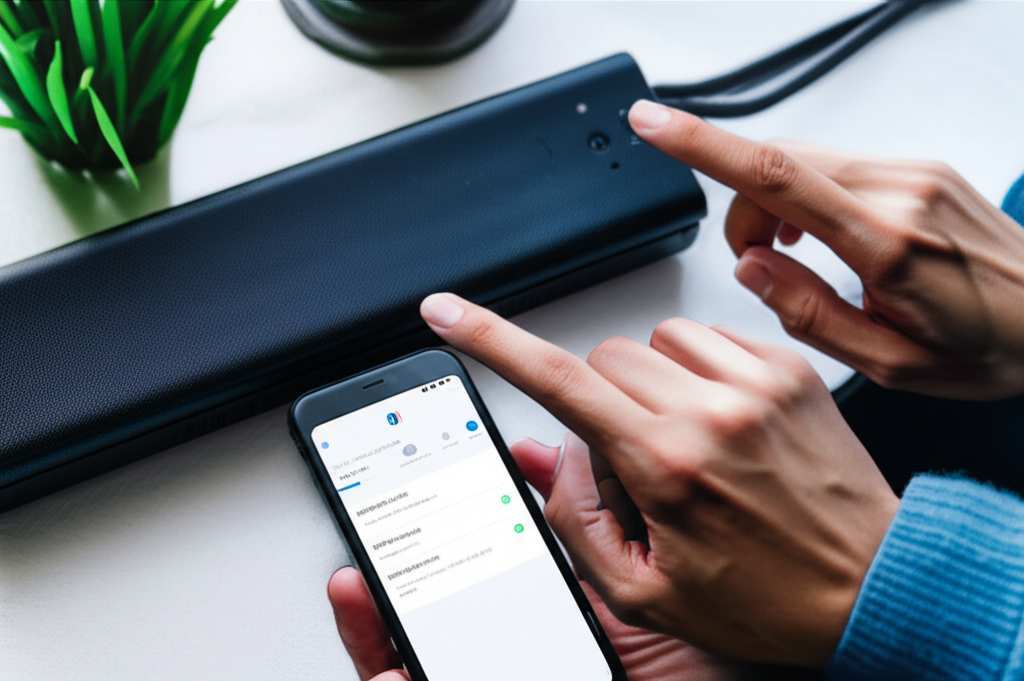
So, grab your speaker and your phone, and let’s get this party started! We’ll break it down step by step, and you’ll see just how simple and rewarding it can be.
Why Everyone Loves Bluetooth Speakers
Bluetooth speakers have become super popular, and for good reason! They offer amazing freedom. You can move your music around your house, take it to the park, or even use it in the shower (if it’s waterproof, of course!). No more tangled wires or being stuck near an outlet.
Think about it: you can stream your favorite podcast while you cook, blast your workout playlist in the gym, or set the perfect mood for a romantic dinner. These little devices pack a punch, transforming any space into an audio oasis. Plus, most are pretty tough and built for adventure.
It’s like having a portable sound system that fits in your bag. And the best part? Connecting them is usually a breeze once you know the simple steps. Let’s dive into making that connection happen.
Your Bluetooth Speaker: A Quick Peek Inside
Before we connect, let’s get friendly with your speaker. Most Bluetooth speakers have a few common things you’ll find on them. Knowing these will make the setup process even smoother.
Power Button: This is usually pretty obvious. Press it to turn your speaker on or off. Some might have a light that turns on when it’s powered up.
Bluetooth Button: This is your key to connecting. It might be a dedicated button with the Bluetooth symbol (a little “B” shape) or it might be combined with the power button. We’ll talk more about what this does in a bit.
Volume Controls: Look for plus (+) and minus (-) buttons to adjust how loud or soft the music is.
Play/Pause/Skip Buttons: Some speakers have these to control your music directly from the speaker itself. Super handy!
Charging Port: This is where you plug in the cable to charge your speaker’s battery. It’s often a USB-C or Micro-USB port.
Indicator Lights: These little lights tell you a lot! They can show if the speaker is on, charging, connected via Bluetooth, or in pairing mode.
How to Set Up Your Bluetooth Speaker: The Simple Steps
Alright, let’s get down to business! Setting up your Bluetooth speaker is like making a new friend. You just need to introduce them properly. Follow these easy steps, and you’ll be listening to your tunes in no time.
Step 1: Charge Up Your Speaker
First things first, make sure your speaker has enough juice. A dead speaker won’t do much good! Plug it into a power source using the charging cable that came with it. You’ll usually see a light indicating it’s charging.
Some speakers can take a couple of hours to fully charge. It’s a good idea to check the speaker’s manual for the exact charging time. A full charge means longer listening sessions, which is always a win!
Step 2: Turn On Your Speaker
Once it’s charged, it’s time to power up! Find that power button and press it. You might hear a little chime or see a light come on. This means your speaker is awake and ready to go.
Some speakers will automatically go into pairing mode when you first turn them on. Others need a little nudge. Keep an eye on those indicator lights!
Step 3: Put Your Speaker in Pairing Mode
This is the most important step for connecting! Pairing mode is like telling your speaker, “Hey, I’m ready to find a new friend (your device)!” You usually do this by pressing and holding the Bluetooth button.
You might hear a specific sound, or the Bluetooth indicator light might start blinking rapidly. This blinking light is your signal that the speaker is discoverable. If you’re not sure how to activate pairing mode on your specific speaker, don’t panic! A quick peek at its user manual will tell you exactly what to do.
Step 4: Open Bluetooth Settings on Your Device
Now, let’s grab the device you want to play music from – usually your smartphone, tablet, or laptop. Go to the settings menu on your device. You’ll need to find the Bluetooth section.
On most phones, you can find Bluetooth settings by tapping on “Settings” and then looking for “Bluetooth.” Make sure your device’s Bluetooth is turned ON. You’ll usually see a toggle switch for this.
Step 5: Find and Select Your Speaker
Once Bluetooth is on, your device will start scanning for nearby Bluetooth devices. In a moment, you should see a list of available devices. Look for the name of your Bluetooth speaker in this list. It’s often the brand name or a model number.
Tap on your speaker’s name in the list. Your device will then try to connect. You might be asked to confirm a pairing code, but usually, it connects automatically.
Step 6: Confirm the Connection
If the connection is successful, you’ll usually hear a confirmation sound from your speaker, and the blinking Bluetooth light will often turn solid. Your device should also show that your speaker is “Connected” in the Bluetooth menu.
Congratulations! You’ve successfully set up your Bluetooth speaker. Now you can start playing your music, podcasts, or anything else you like. Just open your favorite music app and hit play. The sound should now come from your speaker!
Troubleshooting: When Things Don’t Go Smoothly
Sometimes, tech can be a little stubborn. If your speaker isn’t connecting, don’t get discouraged! Most issues are pretty easy to fix. Here are a few common problems and how to solve them.
Speaker Not Showing Up: Make sure your speaker is in pairing mode (blinking light!) and is close enough to your device. Sometimes, turning your device’s Bluetooth off and on again can help it rediscover devices.
Connection Fails: Try restarting both your speaker and your device. This often clears up temporary glitches. You might also want to “forget” the speaker from your device’s Bluetooth list and try pairing again from scratch.
Sound Cutting Out: This can happen if your speaker and device are too far apart, or if there are too many other Bluetooth or Wi-Fi signals interfering. Try moving them closer together and away from other wireless devices.
Can’t Hear Anything: Double-check that the volume is turned up on both your device and your speaker. Also, make sure your device is actually playing audio and that the correct audio output is selected (it should be your Bluetooth speaker).
Tips for a Better Bluetooth Experience
Once you’ve got your speaker connected, here are some handy tips to make your audio experience even better. These little tricks can save you headaches and make your speaker last longer.
Keep Your Firmware Updated
Some speakers have firmware that can be updated. This is like giving your speaker a software upgrade. Updates can improve sound quality, fix bugs, and add new features. Check the manufacturer’s app or website for instructions on how to update.
Understand Bluetooth Versions
You might hear about Bluetooth 4.0, 5.0, or even newer versions. Newer versions generally offer better range, faster connections, and improved power efficiency. While most devices are backward compatible, knowing the version can explain why some connections are better than others. For example, Bluetooth 5.0 can transmit data much faster and at longer distances than older versions.
Protect Your Speaker
If you plan to take your speaker outdoors or to the beach, look for water-resistant or waterproof models. These have ratings like IPX4 (splashproof) or IPX7 (can be submerged). It’s a small investment that can save your speaker from accidental spills or rain.
Battery Care
To keep your speaker’s battery healthy, try not to leave it plugged in constantly after it’s fully charged. Most modern devices have protection against overcharging, but it’s still good practice to unplug it once it’s full. Avoid extreme temperatures, as they can also affect battery life.
Speaker Feature Comparison: What Matters to You?
Choosing a Bluetooth speaker can seem tricky with all the options out there. Here’s a quick look at some key features and what they mean for you.
| Feature | What It Means | Why It Matters |
| :—————- | :—————————————————————————- | :————————————————————————————— |
| Sound Quality | How clear and rich the audio is. Look for features like deep bass and crisp highs. | Affects how enjoyable your music, movies, and podcasts are. A good speaker makes a big difference. |
| Battery Life | How long the speaker can play on a single charge. Measured in hours. | Crucial for portability. Longer battery life means less worrying about finding an outlet. |
| Portability | Size, weight, and design. Is it easy to carry around? | Determines if it’s suitable for travel, picnics, or just moving from room to room. |
| Water Resistance | Ability to withstand splashes or submersion. Rated by IP codes (e.g., IPX7). | Essential if you plan to use it near water, like by the pool, beach, or in the bathroom. |
| Connectivity | Bluetooth version, number of devices that can connect, NFC pairing. | Newer Bluetooth versions offer better range and stability. NFC makes pairing super fast. |
| Smart Features| Voice assistant integration, app control, multi-speaker pairing. | Adds convenience and expanded functionality, allowing for a more connected audio experience. |
When you’re looking at speakers, think about where you’ll use it most. If it’s for parties, you might want something loud with good battery life. If it’s for your desk, size and sound clarity might be more important. Always check reviews from trusted sites like CNET or TechRadar to see how speakers perform in real-world tests.
A Table of Popular Bluetooth Speaker Types
Let’s compare some common types of Bluetooth speakers to help you decide what might be best for your needs.
| Speaker Type | Ideal Use Case | Key Strengths | Potential Downsides |
| :—————— | :———————————————- | :—————————————————- | :—————————————————- |
| Portable Mini | Travel, personal listening, small rooms | Very compact, lightweight, affordable | Lower volume, less bass, can sound tinny |
| Rugged/Outdoor | Camping, hiking, beach, pool parties | Durable, water/dustproof, often loud | Can be bulkier, design might be less sleek |
| Home/Stereo Pair| Living room, home office, creating immersive sound | Excellent sound quality, deep bass, wide soundstage | Less portable, often requires two units for stereo |
| Smart Speaker | Home assistant, music streaming, smart home control | Voice control, hands-free operation, integration | Requires Wi-Fi for full functionality, privacy concerns |
This table gives you a good starting point. For instance, if you’re an avid hiker who loves to bring tunes to the summit, a rugged speaker is your best bet. If you’re building a home theater setup, you might consider a stereo pair for the best cinematic sound.
Frequently Asked Questions (FAQs)
Got more questions? That’s totally normal! Here are some common ones beginners ask.
Q1: Do I need an app to set up my Bluetooth speaker?
A: Most of the time, no! You can connect your speaker directly through your device’s Bluetooth settings. Some speakers might have an optional app that unlocks extra features, like EQ settings or firmware updates, but it’s usually not required for basic setup.
Q2: Can I connect my speaker to more than one device at once?
A: Some advanced speakers allow you to connect to two devices simultaneously. This is called “multi-point pairing.” You can listen to music from your phone and then easily take a call from your tablet without re-pairing. Check your speaker’s manual to see if it supports this.
Q3: How far can my Bluetooth speaker be from my device?
A: The range varies depending on the Bluetooth version. Typically, you can expect around 30 feet (10 meters) in open spaces. Walls and other obstructions can reduce this range. Newer Bluetooth versions, like 5.0 and above, often offer an extended range.
Q4: Why does my speaker keep disconnecting?
A: Disconnections can happen for a few reasons. The most common are being too far from your device, low battery on either the speaker or your device, or interference from other wireless signals. Try moving closer, charging your devices, and minimizing interference.
Q5: Can I use my Bluetooth speaker while it’s charging?
A: Yes, most Bluetooth speakers can be used while they are charging. Just plug it in, and you can continue listening to your music. It’s a great way to keep the party going if your battery is low.
Q6: What does “pairing” mean for a Bluetooth speaker?
A: Pairing is the process of establishing a secure wireless connection between your Bluetooth speaker and your device (like a phone or tablet) for the first time. Once paired, your device will usually remember the speaker, and you won’t have to go through the full pairing process again.
Q7: My speaker is making weird noises. What should I do?
A: If you hear static, popping, or other strange noises, try these steps: ensure the speaker is fully charged, move it closer to your device, check for interference, and try restarting both the speaker and your device. If the problem persists, it might be a hardware issue, and you may need to contact customer support.
You’re Now a Bluetooth Speaker Pro!
See? Setting up a Bluetooth speaker is really quite straightforward. You’ve learned how to charge it, pair it with your devices, and even troubleshoot common issues. You’ve also got a better idea of what features to look for if you decide to upgrade or buy a new one.
This little gadget opens up a world of sound. Whether you’re chilling at home, working out, or out on an adventure, your music is ready to go with you. Don’t be afraid to experiment and explore all the ways your speaker can enhance your day.
Now go enjoy amazing sound and make every moment louder and better! Happy listening!


