Want to use your Alexa as a Bluetooth speaker, even without Wi-Fi? It’s totally possible! This guide shows you a simple trick to connect your phone or tablet directly to your Echo device for awesome sound, no internet needed.
Hey there, tech adventurers! It’s Max from AffTechy.com, your go-to buddy for making technology feel super simple and fun. You know how much we love our gadgets, right? And a big part of that is sound – whether it’s jamming to your favorite tunes, getting lost in a podcast, or making movie nights epic. But sometimes, getting the sound from your phone to a speaker can feel like a puzzle, especially if Wi-Fi isn’t around.
We’ve all been there, right? Staring at a bunch of buttons or settings, wondering which one will actually play your music. It can be a little confusing, and sometimes you just want things to work. Well, guess what? I’ve got a little secret for you, a cool trick that lets your trusty Alexa device become your go-to Bluetooth speaker, no internet connection required. It’s a game-changer for those moments when you’re out and about or just want a quick way to boost your audio.
This isn’t some complicated tech jargon; it’s a straightforward method that anyone can use. We’re going to dive in and break it down, step by step, so you can start enjoying your music or podcasts through your Alexa device with just your phone. Ready to unlock this awesome feature? Let’s make some noise!
Why You’d Want Alexa as a Bluetooth Speaker (No Wi-Fi Needed!)
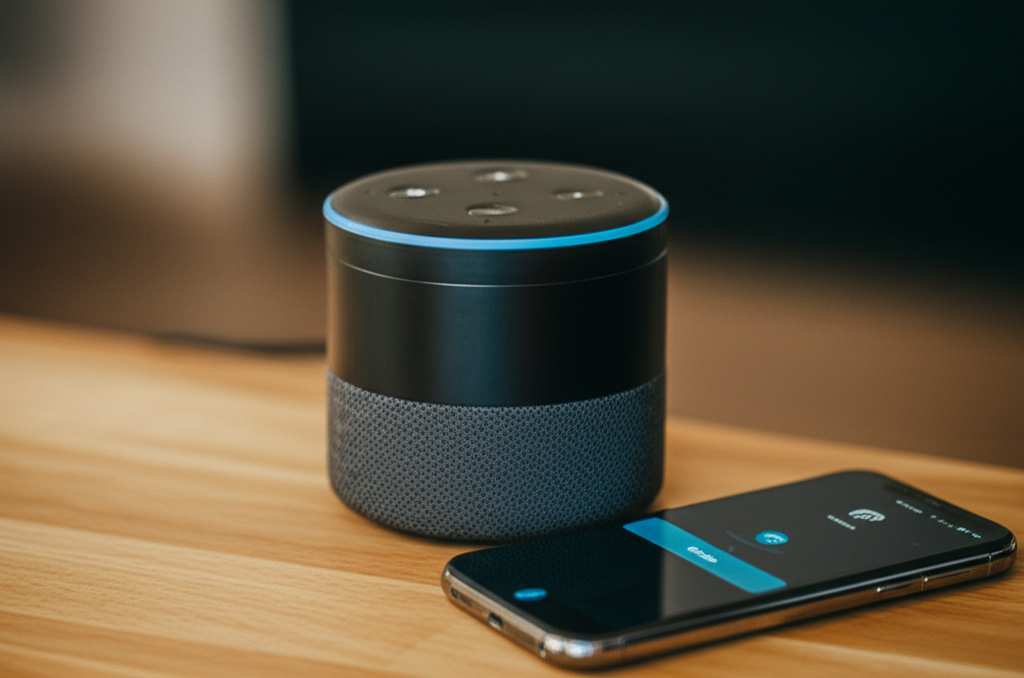
Think about all the places you might want to play your music. Maybe you’re at a friend’s house who doesn’t have Wi-Fi, or you’re enjoying a picnic in the park where the signal is weak. Sometimes, you might just want to use your Echo device as a dedicated speaker for your phone’s audio without messing with apps or accounts. This hack is perfect for those situations. It turns your smart speaker into a versatile, portable sound system.
It’s all about flexibility. You’ve got your phone with all your music, and you’ve got your Alexa device with its great sound. Why not connect them directly? This method bypasses the need for an internet connection, making it super handy for travel or any place where Wi-Fi is a no-go. It’s like having a secret superpower for your audio!
Let’s Talk About Bluetooth: The Magic Behind the Connection
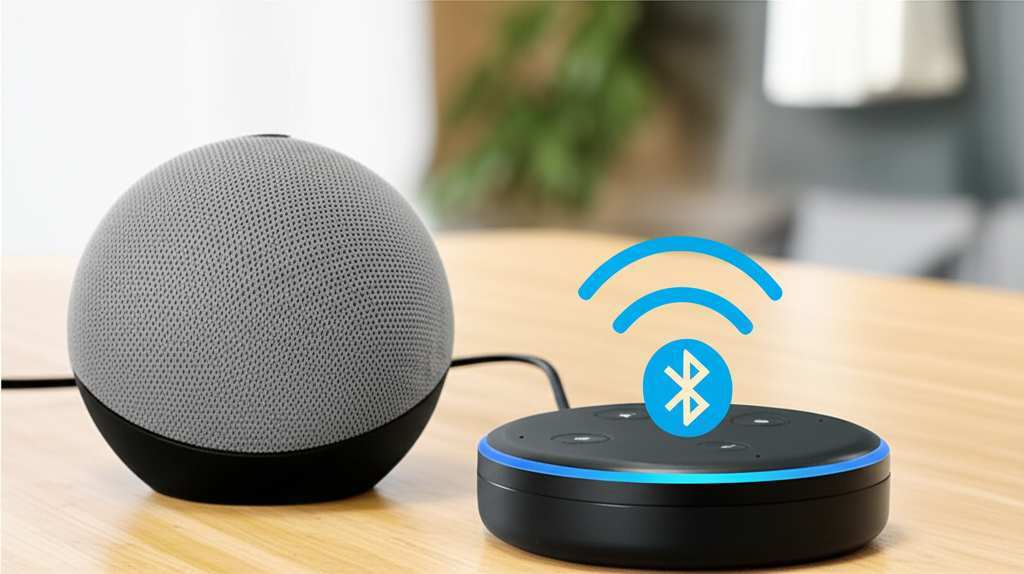
Before we jump into the “how-to,” let’s quickly chat about Bluetooth. It’s a wireless technology that lets devices talk to each other over short distances. Think of it like a tiny, invisible cable that connects your phone to your Alexa device. This is what allows your phone to send audio directly to the speaker, even if there’s no Wi-Fi network for your Alexa to connect to.
Bluetooth is pretty amazing because it’s built into most of our modern devices, including your smartphone and your Amazon Echo. It’s designed to be simple to use, so you don’t need to be a tech wizard to get it working. We’ll show you exactly how to pair your devices.
Your Alexa and Your Phone: A Perfect Pairing
Amazon Echo devices are designed to be smart, and part of that smartness is their ability to act as Bluetooth speakers. Most Echo devices, like the Echo Dot, Echo Show, and the larger Echo speakers, have this capability built right in. This means you don’t need any special hardware or extra purchases to make this work. Your Alexa device is already ready for the job!
The key is that your Alexa device needs to be powered on. That’s it! It doesn’t need to be connected to your home Wi-Fi to receive Bluetooth signals. This is the core of our “no Wi-Fi” hack. We’re using its Bluetooth receiver, not its internet-connected features.
How to Use Alexa as a Bluetooth Speaker Without Wi-Fi: The Step-by-Step Guide
Alright, ready for the main event? This is where we get your devices talking to each other. It’s a super simple process, and I’ll walk you through every single step. Just follow along, and soon you’ll be blasting your favorite tunes!
Step 1: Put Your Alexa Device in Pairing Mode
This is the first crucial step. You need to tell your Alexa device that it’s ready to connect to a new Bluetooth device. The easiest way to do this is by using your voice.
Say, “Alexa, pair Bluetooth.”
Alexa will respond, usually saying something like, “Now in pairing mode. You can connect from the Bluetooth settings on your device.”
You might also hear a blue light ring appear on your Echo device, indicating it’s ready to pair.
This command tells Alexa to open its Bluetooth radio and look for incoming connections. It’s like opening the door for your phone to come in and connect.
Step 2: Open Bluetooth Settings on Your Phone or Tablet
Now, grab your smartphone or tablet. You need to go into its Bluetooth settings to find your Alexa device. The exact location might vary slightly depending on whether you’re using an iPhone, Android phone, or tablet.
For iPhones/iPads: Go to `Settings` > `Bluetooth`. Make sure the Bluetooth toggle is switched ON.
For Android phones/tablets: Go to `Settings` > `Connections` > `Bluetooth`. Ensure Bluetooth is turned ON. (On some Android devices, you might find Bluetooth directly in the main Settings menu).
Your phone will start scanning for nearby Bluetooth devices. This might take a few seconds.
Step 3: Find and Select Your Alexa Device
Once your phone or tablet has scanned for devices, you should see a list of available Bluetooth devices. Look for the name of your Alexa device in this list.
The name usually includes “Echo” followed by the model name (e.g., “Echo Dot,” “Echo Studio,” or simply “Echo”).
Tap on your Alexa device’s name in the list.
Your phone will then attempt to connect to your Alexa. You might see a “Connecting…” message.
Step 4: Confirm the Connection (If Needed)
In most cases, Alexa will automatically confirm the pairing once your phone is connected. You’ll hear Alexa say something like, “Connected to [Your Phone’s Name].”
Sometimes, especially on older devices or if you’re pairing for the very first time, you might get a pairing code on your phone. If this happens, just confirm that the code matches on both devices, or if Alexa asks you to confirm, say “Yes.”
Step 5: Play Your Audio!
That’s it! Your phone is now connected to your Alexa device via Bluetooth. Open your favorite music app, podcast player, or any app that plays audio on your phone.
Start playing your content.
The sound should now come out of your Alexa device. You can control the volume using your phone’s volume buttons or by saying “Alexa, volume up/down” to your Echo.
You’ve successfully turned your Alexa into a Bluetooth speaker without needing any Wi-Fi! How cool is that?
Connecting to Alexa Again (The Easy Way)
The best part about Bluetooth is that once you’ve paired your devices, they remember each other. This means the next time you want to use your Alexa as a Bluetooth speaker without Wi-Fi, it’s even simpler.
1. Turn on Bluetooth on your phone or tablet.
2. Make sure your Alexa device is powered on.
3. Say, “Alexa, connect Bluetooth.”
4. Alexa will usually automatically reconnect to the last device it was paired with (your phone). You’ll hear the confirmation sound and message.
If for some reason it doesn’t connect automatically, you can always go back to your phone’s Bluetooth settings and tap on your Alexa device’s name to initiate the connection manually.
Managing Your Bluetooth Connections with Alexa
Your Alexa device can remember multiple Bluetooth devices. This is handy if you want to connect different phones or tablets to it over time. However, it’s good to know how to manage these connections.
Here are some useful voice commands:
“Alexa, disconnect Bluetooth.” This will disconnect your current phone from Alexa.
“Alexa, forget [Device Name].” This tells Alexa to forget a specific paired device. For example, “Alexa, forget my iPhone.” This is useful if you’re having trouble connecting or want to remove an old device.
“Alexa, what devices are paired?” This will tell you which devices Alexa currently remembers.
Keeping your paired devices organized ensures smooth connections every time you want to use your Alexa as a speaker.
Troubleshooting Common Bluetooth Connection Issues
Sometimes, technology doesn’t play perfectly. If you’re having trouble connecting, don’t worry! Here are a few common issues and how to fix them.
Alexa Not Appearing in Phone’s Bluetooth List:
Make sure you said “Alexa, pair Bluetooth” and that Alexa confirmed it’s in pairing mode.
Try restarting both your Alexa device (unplug it for 10 seconds, then plug it back in) and your phone.
Ensure your phone’s Bluetooth is actually on.
Connection Fails or Drops:
Check the distance between your phone and Alexa. Bluetooth works best when devices are close.
Try disconnecting and re-pairing the devices. Go to your phone’s Bluetooth settings and “forget” the Alexa device, then repeat the pairing process from the beginning.
Make sure your Alexa device isn’t already actively connected to another device via Bluetooth.
No Sound Coming from Alexa:
Confirm that your phone is connected to Alexa in the Bluetooth settings.
Check the volume on both your phone and your Alexa device.
Make sure the audio is actually playing on your phone.
A quick restart of both devices often solves a surprising number of connection problems. It’s like a fresh start for your gadgets!
Fun Facts About Bluetooth and Alexa
Did you know that Bluetooth technology was named after a 10th-century Viking king, Harald Bluetooth? He was known for uniting Danish tribes, much like Bluetooth unites different devices wirelessly! It’s a neat little piece of history behind the tech we use every day.
Also, Amazon continuously updates Alexa’s software. While the core Bluetooth functionality is always there, occasional updates can improve performance and stability. This means your Alexa might get even better at being your Bluetooth speaker over time!
Comparing Alexa Devices for Bluetooth Use
While most Echo devices can function as Bluetooth speakers, there are some differences in sound quality and features that might make one a better choice for you.
Here’s a quick look:
| Echo Device | Bluetooth Capability | Typical Sound Quality | Wi-Fi Needed for Initial Setup? |
|---|---|---|---|
| Echo Dot (3rd Gen & later) | Yes | Good for its size, clear vocals | Yes (for initial setup and updates) |
| Echo (4th Gen) | Yes | Rich, clear sound, good bass | Yes (for initial setup and updates) |
| Echo Studio | Yes | Premium, immersive sound with Dolby Atmos | Yes (for initial setup and updates) |
| Echo Show (5, 8, 10, 15) | Yes | Decent, balanced sound, with a screen | Yes (for initial setup and updates) |
As you can see, all modern Echo devices offer Bluetooth. The main difference when using them as a Bluetooth speaker without Wi-Fi will be the audio output. If you prioritize booming bass and room-filling sound, a larger Echo or Echo Studio would be your best bet. For casual listening or in smaller spaces, an Echo Dot or Echo Show is perfectly adequate. Remember, Wi-Fi is only needed for the initial setup of the Alexa device itself and for its smart features; once set up, Bluetooth pairing works independently.
For more detailed comparisons of Amazon Echo devices, you can check out reviews on sites like CNET.
When to Use Alexa as a Bluetooth Speaker (Beyond Just Music!)
This hack isn’t just for your party playlists. Think about other ways you can use your Alexa as a Bluetooth speaker:
Podcasts and Audiobooks: Get a richer listening experience than your phone speaker can offer.
Video Audio: Watching a movie or a YouTube video on your tablet? Connect to Alexa for better sound and a more immersive experience.
Gaming: If you’re playing a mobile game that has sound effects or background music, Bluetooth can make it more engaging.
Presentations: Need to play an audio clip during a casual presentation? Connect your laptop or tablet to your Alexa.
The possibilities are pretty vast once you realize you have a capable speaker ready to go, no internet required!
Frequently Asked Questions (FAQs)
Q1: Do I need to have my Alexa device connected to Wi-Fi to use it as a Bluetooth speaker?
A1: Nope! This is the beauty of the hack. You only need Wi-Fi for the initial setup of your Alexa device and for its smart features like asking questions or controlling smart home devices. For Bluetooth audio streaming, it works completely independently of your Wi-Fi network.
Q2: Can I use any Alexa device as a Bluetooth speaker?
A2: Yes, most Amazon Echo devices, including the Echo Dot, Echo, Echo Show, and Echo Studio, are equipped with Bluetooth capabilities and can be used as speakers.
Q3: How far away can my phone be from my Alexa for Bluetooth to work?
A3: Bluetooth typically has a range of about 30 feet (10 meters) in open spaces. Walls and other obstructions can reduce this range. For the best performance, keep your phone and Alexa relatively close to each other.
Q4: Can Alexa control the music playback (play, pause, skip)?
A4: While Alexa can control the volume (“Alexa, volume up”), it generally cannot control the playback (play, pause, skip tracks) of audio being streamed from your phone via Bluetooth. You’ll need to use your phone for those controls.
Q5: What if my Alexa device is already connected to Wi-Fi for other reasons? Does that prevent Bluetooth pairing?
A5: Not at all! Your Alexa device can be connected to Wi-Fi for its smart functions and be connected to your phone via Bluetooth simultaneously. The Wi-Fi and Bluetooth connections are separate.
Q6: How do I disconnect my phone from Alexa if I don’t want to use it as a speaker anymore?
A6: You can simply turn off Bluetooth on your phone, or say, “Alexa, disconnect Bluetooth.” You can also tell Alexa to “forget” your device if you don’t want it to auto-connect in the future.
Q7: Can I use my phone’s microphone through Alexa when connected via Bluetooth?
A7: No, Alexa cannot act as a microphone for your phone when used as a Bluetooth speaker. It only receives audio from your phone.
Wrapping Up: Your Sound, Your Way!
So there you have it! You’ve unlocked a super handy trick to use your Alexa device as a fantastic Bluetooth speaker, all without needing Wi-Fi. It’s about making your tech work for you, in any situation. Whether you’re out and about, at a friend’s place, or just want a quick audio boost at home, this method gives you that freedom.
Remember, the key is just saying the magic words: “Alexa, pair Bluetooth” or “Alexa, connect Bluetooth.” Your phone and Alexa are now a dynamic duo for all your audio needs. You can enjoy clearer podcasts, more powerful music, and an all-around better sound experience anytime, anywhere.
Don’t be afraid to try it out! Experiment with different apps and see how much better your audio can sound. Now go enjoy amazing sound and make every moment louder and better!