If your power bank isn’t charging your phone, don’t panic—there are straightforward steps to fix it quickly. First, check the cable and port for any damage or debris, and try switching to a different cable or port. Reset the power bank by draining its remaining charge and then recharging it fully. If these simple fixes don’t work, consider replacing the faulty components or getting it professionally repaired.
In brief, ensure your cables and ports are clean and undamaged, reset the power bank, and test with a different device or cable. If problems persist, it may need internal repairs or replacement of faulty parts. Addressing these issues promptly can save you the cost of a new power bank and get your device charging again in no time.
A malfunctioning power bank can be frustrating, especially when you’re relying on it to keep your devices powered on the go. Often, the issue isn’t major—something simple like a loose connection, dirt in the charging port, or a depleted battery can cause charging problems. Understanding the common reasons behind a power bank not charging your phone and knowing how to troubleshoot them can help you quickly identify and fix the problem. Whether it’s a software hiccup, worn-out cable, or internal defect, there are practical steps you can take before deciding to replace the entire device. This guide will walk you through easy solutions to get your power bank working smoothly again, saving you time and money.

How to Repair Power Bank Not Charging Phone
Understanding Why Your Power Bank Isn’t Charging Your Phone
Many users experience frustration when their power bank stops charging their phones. Often, the issue isn’t with the phone but with the power bank itself. To fix this, you first need to identify the possible reasons behind the problem. Common causes include faulty cables, damaged ports, or internal battery issues.
Inspecting the Power Bank and Cables
Begin your repair process by examining both the power bank and charging cables. Look for visible damage like frayed wires or bent connectors. Sometimes, a simple cable replacement can solve the problem if the current one is broken. Always use high-quality cables that support fast charging for best results.
Testing with Different Cables and Chargers
Try connecting your power bank to your phone using different cables and chargers. If the phone charges with another cable, the original one may be defective. If no cables work, the problem could be with the power bank’s output port. Testing helps rule out cable issues early.
Checking the Power Bank’s Output Port
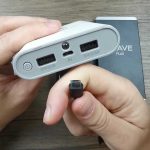
Examine the port where the cable connects to the power bank. Look for debris, dust, or corrosion that might block the connection. Gently clean the port using a dry toothbrush or compressed air. Be careful not to damage the port during cleaning.
Cleaning the Charging Port
Use a small brush or a toothpick to remove dirt from the port. Avoid using liquids, as they can cause further damage. After cleaning, try charging your phone again. Sometimes, a simple cleaning restores proper contact and fixes charging issues.
Testing the Power Bank’s Battery and Status Lights
Most power banks have LED indicators showing their charge level. If the lights don’t turn on, the internal battery might be drained or damaged. Charge the power bank fully using a compatible charger and observe if the lights respond. A lack of response suggests internal battery problems.
How to Properly Charge the Power Bank
Connect your power bank to a power source using a suitable cable. Leave it charging for at least a few hours. Avoid overcharging by disconnecting once the indicator shows full capacity. Proper charging helps prevent battery deterioration over time.
Resetting the Power Bank
Some power banks have a reset function to fix internal errors. Look for a small reset button or hole that requires a paperclip. Press and hold the reset button for a few seconds. This can clear temporary glitches causing charging issues.
Performing a Hard Reset
If no reset button exists, disconnect all devices and power sources from the bank. Then, press and hold the power button for about ten seconds. Reconnect your devices afterward and see if they start charging normally. This can sometimes reset the internal circuitry.
Addressing Internal Hardware Problems
If your power bank still refuses to charge your phone, internal hardware damage could be the cause. Components like the charging circuit board or battery management system might be faulty. These issues often require professional repair or replacement of the power bank.
When to Seek Professional Repair Services
If your attempts at troubleshooting do not fix the problem, it’s wise to consult a qualified technician. They can diagnose internal issues using specialized tools. Avoid opening the power bank yourself unless you have experience, as it can be dangerous and void warranties.
Replacing the Power Bank or Internal Components
Sometimes, repairing internal parts isn’t cost-effective. Consider replacing your power bank if it’s old or heavily damaged. If only a specific component like the charging port or battery is faulty, a professional repair shop might replace these parts.
Choosing a New Power Bank
When buying a new power bank, look for models with high capacity (measured in mAh), fast charging capabilities, and good customer reviews. Select one with safety features like overcharge protection to avoid future issues.
Maintaining Your Power Bank to Prevent Future Problems
Proper maintenance extends the lifespan of your power bank. Avoid exposing it to extreme temperatures, moisture, or physical shocks. Regularly clean the ports and avoid leaving it empty for extended periods. A well-cared-for power bank is less likely to encounter charging problems.
Best Practices for Longevity
Charge your power bank before it drops below 20% and unplug it once fully charged. Use original or certified cables to prevent internal damage. Keep your power bank in a dry, cool place away from direct sunlight.
Additional Tips for Troubleshooting Power Bank Charging Problems
Besides the methods listed, check for firmware updates. Some modern power banks can be updated via an app or computer connection to fix software glitches. Also, test different ports if your device has multiple output options.
Verifying Compatibility with Devices
Ensure your power bank supports your phone’s charging standards. Some devices require specific voltage or power levels to charge properly. Using incompatible equipment can cause charging failures or slow charging speeds.
Summary of Troubleshooting Steps
- Inspect and replace faulty cables or chargers.
- Clean the charging port and connection points.
- Test the power bank’s battery and LEDs.
- Reset the power bank if applicable.
- Check for internal hardware issues with professional help if needed.
- Replace the power bank if repair isn’t feasible.
- Maintain proper usage and storage practices to prevent future issues.
Final Advice
Having a power bank that charges your phone reliably is essential for daily life. By following these troubleshooting steps and maintaining your device, you can extend its lifespan and avoid unexpected failures. Remember, safety always comes first—if you’re unsure, seek professional help to avoid damage or personal injury.
How to repair power bank not charging solved
Frequently Asked Questions
Why does my power bank seem to charge but not power my phone?
This issue often occurs when the power bank’s internal circuitry detects a fault or when the charging cable or port has dirt or damage. Additionally, incompatible or low-quality cables may prevent proper power transfer. Ensure that you use a compatible cable and check for debris or damage in the port. If the problem persists, resetting the power bank or using a different device to test its output can help identify if the issue lies with the power bank itself.
How can I determine if the power bank’s battery needs replacement?
If your power bank fails to hold a charge or device connectivity is inconsistent despite using a functional cable, the battery might be worn out. To evaluate this, charge the power bank fully and then see if it supplies power for a reasonable period. If its capacity drops significantly or it stops working after a short interval, replacing the battery or the entire unit might be necessary. Some models allow battery replacement, so check the manufacturer’s guidelines before attempting repairs.
What steps should I take if the power bank’s charging port is damaged?
Inspect the port carefully for signs of physical damage, debris, or loose connections. If you notice debris, clean the port gently with a soft brush or compressed air. For physical damage like bent or broken pins, consider consulting a professional repair service. Attempting to repair damaged ports yourself can cause further issues, so seeking professional help ensures safe and effective resolution.
How do I troubleshoot if the power bank’s LED indicators do not turn on?
First, verify that the power bank is adequately charged by connecting it to a known working power source. If the LED indicators remain off, try resetting the device by pressing the reset button if available. Check the power button’s functionality and ensure no dirt or damage obstructs it. If the issues persist, the internal circuitry might be faulty, and you should consider getting the power bank inspected or replaced.
Can software updates help resolve charging issues with my power bank?
Many modern power banks include firmware that can sometimes be updated to improve performance or resolve bugs. Check the manufacturer’s website or app for available updates. Follow the instructions carefully to update the firmware. Keep in mind that most power banks do not support software updates, so if updating is not an option, focus on hardware troubleshooting or professional repairs instead.
Final Thoughts
To repair a power bank not charging your phone, start by checking the USB cable and port for damage or debris. Ensure the power bank’s output port is clean and free of dust. If the problem persists, try resting the power bank or using a different cable.
Test the power bank with another device to confirm it’s working correctly. If it still doesn’t charge your phone, consider resetting or updating the power bank firmware if available.
How to repair power bank not charging phone involves verifying connections and condition. By following these steps, you can resolve most common issues and restore your power bank’s charging capabilities.