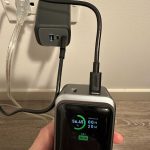
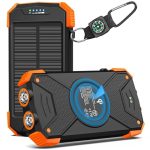
To charge a power bank quickly and efficiently, simply connect it to a compatible power source using the right cable and ensure it’s receiving power. Use a wall charger with sufficient output, avoid charging through low-power ports, and let it fully charge before unplugging.
Charging your power bank is straightforward—just plug it into an appropriate power source with the correct cable, and wait until the indicator shows it’s full. To ensure quick and safe charging, use a good quality wall charger with a high enough wattage and avoid charging from low-power USB ports, which can slow down the process. It’s also best to charge your power bank in a cool, dry place and not to overcharge it for longevity. Whether you’re preparing for a trip or just topping it up at home, knowing the proper way to charge your power bank keeps your devices ready whenever you need them.

How to Charge a Power Bank: Your Complete Guide
Charging a power bank properly ensures it stays ready when you need it most. Whether you’re new to using portable chargers or want to improve your charging habits, understanding the best ways to charge your power bank is essential. This guide covers everything you need to know about charging your power bank safely, efficiently, and effectively.
Understanding Your Power Bank’s Battery Type
Most power banks use Lithium-ion (Li-ion) or Lithium-polymer (LiPo) batteries. These batteries require specific charging practices to extend their lifespan and performance.
Li-ion batteries are popular because they are durable and have a high energy density. LiPo batteries are thinner and more flexible in design but need careful handling during charging.
Always check the manufacturer’s specifications for your power bank to understand its battery type and recommended charging practices.
Identifying the Correct Charging Port and Cable
Power banks have one or more input ports used for charging. Most common types include Micro USB, USB-C, or Lightning ports.
Using the correct charging cable and port ensures efficient power flow and prevents damage. For example, USB-C ports often support faster charging compared to Micro USB.
Many modern power banks now feature fast-charging capabilities, which require compatible cables and chargers to work properly.
- Always use the original or high-quality cables recommended by the manufacturer.
- Check for any damage or fraying on your cables before use to avoid interruptions or hazards.
Choosing the Right Charger for Your Power Bank
The charger you select impacts the health and charging speed of your power bank. Using a charger with the correct voltage and current ratings is essential.
Most power banks specify input voltage and current in their user manual. Typically, a charger with 5V and at least 2A is suitable for many models.
Using a charger with a higher output doesn’t necessarily mean faster charging. It’s best to follow the manufacturer’s recommendations for optimal results.
| Charger Characteristics | Ideal for |
|---|---|
| 5V, 2A | Standard power banks, moderate charging speed |
| 5V, 3A or higher | Fast-charging power banks, quick top-ups |
How to Properly Charge Your Power Bank
Start by connecting the appropriate cable to your power bank’s input port. Plug the other end into your selected charger.
Ensure the charger is plugged into a power outlet that provides stable power. Avoid using extension cords or power strips with multiple devices connected.
Look for indicator lights on your power bank to confirm charging has started. Some models have LED lights, while others display on small screens.
Charge until the power bank reaches full capacity, usually indicated by stable or flashing lights turning solid or off, depending on your model.
It is generally recommended not to overcharge your power bank. Once fully charged, unplug it from the power source.
Optimizing Charging Times
Charging times vary depending on the capacity of your power bank and the output of your charger.
For something with a 10,000mAh capacity, expect around 3 to 4 hours for a full charge with a standard 2A charger.
Using a fast charger can reduce charging time significantly but always ensure compatibility to prevent damage.
If in a hurry, some power banks support rapid charging, but avoid leaving the device plugged in beyond 100% capacity to maximize battery health over time.
Best Practices for Maintaining Your Power Bank’s Health
To keep your power bank functioning well over time, follow these tips:
- Charge the power bank periodically if you don’t use it often. A monthly top-up keeps the battery active.
- Keep your power bank in a cool, dry place. Excess heat can damage the battery.
- Avoid letting the battery fully discharge regularly. It’s better to recharge when it drops to around 20 to 30%.
- Never expose your power bank to water or extreme environmental conditions.
Addressing Common Charging Issues
If your power bank isn’t charging properly, check these points:
- Ensure the cable and charger are working by testing with another device.
- Inspect the input port for dust, debris, or damage that might interfere with charging.
- Try using a different power outlet or charger to rule out external issues.
- If the power bank still refuses to charge, consult the manufacturer or consider professional repair or replacement.
Additional Tips for a Better Charging Experience
Think about the following tips to optimize your power bank’s longevity and performance:
- Use a surge protector for your charging setup to prevent power surges from damaging your device.
- Charge your power bank before it drops below 20% to avoid deep discharges that can harm the battery.
- Label your cables or keep an organized charging station for quick access and avoid confusion.
- Consider purchasing a power bank with fast-charging features if you often need quick top-ups.
Related Topics: Enhancing Your Power Bank Usage
Beyond just charging, there are other ways to improve your experience with power banks:
- Understanding different charging protocols like Quick Charge and Power Delivery for faster charging.
- Learning about solar power banks for eco-friendly charging options.
- Using portable chargers with multiple output ports to charge several devices simultaneously.
- Storing your power bank correctly during long periods of non-use.
Knowing how to correctly charge your power bank extends its lifespan and ensures it’s always ready to use. Paying attention to the right cables, chargers, and storage practices will keep your device performing optimally for years to come. Regularly monitoring and maintaining your power bank is a smart habit that benefits your daily tech use and keeps your devices powered up wherever you are.
How to charge a power bank the proper way
Frequently Asked Questions
What steps should I follow to properly connect my power bank to a power source?
Begin by using the charging cable that came with your power bank or a compatible one. Plug the USB or input port of the power bank into a wall socket or a USB charging port on a computer. Ensure the connections are secure and avoid forcing the cable into the port. Once connected, look for indicator lights on the power bank that confirm it is charging. Leave the device connected until the indicator shows it is fully charged or reaches the desired level.
How can I tell when my power bank has finished charging?
Most power banks have LED indicator lights that display the charging status. When you connect the power bank to a power source, the lights usually turn on and may change color or turn off once the device is fully charged. Some models provide a percentage display. Check your device’s manual for specific indicators. It’s best to unplug the power bank once it reaches full charge to preserve battery health and prevent overcharging.
Are there any precautions I should take while charging my power bank?
Always use the charger and cable recommended by the manufacturer to avoid damaging the device. Charge your power bank in a cool, dry place, away from direct sunlight and heat sources. Do not overload the power socket or use damaged cables. Avoid charging the power bank in wet environments to prevent short circuits. If the power bank becomes excessively hot or shows signs of swelling, disconnect it immediately and cease usage to prevent safety hazards.
Can I charge my power bank using a portable power source, like a USB wall adapter?
Yes, you can use a portable USB wall adapter to charge your power bank. Make sure the adapter provides an output compatible with the power bank’s input specifications. Connect the adapter to the power bank using the appropriate cable, then plug the adapter into a power outlet. Using a high-quality, reliable power source ensures efficient charging and prolongs the lifespan of the power bank.
How long does it typically take to fully charge a power bank?
The charging time varies depending on the capacity of the power bank and the output power of the charger. Smaller capacity power banks, such as those with 2000-3000mAh, may take about 1-3 hours to reach full charge. Larger capacity models, like 10,000mAh or more, might take 4-8 hours. Always check the manufacturer’s guidelines for estimated charging times and avoid disconnecting the device prematurely for optimal battery health.
Final Thoughts
To conclude, how to charge a power bank efficiently involves connecting it to a suitable power source using the proper cable. Always ensure the power bank is compatible with your charger output for safe and quick charging. Keep the device in a cool, dry place during charging to prevent overheating. Following these simple steps will help you keep your power bank ready whenever you need it.