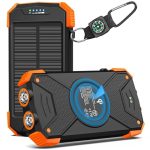
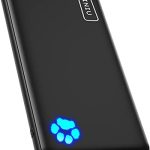
To charge your Anker power bank quickly and efficiently, simply connect it to a compatible wall charger using the provided cable, preferably with a power output of at least 2A. Avoid using low-power chargers or charging via your computer’s USB port for faster results. Keep your power bank in a cool, dry place during charging to maximize its lifespan.
Charging your Anker power bank is straightforward: use the included or a compatible high-quality USB cable and connect it to a reliable wall charger. Make sure the charger delivers enough power—ideally 5V/2A—to speed up the process. Once connected, the LED indicator lights will show the charging status. For optimal performance, avoid overcharging or exposing your power bank to extreme temperatures. In this article, you’ll find simple steps to efficiently recharge your device so it’s ready whenever you need it. Whether you’re new to power banks or just looking for faster ways to charge, these tips will ensure your Anker remains powered up and ready to go!

How to Charge Anker Power Bank: A Complete Guide
Understanding Your Anker Power Bank
To properly charge your Anker power bank, it’s essential to know how it works. Most Anker models have a USB-C input port or a Micro USB port. The input port allows the power bank to be recharged, while the output ports supply power to your devices. Reading your device’s manual will clarify which ports are for charging the power bank and which are for powering your gadgets.
Choosing the Right Charger for Your Anker Power Bank
The first step in charging your power bank is selecting the correct charger. Anker recommends using **original or certified chargers** that match the input specifications. Most Anker power banks support fast charging with an input of 5V/2A or higher, so choosing a charger with at least 2A output ensures efficient recharging.
Using a Power Adapter with Adequate Power
Use a power adapter that provides **sufficient wattage** to enable faster charging times. For example, a charger providing 18W or higher can reduce the charging duration. Avoid using low-power chargers, as they can prolong recharging and may not fully charge the power bank.
Optimum Charging Cables
Your charging cable also plays a role in how quickly your power bank refuels. Use **high-quality, certified cables** that are compatible with your charger and power bank ports. Cables with thicker wires or higher current ratings support faster charging.
How to Properly Charge Your Anker Power Bank
Charging your Anker power bank is straightforward, but some best practices can help prolong its life and efficiency.
Step-by-Step Charging Process
- Connect your charger to the wall outlet.
- Plug the charger into the input port of your Anker power bank.
- Ensure the connection is snug and without loose contacts.
- Allow the power bank to charge without interruption until fully charged.
Monitoring Charging Progress
Most Anker power banks come with LED indicator lights. These lights display the charging status:
- Green lights often indicate a fully charged power bank.
- Flashing or red lights suggest charging is in progress.
- You can check the battery level through the device’s display or app if available.
Ideal Charging Duration
Charging times depend on the power bank’s capacity and the charger’s wattage. Typically, a 10,000mAh power bank takes around 4-6 hours to fully charge using a 2A charger. Larger capacity models, like 20,000mAh or 26,800mAh, may take longer, sometimes up to 12 hours.
Tips for Efficient Charging and Maintenance
Proper maintenance ensures your power bank stays in good condition.
Avoid Overcharging
Once your power bank reaches full charge, unplug it. Overcharging can strain the battery and reduce its lifespan.
Don’t Let It Fully Drain
It is best to charge the power bank before it drops below 20% to maintain battery health.
Charge in a Cool, Dry Place
High temperatures can degrade the battery. Keep your power bank in a cool, dry environment during charging.
Using Your Anker Power Bank While Charging
Many users want to charge their power bank and devices simultaneously; check your device specifications first. Some models support pass-through charging, which allows devices to be powered while the power bank itself is recharging. Always use compatible cables and avoid overloading the power bank when doing this.
Common Troubleshooting for Charging Issues
If your power bank isn’t charging properly, consider these steps:
Check the Charging Cable and Adapter
Use a different cable or charger to eliminate possible faults.
Inspect Ports for Dust or Debris
Clean the input port gently with a soft brush or compressed air.
Test with a Different Power Outlet
Ensure the wall socket is working correctly.
Update Firmware if Possible
Some Anker models support firmware updates to enhance charging efficiency. Check the manufacturer’s website for instructions.
Advanced Tips for Faster Charging
For users who want to optimize their charging process:
Use Quick Charge or Power Delivery Chargers
Select chargers supporting Quick Charge (QC) or Power Delivery (PD). These technologies increase current flow, reducing charging times significantly.
Properly Handle Cables and Connectors
Avoid bending or twisting cables excessively. Damaged cables can slow down charging or cause inconsistent power flow.
Check Battery Status Regularly
Monitoring your power bank’s battery health helps detect issues early. Some models have dedicated apps for this purpose.
Summary of Key Points for Charging Your Anker Power Bank
- Use **original or certified chargers** matching the input specifications.
- Choose **high-quality cables** supporting fast charging.
- Connect to a **power outlet with sufficient wattage** for quicker recharge.
- Monitor **LED indicators** to track charging progress.
- Avoid overcharging and charging in **hot environments**.
- Follow best practices for **maintenance and troubleshooting**.
Table: Typical Charging Times Based on Power Bank Capacity
| Capacity | Recommended Charger | Estimated Charging Time |
|---|---|---|
| 10,000mAh | 2A Charger | 4-5 hours |
| 20,000mAh | 2A or higher | 8-12 hours |
| 26,800mAh | 3A or higher, PD charger | 10-14 hours |
By following these detailed steps and tips, you’ll ensure that your Anker power bank is always ready to go when you need it. Proper charging and maintenance extend the lifespan of the device and keep it functioning at optimal levels. Remember to always use quality accessories and handle your power bank with care for best results.
How to CHARGE Your Anker Power Bank (USB Type A to USB Type C) | New
Frequently Asked Questions
What are the steps to connect my Anker Power Bank to a power source for charging?
To charge your Anker Power Bank, start by locating the input port, usually a USB-C or Micro USB port. Use the included or compatible charging cable to connect the Power Bank to a wall adapter or a USB power source. Plug the adapter into an electrical outlet, ensuring the connection is secure. The Power Bank’s LED indicators will typically light up, showing it is charging. Allow it to fully charge before disconnecting for optimal performance.
How long does it typically take to fully charge an Anker Power Bank?
The charging time depends on the capacity of your Power Bank and the power source used. Generally, a standard Anker Power Bank with a capacity of 10,000 mAh takes around 4-6 hours to fully charge with a 2A wall charger. Larger models with higher capacities may require 8 hours or more. Using a higher-output charger can reduce charging time, but always check the manufacturer’s recommendations to avoid overcharging or damaging the device.
Can I charge my device while the Power Bank itself is charging?
Yes, you can use your Power Bank to charge your devices while it is being recharged, provided it supports pass-through charging. Note that this process might slow down the charging speed of your Power Bank and reduce its overall battery life over time. Make sure your Power Bank supports pass-through charging, which is usually indicated in the user manual or product specifications.
Is it safe to leave my Anker Power Bank plugged in after it’s fully charged?
Most modern Power Banks, including Anker models, incorporate built-in circuitry to prevent overcharging. Once fully charged, the device typically stops drawing power from the charger. However, it is a good practice to unplug the Power Bank once it reaches full charge to preserve battery health and safety. Regularly disconnecting it after charging helps maintain overall device performance over time.
What should I do if my Power Bank is not charging properly?
If your Power Bank isn’t charging correctly, first check the charging cable and wall adapter for any damage or loose connections. Make sure you connect the cable securely to both the Power Bank and the power source. Try using a different cable or charger to identify if the issue lies with the accessories. Also, ensure the Power Bank’s input port is clean and free of debris. If problems persist, consult the user manual or contact Anker customer support for further assistance.
Final Thoughts
To charge anker power bank, connect it to a power source using a compatible cable. Ensure you use a reputable charger to prevent any damage. Keep the power bank in a cool, dry place during charging.
In conclusion, how to charge anker power bank involves connecting it properly and using the right charger. Follow these simple steps to keep your power bank ready for use anytime.