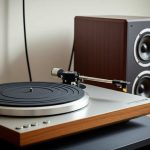
Tired of that annoying buzz and hum ruining your vinyl jams? This guide is your ultimate fix for crystal-clear sound from your record player speakers. We’ll walk through easy steps to silence the noise and bring back the music, hassle-free!
Hey there, fellow music lovers! You know that feeling when you drop the needle on a classic record, and the music just washes over you? It’s pure magic. But sometimes, that magic gets interrupted by a persistent hum or crackle from your speakers. It’s like a little buzzkill, right?
It can be super frustrating when you’re trying to enjoy your favorite tunes, but all you hear is unwanted noise. You might wonder if your record player is broken or if your speakers are just giving up. Don’t worry, though! Most of the time, these sound issues are totally fixable.
That’s where I come in. My name is Max, and I’m here to help you sort out all things tech without the headache. We’re going to dive into why your record player speakers might be making noise and, more importantly, how to get rid of it. So, let’s ditch the buzz and get back to pure, sweet sound!

Why Are My Record Player Speakers Making Noise?
It’s like a little mystery when your speakers start humming. You might hear a low, steady buzz, or maybe some crackles and pops. These sounds usually come from a few common culprits. Think of it like your sound system telling you it needs a little attention.
Sometimes, it’s just a simple wiring issue. Other times, it could be interference from other devices. We’ll explore all the usual suspects so you can pinpoint the problem. It’s all about understanding what’s happening behind the scenes to make your music sound its best.
Let’s Talk About Sound: Understanding Speaker Noise
Before we jump into fixing things, let’s quickly chat about what causes this noise. It’s not usually a sign of a major breakdown. More often, it’s a symptom of something small that’s out of place.
There are a few main types of noise you might encounter. The most common are:

Hum: This is that low, continuous buzzing sound. It often happens when there’s an electrical issue.
Hiss: A soft, constant “shhh” sound. This can be from the amplifier or the cartridge.
Crackles and Pops: These are sharp, sudden noises. They can come from dirty records, a dusty stylus, or loose connections.
Understanding these little gremlins is the first step to banishing them for good. We’ll tackle each one!
Step-by-Step Guide to Silencing Your Speakers
Alright, let’s get our hands dirty and fix that noise! We’ll go through a series of checks. Think of this like a troubleshooting adventure.
Step 1: Check Your Connections
This is the most common fix, and it’s super easy. Loose cables are the silent (or not-so-silent!) assassins of good sound.
1. Inspect all cables: Make sure every cable connecting your turntable to your amplifier and your amplifier to your speakers is plugged in snugly.
2. Wiggle test: Gently wiggle each connection. If you hear the noise change, you’ve found a loose spot.
3. Replace if damaged: If any cables look frayed or damaged, it’s time for a new one. A good quality RCA cable can make a world of difference.
Remember, even a tiny bit of looseness can let in unwanted noise. It’s worth double-checking everything.
Step 2: Grounding is Key!
This is a big one for hum. Your turntable has a ground wire, usually a thin, bare wire. This wire is super important for preventing that annoying electrical hum.
1. Locate the ground wire: It’s typically attached to the back of your turntable.
2. Connect it properly: This wire needs to be connected to the ground terminal on your amplifier or receiver. It’s usually a small screw with a “GND” or “Ground” label.
3. Ensure a tight connection: Make sure the wire is wrapped securely around the screw. If it’s a clip, ensure it’s firmly attached.
A proper ground connection helps to eliminate ground loops, which are a major cause of that persistent hum. It’s like giving your turntable a clear path for its electrical signals.
Step 3: Power It Off and Unplug
Sometimes, the simplest solution is to reset everything. This can clear out any temporary electrical glitches.
1. Turn off your turntable: Make sure it’s completely powered down.
2. Turn off your amplifier/receiver: Switch it off at the power button.
3. Unplug everything: Disconnect the power cords for both your turntable and amplifier from the wall outlet.
4. Wait a few minutes: Give them about 5-10 minutes. This allows any residual electricity to dissipate.
5. Plug back in and turn on: Connect the power cords and turn on your amplifier first, then your turntable.
This process can sometimes resolve phantom noises that don’t have a clear physical cause. It’s like giving your system a fresh start.
Step 4: Tackle Interference
Other electronic devices can cause interference. Think of your turntable and speakers as sensitive ears.
1. Identify nearby devices: Look at what’s close to your turntable, amplifier, and speaker wires. This includes Wi-Fi routers, mobile phones, fluorescent lights, and even power strips.
2. Relocate suspect devices: Try moving these devices further away from your audio setup. Even a few feet can make a difference.
3. Use shielded cables: If you’re using older or unshielded cables, consider upgrading to shielded ones. These are designed to block out electromagnetic interference.
It’s amazing how much these invisible waves can affect your sound. Keeping your audio gear a little isolated can work wonders.
Step 5: Clean Your Stylus and Records
This is crucial for pops and crackles. A dirty stylus or record is like playing music through a dusty window.
1. Clean your stylus: Use a dedicated stylus brush or a small amount of isopropyl alcohol on a cotton swab. Gently brush from back to front. Never brush side-to-side or front-to-back.
2. Clean your records: Use a carbon fiber brush before each play. For deeper cleaning, consider a record cleaning solution and a microfiber cloth.
A clean record and stylus mean a clean signal going into your system. It’s the foundation of great vinyl sound.
Step 6: Check Your Cartridge Alignment and Tracking Force
This is a bit more technical, but it’s important for good sound and can sometimes contribute to noise.
Tracking Force: This is how much pressure the stylus applies to the record. Too much or too little can cause distortion and noise. Your turntable’s manual will tell you the recommended setting.
Cartridge Alignment: This ensures the stylus sits perfectly in the record groove. If it’s off, you’ll get uneven sound and potentially noise. This is often set by the manufacturer, but if you’ve replaced your cartridge, you might need to align it.
If you’re unsure about this step, it’s a good idea to consult your turntable’s manual or seek help from a local audio shop. Getting these settings just right makes a huge difference.
Advanced Tips for Pristine Sound
Once you’ve gone through the basics, here are a few more things you can do to elevate your sound quality and reduce any lingering noise.
Upgrade Your Components
Sometimes, the noise is a sign that your gear is nearing the end of its life or just not up to par.
Better Amplifier: A higher-quality amplifier can offer better noise rejection and clearer signal processing.
New Cartridge: An older or worn-out cartridge can produce more surface noise. A fresh, good-quality cartridge can be a game-changer.
Quality Phono Preamp: If your amplifier doesn’t have a built-in phono stage, you’ll need an external one. A good phono preamp can significantly improve sound quality and reduce noise.
It’s like upgrading your car’s tires for a smoother ride. Better components often mean better sound.
Power Conditioning
This is for those who want to go the extra mile. Power conditioners can filter out electrical noise from your wall outlet before it reaches your sensitive audio equipment.
What they do: They help clean up the AC power, reducing hum and buzz that can be introduced from the mains supply.
Considerations: They can range from simple surge protectors with some filtering to more advanced units.
For serious audiophiles, a good power conditioner is often seen as essential. You can learn more about them on sites like CNET.
Speaker Placement Matters
While less likely to cause hum, speaker placement can affect how you perceive noise and overall sound clarity.
Stereo Imaging: Ensure your speakers are positioned at an equal distance from you, forming an equilateral triangle. This gives you the best stereo sound.
Room Acoustics: Hard surfaces can reflect sound, making noise more noticeable. Soft furnishings like carpets and curtains can help absorb sound.
Getting your speakers set up right in your room makes your music sound more immersive and can help mask minor background noise.
Common Noise Issues and Their Fixes at a Glance
Let’s put some of the most common problems and their solutions in a quick table. This can be handy for quick reference!
| Problem | Likely Cause | Primary Fix |
|---|---|---|
| Low-frequency Hum (buzzing) | Unconnected or faulty ground wire; electrical interference. | Ensure turntable ground wire is securely connected to amplifier’s ground terminal. Relocate nearby electronics. |
| High-frequency Hiss | Amplifier noise; worn-out cartridge; noisy phono stage. | Check amplifier settings; consider a new cartridge or a better phono preamp. |
| Crackles and Pops | Dirty records; dirty stylus; static electricity; loose connections. | Clean records and stylus thoroughly. Check all cable connections. Use an anti-static record brush. |
| Intermittent Noise | Loose cable; interference from a device that’s sometimes active. | Check and secure all cables. Identify and relocate interfering devices. |
This table is a great starting point. If you’re experiencing a hum, you’ll immediately know to check that ground wire! If it’s crackles, focus on cleaning your vinyl and stylus.
Comparing Solutions: Quick Wins vs. Deeper Fixes
Not all fixes are created equal. Some are super fast, while others take a bit more effort. Here’s a little breakdown.
| Solution Type | Effort Level | Potential Impact on Noise | When to Use |
|---|---|---|---|
| Checking Connections & Grounding | Very Low | High (especially for hum) | Always start here. |
| Cleaning Stylus & Records | Low | High (especially for pops/crackles) | Regular maintenance, or if you hear surface noise. |
| Relocating Devices | Low | Medium to High (for interference) | If you suspect nearby electronics are the cause. |
| Upgrading Components (Cartridge, Preamp) | Medium | High | If basic fixes don’t work or you want better sound overall. |
| Power Conditioning | Medium | Medium to High | For persistent hum or if you live in an area with “dirty” power. |
Think of the quick wins as your first line of defense. If those don’t solve the problem, then you can explore the deeper fixes. It’s all about finding the right solution for your specific situation.
Frequently Asked Questions About Record Player Speaker Noise
Got more questions? That’s totally normal! Here are some common ones beginners ask.
Q1: My record player speakers are humming. What’s the first thing I should do?
A1: The very first thing to check is your turntable’s ground wire. Make sure it’s securely connected to the ground terminal on your amplifier. This is the most common cause of hum.
Q2: I hear crackling. Is it my records or my speakers?
A2: Crackling is usually caused by dirty records, a dirty stylus, or static electricity. Try cleaning both your records and your stylus first. If the noise persists, then you might look at other issues.
Q3: Can a bad cable cause noise?
A3: Absolutely! A damaged or poorly connected cable can let in all sorts of electrical interference, leading to hum, hiss, or crackles. Always check that your cables are in good condition and plugged in tightly.
Q4: I have a wireless speaker. Can it still get hum from my record player?
A4: If your wireless speaker connects to an amplifier or receiver that is also connected to your record player, then yes, it can pick up hum from the record player’s signal chain. The noise originates from the record player or its connected components, not the wireless speaker itself.
Q5: How often should I clean my stylus?
A5: It’s a good practice to give your stylus a quick clean before each listening session, or at least every few records. A more thorough cleaning can be done periodically, depending on how dusty your environment is.
Q6: My speakers buzz only when I touch the turntable. What does that mean?
A6: This often indicates a grounding issue. When you touch the turntable, you’re completing a circuit, which can temporarily change how the noise is heard. Double-checking and securing your ground wire is crucial here.
Q7: Is it okay to use any speaker with my record player?
A7: While you can technically connect most speakers, it’s best to use speakers that are designed to work well with the type of amplifier you have. Poorly matched speakers might not sound their best or could even be damaged. Always check the power requirements.
Wrapping Up: Enjoying Your Noise-Free Vinyl
So there you have it! Tackling noise and hum in your record player speakers is totally doable. We’ve gone from checking simple connections to looking at more advanced solutions like power conditioning. You’ve got the tools now to make your vinyl sound as good as it should.
Remember, a little bit of troubleshooting can go a long way. Don’t get discouraged if the first fix doesn’t solve everything. Just work through the steps, and you’ll likely find the culprit. You might even discover that your system sounds better than it ever has before!
Now go on, drop that needle, and immerse yourself in pure, clean sound. Happy listening!