Keep your Bluetooth connection rock-solid on your bike rides! This guide shares easy fixes to stop music drops and dropped calls, so you can enjoy your ride uninterrupted.
Hey there, fellow tech explorers! Ever been out for a breezy bike ride, soundtrack pumping, only to have your music suddenly cut out? Or maybe your GPS suddenly goes silent right when you need directions the most? It’s super frustrating, right? I’ve been there, fiddling with my phone and headphones, trying to figure out what’s going on.
Choosing the right tech can feel overwhelming sometimes. There are so many options, and all those technical terms can make your head spin! But don’t worry, that’s where I come in. My goal is to make technology feel simple, fun, and super helpful for everyone.
Today, we’re tackling a common annoyance for active folks: unstable Bluetooth connections, especially when you’re out on your bike. We’ll uncover why this happens and, more importantly, how to fix it for good. Let’s make sure your tech keeps up with your adventures!
Why Does My Bluetooth Act Up on the Bike?
It’s a question many of us ask when our favorite tunes suddenly disappear mid-pedal. You’re cruising along, feeling great, and then BAM – silence. Or maybe your calls keep dropping. It’s like your gadgets are playing a game of hide-and-seek with the signal.
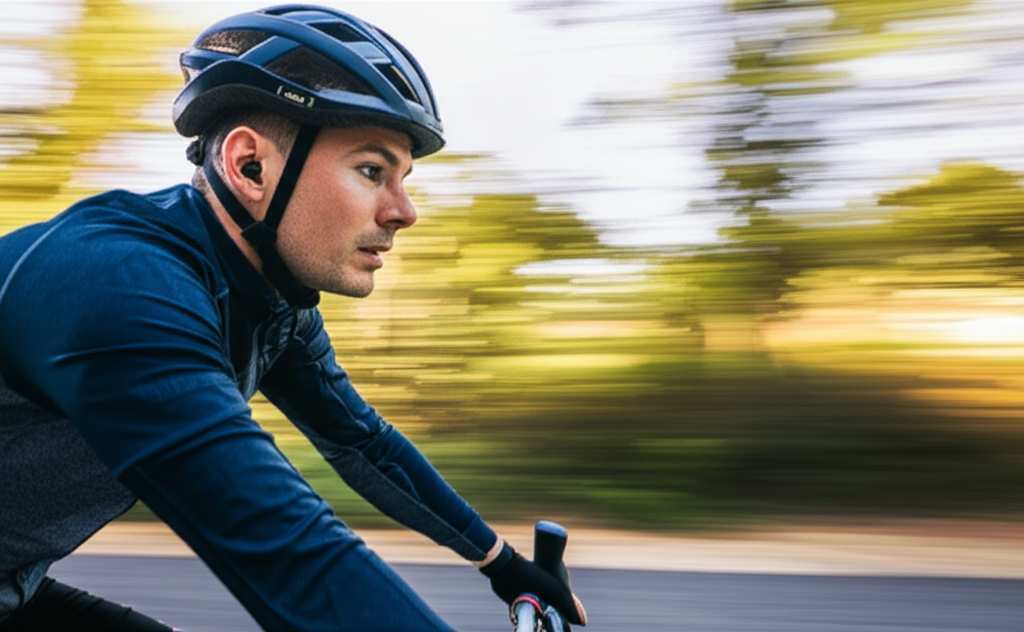
There are a few sneaky reasons why this happens, and most of them are totally fixable. Think of it like this: your phone and your Bluetooth device (like headphones or a speaker) are having a chat. Sometimes, things get in the way of that conversation.
Understanding the Bluetooth Chat
Bluetooth uses radio waves to talk between devices. These waves are pretty cool, but they can be a little sensitive. They’re like tiny invisible threads connecting your phone to your earbuds. If those threads get tangled or broken, the connection suffers.
Things like distance, physical objects, and even other electronic signals can interfere with these threads. When you’re on a bike, you’re moving, and there are lots of things around you that can cause trouble. Let’s look at the usual suspects.
Common Culprits for Bluetooth Dropouts on Bikes
We’ve all been there, right? You’re out enjoying the fresh air, your favorite podcast is playing, and then… static. Or worse, silence. It’s incredibly annoying when your tech doesn’t cooperate with your outdoor fun.
Let’s break down why your Bluetooth connection might be giving you grief while you’re on two wheels. It’s usually a combination of factors, and thankfully, most of them have simple solutions.
1. Distance Between Devices
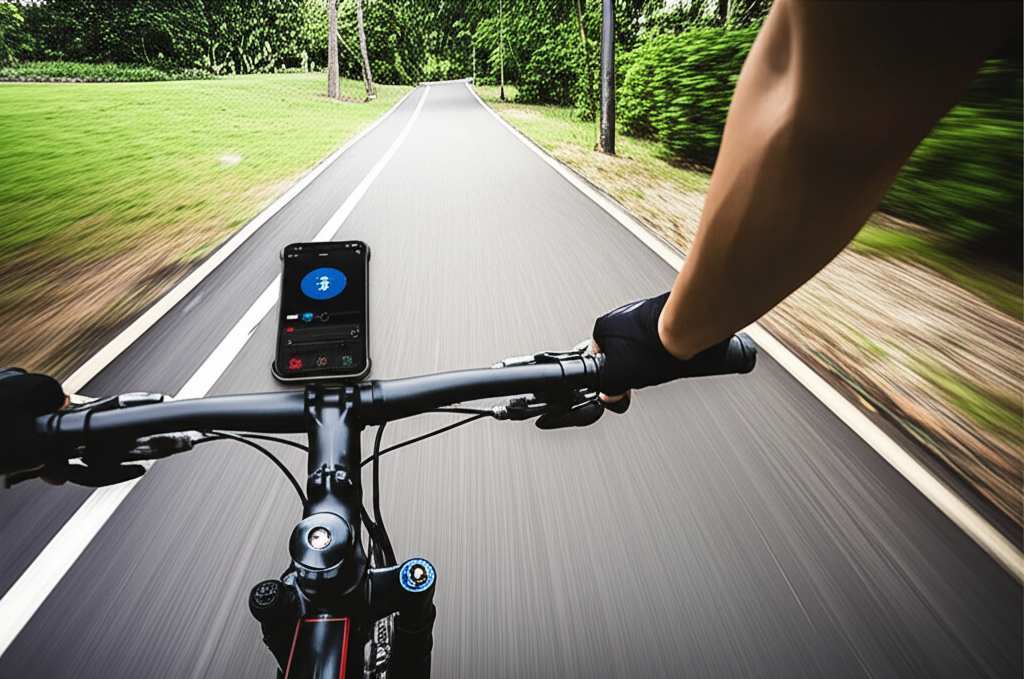
Bluetooth has a range, and it’s not unlimited. Your phone and your headphones need to be close enough to maintain a strong signal. If your phone is in a backpack way behind you, or if you’re holding it far away, the signal can weaken.
2. Obstructions in the Way
Your body can actually block the signal! If your phone is in your back pocket and your earbuds are in your ears, your body is physically between the two devices. Metal objects, like zippers on jackets or even water bottles, can also cause interference.
3. Other Electronic Signals
This is a big one. Wi-Fi, cellular signals, and even other Bluetooth devices can crowd the airwaves. Think of it like a crowded room where everyone is trying to talk at once. Your Bluetooth signal might get lost in the noise.
4. Low Battery Levels
When your phone or your Bluetooth device’s battery is running low, they might not have enough power to send a strong, consistent signal. It’s like trying to have a loud conversation when you’re tired – your voice just isn’t as strong.
5. Outdated Software or Firmware
Just like your computer, your phone and Bluetooth devices have software that needs to be up-to-date. Old software can have bugs that cause connection problems. Keeping things updated is like giving your gadgets a fresh tune-up.
6. Device Interference
Sometimes, the devices themselves just don’t play nicely together. Certain older Bluetooth versions might struggle to connect reliably with newer ones. It’s rare, but it can happen.
The Ultimate Fixes: Making Your Bluetooth Connection Stable
Now that we know what causes the problem, let’s dive into how to fix it. These are my go-to tips that usually solve the issue and keep your music or calls going strong.
Tip 1: Keep Your Devices Close and Clear
This is the easiest fix! Try to keep your phone and your Bluetooth device within a few feet of each other. If possible, wear your phone on your arm or in a chest pocket. This puts your body in a better position to relay the signal.
Avoid placing your phone in a back pocket or a tightly sealed bag. Think of it as giving your Bluetooth signal a clear path.
Tip 2: Minimize Physical Obstructions
As mentioned, your body can be an antenna’s worst enemy! If your phone is in your back pocket, try moving it to a front pocket or a cycling jersey pocket. Even a simple change in position can make a big difference.
Also, be mindful of other metal objects. If you carry a lot of keys or have a metal water bottle cage right next to your phone, try moving them.
Tip 3: Reduce Signal Interference
This one can be tricky, but there are ways to help. Try turning off Wi-Fi on your phone when you’re not actively using it. Many cycling apps use Bluetooth, and having Wi-Fi on at the same time can sometimes cause a clash.
If you’re in a busy area with lots of Wi-Fi networks, it might be harder to avoid. But for general rides, turning off Wi-Fi is a good first step.
Tip 4: Ensure Devices Are Fully Charged
Always start your ride with both your phone and your Bluetooth device fully charged. A low battery means less power for the Bluetooth transmitter, which can lead to a weaker and less stable connection.
It sounds simple, but it’s often overlooked! A quick charge before you head out can save you a lot of frustration.
Tip 5: Update Your Software and Firmware
This is crucial for all your gadgets. Make sure your phone’s operating system is up-to-date. Also, check if your Bluetooth headphones or speakers have any firmware updates available.
Manufacturers often release updates to improve performance and fix bugs, including connection stability. You can usually find update instructions on the manufacturer’s website or in their dedicated app.
Tip 6: Re-Pair Your Devices
Sometimes, a fresh start is all that’s needed. Delete your Bluetooth device from your phone’s settings and then re-pair them. This forces the devices to re-establish their connection from scratch.
Here’s how to do it on most phones:
- Go to your phone’s Settings.
- Tap on “Bluetooth.”
- Find your Bluetooth device in the list.
- Tap on it and select “Forget Device” or “Unpair.”
- Turn off Bluetooth on your phone, wait a few seconds, and turn it back on.
- Put your Bluetooth device back into pairing mode (check its manual for how).
- Scan for devices on your phone and select your device to pair again.
Tip 7: Use a Dedicated Bluetooth Headset or Speaker
Some phones struggle to send a strong signal to multiple Bluetooth devices at once. If you’re trying to connect to both headphones and a smartwatch, for example, it can sometimes cause issues.
For biking, consider using a headset designed for active use. These often have better antennas and are built to handle movement and potential interference.
Tip 8: Check Your Bluetooth Version
Older Bluetooth versions (like Bluetooth 3.0 or 4.0) are more prone to interference and have shorter ranges than newer versions (like Bluetooth 5.0 and above). While you can’t magically upgrade your device’s hardware, knowing the version can help manage expectations.
If your devices are very old, they might just be struggling with modern signal congestion.
Advanced Tweaks for a Rock-Solid Connection
Sometimes, the basic fixes aren’t enough. If you’re still experiencing dropouts, here are a few more advanced things you can try. These might require a little more effort but can seriously improve your connection.
1. Optimize Your Phone’s Bluetooth Settings
Some phones allow you to tweak Bluetooth settings. Look for options related to Bluetooth quality or codec. While it’s best to leave these on automatic for beginners, advanced users might find specific settings that help.
For example, some codecs offer higher quality audio but require a more stable connection. Others prioritize stability over audio fidelity.
2. Disable Background Apps
Too many apps running in the background can drain your phone’s resources, including its Bluetooth processing power. Close any apps you don’t need while you’re riding. This can free up your phone to focus on maintaining that crucial Bluetooth link.
3. Test Different Apps
Occasionally, the issue might be with the specific app you’re using. If your music keeps dropping, try a different music app. If your navigation is cutting out, try a different mapping app. It’s rare, but it’s worth testing if all else fails.
4. Consider a Bluetooth Extender (For Specific Situations)
This is a more niche solution, but for some, it might be the answer. Bluetooth extenders can boost the signal range. However, for typical biking scenarios, keeping devices close is usually more practical and effective.
A Quick Look at Bluetooth Versions and Their Impact
It’s helpful to know that Bluetooth technology has evolved. Newer versions generally offer better speed, range, and stability. Here’s a simple comparison:
| Bluetooth Version | Approximate Range | Key Improvements |
|---|---|---|
| Bluetooth 4.0 (LE) | ~10-30 meters (33-98 ft) | Low Energy consumption, improved basic connectivity. |
| Bluetooth 4.2 | ~10-30 meters (33-98 ft) | Improved privacy, faster data transfer. |
| Bluetooth 5.0 | ~30-200 meters (98-656 ft) | Increased speed, 4x range, 8x broadcast capacity. Significantly better for stability. |
| Bluetooth 5.1 | ~30-200 meters (98-656 ft) | Direction finding (better location accuracy), improved connection efficiency. |
| Bluetooth 5.2/5.3 | ~30-200 meters (98-656 ft) | Enhanced audio quality (LE Audio), better power efficiency, improved connection robustness. |
As you can see, Bluetooth 5.0 and later versions offer a significant leap in potential range and stability. If you’re still using older devices, upgrading your phone or Bluetooth accessories to support a newer version can make a world of difference. This is especially true when you’re moving around, like on a bike, where a stronger signal is crucial.
Real-World Scenarios: What to Watch Out For
Imagine you’re on a trail, and your phone is in your backpack. Your headphones are on. The signal has to go through your body, the backpack material, and then the air. That’s a lot of obstacles!
Now, imagine you move your phone to a chest mount or a handlebar bag. The path is much clearer. The signal is stronger, and your music is less likely to skip. It’s a simple change that can have a huge impact.
Another example: you’re riding in a busy city park. There are tons of people with phones, smartwatches, and other Bluetooth devices. All that electronic chatter can create a lot of interference. In this case, keeping your devices as close as possible and ensuring they’re updated becomes even more important.
You can also think about your cycling computer. If it’s also using Bluetooth to connect to sensors, it’s another device competing for the same airwaves. Sometimes, temporarily disabling unnecessary Bluetooth connections can help.
Troubleshooting Table: Quick Fixes for Common Issues
Here’s a handy table to help you diagnose and fix your Bluetooth problems quickly:
| Problem | Likely Cause | Quick Fix |
|---|---|---|
| Music skips or cuts out frequently. | Distance, obstructions, interference. | Move phone closer, clear obstructions, turn off Wi-Fi. |
| Device disconnects suddenly. | Low battery, software glitch, interference. | Charge devices, re-pair, update software. |
| Audio quality is poor (choppy or distorted). | Weak signal, interference, old Bluetooth version. | Ensure strong signal, update devices, try a newer Bluetooth version. |
| Cannot connect at all. | Device not in pairing mode, already connected elsewhere, software issue. | Put device in pairing mode, disconnect from other devices, restart phone and device. |
This table should give you a good starting point for solving most common Bluetooth connection woes while you’re out cycling. Remember, a little bit of troubleshooting can go a long way to ensuring a smooth ride!
What If Nothing Works? When to Seek More Help
If you’ve tried all these tips and your Bluetooth connection is still acting up, it might be time to consider a few other things. Sometimes, a specific device might just be faulty.
You could try testing your headphones with a different phone, or your phone with different Bluetooth headphones. This helps you pinpoint whether the problem lies with your phone or your accessories. If it’s a recurring issue across multiple devices, it might be your phone’s Bluetooth hardware that needs attention.
For more in-depth technical advice, sites like CNET or TechRadar often have detailed troubleshooting guides and reviews that can offer further insights. Don’t hesitate to check them out if you’re a deep-dive kind of person!
Frequently Asked Questions (FAQ)
Here are some common questions beginners have about keeping their Bluetooth stable on a bike.
Q1: How far can Bluetooth signals travel on a bike?
A1: Bluetooth typically has a range of about 30 feet (10 meters) in ideal conditions. However, on a bike, with your body and other factors interfering, the effective range can be much shorter, often just a few feet.
Q2: Does my phone case affect the Bluetooth signal?
A2: Usually, standard phone cases don’t significantly impact Bluetooth. However, very thick cases or those with a lot of metal components could potentially weaken the signal slightly.
Q3: Should I turn off Bluetooth when I’m not using it?
A3: Turning off Bluetooth when you’re not actively using it can save battery life on your phone. It also helps prevent unexpected connections or interference with other devices.
Q4: What is “Bluetooth LE”?
A4: Bluetooth LE stands for Low Energy. It’s a power-efficient version of Bluetooth designed for devices that don’t need to transmit a lot of data constantly, like fitness trackers or simple headphones. It’s generally very stable.
Q5: Can I use my Bluetooth speaker on my bike?
A5: Yes, you can! Just make sure it’s securely mounted and that your phone isn’t too far away. Be mindful of volume levels to avoid disturbing others and to ensure you can still hear your surroundings for safety.
Q6: Is it safe to use Bluetooth headphones while cycling?
A6: It’s generally recommended to use headphones that allow you to hear your surroundings. Bone conduction headphones or earbuds that don’t block all external noise are good options. Always prioritize safety and be aware of traffic.
Q7: My Bluetooth connection is good indoors but bad outdoors. Why?
A7: Outdoors, you encounter more environmental interference from other wireless signals (Wi-Fi, cell towers, other Bluetooth devices) and potentially more physical obstructions like buildings or trees. The open space can also mean more opportunities for signals to scatter.
Conclusion: Enjoy Your Uninterrupted Ride!
So there you have it! Keeping your Bluetooth connection stable while biking is totally achievable with a few smart adjustments. We’ve covered everything from simple placement tips to software updates and understanding the technology itself.
By keeping your devices close, minimizing obstructions, ensuring they’re charged and updated, and re-pairing when needed, you can create a much more reliable connection. Remember that Bluetooth is a powerful tool, and with a little care, it can enhance your rides without causing frustration.
Now go out there, try these tips, and enjoy your music, podcasts, or calls without any annoying dropouts. Happy cycling, and may your signal always be strong!