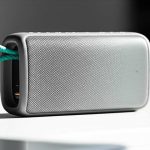
Bluetooth speaker won’t turn on? Don’t worry! We’ve got super simple fixes. It’s usually just a dead battery, a loose cable, or a quick reset. Let’s get your music back!
Hey there, fellow tech lover! Ever had that moment? You’re ready to blast your favorite tunes, settle in for a movie, or dive into a game, and your trusty Bluetooth speaker just… stays silent. No lights, no sound, nothing. It’s like your speaker decided to take an unscheduled nap, right?
I totally get it. Sometimes, technology can feel a bit like a puzzle. You see all those buttons and blinking lights, and it’s easy to feel a little lost. But honestly, most of the time, the fix is way simpler than you might think. It’s like when your phone just needs a quick restart, but for speakers!
My goal here at AffTechy is to make tech feel less like a mystery and more like your buddy. We’re going to walk through some easy steps together. You’ll be jamming again in no time. Let’s make this simple and fun, shall we?
Why Your Bluetooth Speaker Might Be Playing Dead
So, your Bluetooth speaker is acting like a silent movie star. Why does this happen? Well, there are a few common culprits. It’s usually not a big, scary problem. Most of the time, it’s something you can fix yourself without even calling a tech wizard.
Think of it like this: your speaker is a little gadget with a battery and some smarts inside. If the battery is empty, or if it gets a little confused, it just won’t wake up. We’ll cover the most common reasons why this happens and, more importantly, how to bring it back to life.
Let’s dive into the nitty-gritty, but in a super chill way. No complicated jargon, just straightforward tips that work. Ready to become a Bluetooth speaker whisperer?
First Things First: The Obvious Checks (Don’t Skip These!)
Before we get into anything fancy, let’s cover the basics. Sometimes, the fix is as simple as checking if it’s plugged in! It sounds funny, but we’ve all been there.
This is where we’ll be gentle with your speaker. We’re not going to do anything drastic. Just a quick once-over to make sure everything is as it should be. These small steps can save you a lot of time and hassle.
Is It Actually Plugged In?
This might sound silly, but is your speaker actually connected to a power source? Many Bluetooth speakers need to be charged before they’ll turn on. Even if it has a battery, it might be completely drained.
Make sure the charging cable is firmly plugged into both the speaker and the power adapter or USB port. Sometimes, a loose connection is all it takes to stop the flow of power. It’s like a traffic jam for electricity!
Check the Power Outlet or USB Port
What if the problem isn’t the speaker or the cable? It could be the power source itself. Try plugging something else into the same outlet or USB port to see if it works. This will tell you if the outlet is the issue.
If that outlet or port isn’t working, try another one. We want to make sure the power is actually getting to your speaker. This is a super quick way to rule out a common problem.
Inspect the Charging Cable and Port
Take a close look at your charging cable and the port on your speaker. Are there any bent pins, frayed wires, or debris stuck inside? Even a tiny bit of dust can prevent a good connection.
You can try gently cleaning the port with a dry, soft brush or a can of compressed air. For the cable, if it looks damaged, it might be time for a replacement. A damaged cable can be frustratingly slow to charge or not charge at all.
The Magic of Charging: Giving Your Speaker Juice
Most Bluetooth speakers run on batteries. If the battery is completely dead, your speaker won’t turn on. This is the most common reason for a speaker that won’t power up.
The good news is, charging is usually straightforward. Just plug it in and let it do its thing. But there are a few tips to make sure you’re charging it right.
Give It Enough Time to Charge
Don’t expect your speaker to spring to life instantly after plugging it in, especially if the battery was totally empty. Some speakers need a good hour or two to get enough charge to power on.
Check your speaker’s manual or the manufacturer’s website for recommended charging times. Patience is key here! It’s like letting your phone charge overnight before expecting it to last all day.
Use the Right Charger
It’s best to use the original charging cable and adapter that came with your speaker. Third-party chargers might not provide the correct voltage or amperage, which can affect charging speed or even damage the battery.
If you’ve lost the original charger, look for a replacement that has the same specifications. This ensures your speaker gets the power it needs safely. Think of it as giving your speaker the perfect meal!
Look for Charging Indicator Lights
Most speakers have a small LED light that indicates charging status. It might be red while charging and turn green or blue when fully charged, or it might simply turn off when done. Check your speaker’s manual to understand what its lights mean.
If you plug it in and the charging light doesn’t come on, it could point to a problem with the cable, the charger, the port, or the speaker’s internal battery. This is a helpful clue!
The Power Button Puzzle: Is It Working?
Sometimes, the power button itself is the tricky part. It might be stuck, or you might not be pressing it correctly. Let’s make sure we’re giving it the right attention.
Different speakers have different power buttons. Some are physical buttons, while others are touch-sensitive. We need to be sure we’re interacting with it the right way.
Press and Hold the Power Button
Many Bluetooth speakers require you to press and hold the power button for a few seconds to turn on. A quick tap might not be enough. Try holding it down for 5-10 seconds.
This is a common feature to prevent accidental turn-ons. So, give that button a good, firm press and hold. You might feel a click or a vibration when it starts to power up.
Check for a Stuck Button
Is the power button physically stuck or jammed? If it feels mushy or won’t pop back up after pressing, that could be the problem. Gently try to free it up if it seems stuck.
You can try wiggling it gently or cleaning around it with a soft brush. If it’s truly stuck and you can’t fix it, it might require professional repair. But let’s hope it’s an easy fix!
The Reset Button: A Fresh Start for Your Speaker
If your speaker is still being stubborn, a reset can often work wonders. Think of it as giving your speaker a quick reboot, clearing out any temporary glitches that might be preventing it from turning on.
This is a great troubleshooting step because it doesn’t erase any settings permanently. It just helps the speaker start fresh. It’s like clearing your browser cache when a website is acting weird.
How to Find and Use the Reset Button
Many Bluetooth speakers have a tiny reset button. It’s often hidden in a small pinhole, so you’ll need a paperclip or a toothpick to press it. Look for it near the charging port, on the bottom, or sometimes on the back of the speaker.
Consult your speaker’s manual to find its exact location and how to perform a reset. Some might require you to hold the power button while pressing the reset button, or just press the reset button on its own.
What a Reset Does
Resetting your speaker usually restores it to its factory default settings. This means it will unpair from any devices and go back to how it was when you first got it. Don’t worry, this is usually a good thing when troubleshooting!
After resetting, you’ll need to re-pair it with your phone or tablet. But if it solves the power-on issue, it’s totally worth it. It’s like giving your speaker a clean slate.
Checking Your Device Connections: The Bluetooth Link
While this usually affects pairing or sound, sometimes a faulty connection attempt can make a speaker seem unresponsive. Let’s make sure your speaker isn’t stuck trying to connect to something.
This is less common for a speaker not turning on, but it’s worth a quick check. If your speaker is trying to connect to a device that’s out of range or turned off, it might behave strangely.
Forget and Re-pair Your Speaker
On your phone or tablet, go to your Bluetooth settings. Find your speaker in the list of paired devices, and select “Forget” or “Unpair.” Then, try turning your speaker on again and re-pairing it.
This process clears out any corrupted pairing data that might be causing issues. It forces a fresh connection between your device and the speaker. Here’s how to do it on common devices:
On iOS (iPhone/iPad):
- Go to Settings > Bluetooth.
- Tap the ‘i’ icon next to your speaker’s name.
- Select “Forget This Device.”
- Confirm by tapping “Forget Device.”
On Android:
- Go to Settings > Connected devices (or Connections) > Bluetooth.
- Tap the gear icon or the name of your speaker.
- Select “Forget” or “Unpair.”
Turn Bluetooth Off and On
Sometimes, the Bluetooth on your phone or tablet can get a little glitchy. Try turning your device’s Bluetooth off, waiting a few seconds, and then turning it back on. Then, try to power on your speaker again.
This simple step can often resolve minor connectivity hiccups. It’s a quick refresh for your device’s Bluetooth radio. So easy, right?
When the Battery Might Be the Real Problem
We talked about charging, but what if the battery itself is the issue? Batteries don’t last forever, and sometimes they just give up the ghost.
If your speaker is several years old and has always had issues holding a charge, the battery might be worn out. This is a common problem with rechargeable electronics.
Signs of a Worn-Out Battery
If your speaker now only lasts a very short time on a full charge, or if it dies very quickly after unplugging, the battery is likely degrading. If it won’t hold any charge at all, it’s probably dead.
This is especially true if you’ve tried all the charging and power-on steps and it still won’t turn on, or only briefly. It’s like an old phone that can’t keep its charge.
Battery Replacement Options
For some speakers, you can replace the battery. This usually involves opening up the speaker, which can be tricky. You’ll need to find a compatible replacement battery.
On the other hand, many modern Bluetooth speakers have batteries that are not designed to be user-replaceable. In these cases, a dead battery might mean it’s time for a new speaker. It’s a bummer, but it happens!
Quick Tip: Check out reviews for battery life before buying a new speaker. Some brands are known for better battery longevity. For example, brands like Anker often get praised for their battery tech.
Troubleshooting Advanced Issues (If the Basics Fail)
Okay, so you’ve tried everything above, and your speaker is still not cooperating. Don’t despair! There are a couple more things we can look at. These are a bit more involved, but still manageable.
This is where we dig a little deeper. It’s like being a detective for your speaker! We’re looking for clues that might point to a more specific problem.
Firmware Glitches
Sometimes, the software (or firmware) inside your speaker can get a bit confused. This can happen after an update, or just through normal use. A firmware reset can help.
Many manufacturers have a specific procedure for firmware updates or resets. This usually involves connecting the speaker to a computer via USB and using a special software tool. You’ll want to check the manufacturer’s support website for your specific model.
Example: For Bose speakers, they often have a “Device Utility” app or a website where you can manage firmware. For JBL, their support pages will guide you through any necessary updates.
Water Damage or Physical Damage
Did your speaker take a tumble? Or maybe it got a little too friendly with a drink? Water damage or physical impact can cause internal components to fail, preventing the speaker from turning on.
If you suspect water damage, turn the speaker off immediately (if it’s on) and do not try to charge it. Let it dry out completely for several days in a well-ventilated area. Then, try turning it on. If it was dropped, check for any visible damage.
Fun Fact: Many portable Bluetooth speakers are designed to be water-resistant, but “water-resistant” doesn’t mean “waterproof.” Check the IP rating (like IPX7) to know how much water exposure it can handle. For example, IPX7 means it can be submerged in water up to 1 meter for 30 minutes!
When to Call in the Pros (or Buy a New One)
If you’ve gone through all these steps and your speaker still won’t turn on, it’s possible there’s a more serious internal hardware failure. This could be a problem with the motherboard, power circuitry, or battery connection.
At this point, it might be time to consider your options. It’s always a bit sad when a gadget gives up, but there’s good news: technology moves fast, and there are always great new options out there!
Check the Warranty
Is your speaker still under warranty? If so, the manufacturer might repair or replace it for free. Contact their customer support to find out about the warranty process. This is often the best route if it’s still covered!
Most warranties last for one year from the date of purchase. Keep your receipt handy, as you’ll likely need it to make a claim. A little paperwork can save you a lot of money!
Consider Professional Repair
For some brands and models, professional repair services might be available. However, this can sometimes be more expensive than buying a new speaker, especially for less costly models.
It’s worth getting a quote before committing. If the repair cost is close to the price of a new, comparable speaker, it might be more economical to upgrade. Plus, new speakers often have better features!
When It’s Time for an Upgrade
If your speaker is old, out of warranty, and the repair cost is too high, it might be time to treat yourself to a new one! The technology in Bluetooth speakers has improved so much.
You can find amazing speakers now with better battery life, superior sound quality, and even smart features. It’s a chance to get something even better than what you had!
Comparing Popular Bluetooth Speaker Features
Thinking about an upgrade? Or just curious about what makes a good Bluetooth speaker? Here’s a quick look at some features that matter. This can help you choose your next sound companion!
When you’re looking at new speakers, these are the things you’ll want to consider. They all play a part in how you’ll enjoy your music.
| Feature | What It Means | Why It Matters |
|---|---|---|
| Battery Life | How long the speaker plays on a single charge. | Longer life means less worrying about charging. Great for parties or outdoor trips! |
| Water Resistance (IP Rating) | How well it protects against water and dust. (e.g., IPX7) | Essential for poolside, beach, or shower use. Keeps your speaker safe from splashes! |
| Sound Quality | Clarity, bass, and overall richness of the audio. | The most important part! A good speaker makes music sound amazing. |
| Connectivity Range | How far your device can be from the speaker and still connect. | More range means more freedom to move around without losing sound. |
| Portability | Size, weight, and design for easy carrying. | If you plan to take it places, a smaller, lighter speaker is better. |
As you can see, there are many things that make a Bluetooth speaker great. Battery life is a big one for portable use, while water resistance is key if you’re an outdoor adventurer. Sound quality is, of course, king for enjoying your music!
A Quick Guide to Bluetooth Speaker Care
Once you get your speaker working again (or get a new one!), a little care goes a long way. Keeping your speaker in good shape can prevent future problems and keep it sounding great.
These are simple habits that make a big difference. They’re easy to add to your routine and help your gadgets last longer.
- Keep it Clean: Gently wipe down the exterior with a soft, dry cloth. If the speaker grilles get dusty, you can use a soft brush or compressed air.
- Avoid Extreme Temperatures: Don’t leave your speaker in a hot car or direct sunlight for long periods, as extreme heat can damage the battery and electronics. The same goes for freezing cold.
- Charge Wisely: While most modern batteries are good, try not to let them drain completely too often. Charging when it’s around 20% is a good habit.
- Protect from Water: Even if it’s water-resistant, be mindful of its limits. Don’t intentionally submerge it unless its IP rating clearly allows it.
- Handle with Care: Avoid dropping it. If you travel with it often, consider a protective case.
Taking these small steps helps ensure your speaker stays in top condition. It’s like giving your car regular oil changes – it keeps things running smoothly!
Frequently Asked Questions (FAQs)
Got more questions? That’s totally fine! Here are some common things people ask when their Bluetooth speaker won’t turn on.
Why is my Bluetooth speaker not turning on even when plugged in?
This usually means the battery is completely drained, the charging cable or port is faulty, the power outlet isn’t working, or there’s an internal issue. Try a different cable, outlet, and ensure the charging light comes on.
Can I use any USB cable to charge my Bluetooth speaker?
It’s best to use the original cable that came with your speaker. If you must use a different one, ensure it’s a data/charging cable (not just a charging-only cable) and that it has the correct connectors. Using the wrong cable might not charge it properly or could even cause damage.
How do I know if my Bluetooth speaker’s battery is dead?
If the speaker won’t turn on at all, even after charging for several hours, and you’ve tried different chargers and cables, the battery is likely dead or has failed. Also, if it used to hold a charge for a long time and now dies very quickly, the battery is probably degraded.
Is it safe to reset my Bluetooth speaker?
Yes, resetting your Bluetooth speaker is generally safe. It usually just restores the speaker to its factory default settings, which means you’ll need to re-pair it with your devices. It’s a standard troubleshooting step that can fix many glitches.
What does it mean if the charging light is on, but the speaker won’t turn on?
This suggests that the speaker is receiving power, but there might be a software glitch or a problem with the power-on mechanism. Try a reset, or check the manufacturer’s website for specific troubleshooting steps for your model. It could also indicate a more serious internal fault.
My speaker got wet. What should I do?
If your speaker got wet and isn’t turning on, do NOT try to charge it. Turn it off immediately if it’s still on. Let it air dry completely for at least 24-48 hours in a well-ventilated area. Then, try to power it on. If it still doesn’t work, it might have suffered water damage.
How long should a Bluetooth speaker battery last?
Battery life varies greatly by model. Smaller, portable speakers might offer 6-10 hours, while larger or premium speakers can last 12-20 hours or even more on a single charge. Always check the product specifications for an estimate.
Conclusion: Get Back to the Music!
So there you have it! We’ve covered the most common reasons why your Bluetooth speaker might be refusing to turn on and, more importantly, how to fix it. From simple charging checks to the magic of a reset button, you’ve got a whole toolkit of easy solutions now.
Remember, most of the time, it’s just a dead battery, a loose connection, or a speaker that needs a quick reboot. You’ve learned how to check your cables, give your speaker enough juice, and even how to perform a reset. You’re officially a Bluetooth speaker troubleshooting pro!
Don’t let a silent speaker stop the fun. Try these steps, and you’ll likely be back to enjoying your favorite podcasts, music, and calls in no time. And if it turns out you need a new one, you’re now armed with the knowledge of what to look for!
Now go enjoy amazing sound and make every moment louder and better!