Connect your Bluetooth speaker to your phone in minutes! This easy guide walks you through pairing, troubleshooting common issues, and getting your music playing without the fuss. It’s simpler than you think!
Hey there, tech explorers! Max here from AffTechy.com. You know, sometimes the simplest things make life so much better. Like when you want to blast your favorite tunes or catch up on a podcast, and suddenly your phone’s tiny speaker just won’t cut it. That’s where a cool Bluetooth speaker comes in, ready to fill your space with amazing sound.
But then comes that moment: you’ve got your shiny new speaker, your phone is right there, and… nothing. How do you get them to talk to each other? It can feel a bit like speaking a different language sometimes, right? Don’t worry, I’ve been there, and it’s totally normal to scratch your head.
My goal today is to make connecting your Bluetooth speaker to your phone as easy as hitting play. We’ll go through it step-by-step, no confusing jargon, just clear instructions. So, grab your speaker and your phone, and let’s make some magic happen. Let’s break it down!
Why Bluetooth Speakers Are Awesome
Imagine this: you’re having a picnic, and you want some background music. Or maybe you’re trying to get pumped up for a workout. A Bluetooth speaker is your perfect companion. It’s wireless, portable, and can deliver sound way better than your phone alone.
These little wonders have become super popular because they’re so convenient. You can take them anywhere – the beach, your backyard, or just from room to room in your house. And the best part? No messy wires to tangle up your life.
Connecting them is the first step to unlocking all that awesome sound. Once you know how, you’ll be setting up impromptu dance parties or movie nights in no time. It’s all about making your tech work for you, and this is a big part of that.
Getting Started: What You Need
Before we dive into the actual connection, let’s make sure you’re ready. It’s pretty simple, really. You just need two main things:
- Your smartphone (whether it’s an iPhone or an Android, it works the same way!).
- Your Bluetooth speaker. Make sure it’s charged up or plugged in so it has power.
That’s it! No special apps, no complicated software. Just your everyday gadgets ready to pair up. It’s like setting up a playdate for your devices.
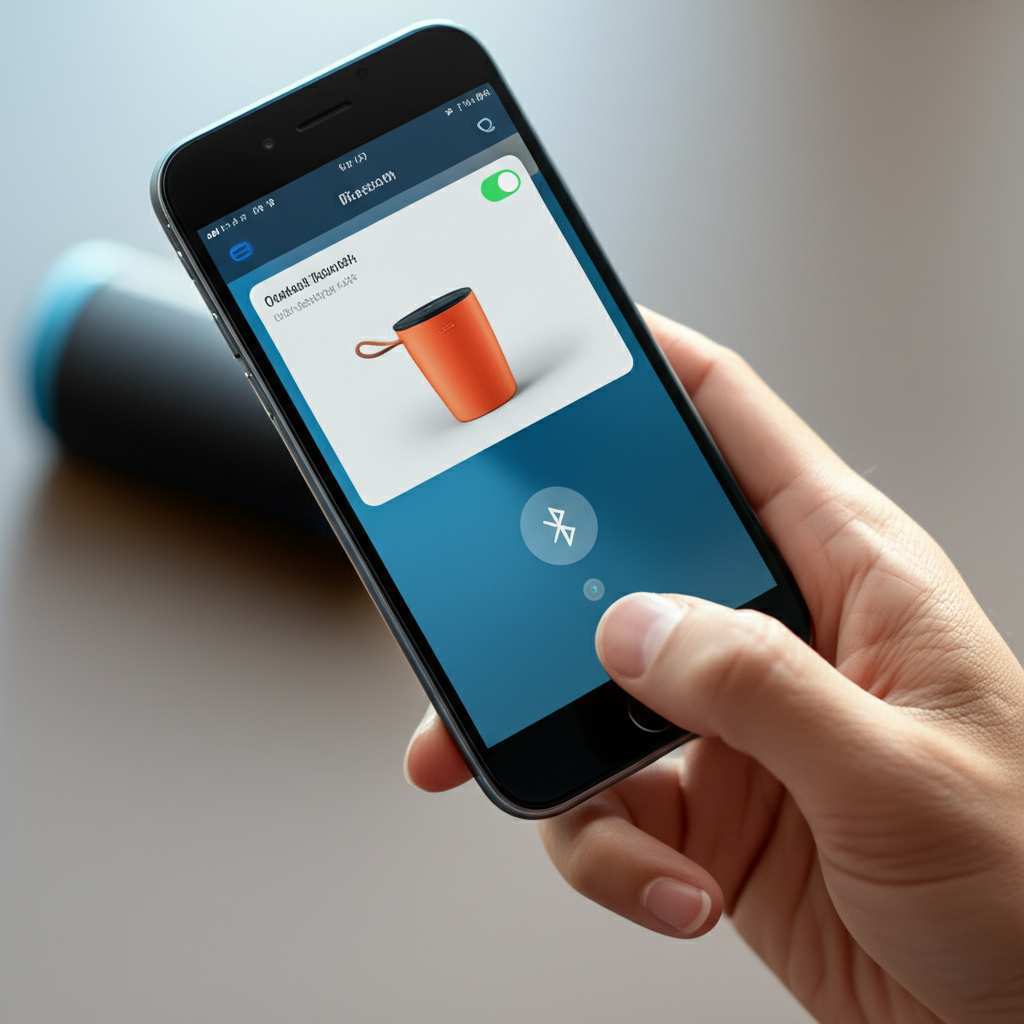
The Magic Word: Pairing
The whole process of connecting your speaker and phone is called “pairing.” Think of it like introducing two friends who are going to get along really well. Once they’re paired, they’ll remember each other and connect automatically next time.
This pairing happens using Bluetooth technology. Bluetooth is a short-range wireless tech that lets devices talk to each other. It’s super handy for things like headphones, car systems, and, of course, speakers.
The key to pairing is putting both devices into a special “discoverable” or “pairing” mode. Your phone needs to be looking for new devices, and your speaker needs to be ready to be found. It’s like a little dance where they find each other.
Step-by-Step: How to Connect Your Bluetooth Speaker to Your Phone
Alright, let’s get down to business! This is the part where we actually make the connection. It’s a straightforward process, and I’ll walk you through each step. Don’t worry if your phone or speaker looks a little different; the general idea is the same for most devices.
Step 1: Turn On Your Bluetooth Speaker and Put It in Pairing Mode
First things first, power up your speaker. You’ll usually see a power button that you need to press and hold for a few seconds. Once it’s on, you’ll often hear a little chime or see a light come on.
Now, here’s the crucial part: putting it into pairing mode. Most speakers have a dedicated Bluetooth button. Sometimes, you press and hold this button until a light starts flashing (often blue or white) or you hear a specific sound. This flashing light is your signal that the speaker is ready to be discovered.
Pro Tip: Check your speaker’s manual if you’re unsure. It’s usually a small booklet or available online. It will tell you exactly which button to press and what the lights mean!
Step 2: Turn On Bluetooth on Your Phone
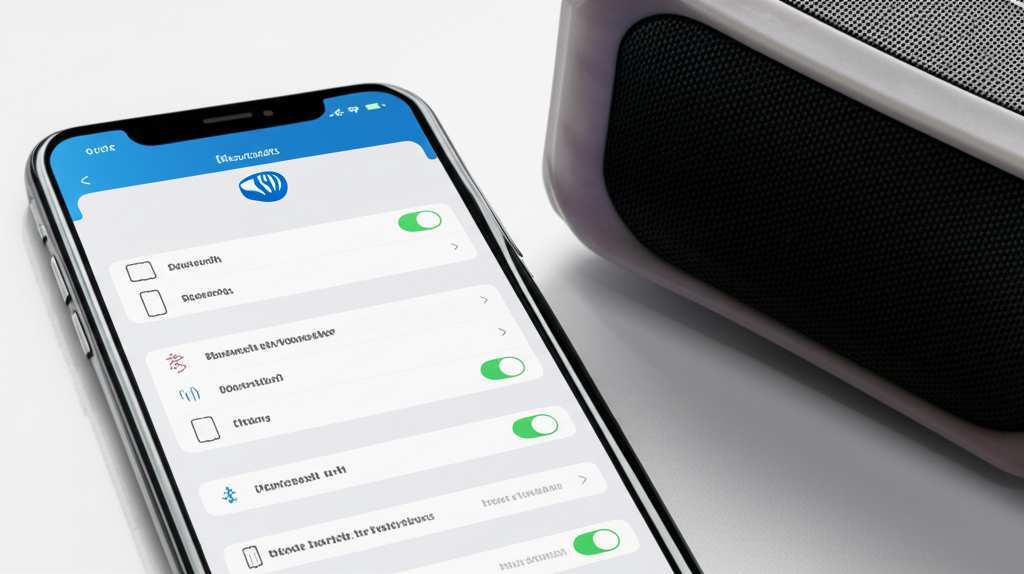
Now, let’s get your phone ready to find the speaker. You need to turn on its Bluetooth feature. This is usually found in your phone’s main settings menu.
For iPhones: Go to Settings, then tap on ‘Bluetooth’. Make sure the toggle switch next to ‘Bluetooth’ is turned on (it will be green).
For Android Phones: Swipe down from the top of your screen to open the Quick Settings panel. Look for the Bluetooth icon and tap it to turn it on. You can also go to Settings, then ‘Connections’ or ‘Connected devices’, and find the Bluetooth option.
Step 3: Make Your Phone Scan for Devices
Once Bluetooth is on, your phone will automatically start looking for nearby devices that are in pairing mode. You’ll usually see a section on your Bluetooth screen that says “Available Devices” or “Other Devices.”
Your speaker should pop up in this list. It might have a brand name or a model number. Give it a moment; sometimes it takes a few seconds for the speaker to appear. Patience is key here!
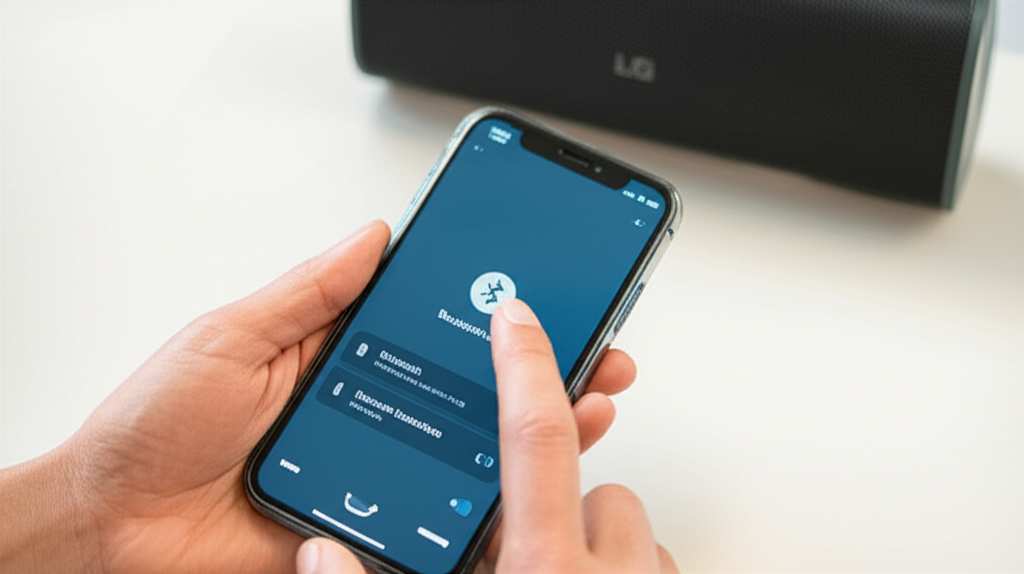
Step 4: Select Your Speaker from the List
When you see your speaker’s name in the list of available devices, tap on it! This is like saying, “Yes, I want to connect to you!” Your phone will then try to establish a connection.
You might see a prompt asking you to confirm a pairing code or just to confirm the connection. If it asks for a code, it’s usually something simple like “0000” or “1234,” but your speaker’s manual will have the exact code if one is needed. Most of the time, though, it connects without a code.
Step 5: Confirm the Connection
Once the pairing is successful, you’ll usually hear a confirmation sound from your speaker, and the flashing light will turn solid. On your phone, the speaker’s name will move from the “Available Devices” list to a list of “Paired Devices” or “My Devices.”
Congratulations! You’ve officially connected your Bluetooth speaker to your phone. Now you can open up your favorite music app, podcast player, or even a YouTube video, and the sound will come out of your speaker. How cool is that?
Troubleshooting: When Things Don’t Connect
Sometimes, even with the best intentions, technology throws us a curveball. If your speaker isn’t connecting, don’t panic! Most issues are pretty easy to fix. Let’s go through some common problems and their quick fixes.
Problem 1: Speaker Not Appearing in the List
Why it happens: The most common reason is that the speaker isn’t actually in pairing mode, or your phone’s Bluetooth is off.
Quick Fix:
- Double-check that your speaker is powered on and its Bluetooth indicator light is flashing. If it’s not flashing, press and hold the Bluetooth button again to re-enter pairing mode.
- Make sure Bluetooth is definitely turned on on your phone. Go back to your phone’s settings and toggle Bluetooth off and then on again.
- Try turning your speaker off and on again, and then put it back into pairing mode.
- Restart your phone. This simple step can often clear up temporary glitches.
Problem 2: Phone Says “Pairing Failed” or Won’t Connect After Selecting
Why it happens: This can happen if there’s interference, if the devices are too far apart, or if there’s a temporary communication error.
Quick Fix:
- Bring your phone and speaker closer together, ideally within a few feet.
- Turn off Bluetooth on your phone and then turn it back on.
- Try “forgetting” the speaker on your phone and then re-pairing it. On your phone’s Bluetooth settings, tap on the speaker’s name and select “Forget Device” or “Unpair.” Then, put the speaker back in pairing mode and search for it again.
- If your speaker has been connected to other devices recently (like a tablet or another phone), it might be trying to connect to one of those. Turn off Bluetooth on those other devices to ensure it’s only looking to connect to your current phone.
Problem 3: Speaker Connects, But No Sound Comes Out
Why it happens: The speaker is connected, but your phone might still be set to play audio through its internal speaker, or the volume is too low.
Quick Fix:
- Check the volume on your phone! Make sure it’s turned up.
- Check the volume on your speaker! Many speakers have their own volume controls.
- On your phone, go to the Bluetooth settings where your speaker is listed. Sometimes, there’s an option to “Use for audio” or similar. Ensure this is enabled.
- Try disconnecting and reconnecting the speaker.
- Play content from a different app. Sometimes, a specific app might have its own audio settings that need adjusting.
Problem 4: Sound is Choppy or Cuts Out
Why it happens: Bluetooth has a limited range, and interference from other devices can disrupt the signal.
Quick Fix:
- Move the speaker and your phone closer together. The ideal range is usually around 30 feet (10 meters), but this can be less with obstacles.
- Minimize interference. Things like microwaves, Wi-Fi routers, and other strong wireless signals can sometimes interfere. Try moving away from these if possible.
- Ensure your speaker and phone are not trying to connect to too many other Bluetooth devices at once.
Making the Most of Your Bluetooth Speaker
Once you’ve got your speaker connected, you’ll want to know how to keep it in great shape and get the best performance. Here are a few handy tips.
Keeping It Charged
Most Bluetooth speakers are rechargeable. Always check the battery level before you head out. Many speakers will give you an audio cue or a light indicator when the battery is low. Using the charger that came with your speaker is usually best.
Understanding Volume Limits
Don’t push your speaker to its absolute maximum volume for extended periods. This can sometimes distort the sound or even damage the speaker over time. A good rule of thumb is to keep it around 70-80% of the maximum for the best sound quality and longevity.
Cleaning Your Speaker
Keep your speaker clean! Dust and grime can affect the sound quality. Use a soft, dry cloth to wipe it down. For tougher spots, you can use a slightly damp cloth, but avoid getting water into any ports or speaker grilles.
Software Updates
Some higher-end speakers might have companion apps that allow for firmware updates. These updates can improve performance, fix bugs, or add new features. It’s worth checking your speaker’s brand website or app store to see if there are any updates available.
Bluetooth Speaker Features to Look For
When you’re choosing a Bluetooth speaker, there are a few things that can make a big difference. It’s not just about how loud it gets!
Sound Quality
This is subjective, but look for speakers that offer clear highs, rich mids, and decent bass. Many reviews will talk about the sound profile. Some speakers are tuned for bass-heavy music, while others aim for a more balanced sound.
Battery Life
This is super important for portability. Speakers can range from 5 hours to over 20 hours of playtime on a single charge. Think about how long you’ll typically use it away from a power outlet.
Water Resistance
If you plan to use your speaker by the pool, at the beach, or even in the bathroom, look for water-resistant ratings (like IPX4, IPX7). This means it can handle splashes or even being submerged for a short time.
Portability and Size
Do you need something small that fits in your pocket, or a larger one for bigger gatherings? Consider the weight and dimensions if you’ll be carrying it around a lot.
Connectivity Options
While Bluetooth is the main event, some speakers also offer an AUX-in port, allowing you to connect devices with a cable. Others might have USB ports for charging your phone or even playing music from a USB drive.
Here’s a quick comparison of some popular types of Bluetooth speakers you might find:
| Speaker Type | Typical Battery Life | Portability | Best For | Price Range (Approx.) |
|---|---|---|---|---|
| Ultra-Portable (e.g., JBL Go) | 5-8 hours | Very High (Pocket-sized) | Personal listening, travel | $20 – $50 |
| Mid-Size All-Rounder (e.g., Bose SoundLink) | 10-15 hours | High (Fits in a bag) | Home, picnics, small gatherings | $100 – $200 |
| Rugged/Outdoor (e.g., UE Boom) | 15-20+ hours | Medium (Durable, often waterproof) | Outdoors, parties, adventurous trips | $100 – $250 |
| Smart Speaker (e.g., Echo Dot) | N/A (Needs power outlet) | Low (Designed for home) | Home assistant, music streaming | $30 – $100+ |
As you can see from the table, the best speaker for you really depends on how and where you plan to use it. An ultra-portable speaker is great for taking anywhere, but it won’t fill a large room with sound like a bigger model might. Think about your lifestyle!
Fun Fact: The Origin of Bluetooth
Did you know the name “Bluetooth” comes from a Viking king? Harald “Bluetooth” Gormsson was known for uniting Danish tribes. The technology was named after him because it was designed to unite different communication devices. Pretty neat, huh? For more on the history of wireless tech, you can check out resources like Wired Magazine.
Frequently Asked Questions (FAQ)
Got more questions? I’ve got answers!
Q1: Do I need to re-pair my speaker every time I want to connect it?
A: Nope! Once you’ve paired your speaker to your phone, they should automatically reconnect the next time both Bluetooth on your phone and your speaker are turned on and in range. It’s like they have a special connection!
Q2: Can I connect my Bluetooth speaker to more than one device at a time?
A: Some speakers support “multi-point pairing,” meaning they can be connected to two devices simultaneously. However, they usually only play audio from one device at a time. If your speaker doesn’t support this, you’ll need to disconnect from one device before connecting to another.
Q3: What’s the difference between pairing and connecting?
A: Pairing is the initial process of establishing a secure connection between two devices, like an introduction. Connecting is what happens afterward when they automatically link up for audio streaming. Once paired, they can connect and disconnect easily.
Q4: How far away can my phone be from the speaker?
A: The standard Bluetooth range is about 30 feet (10 meters). However, this can be affected by walls, other electronic devices, and even your body. For the best experience, keep them within a reasonable distance, especially if you notice any choppiness.
Q5: Can I use my Bluetooth speaker while it’s charging?
A: Most Bluetooth speakers can be used while they are charging. This is super convenient if you have access to a power outlet and want to keep the music going all day or night!
Q6: Why does my speaker sound better when connected via cable?
A: Sometimes, wired connections can offer a slightly higher quality audio stream because they aren’t limited by Bluetooth compression. However, modern Bluetooth technology is incredibly good, and for most everyday listening, the difference is barely noticeable. Plus, no wires!
Q7: My speaker is connected, but the volume is still low. What can I do?
A: Make sure you’ve turned up the volume on both your phone and your speaker. Also, check the specific app you’re using for any audio settings. Sometimes, a song might be mastered at a lower volume, or an app might have its own volume slider. For more technical details on audio quality, sites like CNET offer great insights.
Time to Enjoy Your Music!
So there you have it! Connecting your Bluetooth speaker to your phone is a simple process once you know the steps. We’ve covered how to pair them, what to do if things get a little tricky, and even a few tips to make your audio experience even better.
You’ve learned how to put your speaker in pairing mode, find it on your phone, and confirm the connection. Plus, you’ve got the know-how to troubleshoot common issues, so you’re prepared for anything. It’s all about making technology work for you, and enjoying the great sound that comes with it.
Don’t be afraid to experiment and explore different speakers or features. The world of portable audio is vast and exciting, and now you’re equipped to dive in. Now go enjoy amazing sound and make every moment louder and better!