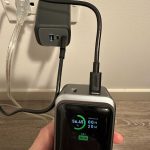
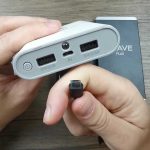
To quickly check your power bank’s capacity, look for the capacity details printed on the device or its packaging, or use a charging test with a USB power meter. You can also connect it to your device and monitor how much charge it delivers.
Knowing your power bank’s true capacity helps you choose the right device and avoid surprises. To check it, start by examining the technical specs printed on the device or its box—most manufacturers list capacity in milliamp-hours (mAh). For a more accurate measure, you can run a simple test by charging a device with the power bank and noting the amount of energy transferred, or use a USB power meter to monitor the actual output during charging. These methods ensure you understand your power bank’s real power and optimize its use, avoiding over-reliance on misleading figures.

How to Check Power Bank Capacity
Understanding the capacity of your power bank is essential to ensure it meets your charging needs. By knowing its capacity, you can gauge how many devices it can charge and how long it will last. This section provides detailed steps and tips to help you accurately check your power bank’s capacity.
Why Knowing Your Power Bank Capacity Matters
Knowing the capacity of your power bank helps you plan ahead for travel or daily use. It ensures you don’t run out of power unexpectedly. Additionally, understanding capacity helps determine the power bank’s suitability for your devices, whether smartphones, tablets, or other electronics.
What Does Capacity Mean in a Power Bank?
Capacity in a power bank is measured in milliampere-hours (mAh) or sometimes in watt-hours (Wh). A higher capacity usually means more charges for your devices. For example, a 10,000mAh power bank can typically charge a smartphone 2 to 3 times, depending on the device’s battery size.
How to Read the Label on Your Power Bank
Most power banks have their capacity printed on the back or bottom. Look for numbers like “10,000mAh” or “20,000mAh.” Sometimes, it also shows the voltage (V) and watt-hour (Wh) rating. These details help you understand the total energy stored in the device.
Calculating Watt-Hours from Milliampere-Hours
Since capacity in mAh isn’t always enough, converting it to Wh provides a more accurate picture. Use this formula:
Watt-Hours (Wh) = (mAh ÷ 1000) × Voltage (V)
Most power banks operate at a voltage of around 3.7V. For example, a 10,000mAh power bank at 3.7V has:
Wh = (10,000 ÷ 1000) × 3.7 = 37Wh
This indicates the total energy stored in the power bank.
Using a Multimeter to Check Capacity
A multimeter can help measure the actual output voltage and current. Here’s how:
- Set the multimeter to measure voltage (V).
- Connect the multimeter probes to the power bank’s output ports.
- Note the voltage reading while charging a device or when idle.
- Use further calculations to determine actual capacity based on the charges delivered.
While this method isn’t as straightforward as reading labels, it helps identify discrepancies and ensures your power bank functions correctly.
Performing a Full Charge and Discharge Test
This method provides the most accurate way to check capacity:
- Fully charge the power bank via a reliable power source.
- Connect a device with a known battery capacity, like a smartphone with a known mAh rating.
- Charge the device until it’s fully drained or until the power bank stops transferring power.
- Record the device’s battery percentage and the number of charges it received.
From this, you can estimate the power bank’s effective capacity by comparing actual charges to its label.
Using a Battery Analyzer or Capacity Tester
Specialized equipment can give precise readings:
- Connect the power bank to the tester.
- Allow it to discharge while measuring output current and voltage.
- The device calculates the actual capacity based on these readings.
Though more expensive, this method is ideal for technical users or professional testing environments.
Apps and Software Options to Monitor Capacity
Some smartphones and devices come with apps that can track charging and discharging cycles:
- Install monitor apps compatible with your device.
- Charge your power bank fully.
- Use the app to track power output during device charging sessions.
While not as precise as hardware tests, these tools offer convenience and approximate data.
Understanding Power Bank Efficiency and Losses
Real-world capacity often appears lower due to energy losses during voltage conversion. Typical efficiency ranges from 85% to 95%. When estimating how many charges your power bank can provide, consider this:
- Multiply the rated capacity by the efficiency rate.
- This gives a realistic estimate of available capacity.
For example, a 10,000mAh power bank with 90% efficiency effectively provides about 9,000mAh of usable power.
Comparing Capacity with Manufacturer Specifications
Always cross-reference your measurements with the manufacturer’s specifications. Significant discrepancies may suggest:
- Degradation over time
- Manufacturing defects
- Incorrect labeling
If your measurements are consistently lower, consider replacing or servicing your power bank.
How to Maintain Your Power Bank for Accurate Capacity
Proper maintenance ensures your power bank continues to perform well:
- Avoid deep discharges; recharge before completely draining.
- Keep the device in a cool, dry place.
- Use compatible chargers to prevent damage.
- Regularly test capacity to monitor performance over time.
Maintaining your device can reveal capacity loss and help decide when to upgrade.
Additional Tips for Choosing a Power Bank with Right Capacity
When selecting a new power bank, keep these points in mind:
- Match capacity with your device’s battery size.
- Consider the number of charges needed per day or trip.
- Look for the watt-hour rating for better comparison across different models.
- Choose a reputable brand to ensure accurate capacity ratings.
This helps ensure your power bank meets your power needs effectively.
Checking your power bank’s capacity involves a combination of reading labels, performing simple calculations, and conducting practical tests. By understanding how to accurately measure and interpret capacity, you can make informed choices and ensure your devices stay powered. Regular testing and proper maintenance keep your power bank functioning at its best, providing dependable energy when you need it most.
How to measure the real capacity of a USB power bank
Frequently Asked Questions
What tools can I use to measure my power bank’s actual capacity?
You can use a USB power meter or a multimeter to check your power bank’s real capacity. Connect the device between your power bank and your device during charging. The USB meter displays real-time data on voltage, current, and total energy delivered, giving you an accurate estimate of your power bank’s capacity.
How do I estimate my power bank’s capacity without specialized equipment?
If you don’t have a measuring device, you can perform a simple test by fully charging your power bank, then use it to charge a device while tracking the amount of energy transferred. Many smartphones and tablets show the amount of charge received in milliamp-hours (mAh). Comparing this data with the power bank’s rated capacity helps estimate its actual performance.
Can the capacity of a power bank decrease over time, and how do I check for it?
Yes, power bank capacity diminishes with regular use and age. To check for capacity loss, fully charge your power bank, then use it to charge your device until it’s empty. Record the total charge your device received. If this amount is significantly lower than the original rated capacity, your power bank has experienced capacity decline. Comparing measurements over time reveals how much its performance has changed.
Are there any smartphone apps that help measure power bank capacity accurately?
Some smartphone apps can monitor charging sessions and estimate capacity based on voltage and current data. Apps like Ampere or Battery Monitor provide real-time information during charging. While these apps offer convenient insights, they may not be as precise as dedicated testing devices. Using them in combination with other methods can help you get a clearer picture of your power bank’s actual capacity.
What should I consider when verifying my power bank’s capacity for reliability?
Ensure you perform multiple tests, ideally under consistent conditions, to get an accurate assessment. Measure capacity from a full charge to depletion, and compare results over time to monitor any decline. Additionally, examine the power bank’s specifications, including its rated capacity and actual use case, to understand its reliability and how it performs relative to your expectations.
Final Thoughts
To check power bank capacity, examine the label or specifications provided by the manufacturer. Many power banks list their capacity in milliamp-hours (mAh) on the device or packaging.
You can also perform a simple test by fully charging the power bank and then measuring how many times it can charge your device. Using a smartphone app to monitor the remaining capacity can also help gauge the actual capacity over time.
In conclusion, how to check power bank capacity involves reviewing the specifications and testing the device. This approach ensures you understand the true capacity and how well your power bank will perform for your needs.