Is your AI sound box not responding? Don’t panic! This guide explores common reasons, from connectivity issues and software glitches to hardware problems. We’ll walk you through easy-to-follow troubleshooting steps to get your AI sound box back up and running, ensuring you don’t miss a beat.
So, you’ve got your fancy AI sound box all set up, ready to play your favorite tunes, answer your burning questions, or control your smart home. But then… silence. It’s not responding. You’ve tried talking to it, tapping it, maybe even giving it a gentle shake (we’ve all been there!). Nothing. It’s like it’s gone on strike. It’s incredibly frustrating when a device that’s supposed to make life easier suddenly becomes a source of annoyance.
The good news is that most of the time, an unresponsive AI sound box isn’t a sign of a major problem. It’s usually something simple that can be fixed with a bit of troubleshooting. Think of it like a temperamental friend; sometimes they just need a little nudge in the right direction. In this article, we’re going to break down the most common reasons why your AI sound box might be giving you the silent treatment and guide you through the steps to get it talking again.
We’ll cover everything from checking the basics like power and connectivity to delving into software issues and even potential hardware concerns. By the end of this, you’ll have a clear understanding of what might be going on and how to fix it, so you can get back to enjoying all the smart features your AI sound box has to offer.
Key Takeaways
- Power Issues: Ensure the AI sound box is properly plugged in, the outlet is working, and the power adapter is secure.
- Connectivity Problems: Check your Wi-Fi network, Bluetooth pairing, and ensure the device is within range of your router or paired device.
- Software Glitches: Restarting the AI sound box, updating its firmware, and checking the associated app can resolve temporary software hiccups.
- Environmental Factors: Extreme temperatures, humidity, or physical obstructions can affect performance.
- Hardware Defects: In rare cases, internal component failure might be the cause, potentially requiring professional repair or replacement.
- Voice Command Issues: Ensure the microphone is not obstructed and you are speaking clearly and at an appropriate volume.
📑 Table of Contents
The Power Connection: Is It Really On?
This might sound incredibly basic, but you’d be surprised how often a simple power issue is the culprit behind an unresponsive AI sound box. It’s the first place to start because if it’s not getting power, nothing else will work.
Checking the Power Outlet and Adapter
First things first, is the sound box plugged in? And is it plugged into a working outlet? Try plugging another device into the same outlet to confirm it’s providing power. If the outlet is fine, check the power adapter itself. Is it securely plugged into both the sound box and the wall? Sometimes, a loose connection is all it takes. Also, examine the adapter and its cable for any visible damage, like frayed wires or bent pins. If you see any damage, you’ll likely need a replacement adapter.
Ensuring Correct Power Source
Different AI sound boxes come with different power requirements. Make sure you are using the original power adapter that came with your device. Using an incompatible adapter, even if it looks the same, can prevent the device from powering on or functioning correctly. It’s also worth noting if your sound box has an internal battery. If it does, is it charged? A dead battery can make it seem completely unresponsive. If your AI sound box has a charging indicator light, check if it’s showing any signs of charging. For example, if your JBL speaker is blinking white when charging, it usually indicates it’s actively receiving power, but if it’s not responding even then, there might be another issue.
Connectivity Conundrums: The Wireless Woes
Visual guide about Why Is My Ai Sound Box Not Responding
Image source: techsynchron.com
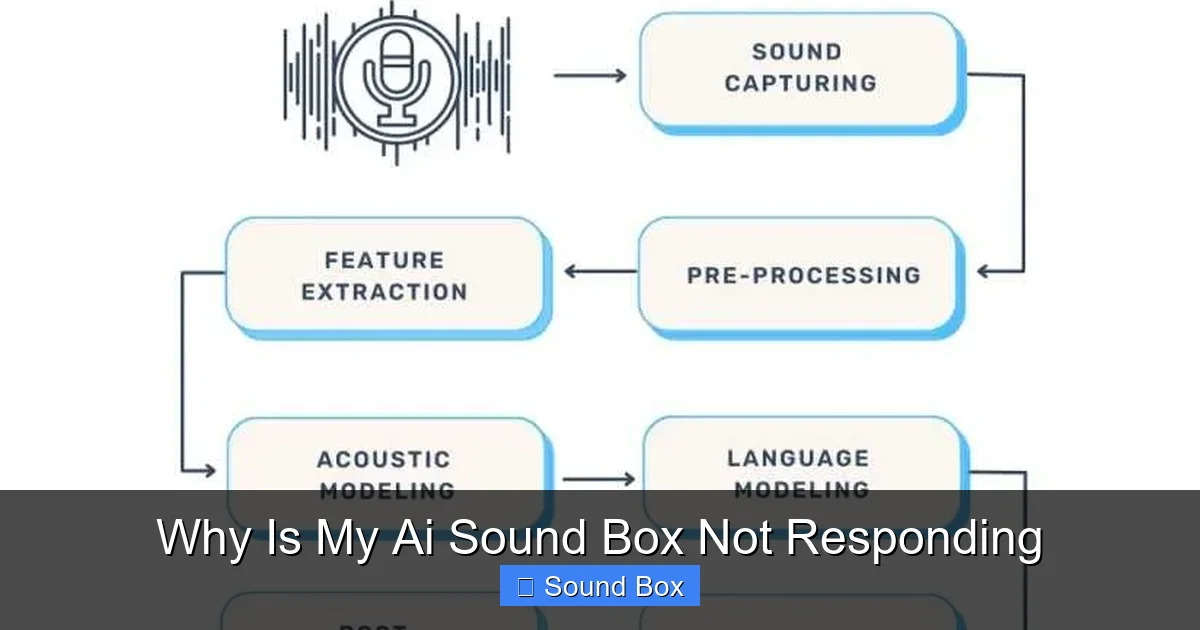
AI sound boxes often rely heavily on wireless connections to function. Whether it’s Wi-Fi for smart features or Bluetooth for audio streaming, a disruption in these connections can lead to your device appearing unresponsive.
Wi-Fi Network Issues
Many AI sound boxes connect to your home Wi-Fi network to access cloud-based services, receive updates, and respond to voice commands. If your Wi-Fi is down or unstable, your sound box won’t be able to communicate.
- Check Your Router: Ensure your Wi-Fi router is powered on and functioning correctly. You can try restarting your router by unplugging it for about 30 seconds and then plugging it back in. If other devices on your network are also having trouble connecting, a router issue is highly probable. Sometimes, your router might not be giving you full speed, which can also cause connectivity problems.
- Signal Strength: Is your AI sound box too far from the router? Weak Wi-Fi signals can cause intermittent connectivity or prevent the device from connecting altogether. Try moving the sound box closer to the router, or consider a Wi-Fi extender if you have a large home.
- Network Congestion: If many devices are using your Wi-Fi network simultaneously, it can become congested, leading to performance issues for all devices, including your AI sound box.
Bluetooth Pairing Problems
If you’re trying to connect your AI sound box via Bluetooth to your phone or another device for audio playback, pairing issues can be the problem.
- Ensure Bluetooth is On: On both your sound box and the device you’re trying to connect from, make sure Bluetooth is enabled.
- Forget and Re-pair: Sometimes, the existing pairing information can get corrupted. On your phone or tablet, go to Bluetooth settings, find your AI sound box in the list of paired devices, and select “Forget” or “Unpair.” Then, try to pair it again from scratch. This is similar to how you might troubleshoot if your JBL speaker is not showing up on Bluetooth.
- Device Proximity: Keep your devices close to each other during the pairing process and for optimal streaming.
- Interference: Other wireless devices can sometimes interfere with Bluetooth signals. Try to minimize potential interference.
Software Shenanigans: Glitches and Updates
Visual guide about Why Is My Ai Sound Box Not Responding
Image source: openaimaster.com
Like any smart device, AI sound boxes run on software. This software can sometimes encounter glitches or become outdated, leading to unresponsiveness.
The Classic Reboot
The first and often most effective software troubleshooting step is a simple restart. This is true for your computer, your phone, and yes, your AI sound box. A reboot can clear temporary memory issues and resolve minor software conflicts that might be preventing it from responding.
- How to Restart: Most AI sound boxes have a specific way to power them off and on. This might involve unplugging the power cord for a minute or two, or pressing and holding a power button. Consult your device’s manual for the exact procedure.
Firmware Updates
Manufacturers regularly release firmware updates to improve performance, fix bugs, and add new features. If your AI sound box isn’t responding, it might be because it’s running on outdated firmware.
- Check for Updates: You can usually check for and install firmware updates through the device’s companion app or sometimes through its web interface. Make sure your sound box is connected to Wi-Fi for this process.
- Automatic Updates: Some devices have automatic update settings. Ensure this is enabled if you want to keep your firmware up-to-date with minimal effort.
Companion App Issues
Most AI sound boxes come with a dedicated mobile app that you use to set them up, customize settings, and sometimes control them. If the app isn’t working correctly, it can make it seem like the sound box itself is unresponsive.
- Restart the App: Close the app completely (don’t just minimize it) and then reopen it.
- Clear App Cache: On your smartphone, you can often clear the cache for specific apps. This can resolve issues caused by corrupted temporary data.
- Update the App: Just like firmware, the app itself needs to be updated to the latest version from your device’s app store.
- Reinstall the App: As a last resort, you can uninstall and then reinstall the companion app.
Environmental and Physical Factors
Visual guide about Why Is My Ai Sound Box Not Responding
Image source: 44a7ab8c.delivery.rocketcdn.me
Sometimes, the environment your AI sound box is in, or physical obstructions, can interfere with its operation.
Temperature and Humidity
Most electronic devices have optimal operating temperature and humidity ranges. Extreme heat or cold, or very high humidity, can cause components to malfunction or even lead to permanent damage.
- Ideal Conditions: Keep your AI sound box in a climate-controlled environment, away from direct sunlight, heaters, or damp areas like bathrooms.
Physical Obstructions and Placement
The microphones on AI sound boxes are crucial for picking up your voice commands. If these are blocked, the device won’t hear you.
- Clear the Mics: Ensure the microphone holes are not covered by anything, like dust, debris, or even a misplaced accessory. Gently clean them if necessary, following the manufacturer’s instructions.
- Speaker Placement: While less likely to cause complete unresponsiveness, poor placement can affect audio quality. If you’re experiencing muffled sound, it might be worth checking out why your JBL speaker sounds muffled.
- Distance: Speaking too far away from the device, or in a noisy environment, can also make it difficult for the AI sound box to register your commands.
Hardware Hiccups: When It’s More Serious
If you’ve tried all the software and connectivity troubleshooting steps and your AI sound box still isn’t responding, it’s possible there’s an underlying hardware issue.
Internal Component Failure
This is the least common reason for an AI sound box to stop responding, but it can happen. A component inside the device might have failed, rendering it inoperable. This could be anything from a faulty processor to a damaged internal speaker.
- Signs of Damage: Look for any physical damage to the unit that you might have missed, such as dents or cracks.
Contacting Support or Repair
If you suspect a hardware issue, your best course of action is to contact the manufacturer’s customer support. They can guide you through further diagnostic steps, and if the device is under warranty, they can arrange for a repair or replacement. If the device is out of warranty, they can inform you about paid repair options or recommend a suitable replacement. Sometimes, a device might simply be too old to be supported, or the cost of repair might outweigh the cost of a new unit.
Getting Your Voice Back: Specific AI Features
Sometimes, the issue isn’t with the device as a whole, but with a specific function, like voice commands.
Voice Command Recognition
If your AI sound box powers on and plays music when controlled via an app, but doesn’t respond to voice commands, the problem lies with the microphone or the voice recognition software.
- Speak Clearly: Ensure you are speaking clearly and at a normal volume. Avoid shouting or mumbling.
- Minimize Background Noise: Try to use the device in a quiet environment to give the microphones the best chance of picking up your voice accurately.
- Wake Word Issues: Make sure you are using the correct wake word (e.g., “Hey Google,” “Alexa,” “Siri”) and that it’s enabled in the device settings.
Troubleshooting Voice Assistant Services
If your AI sound box is connected to a specific voice assistant service (like Amazon Alexa, Google Assistant, or Apple HomeKit), there might be an issue with that service itself.
- Check Service Status: Occasionally, the voice assistant service might be experiencing temporary outages. You can usually check their status pages online.
- Account Linking: Ensure your accounts for music streaming services and other linked accounts are still correctly connected within the AI sound box’s app.
Conclusion: Patience and Persistence
It’s easy to get frustrated when your AI sound box isn’t responding. It’s a piece of technology designed to simplify things, and when it doesn’t work, it feels like a step backward. However, by systematically working through the potential issues we’ve discussed – from the simple power check to more complex connectivity and software solutions – you can often identify and resolve the problem yourself.
Remember to always consult your AI sound box’s user manual for specific instructions related to your model. Patience and persistence are key. Most of the time, a simple reboot or a quick check of your Wi-Fi connection is all that’s needed. If, after trying everything, your AI sound box remains stubbornly silent, it might be time to reach out to the manufacturer for support. Don’t give up – your smart audio companion is likely just waiting for a little bit of technical TLC to get back to its responsive self!
Frequently Asked Questions
Why won’t my AI sound box turn on at all?
If your AI sound box won’t turn on, start by checking the power source. Ensure it’s plugged into a working outlet with the correct power adapter. If it has a battery, make sure it’s charged.
My AI sound box is on, but it won’t respond to voice commands. What should I do?
Check if the microphone is obstructed and ensure you are speaking clearly and at an appropriate volume. Also, verify that the correct wake word is being used and that the device is connected to the internet.
Can my Wi-Fi connection cause my AI sound box to be unresponsive?
Yes, absolutely. If your AI sound box relies on Wi-Fi for its smart features, a weak or unstable connection can prevent it from responding to commands or accessing online services.
How often should I update the firmware on my AI sound box?
It’s a good idea to keep your AI sound box’s firmware updated whenever an update is available. Manufacturers release these to improve performance, fix bugs, and enhance security.
Is it possible for my AI sound box to be damaged by extreme temperatures?
Yes, operating your AI sound box in extreme heat or cold can potentially damage its internal components and cause it to malfunction or stop responding.
What should I do if my AI sound box is physically damaged?
If your AI sound box has visible physical damage, it’s best to contact the manufacturer’s customer support. They can advise you on whether it can be repaired or needs to be replaced.