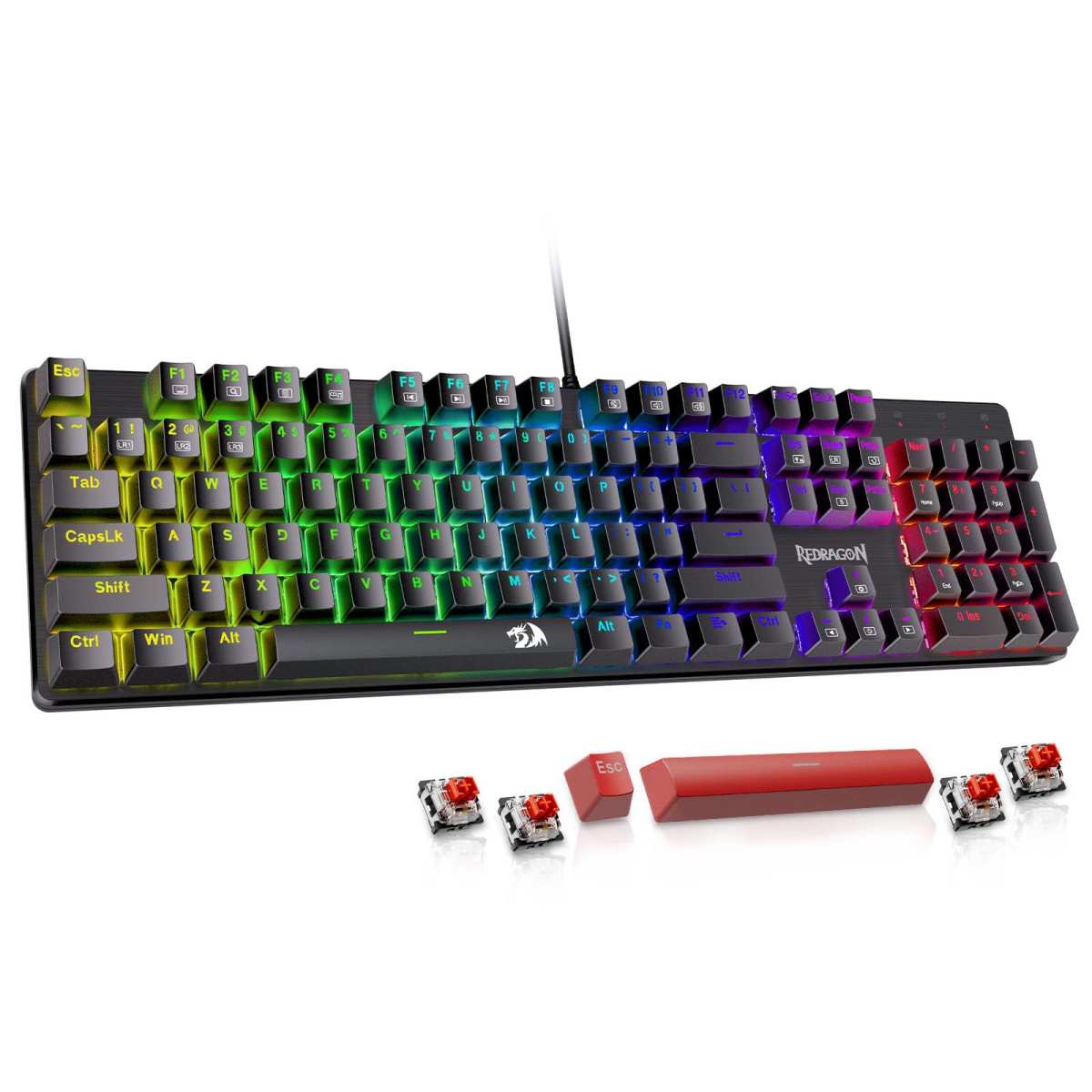
Redragon Mechanical Gaming Keyboard
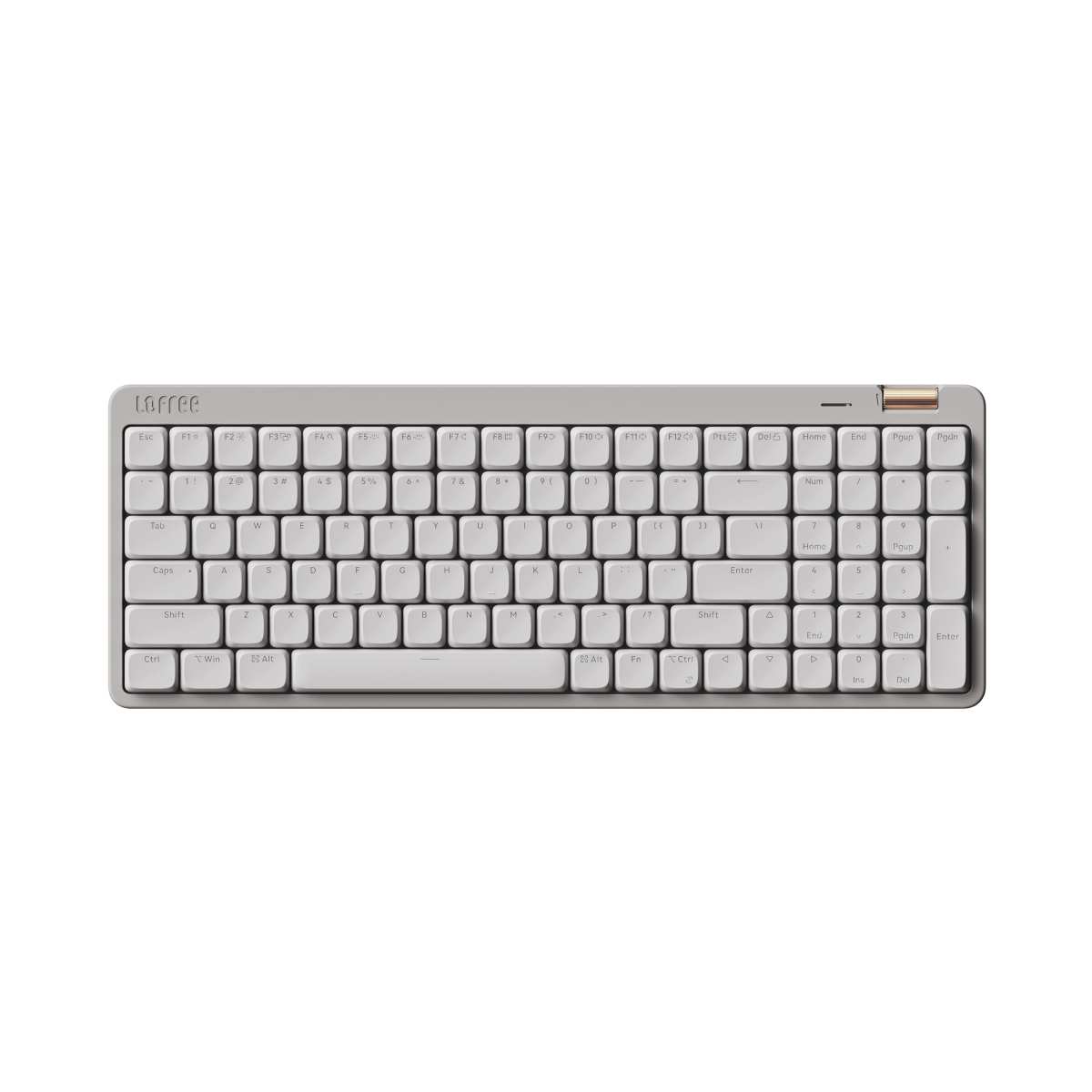
Flow Lite 100 Keys
When it comes to upgrading your typing or gaming setup, choosing the right mechanical keyboard can feel like picking between two very different worlds. On one side, you’ve got the Redragon Mechanical Gaming Keyboard—a wired, full-size powerhouse built for durability, customization, and immersive backlighting. On the other, the Flow Lite 100 Keys offers a sleek, low-profile design with wireless flexibility, premium materials, and ergonomic comfort tailored for long typing sessions. Both are popular choices on Amazon, but they cater to wildly different needs and preferences.
This comparison matters because not every mechanical keyboard is created equal—and what works for a hardcore gamer might be overkill (or even uncomfortable) for someone who spends eight hours a day writing reports or coding. Whether you’re looking for RGB flair, hot-swappable switches, or a whisper-quiet, wrist-friendly typing experience, understanding the nuances between these two models will help you make a confident decision. In this article, you’ll get a detailed breakdown of features, real user feedback, performance insights, and a clear recommendation based on your lifestyle.
In-Depth Look: Redragon Mechanical Gaming Keyboard
The Redragon Mechanical Gaming Keyboard is a no-nonsense, full-sized wired keyboard designed with gamers and power users in mind. At its core are hot-swappable linear red switches that require just 45 grams of force to actuate—making them smooth, quiet, and ideal for rapid keystrokes in RPGs or MMOs. Unlike tactile or clicky switches, these linear switches offer a consistent press from top to bottom, which many gamers prefer for fast-paced action without accidental bumps.
One of the standout features is the inclusion of 11 programmable backlight modes. While you can’t change the colors (they’re fixed red/blue/green combinations), you can adjust brightness across five levels and control animation speed. The double-injection ABS keycaps ensure legends stay visible even after heavy use, though some users note that ABS can develop shine over time with intense typing. Still, for the price, the lighting system adds serious ambiance without being overly flashy.
Macro editing is another strong point. Using Redragon’s software (Windows only), you can remap keys, create complex shortcuts, or assign multi-key commands to a single button—perfect for streamlining workflows or executing in-game combos. Combined with full N-key rollover and 12 dedicated multimedia keys, this keyboard handles multitasking like a champ.
Customer feedback highlights reliability and build quality. One reviewer praised its sturdiness and ease of cleaning, calling it “the best mechanical full-size keyboard for the price range.” Another appreciated the responsive customer service after a faulty ‘W’ key was quickly replaced under warranty. However, a few users mentioned occasional key chatter or inconsistent switch performance, though Redragon’s 24-month warranty helps mitigate these concerns.
Best for: Gamers on a budget, office workers who want a durable wired keyboard, or anyone who values macro customization and solid build quality over wireless convenience.
In-Depth Look: Flow Lite 100 Keys
The Flow Lite 100 Keys takes a radically different approach. Born from Lofree’s premium Flow series, this keyboard strips away bulk while elevating comfort and aesthetics. Its low-profile design reduces front height by nearly half compared to traditional mechanical boards, promoting a more natural wrist position—ideal for those who type for hours or suffer from wrist strain.
Under the hood are Specter Full POM linear switches, co-developed with Kailh. These switches operate at just 40gf of force, softer than most competitors, and feature a self-lubricating POM (polyoxymethylene) housing that delivers a buttery-smooth, quiet keystroke. Paired with a gasket-mounted plate, each press feels cushioned and acoustically rich—think “thocky” rather than “clacky.”
Keycaps are PBT double-shot with a clever two-tone design: the letter legends are made from translucent PC plastic for even RGB diffusion, while the rest remains textured PBT for grip and longevity. This ensures legends never fade, even after years of use. The keyboard also supports three connectivity modes—Bluetooth (up to 3 devices), 2.4GHz wireless dongle, and wired USB-C—giving you seamless switching between laptop, tablet, and desktop.
Customization is handled via the Lofree Configurator app, which lets you remap every key, create layers, and tweak lighting effects. With a 1000Hz polling rate in all modes, responsiveness rivals many wired gaming keyboards. Battery life is solid too, thanks to the built-in rechargeable cell (though exact runtime isn’t specified).
Users rave about the typing experience—especially those with long nails or sensitive wrists. One reviewer called it “life-changing” for her 400-chat-per-week job, while another said it’s the first mechanical keyboard that doesn’t hurt her fingers. The only downside? The premium feel comes at a higher price point, and the 12-month warranty is shorter than Redragon’s.
Best for: Remote workers, writers, designers, or anyone prioritizing ergonomics, wireless freedom, and a premium typing feel.
Head-to-Head Comparison
Typing Comfort & Ergonomics
The Flow Lite 100 Keys wins hands-down here. Its low-profile switches and reduced height encourage a neutral wrist posture, drastically cutting fatigue during long sessions. The Redragon Mechanical Gaming Keyboard, while sturdy, uses standard-height keys that may require a wrist rest for extended comfort.
Customization & Software
Both keyboards support macro programming, but the Flow Lite 100 Keys offers more intuitive software (Lofree Configurator) with cross-platform potential, while Redragon’s tool is Windows-only. However, Redragon includes physical spare switches—a nice touch for DIYers.
Build Quality & Materials
The Flow Lite 100 Keys uses higher-end materials: PBT keycaps, gasket mounting, and a textured ABS body. Redragon relies on ABS keycaps (prone to shine) and a more conventional plate mount. For longevity and tactile feel, Lofree edges ahead.
Value for Money
The Redragon Mechanical Gaming Keyboard delivers exceptional bang-for-buck—especially with its 24-month warranty and hot-swappable switches. The Flow Lite 100 Keys is pricier but justifies the cost with premium ergonomics and wireless versatility.
Frequently Asked Questions
Q: Can I use the Flow Lite 100 Keys with my MacBook?
A: Absolutely! The Flow Lite 100 Keys supports Bluetooth and wired connections, making it fully compatible with macOS. Just pair it via Bluetooth or use the USB-C cable. Check it out on Amazon.
Q: Are the Redragon switches really hot-swappable?
A: Yes! The Redragon Mechanical Gaming Keyboard uses 3-pin hot-swappable sockets, so you can replace switches without soldering. It even includes 4 spare red switches. See full details here.
Q: Which keyboard is better for gaming?
A: For pure gaming performance, both offer 1000Hz polling and anti-ghosting. But the Redragon Mechanical Gaming Keyboard’s wired connection and macro features give it a slight edge for competitive play.
Q: Do either keyboard support RGB per-key lighting?
A: Not exactly. The Redragon has fixed-color zones, while the Flow Lite 100 Keys uses uniform RGB backlighting (legends light up via PC keycap inserts). Neither offers true per-key RGB control.
Q: Is the Flow Lite 100 Keys worth the extra cost?
A: If you type all day or value wireless freedom, yes. For casual gamers or budget buyers, the Redragon Mechanical Gaming Keyboard offers better value. Read our full Flow Lite review or Redragon review for deeper insights.
Final Verdict: Which One Should You Choose?
Your choice boils down to priorities. If you’re a gamer, office worker on a budget, or someone who values reliability and macro power, go with the Redragon Mechanical Gaming Keyboard. It’s tough, customizable, and backed by excellent customer support.
But if you’re willing to invest in long-term comfort—especially if you type for hours, use multiple devices, or have wrist sensitivity—the Flow Lite 100 Keys is a transformative upgrade. Its ergonomic design, wireless flexibility, and premium materials make it one of the best low-profile mechanical keyboards under $150.
Whichever you pick, both are stellar options in their respective categories. Ready to upgrade? Grab the Redragon here or get the Flow Lite 100 Keys now—your fingers (and wrists) will thank you.