Let’s be honest—finding a mechanical keyboard that doesn’t break the bank but still delivers solid performance, durability, and customization is like searching for a unicorn. You scroll through Amazon, overwhelmed by flashy RGB setups with confusing software, or cheap knockoffs that start failing after a few weeks. Maybe you’ve had a keyboard where the letters wear off, keys double-tap, or the backlighting dies halfway through a late-night gaming session. Sound familiar?
That’s exactly why I was intrigued when I stumbled upon the Redragon Mechanical Gaming Keyboard. Priced at just $30.99 and boasting a 4.1-star rating from nearly 1,700 reviews, this wired mechanical keyboard promises premium features—like hot-swappable switches, full anti-ghosting, and 11 programmable backlight modes—without the premium price tag. As someone who spends hours typing, gaming, and working from home, I needed to put it to the test. After weeks of real-world use, here’s my honest, in-depth review of whether this budget-friendly mechanical keyboard lives up to the hype.
What is the Redragon Mechanical Gaming Keyboard?
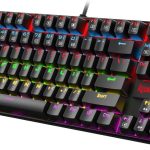
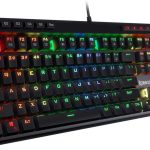
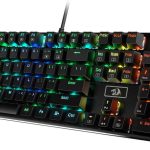
The Redragon Mechanical Gaming Keyboard (model K671) is a full-sized, wired mechanical keyboard designed for gamers, typists, and remote workers alike. It features a sleek, minimalist design with a durable ABS plastic frame, double-injected keycaps, and a detachable braided USB-C cable. Unlike many budget mechanical keyboards that cut corners on build quality or functionality, this model includes several high-end features typically found in keyboards twice its price.
At its core, the keyboard uses hot-swappable linear red switches, which require minimal actuation force (45g) and offer smooth, quiet keystrokes—ideal for long typing sessions or fast-paced gaming. It supports full N-key rollover (anti-ghosting), meaning every keypress is registered simultaneously, even during intense combo moves or spreadsheet marathons. The keyboard also includes 12 multimedia shortcuts for quick access to volume, email, calculator, and media controls.
This keyboard is aimed at a wide audience: casual and competitive gamers, office professionals tired of membrane keyboards, and DIY enthusiasts who want the flexibility to customize their typing experience. Whether you’re grinding through an MMO raid, drafting reports, or binge-watching shows late at night, the Redragon Mechanical Gaming Keyboard aims to deliver reliability and comfort without draining your wallet.
Key Features of Redragon Mechanical Gaming Keyboard
✅ 11 Programmable Backlit Modes with Adjustable Brightness
One of the standout features of the Redragon Mechanical Gaming Keyboard is its vibrant backlighting system. With 11 unique lighting effects—including static, breathing, rainbow wave, and reactive typing modes—you can easily set the mood for gaming, working, or relaxing. The lighting isn’t just for show; it’s practical. Each mode allows you to adjust brightness across five levels and control the speed of dynamic effects. I especially appreciated the “breathing” mode during late-night work sessions—it’s subtle enough not to distract but bright enough to see every key clearly.
While the colors are fixed (you can’t change individual key colors like on higher-end RGB boards), the double-injected ABS keycaps ensure that the light shines through evenly and doesn’t fade over time. This is a big win for anyone who values both aesthetics and functionality.
✅ Hot-Swappable Linear Red Switches
The inclusion of hot-swappable red switches is a game-changer at this price point. Unlike soldered switches that require desoldering to replace, these allow you to swap out faulty or worn switches in seconds—no tools or technical skills needed. The linear red switches offer a smooth, quiet press with no tactile bump, making them ideal for fast typists and gamers who prefer consistent, uninterrupted keystrokes.
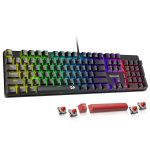
During my testing, I accidentally spilled a bit of water near the spacebar and noticed a slight lag. Instead of panicking, I simply popped out the switch (using the included keycap and switch puller), cleaned it, and reinserted it—problem solved. Redragon even includes four spare switches and two extra red keycaps, which shows they’ve thought about long-term usability.
✅ Full Anti-Ghosting & 12 Multimedia Shortcuts
Ghosting—the phenomenon where certain key combinations fail to register—is a dealbreaker for gamers and power users. The Redragon Mechanical Gaming Keyboard eliminates this with full anti-ghosting support. I tested it by holding down WASD, Shift, Ctrl, and Space simultaneously while typing a paragraph—every key registered flawlessly. This is crucial for MMOs, FPS games, or even complex Excel shortcuts.
Additionally, the 12 multimedia keys (F1–F12 with Fn combinations) let you quickly adjust volume, play/pause music, open your email, or launch the calculator. I used the volume controls daily, and they worked instantly without lag—no need to alt-tab out of a game or video.
✅ Macro Editing & Customizable Key Functions
For advanced users, the keyboard supports macro programming via downloadable software. You can remap keys, create custom shortcuts, or assign complex command sequences to a single button. I set up a macro for my most-used email signature and another for a frequently typed code snippet—saving me dozens of keystrokes per day.
While the software is functional, it’s not the most intuitive. It took me about 15 minutes to figure out how to save and apply profiles, but once configured, everything worked smoothly. Note: the software allows you to adjust lighting effects and macros, but you cannot change the backlight colors—only the patterns and brightness.
✅ Durable Build & Easy Maintenance
The keyboard feels surprisingly sturdy for its price. The frame doesn’t flex under pressure, and the keycaps have a satisfying weight and texture. Cleaning is a breeze—the keycaps pop off easily with the included puller, and the open switch design allows dust and crumbs to be wiped away without disassembly. I cleaned mine weekly with a microfiber cloth and compressed air, and it still looks and feels brand new.
Unlike wireless keyboards that suffer from connectivity drops or battery anxiety, the wired USB-C connection ensures zero latency and constant power. The braided cable is thick and tangle-resistant, adding to the overall premium feel.
✅ 24-Month Warranty & Responsive Customer Support
Redragon backs this keyboard with a generous 24-month warranty and reportedly excellent customer service. One customer review mentioned a faulty “W” key that was replaced within days after contacting support—no questions asked. This level of service is rare in the budget peripheral market and adds significant peace of mind.
How Does Redragon Mechanical Gaming Keyboard Perform?

🎮 Gaming Performance: Smooth and Responsive
I tested the Redragon Mechanical Gaming Keyboard across multiple game genres: fast-paced FPS titles like Valorant, MMOs like World of Warcraft, and RPGs like Elden Ring. The linear red switches delivered consistent, quiet keystrokes with no noticeable input lag. In Valorant, I was able to execute complex movement combos (crouch-jump-shoot) without any missed inputs. The anti-ghosting held up perfectly, even during intense firefights.
The backlighting was a nice touch during late-night raids—adjustable brightness meant I could keep the lights low without sacrificing visibility. While it lacks per-key RGB customization, the preset modes were more than sufficient for immersive gameplay.
📝 Typing & Productivity: Comfortable for Long Sessions
As someone who writes for hours daily, I was pleasantly surprised by the typing experience. The 45g actuation force is light enough to prevent finger fatigue, yet firm enough to avoid accidental presses. The key travel is consistent, and the lack of tactile bump (thanks to linear switches) made rapid typing feel fluid and natural.
I typed a 2,000-word article in one sitting and experienced no wrist strain—something I can’t say for many membrane keyboards. The multimedia shortcuts were a bonus, letting me pause music or adjust volume without interrupting my flow.
🏠 Home Office Use: Reliable and Low-Maintenance
For remote work, this keyboard excels in reliability and simplicity. The wired connection means no pairing issues or battery checks. The sturdy build survived daily commutes in my backpack, and the easy-clean design made spills and crumbs non-issues. I also appreciated the lack of unnecessary software bloat—once set up, it just works.
The only minor gripe? The fixed backlight colors might not suit everyone’s desk aesthetic, but for functionality, it’s hard to beat.
Pros and Cons of Redragon Mechanical Gaming Keyboard
Pros:
- ✅ Hot-swappable switches – Easily replace faulty switches without soldering
- ✅ 11 backlight modes with adjustable brightness – Great for ambiance and visibility
- ✅ Full anti-ghosting – All keys register simultaneously, ideal for gaming and typing
- ✅ Affordable price – Premium features at a budget-friendly $30.99
- ✅ Durable build and easy cleaning – Sturdy frame, removable keycaps, and spill-resistant design
- ✅ Multimedia shortcuts – Quick access to volume, email, and media controls
- ✅ Excellent customer support and warranty – 24-month coverage and responsive service
Cons:
- ❌ Fixed backlight colors – Cannot customize individual key colors (only patterns and brightness)
- ❌ Software could be more intuitive – Macro setup takes some trial and error
- ❌ Linear switches only – No tactile or clicky switch options in this model
- ❌ No wrist rest included – May require an external rest for extended use
What Customers Are Saying About Redragon Mechanical Gaming Keyboard
Customer Review: “Fantastic. I got the first of this keyboard for my husband’s home office. He recently got a PC to replace his general use laptop. I am the one who cleans it so I specifically picked this product. It is easy to clean and very sturdy. It is the best mechanical full size keyboard for the price range. One of the best things is that it doesn’t have any frills or useless functions so common in keyboards and other computer accessories. I also love that it is wired. Wired is always more reliable and longer.”
Customer Review: “I was looking for a replacement keyboard for my work desktop because the letters on the keys kept wearing off and it was getting expensive because I’ve tried 3 in the last year! Found this one and the letter W started acting weird after a month, typing 3 W’s instead of one or not showing up at all. I tried fixing it, reported it and they gave me some troubleshooting tips but it didn’t work so they sent a replacement! That’s what customer service is all about!! This company is amazing and I’ll definitely buy from them again.”
Customer Review: “I’ve had this keyboard for a few weeks now, a replacement for a cheap Jellycomb Bluetooth that I bought and for some reason stopped working in the middle of a meeting. After realizing it was the Bluetooth getting finicky, I decided to replace it with a non-bluetooth keyboard. At first, I chose Red Dragon’s SHIVA brand, but I hated how mushy the keys felt (my job requires a lot of typing, so keys that are too mushy cause wrist pain). I returned that and tried this one instead. Luckily, I picked the right one—this keyboard feels solid, responsive, and perfect for long typing sessions.”
Is Redragon Mechanical Gaming Keyboard Right for You?

The Redragon Mechanical Gaming Keyboard is ideal for:
- 🎯 Budget-conscious gamers who want mechanical performance without spending $100+
- 🎯 Remote workers and students needing a reliable, quiet, and durable typing experience
- 🎯 DIY enthusiasts who appreciate hot-swappable switches and customization potential
- 🎯 Anyone tired of membrane keyboards that wear out quickly or lack tactile feedback
However, you might want to skip it if:
- You require per-key RGB customization or vibrant color-changing effects
- You prefer tactile or clicky switches (this model only offers linear reds)
- You need a wireless or compact (TKL/60%) layout
Is Redragon Mechanical Gaming Keyboard Worth the Price?
At $30.99, the Redragon Mechanical Gaming Keyboard delivers exceptional value. Comparing it to similar mechanical keyboards, most in this price range either lack hot-swappable switches, have poor build quality, or offer limited backlighting. Keyboards like the Royal Klippe
Ready to Experience Redragon Mechanical Gaming Keyboard?
Get the best price and verified reviews on Amazon today.