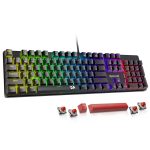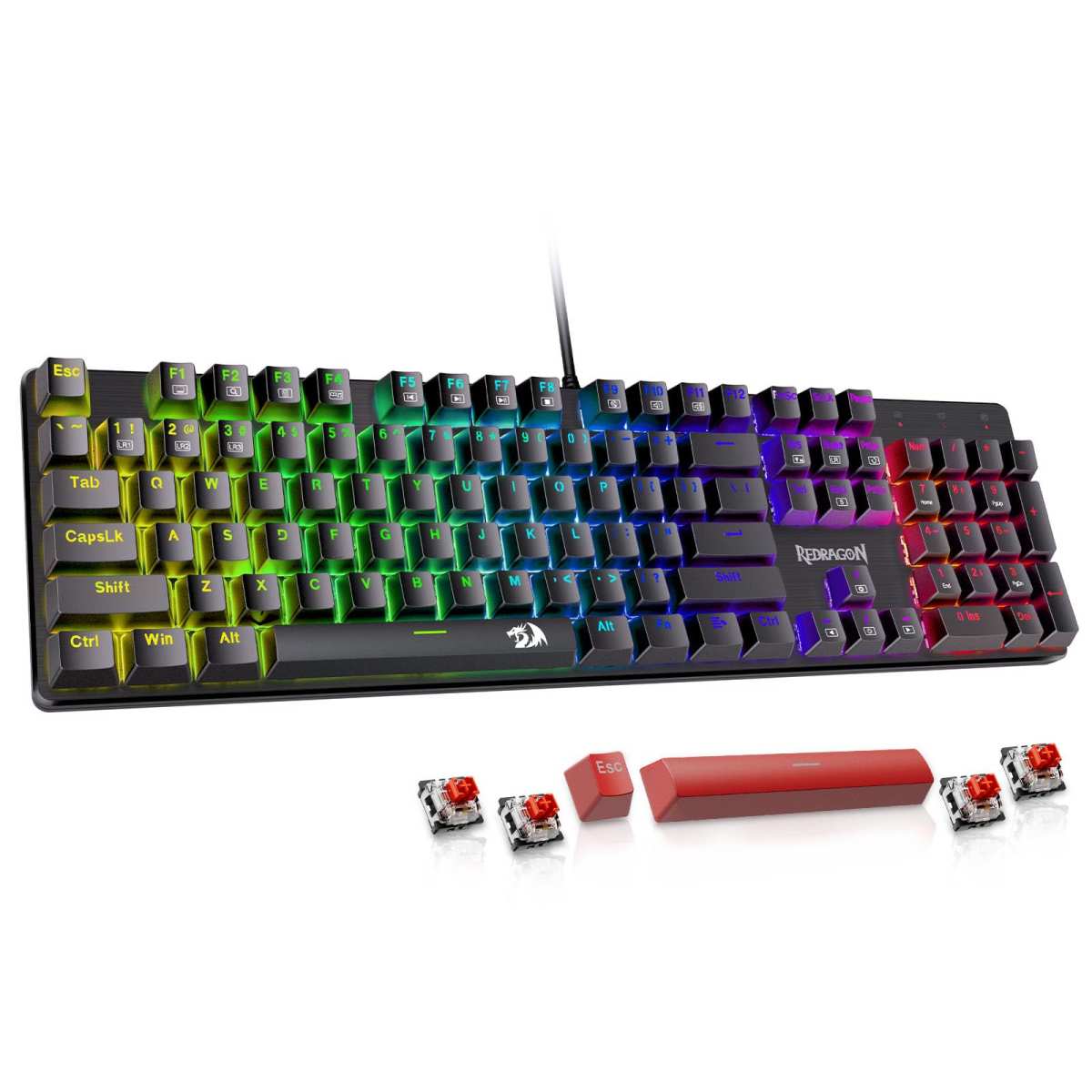
Redragon Mechanical Gaming Keyboard
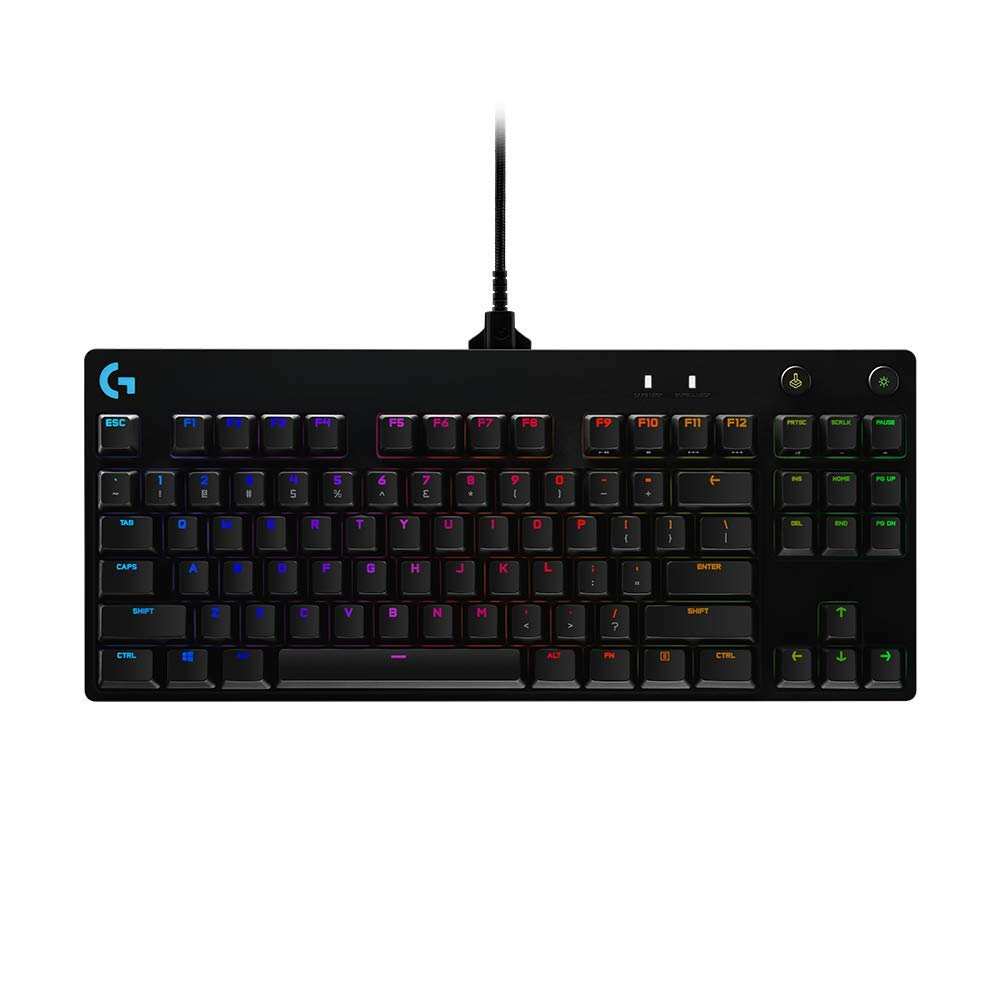
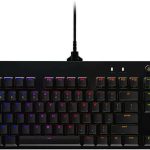
Logitech G PRO Mechanical
If you’re serious about gaming—or even just typing up reports late at night—your keyboard can make or break your experience. Two popular contenders in the mechanical keyboard space right now are the Redragon Mechanical Gaming Keyboard and the Logitech G PRO Mechanical. Both promise solid build quality, responsive switches, and features tailored for gamers, but they come from very different design philosophies and price points.
The Redragon model is a full-sized wired board packed with customizable backlighting, hot-swappable switches, and macro support—all at a budget-friendly price. Meanwhile, the Logitech G PRO Mechanical leans into esports-grade minimalism: it’s compact, tournament-ready, and built with pro feedback in mind. But which one actually delivers better value, performance, and long-term satisfaction?
In this head-to-head showdown, we’ll break down every key difference—from switch feel and software to portability and durability—so you can pick the right board for your setup. Whether you’re grinding ranked matches, streaming content, or just want a reliable daily driver, we’ve got you covered.
In-Depth Look: Redragon Mechanical Gaming Keyboard
The Redragon Mechanical Gaming Keyboard is a no-nonsense, feature-rich board that punches well above its price point. Designed for both gamers and typists who want reliability without breaking the bank, it offers a full 104-key layout with double-shot ABS keycaps that ensure legends won’t wear off—a common complaint with cheaper boards.
One of its standout features is the hot-swappable linear red switches. These require only 45g of actuation force, making them smooth and quiet—ideal for long typing sessions or stealthy late-night gaming. Plus, Redragon includes four spare switches and two extra keycaps, so if a switch fails (which is rare but possible), you can swap it out yourself in seconds. That kind of repairability is almost unheard of at this price.
Backlighting is another strong suit. While you can’t individually customize each key’s color (it’s preset RGB zones), you do get 11 dynamic lighting modes with adjustable brightness and speed across five levels. Whether you want a subtle white glow for work or rainbow waves for gaming ambiance, it’s easy to set up via onboard controls or the included software.
Macro editing is supported too, letting you remap keys or create complex command sequences—great for MMOs or productivity workflows. And with full anti-ghosting and 12 multimedia shortcuts, it handles multitasking like a champ.
Customer feedback highlights its sturdiness and value. One user praised it as “the best mechanical full-size keyboard for the price range,” while another appreciated the responsive customer service after a faulty key was quickly replaced under warranty.
That said, it’s not perfect. The plastic build feels solid but lacks the premium heft of higher-end models. Also, the lack of per-key RGB might disappoint enthusiasts who want granular lighting control.
Overall, the Redragon Mechanical Gaming Keyboard shines as a versatile, durable, and affordable option—especially if you prioritize function over flash. For more insights, check out our detailed Redragon Mechanical Gaming Keyboard Review.
In-Depth Look: Logitech G PRO Mechanical
Built in collaboration with esports pros, the Logitech G PRO Mechanical is all about precision, portability, and performance. This tenkeyless (TKL) board strips away the numpad to free up desk space—perfect for competitive gamers who need maximum mouse movement.
It uses Logitech’s proprietary GX Blue Click switches, which deliver a satisfying tactile bump and audible click with every press. These are heavier than Redragon’s reds (50g actuation force) and louder, making them better suited for typists or gamers who prefer feedback over silence. However, they’re not hot-swappable, so once a switch fails, you’ll need professional repair.
Where the Logitech truly excels is in its LIGHTSYNC RGB system. Using the Logitech G HUB software, you can create stunning per-key lighting effects, sync with games, or save profiles directly to the onboard memory—critical for tournaments where software installs are banned. The lighting is vibrant, responsive, and far more customizable than Redragon’s preset modes.
Portability is another win. The detachable Micro USB cable (yes, not USB-C—a minor gripe) and compact TKL design make it easy to toss in a backpack. Rubber feet and three-angle tilt adjustment ensure it stays put during intense matches.
Macros are supported via F-key remapping, though note that tournament rules often prohibit macro use in official play. Still, for casual or training use, it’s handy.
Reviews praise its build quality and lighting, though some note that cheaper alternatives offer similar features for less. One user admitted, “For the money, you can do SO much better,” highlighting that while the RGB is excellent, the overall value proposition leans toward brand prestige.
If you’re into competitive gaming or want a sleek, minimalist setup, this board delivers. Dive deeper in our full Logitech G PRO Mechanical Gaming Keyboard Review.
Head-to-Head Comparison
Switch Feel & Typing Experience
Redragon’s linear red switches are smooth and quiet—great for RPGs or office work. Logitech’s clicky GX Blues offer tactile feedback and sound, ideal for those who love audible confirmation. Choose based on preference: silence vs. sensation.
Build Quality & Durability
Both feel sturdy, but Logitech uses higher-grade materials and offers a limited lifetime warranty versus Redragon’s 24-month coverage. However, Redragon’s hot-swappability gives it an edge in long-term maintenance.
Customization & Software
Logitech wins hands-down here. LIGHTSYNC allows deep per-key RGB control, while Redragon’s lighting is zone-based and less flexible. Macro support is comparable, but Logitech’s G HUB is more polished.
Portability & Design
The Logitech G PRO Mechanical’s TKL layout makes it the clear winner for travel or small desks. Redragon’s full-size design is better for data entry or users who rely on the numpad.
Value for Money
Redragon delivers exceptional bang-for-buck with hot-swap, full anti-ghosting, and solid build quality at a lower price. Logitech commands a premium for its esports pedigree and RGB sophistication.
Frequently Asked Questions
Q: Can I use these keyboards for both gaming and typing?
A: Absolutely! The Redragon Mechanical Gaming Keyboard’s smooth linear switches are great for long typing sessions, while the Logitech G PRO Mechanical’s tactile clicks provide satisfying feedback. Both handle dual use well.
Q: Does either keyboard support wireless connectivity?
A: No—both are wired only. The Redragon uses a fixed USB cable, while the Logitech G PRO Mechanical includes a detachable Micro USB cable for easier transport.
Q: Which one is better for competitive esports?
A: The Logitech G PRO Mechanical is designed with esports in mind—compact, tournament-ready, and trusted by pros. If you play competitively, it’s the safer bet. Check it on Amazon.
Q: Can I replace switches on the Logitech G PRO?
A: Unfortunately, no. Unlike the Redragon Mechanical Gaming Keyboard, the Logitech uses soldered switches. If a key fails, you’ll need professional repair or replacement.
Q: Is the Redragon keyboard compatible with Mac?
A: Yes, but some function keys may not map correctly without third-party tools. Windows users will have full feature access. See full specs on Amazon.
Q: Do these keyboards work with consoles like PS5 or Xbox?
A: The Logitech G PRO Mechanical works with PS5 (with limited RGB presets). Redragon compatibility varies—check your console’s peripheral support before buying.
Final Verdict: Which One Should You Choose?
If you’re on a budget, value repairability, and want a full-sized keyboard with solid performance, go with the Redragon Mechanical Gaming Keyboard. It’s reliable, feature-packed, and backed by excellent customer service.
But if you’re a competitive gamer, prioritize portability, and crave advanced RGB customization, the Logitech G PRO Mechanical is worth the premium. Its esports-grade design and LIGHTSYNC tech make it a favorite among pros.
Ultimately, your choice depends on your priorities: value and versatility (Redragon) or performance and prestige (Logitech). Either way, you’re getting a quality mechanical keyboard that won’t let you down.