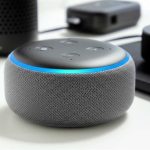
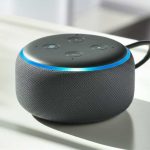
Want to turn your Echo Dot into a super Bluetooth speaker? It’s easy! Just pair your phone or tablet, and bam! You’ve got great sound for your music, podcasts, or anything else you love. Let’s get your tunes flowing!
Hey there, tech adventurer! Max Donovan here from AffTechy.com. You know how sometimes you just want to blast your favorite tunes, but your phone speaker just doesn’t cut it? Or maybe you’ve got a fantastic Echo Dot sitting around and wondered if it could do more than just answer questions. Well, you’re in the right place!
We all love our music, podcasts, and even movie sound effects. But let’s be honest, the sound quality from most phones and tablets can be a bit… meh. It’s like trying to enjoy a gourmet meal with a plastic fork. It works, but it’s not the best experience, right?
Picking out speakers can feel like a puzzle sometimes, with all those technical terms and options. But what if I told you that your friendly little Echo Dot could actually become a surprisingly powerful Bluetooth speaker? Yep, that little gadget you ask for the weather can also be your personal DJ.

I’m here to make this super simple. No confusing jargon, no complicated steps. Just a straightforward guide so you can enjoy amazing sound from your Echo Dot in no time. Ready to unlock a new level of awesome sound? Let’s break it down step by step.
Why Use Your Echo Dot as a Bluetooth Speaker?
So, why would you even bother turning your Echo Dot into a Bluetooth speaker? It’s a fair question! Think of it this way: your Echo Dot already has a speaker inside, right? It’s designed to deliver Alexa’s voice clearly, but it can also handle music and other audio.
When you connect your phone or tablet via Bluetooth, you’re essentially using the Echo Dot as a wireless speaker. This is awesome because it often sounds much better than your phone’s built-in speaker. Plus, it frees up your phone so you can keep scrolling, texting, or doing whatever you need to do without being tethered by a cable. It’s all about making your tech work smarter for you!
Unlocking More Sound Power
Imagine this: you’re having a small get-together, and you want some background music. Instead of trying to balance your phone on a precarious stack of books for better sound, you can simply stream your playlist to your Echo Dot. It’s a quick and easy way to fill a room with sound.

Or maybe you’re watching a video on your tablet, and the dialogue is hard to hear. Connecting your Echo Dot can give that audio a serious boost, making everything clearer and more immersive. It’s like giving your favorite content a mini sound upgrade, without buying a whole new speaker system.
Getting Started: The Easy Pairing Process
Alright, let’s get down to business! Connecting your Echo Dot to your phone or tablet is super simple. Think of it like introducing two friends who are going to have a great time together. Amazon made this process pretty painless, and I’ll walk you through it.
First things first, make sure your Echo Dot is plugged in and powered on. You’ll also need your smartphone or tablet ready to go, with Bluetooth turned on. Most modern phones have Bluetooth, and it’s usually found in the quick settings menu or under the main settings app.
Step-by-Step: Connecting Your Device
Here’s how you make the magic happen. It’s a straightforward process, and you’ll be jamming out in minutes.
-
Tell Alexa to Pair
First, you need to put your Echo Dot in pairing mode. Just say, “Alexa, pair Bluetooth.” Alexa will confirm that your Echo Dot is now discoverable. You might hear a little chime or a voice saying it’s ready to connect. -
Open Bluetooth Settings on Your Phone/Tablet
Now, grab your phone or tablet. Go to your device’s Settings app. Look for the Bluetooth option and tap on it. Make sure Bluetooth is switched ON. -
Find Your Echo Dot
Your phone or tablet will start scanning for nearby Bluetooth devices. In the list of available devices, you should see your Echo Dot. It will likely be named something like “Echo Dot” followed by some letters or numbers, or maybe a name you’ve given it. -
Tap to Connect
Once you see your Echo Dot in the list, tap on its name. Your phone or tablet will then try to connect to the Echo Dot. You might see a confirmation message on your phone and hear Alexa say something like, “Connected to [Your Device Name].” -
Play Your Audio!
That’s it! Your Echo Dot is now connected as a Bluetooth speaker. You can open any music app, podcast app, or video player on your phone or tablet and start playing audio. The sound will come out of your Echo Dot.
See? Super easy! It’s like teaching your Echo Dot a new trick, and it’s one of its coolest ones.
Using Alexa While Connected
Now, here’s a cool part. Even when your Echo Dot is connected to your phone via Bluetooth, it still listens for the wake word “Alexa.” This means you can still ask it questions, set timers, control smart home devices, and more, all while your music is playing.
You might wonder, “What happens to the audio?” Well, if you’re playing music from your phone and then ask Alexa a question, she’ll pause your music, answer your question, and then resume your music. It’s a pretty seamless experience.
Managing Bluetooth Connections
Sometimes, you might want to disconnect your phone or connect a different device. Alexa can help with that too!
To disconnect your current device, just say, “Alexa, disconnect Bluetooth.” Your Echo Dot will confirm that the connection is lost.
If you want to see which devices your Echo Dot has previously connected to, you can ask, “Alexa, what Bluetooth devices are paired?” She’ll list them for you.
To forget a device completely (maybe you’ve sold your old phone or don’t use it anymore), you can manage your Bluetooth devices in the Alexa app on your smartphone.
Echo Dot Models and Bluetooth Capabilities
It’s worth noting that most Echo Dot models come with Bluetooth built-in. This includes the Echo Dot (3rd Gen), Echo Dot (4th Gen), Echo Dot (5th Gen), and even the Echo Dot with Clock. So, if you have a relatively recent Echo Dot, chances are it can be used as a Bluetooth speaker.
Older generations might have slightly different pairing processes or capabilities, but the core functionality is usually there. If you’re unsure about your specific model, a quick look at the Amazon product page or user manual should confirm its Bluetooth features.
A Quick Look at Echo Dot Generations
Let’s quickly touch on how the sound quality has evolved. Each new generation often brings improvements.
| Echo Dot Model | General Sound Quality | Bluetooth Version |
|---|---|---|
| Echo Dot (2nd Gen) | Basic, functional | A2DP profile |
| Echo Dot (3rd Gen) | Improved, fuller sound | A2DP profile |
| Echo Dot (4th Gen) | Even better, more clarity and bass | A2DP profile |
| Echo Dot (5th Gen) | Best sound yet, richer audio experience | A2DP profile |
This table shows that while all these models support Bluetooth, the sound experience can get better with newer versions. The A2DP (Advanced Audio Distribution Profile) is the standard Bluetooth profile for audio streaming, so that’s what enables your Echo Dot to play music from your phone. Even the earlier models offer a step up from a tinny phone speaker!
When Does Bluetooth Make Sense for Your Echo Dot?
So, who is this feature best for? It’s fantastic for anyone who wants a simple, affordable way to get better sound for their mobile devices.
-
Music Lovers on a Budget
If you love listening to music but don’t want to invest in expensive dedicated speakers, your Echo Dot is a great option. It’s already in your home, and using it for music is free! -
Podcast and Audiobook Enthusiasts
Voices come through crystal clear on the Echo Dot. If you’re always listening to podcasts or audiobooks, this feature can make the listening experience much more enjoyable. -
Small Room Audio Boost
For a bedroom, kitchen, or small office, the Echo Dot provides enough sound to fill the space nicely. It’s not going to rival a high-end sound system, but it’s a significant upgrade for casual listening. -
Travelers with an Echo Dot
If you take your Echo Dot with you when you travel (perhaps to a hotel room), it can double as a Bluetooth speaker for your phone, making your stay more entertaining.
It’s a versatile little gadget that just keeps giving!
Tips for the Best Sound Experience
While the Echo Dot is a capable Bluetooth speaker, a few little tricks can help you get the most out of it. Think of these as secret tips from your tech-savvy friend.
Placement Matters
Where you put your Echo Dot can make a surprising difference in sound quality. Try to place it on a flat, stable surface. Avoid corners or enclosed spaces, which can sometimes make the bass sound muddy. Experiment with different spots in your room to see what sounds best.
Volume Control is Key
You can control the volume using both your phone/tablet and Alexa. Sometimes, setting your phone’s volume to about 80-90% and then using Alexa to control the final volume gives a cleaner sound. This can help avoid distortion that sometimes happens when both devices are cranked to their maximum.
Check Your Wi-Fi (When Not Using Bluetooth)
While Bluetooth doesn’t rely on Wi-Fi, if you plan to switch back to using Alexa for voice commands or streaming music via Wi-Fi, a stable internet connection is crucial. A strong Wi-Fi signal ensures smooth music playback and quick responses from Alexa. For general Bluetooth use, though, Wi-Fi isn’t needed.
Troubleshooting Common Issues
Even with simple tech, sometimes things don’t go perfectly the first time. Don’t worry, we’ve all been there! Here are a few common hiccups and how to fix them.
Echo Dot Not Showing Up in Bluetooth List
This is a common one! First, double-check that you said, “Alexa, pair Bluetooth” and that Alexa confirmed it’s in pairing mode. If not, say the command again. Also, make sure your phone’s Bluetooth is on and that you’re within a reasonable distance of the Echo Dot. Sometimes, simply turning your phone’s Bluetooth off and on again can help it find new devices.
Audio Cutting Out or Stuttering
This usually means there’s an interference issue or you’re too far from the Echo Dot. Try moving your phone closer to the Echo Dot. Also, other wireless devices can sometimes interfere with Bluetooth signals. Try turning off other nearby Bluetooth devices temporarily to see if that helps. If you’re using Wi-Fi simultaneously, a weak Wi-Fi signal can sometimes impact Bluetooth performance on certain devices, though this is less common.
Echo Dot Connected but No Sound
Check the volume levels on both your phone/tablet and your Echo Dot. Make sure the audio is actually playing on your phone/tablet. Try disconnecting and reconnecting the Bluetooth. You can also try restarting both your Echo Dot (unplug it for 10 seconds, then plug it back in) and your phone.
How to Unpair a Device
If you want to remove a device from your Echo Dot’s memory, the easiest way is through the Alexa app. Open the Alexa app, go to Devices, select your Echo Dot, tap the gear icon for settings, and then look for Bluetooth. You should see a list of paired devices, and you can select one to “Forget Device.” Alternatively, you can just say, “Alexa, disconnect Bluetooth,” and then try pairing a new device. If the Echo Dot reaches its limit of paired devices (usually around 8), it will start forgetting the oldest ones automatically when new ones are added.
For more in-depth troubleshooting, you can always check out Amazon’s official support pages or resources from tech sites like CNET, which often have great guides.
Comparing Echo Dot Sound to Other Options
It’s useful to know where the Echo Dot stands compared to other audio solutions. It’s not trying to be a competitor to high-end soundbars or audiophile speakers, but it excels in its own niche.
| Audio Source | Sound Quality | Portability | Cost | Ease of Use |
|---|---|---|---|---|
| Phone/Tablet Speaker | Basic | Excellent | Included | Very Easy |
| Echo Dot (as Bluetooth Speaker) | Good to Very Good | Moderate (requires power) | Low (if already owned) | Easy |
| Dedicated Portable Bluetooth Speaker | Good to Excellent | Excellent (often battery-powered) | Moderate to High | Easy |
| Smart Speaker (e.g., Echo Studio) | Excellent | Minimal | High | Easy |
As you can see, the Echo Dot hits a sweet spot. If you already own one, the cost is zero, and the sound quality is a significant step up from your phone. It’s not as portable as a dedicated Bluetooth speaker because it needs to be plugged in, but for home use, it’s incredibly convenient.
Why the Echo Dot is a Smart Choice
The beauty of using your Echo Dot as a Bluetooth speaker lies in its accessibility and affordability. For many people, they already have an Echo Dot for Alexa’s voice services. So, unlocking its potential as a speaker requires no extra purchase. It’s like finding a hidden superpower in a device you already own! This makes it a fantastic entry point for anyone looking to improve their audio experience without a big investment.
Frequently Asked Questions (FAQs)
Got more questions buzzing around your head? No problem! Here are some common queries beginners have about using their Echo Dot as a Bluetooth speaker.
Can I use my Echo Dot as a Bluetooth speaker if it’s not connected to Wi-Fi?
No, your Echo Dot needs a Wi-Fi connection to function initially and to be set up. While Bluetooth audio streaming itself doesn’t use your Wi-Fi, the Echo Dot needs to be connected to your home network for Alexa to work and for you to be able to pair it via Bluetooth in the first place.
Will using my Echo Dot as a Bluetooth speaker drain its battery?
Echo Dots don’t have batteries; they need to be plugged into a power outlet to work. So, you don’t need to worry about battery life when using it as a Bluetooth speaker. Just make sure it’s plugged in!
How do I switch back to using Alexa for music instead of my phone’s audio?
Simply disconnect your phone via Bluetooth by saying, “Alexa, disconnect Bluetooth,” or by turning off Bluetooth on your phone. Then, you can ask Alexa to play music directly, like “Alexa, play my chill playlist.”
Is the sound quality really that much better than my phone?
For most phones, yes! Echo Dots generally have larger speaker drivers than what fits inside a smartphone. This means they can produce louder, clearer sound with better bass. It’s a noticeable improvement for music and movies.
Can I connect multiple phones to my Echo Dot at the same time?
No, an Echo Dot can only be actively paired and streaming audio from one device at a time via Bluetooth. If you want to connect a different device, you’ll need to disconnect the current one first.
What’s the range for the Bluetooth connection?
The typical Bluetooth range is about 30 feet (around 10 meters) in an open space with no obstructions. Walls and other electronic devices can reduce this range. So, try to keep your phone relatively close to your Echo Dot for the best connection.
Can I use an Echo Dot as a Bluetooth speaker for my TV?
Yes, you can! If your TV has Bluetooth output capabilities, you can pair your Echo Dot to it just like you would your phone. This can be a great way to boost your TV’s audio without buying a soundbar. However, check your TV’s manual to confirm it supports Bluetooth audio output.
Wrapping It Up: Your New Go-To Speaker!
And there you have it! You’ve officially learned how to transform your humble Echo Dot into a fantastic Bluetooth speaker. We’ve covered the simple pairing steps, explored why it’s a great option, and even touched on some troubleshooting tips. It’s amazing how much more life you can breathe into your existing tech, isn’t it?
Remember, the goal is to make technology work for you, making your everyday life a little easier and a lot more enjoyable. Your Echo Dot is more than just a voice assistant; it’s a versatile audio companion waiting to be discovered.
So go ahead, give it a try! Pair your phone, crank up your favorite playlist, or catch up on that podcast. You might be surprised at how good your Echo Dot sounds when it’s doing what you want it to do. Now go enjoy amazing sound and make every moment louder and better!