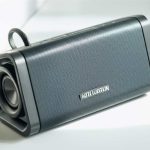
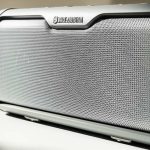
Pairing your Altec Lansing Bluetooth speaker is super simple! Just turn it on, put it in pairing mode, and select it on your phone or device. You’ll be jamming to your favorite tunes in no time, no tech wizardry needed!
Hey there, tech explorers! Max here from AffTechy.com, ready to make your gadget life a whole lot easier. So, you’ve got yourself a cool Altec Lansing Bluetooth speaker. Awesome choice! These things can really make your music, podcasts, or even movie nights sound incredible.
But sometimes, getting that speaker to connect to your phone or tablet can feel like cracking a secret code, right? You might be staring at your device, tapping around, and wondering, “Why isn’t it finding my speaker?” Don’t sweat it! It’s a common little hurdle, and I’m here to help you jump right over it.
We’ve all been there – excited to blast some tunes, only to be met with a blinking light and a silent speaker. It can be a bit frustrating when technology doesn’t cooperate immediately. But the good news is, pairing your Altec Lansing speaker is usually a breeze once you know the simple steps.

My goal today is to turn that little tech puzzle into a piece of cake. We’ll go through everything you need to know, nice and easy. Think of me as your friendly guide, holding your hand through the whole process. Let’s make sure your Altec Lansing speaker sings in harmony with your devices!
Connecting Your Altec Lansing Bluetooth Speaker: A Friendly Guide
It’s time to get that awesome sound flowing! Connecting your Altec Lansing Bluetooth speaker is pretty straightforward. Most of the time, it’s just a few simple steps. Let’s dive in and get your music playing.
Step 1: Power Up Your Speaker
First things first, make sure your Altec Lansing speaker has some juice. Plug it in to charge if it’s low, or just turn it on if it’s already charged. You’ll usually find the power button on the top or side of the speaker.
Once it’s on, it’s often ready to go. Some Altec Lansing speakers have a little light that turns on, or you might hear a gentle chime. This tells you it’s powered up and waiting for a connection.

Step 2: Put Your Speaker in Pairing Mode
This is the most important step! Your speaker needs to tell your phone, “Hey, I’m available to connect!” This is called pairing mode. How you activate it can be a little different depending on your specific Altec Lansing model.
Most Altec Lansing speakers have a dedicated Bluetooth button. It might have the Bluetooth symbol on it. You usually need to press and hold this button for a few seconds.
You’ll know it’s in pairing mode when you hear a special sound or see a light blinking rapidly. This blinking light is the universal sign for “I’m looking for a friend!” Keep an eye and ear out for that cue.
Step 3: Enable Bluetooth on Your Device
Now, let’s get your phone or tablet ready to find the speaker. You need to turn on its Bluetooth. This is super simple on most devices.
For iPhones and iPads, go to `Settings`, then tap on `Bluetooth`. Make sure the toggle switch is green.
On Android phones and tablets, swipe down from the top of your screen to open the Quick Settings. Look for the Bluetooth icon and tap it to turn it on. You can also go to `Settings`, then `Connections` (or `Connected devices`), and then `Bluetooth`.
Step 4: Scan for Devices
Once Bluetooth is on, your device will start looking for nearby devices. On your phone or tablet, you should see a list of available devices. This list might refresh automatically, or you might have to tap a “Scan” or “Refresh” button.
Look for the name of your Altec Lansing speaker in this list. It will usually be something like “Altec Lansing [Model Name]” or just “Altec Lansing.” It’s good to know the exact name if you can find it in your speaker’s manual.
Step 5: Select Your Speaker to Connect
Found it? Great! Now, just tap on the name of your Altec Lansing speaker in the list. Your device will try to connect to it.
You might hear a happy little sound from your speaker, or the blinking light will change to a solid light. This means you’ve successfully paired! You’re all set to enjoy your audio.
Troubleshooting Common Pairing Problems
Sometimes, even with the best intentions, things don’t connect right away. Don’t worry, these are usually easy fixes!
Here are a few common hiccups and how to solve them:
Speaker not showing up: Make sure the speaker is definitely in pairing mode. Try pressing and holding the Bluetooth button again. Also, check that your device’s Bluetooth is on and that you’re close enough to the speaker.
Connection failed: This can happen if there are too many Bluetooth devices nearby, or if there’s some interference. Try turning your speaker and your device off and on again, then repeat the pairing steps.
Sound cutting out: This might be due to distance. Try moving your device closer to the speaker. Also, other wireless devices like microwaves or Wi-Fi routers can sometimes cause interference.
Speaker connected but no sound: Double-check that the volume is turned up on both your device and the speaker. Also, make sure your device is actually playing audio through the speaker and not its own internal speakers.
Understanding Your Altec Lansing Speaker Features
Altec Lansing speakers come with some cool features that make them great for parties, relaxing, or even working outdoors. Knowing what these mean can help you get the most out of your speaker.
Key Features to Look For
Bluetooth Version: Newer Bluetooth versions (like 5.0 or higher) mean a more stable connection and better range. This is great for when you don’t want to keep your phone right next to the speaker.
Water Resistance (IP Rating): Many Altec Lansing speakers are water-resistant, perfect for the pool, beach, or even just the bathroom. An IPX7 rating, for example, means it can be submerged in water for a short time.
Battery Life: This is super important! You want a speaker that lasts as long as your playlist. Check the hours of playtime advertised.
Portability: Some speakers are small and light, easy to toss in a bag. Others are bigger and pack more punch for bigger spaces.
Stereo Pairing: Some models let you pair two of the same speakers together for an amazing stereo sound experience. It’s like having a mini concert!
Altec Lansing Speaker Model Comparison (Example)
Let’s look at a couple of popular Altec Lansing models to see how their features might differ. This can help you understand what makes one speaker better for certain situations than another.
| Feature | Altec Lansing SoundBlade | Altec Lansing Baby Boom XL | Altec Lansing Jacket Jolt |
| :—————- | :———————– | :————————- | :———————— |
| Bluetooth Version | 5.0 | 4.2 | 5.0 |
| Battery Life | 10 Hours | 6 Hours | 8 Hours |
| Water Resistance | IP67 | IP67 | IP67 |
| Speakerphone | Yes | Yes | No |
| Stereo Pairing | Yes | No | Yes |
| Price (Approx.) | $79 | $49 | $69 |
This table shows that while all these speakers are water-resistant, the SoundBlade and Jacket Jolt offer newer Bluetooth technology and stereo pairing. The Baby Boom XL is a more budget-friendly option, great for casual listening. If you’re a music lover who wants that immersive sound, stereo pairing on the SoundBlade or Jacket Jolt would be a big plus.
Why Bluetooth Matters for Your Speaker
Bluetooth is the magic that lets your devices talk wirelessly. It’s like a short-range radio signal. When you pair your speaker, you’re creating a secure connection for audio data to travel from your phone to the speaker. This means no messy wires!
The technology has gotten really good over the years. Newer Bluetooth versions mean faster connections, less chance of your music skipping, and you can even be a bit further away from your speaker. It’s all about making your listening experience smooth and enjoyable.
Quick Tips for a Better Bluetooth Experience
Want to make sure your Altec Lansing speaker performs at its best? Here are a few handy tricks.
Keep Devices Close: For the initial pairing, keep your phone and speaker within a few feet of each other. Once paired, you can usually move further apart.
Minimize Obstacles: Walls and other solid objects can interfere with the Bluetooth signal. Try to keep a clear line of sight between your device and the speaker if possible.
Charge Up: A low battery on either your device or the speaker can sometimes cause connection issues. Make sure both are well-charged.
Update Your Device: Ensure your phone or tablet’s operating system is up to date. Software updates often include improvements to Bluetooth connectivity.
Forget and Re-pair: If you’re having persistent trouble, try ‘forgetting’ the speaker in your device’s Bluetooth settings and then pairing it again from scratch.
Fun Fact: The History of Bluetooth
Did you know Bluetooth is named after a Viking king? King Harald Bluetooth united Danish tribes in the 10th century. The technology was named after him because it was designed to unite different communication devices. Pretty cool, right? You can learn more about the history of wireless tech on sites like CNET.
Frequently Asked Questions (FAQ)
Got more questions? We’ve got friendly answers!
How do I know if my Altec Lansing speaker is in pairing mode?
You’ll usually hear a specific sound or see a light blinking rapidly. This light is often blue and blinks faster when it’s actively searching for a device to connect to.
My Altec Lansing speaker won’t connect. What should I do?
First, make sure it’s in pairing mode and your device’s Bluetooth is on. Try turning both devices off and on again, then attempt to pair. If that doesn’t work, try ‘forgetting’ the speaker in your device’s Bluetooth list and re-pairing.
Can I connect my Altec Lansing speaker to multiple devices at once?
Most Altec Lansing speakers can only be actively connected to one device at a time for audio playback. However, some models can remember multiple previously paired devices, making it easier to switch between them without re-pairing every time.
How far can my Altec Lansing speaker be from my device?
The range for Bluetooth can vary, but typically you can expect a stable connection up to about 30 feet (10 meters) in open space. Obstacles like walls can reduce this range.
What does the IP rating on my Altec Lansing speaker mean?
The IP rating (like IP67) tells you how resistant your speaker is to dust and water. For example, IP67 means it’s protected against dust ingress and can be submerged in water up to 1 meter for 30 minutes. Perfect for outdoor adventures!
My Altec Lansing speaker is connected but the sound is choppy. Why?
This could be due to interference from other wireless devices, or the distance between your speaker and your phone. Try moving them closer together and away from other electronics. Ensuring both devices have enough battery can also help.
How do I reset my Altec Lansing Bluetooth speaker?
The reset process can differ by model. Often, you’ll need to press and hold a combination of buttons (like the power and Bluetooth button) for a specific amount of time. Check your speaker’s user manual for exact instructions, or visit the Altec Lansing support website.
Bringing it All Together: Enjoy Your Sound!
See? Pairing your Altec Lansing Bluetooth speaker is really that simple. We’ve walked through powering it up, getting it into pairing mode, connecting your device, and even what to do if things get a little tricky. You’ve learned about useful features and how to keep your connection strong.
Now you’re equipped to easily connect your speaker anytime, anywhere. Whether you’re heading to the park, chilling in your backyard, or just want to liven up your living room, great sound is just a few taps away.
Don’t be afraid to experiment with your speaker and discover all the ways it can enhance your daily life. Explore new playlists, share music with friends, or just enjoy your favorite podcasts with incredible clarity.
Now go forth and enjoy amazing sound! Make every moment louder, clearer, and way more fun with your connected Altec Lansing speaker. Happy listening!