
Resetting your Altec Lansing Bluetooth speaker is easy! If it’s acting up, a quick reset often fixes Bluetooth connection issues or glitches. Follow these simple steps to get your music back on track in no time.
Hey there, tech adventurer! Ever get that feeling when your favorite song is just about to hit the best part, and suddenly your Altec Lansing Bluetooth speaker decides to take a break? It’s like a party pooper, right? We all love our speakers for bringing tunes to life, making movies more epic, and even making those online game sound effects pop. But sometimes, tech just needs a little nudge to get back in sync.
Picking out the perfect Bluetooth speaker can feel like a quest sometimes, with all the fancy terms and features. But don’t worry, I’m here to make it super simple. Think of me as your friendly guide through the world of gadgets, no confusing jargon allowed! My goal is to help you understand your tech, so you can enjoy it more.
We’ll cover everything you need to know about resetting your Altec Lansing speaker. It’s not as complicated as it sounds, and it can solve a bunch of annoying little problems. Ready to get your speaker back to its best? Let’s break it down step by step.
Why Reset Your Altec Lansing Speaker?
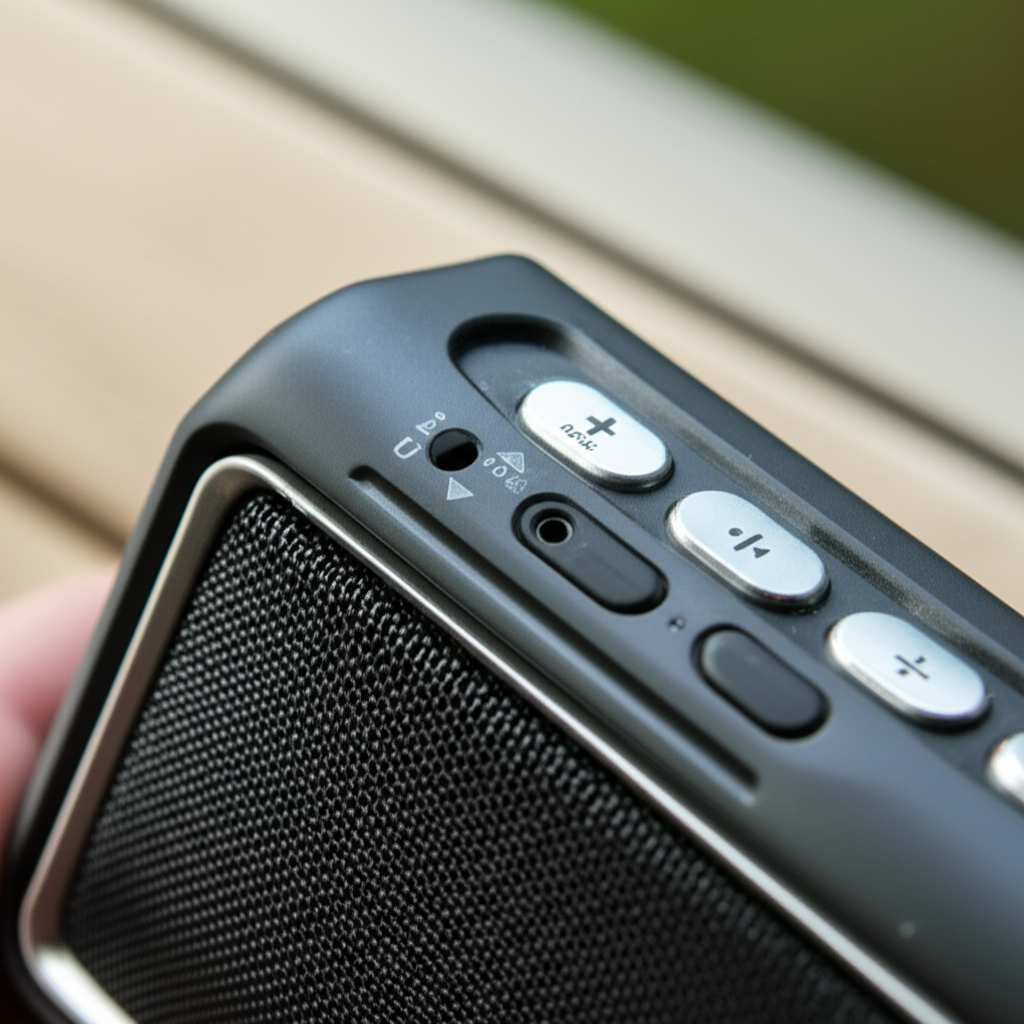
Sometimes, your Altec Lansing speaker might be acting a little weird. Maybe it’s not connecting to your phone anymore, or it’s making strange noises. It could even be freezing up and not responding to buttons.
These little hiccups happen to all kinds of gadgets. It’s like when your computer freezes – a simple restart usually does the trick. For Bluetooth speakers, a reset is often the quickest fix for these common issues. It’s like giving your speaker a fresh start.
Common Signs Your Speaker Needs a Reset
You’ll know it’s probably time for a reset if you notice a few things. These are the little signals your speaker sends when it’s not feeling its best. Paying attention to them can save you a lot of frustration.
- Bluetooth Connection Problems: Your phone or device can’t find the speaker, or it keeps disconnecting. This is a big one!
- Unresponsive Buttons: You press the power button or volume controls, and nothing happens. It’s like the speaker is ignoring you.
- Audio Glitches: Sound is cutting out, crackling, or playing distorted. This can really ruin the vibe.
- Speaker Won’t Turn On or Off: It’s stuck in a state and won’t power up or shut down properly.
- Pairing Issues: It refuses to pair with new devices, even after you’ve tried the usual steps.
Understanding the Reset Process
When you reset your Altec Lansing speaker, you’re essentially telling it to go back to its factory settings. Think of it like wiping the slate clean for its internal software.
This means it will forget all the devices it was previously paired with. It will also clear out any temporary glitches or errors that might have built up over time. It’s usually a very straightforward process, designed to be user-friendly.
How to Reset Your Altec Lansing Bluetooth Speaker: Step-by-Step
Now, let’s get down to business! Resetting your Altec Lansing speaker is usually quite simple. The exact method can vary slightly depending on the specific model you have. But don’t worry, we’ll cover the most common ways. This is where the magic happens to fix those pesky problems.
Method 1: The Power Button and Bluetooth Button Combo (Most Common)
This is the go-to method for many Altec Lansing models. It involves pressing and holding a couple of buttons simultaneously. It’s like a secret handshake for your speaker!
- Turn on your Altec Lansing speaker. Make sure it’s powered up and ready to go.
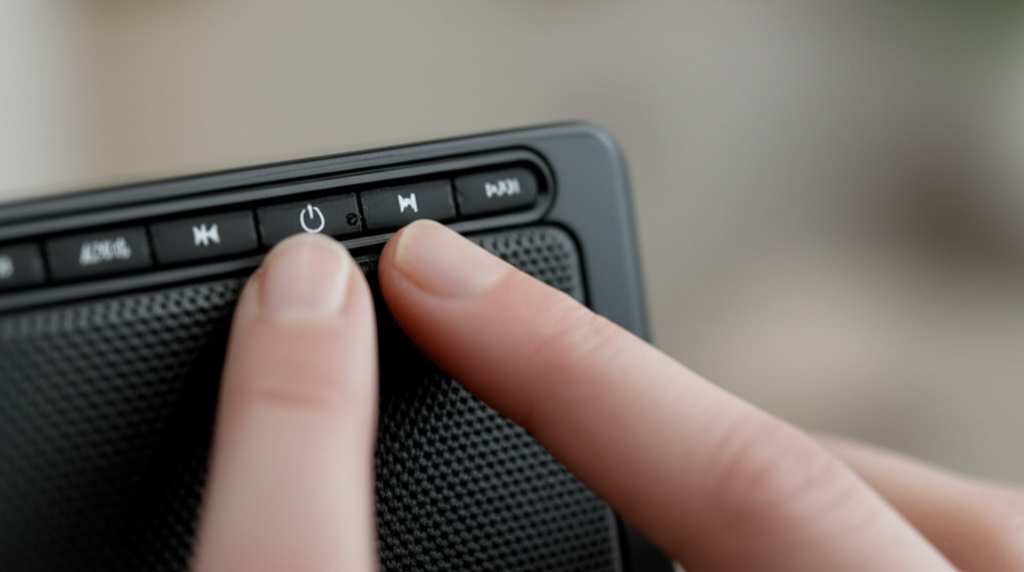
- Locate the Power Button and the Bluetooth Button. These are usually on the top or side of the speaker. The Bluetooth button often has the Bluetooth symbol (a stylized ‘B’).
- Press and hold BOTH the Power Button and the Bluetooth Button. Do this at the same time. You’ll need to keep holding them down for a good 10-15 seconds.
- Listen for a sound or look for a light change. Your speaker might beep, make a different sound, or its indicator lights might flash. This tells you the reset is happening.
- Release the buttons. Once you hear or see the indicator, you can let go.
- Wait for the speaker to restart. It might turn off and then back on automatically. If not, you can turn it on manually.
- Re-pair your device. Now, you’ll need to go into your phone or device’s Bluetooth settings and pair your speaker again, just like you did when it was new.
Pro Tip: If this doesn’t work, try holding the buttons for a bit longer. Sometimes it just needs a few extra seconds to register the command.
Method 2: The Charging Port Trick
Some Altec Lansing speakers have a slightly different approach. This method often involves using the charging port. It’s a bit less common but good to know.
- Make sure the speaker is turned OFF. This is important for this method.
- Find the Charging Port. This is where you plug in the USB cable to charge your speaker.
- Locate a small reset button near the charging port. Sometimes, this button is recessed and might require a paperclip or a thin, pointed object to press. Look closely!
- Gently press and hold the reset button. Hold it for about 5-10 seconds.
- Release the button.
- Turn the speaker back on.
- Pair your device again. You’ll need to re-establish the Bluetooth connection with your phone or tablet.
Quick Note: Not all models have this tiny reset button. If you can’t find one, don’t stress! Method 1 is usually the way to go.
Method 3: Specific Model Instructions
Altec Lansing has a wide range of speakers, from the small ones you carry in your pocket to the larger party speakers. Some models might have unique reset procedures. Always check your speaker’s manual if you’re unsure.
You can usually find the manual on the Altec Lansing website by searching for your specific speaker model. It’s like having a personal tech advisor for your gadget!
Troubleshooting Tips if Reset Doesn’t Work
Sometimes, even after a reset, your speaker might still be playing up. Don’t throw it out the window just yet! There are a few other things you can try to get it working smoothly again.
- Check Your Device’s Bluetooth: Make sure your phone or tablet’s Bluetooth is turned off and then back on. Sometimes the problem is with the device trying to connect, not the speaker.
- Forget the Speaker on Your Device: Go into your device’s Bluetooth settings. Find your Altec Lansing speaker in the list of paired devices. Tap on it and select “Forget” or “Unpair.” Then, try to pair it again from scratch.
- Update Your Device’s Software: Ensure your smartphone or tablet has the latest operating system updates. Sometimes, software bugs can interfere with Bluetooth connections.
- Try a Different Device: See if the speaker connects to another phone or tablet. This helps determine if the issue is with the speaker or your primary device.
- Check the Speaker’s Charge: A low battery can sometimes cause weird behavior. Make sure your speaker is fully charged.
- Ensure No Interference: Other wireless devices can sometimes interfere with Bluetooth signals. Try moving away from microwaves or other strong wireless emitters.
Altec Lansing Speaker Reset vs. Pairing Mode
It’s easy to get confused between resetting a speaker and putting it into pairing mode. Let’s clear that up!
Pairing mode is what you use when you want to connect your speaker to a new device for the first time, or reconnect it after it’s been reset. Usually, you press the Bluetooth button briefly to enter pairing mode. You’ll often see a flashing light or hear a sound indicating it’s ready to pair.
Resetting, on the other hand, is a deeper fix. It clears out all stored pairings and settings to resolve glitches. The process is usually longer (holding buttons for more time) and often involves a different button combination or action.
Popular Altec Lansing Speaker Models and Their Reset Quirks
Altec Lansing makes a lot of different speakers, and while many share similar reset methods, some have their own little secrets. Here’s a peek at a few popular ones:
Altec Lansing Mini H2O / LifeJacket Series: These rugged, waterproof speakers often use the Power + Bluetooth button hold method. It’s a reliable way to get them back in shape.
Altec Lansing SoundClash / BoomJacket Series: For the bigger, louder speakers, the combination of holding the Power button and the Bluetooth button for an extended period (around 10-15 seconds) is typically the key to a successful reset.
Altec Lansing Orbit / Mini Series: The smaller, more portable speakers might also follow the Power + Bluetooth button hold. Sometimes, a quick press of a recessed reset button near the charging port can work too, if your model has one.
Altec Lansing RockBox Series: These models generally stick to the standard reset procedure of holding down both the Power and Bluetooth buttons until you hear a confirmation sound or see a light change.
Always remember: Your speaker’s manual is your best friend! If you can’t find it online, a quick search for “Altec Lansing [Your Speaker Model] reset” on Google should point you in the right direction. For more general Bluetooth troubleshooting, sites like CNET offer great advice.
Resetting vs. Updating Firmware
It’s important to know the difference between resetting your speaker and updating its firmware. A reset is like a quick reboot to fix immediate problems. Updating the firmware is more like giving your speaker a software upgrade.
Firmware updates can add new features, improve performance, and fix deeper bugs that a simple reset might not address. Altec Lansing doesn’t always offer frequent firmware updates for all their speakers, but if yours does, it’s usually done through a computer and a specific app or software. You’d typically find instructions for this on the Altec Lansing support website.
Data Table: Common Bluetooth Speaker Issues and Fixes
Let’s look at some common problems and how a reset or other simple fixes can help. This table breaks down what might be going wrong and the easiest way to solve it.
| Issue | Possible Cause | Quick Fix | When Reset Helps |
|---|---|---|---|
| Speaker won’t connect to phone | Bluetooth glitch, too many devices paired | Turn Bluetooth off/on, forget speaker on device, re-pair | Yes, clears all previous pairings |
| Sound is distorted or cutting out | Weak signal, interference, low battery, internal glitch | Move closer to device, reduce interference, charge speaker | Yes, can fix software-related audio issues |
| Speaker is unresponsive to buttons | Software crash, temporary freeze | N/A (requires reset) | Yes, a hard reset often fixes this |
| Speaker won’t turn on or off | Power issue, software lock-up | Ensure it’s charged, try reset | Yes, can resolve power state issues |
| Cannot pair with a new device | Speaker already paired to max devices, pairing mode not active | Reset speaker, ensure pairing mode is active | Yes, clears old pairings to make room for new ones |
As you can see in the table, a reset is a powerful tool for many connection and responsiveness issues. It’s often the first step because it’s so effective at clearing out common software hiccups.
Keeping Your Altec Lansing Speaker in Top Shape
Besides occasional resets, a little bit of care can keep your Altec Lansing speaker sounding great for a long time. These speakers are built to be durable, but a few good habits go a long way.
- Keep it Clean: Gently wipe down the exterior with a soft, dry cloth. If it’s a water-resistant model, make sure any ports are dry before charging.
- Avoid Extreme Temperatures: Don’t leave your speaker in a hot car or out in freezing weather for extended periods. Extreme temperatures can damage the battery and electronics.
- Handle with Care: Even rugged speakers can be damaged by hard drops. Try to avoid dropping them, especially on hard surfaces.
- Use the Right Charger: Always use the charging cable and adapter that came with your speaker, or a reputable equivalent. Using the wrong charger can harm the battery.
- Store Properly: If you’re not using it for a while, store it in a cool, dry place.
When to Contact Altec Lansing Support
If you’ve tried all the reset methods and troubleshooting steps, and your speaker is still not working correctly, it might be time to reach out to the experts. There could be a hardware issue that a simple reset can’t fix.
You can visit the Altec Lansing support page on their website. They have FAQs, contact information, and warranty details. Getting help from them can guide you through more advanced solutions or arrange for repairs if needed. Sometimes, a friendly chat with their support team can solve the mystery!
Frequently Asked Questions (FAQ)
Q1: How do I know if my Altec Lansing speaker is reset?
A1: You’ll usually hear a confirmation sound, like a beep or a chime, or the indicator lights will flash in a specific pattern. After a reset, you’ll also need to re-pair your speaker with your device, as it forgets all previous connections.
Q2: Will resetting my speaker erase my music?
A2: No, absolutely not! Your speaker doesn’t store your music. It only stores settings and Bluetooth pairings. Resetting just clears those out, so your music library on your phone or device is perfectly safe.
Q3: Can I reset my speaker without a phone?
A3: Yes, you can! The reset process is done directly on the speaker itself using its buttons. You only need your phone afterwards to re-pair the speaker once it’s reset.
Q4: How often should I reset my speaker?
A4: You don’t need to reset it regularly. Only reset your speaker if you’re experiencing problems like connection issues or unresponsiveness. It’s a troubleshooting step, not routine maintenance.
Q5: What if my speaker model is not listed, and the common reset methods don’t work?
A5: Don’t worry! Your best bet is to check the official Altec Lansing website for your specific model’s user manual. You can usually find it in the support or product section. If you’re still stuck, contacting Altec Lansing customer support is a great next step.
Q6: Does resetting affect the speaker’s water resistance?
A6: No, a software reset will not affect the physical water-resistant capabilities of your speaker. Just make sure that if you’ve recently exposed it to water, you dry it thoroughly, especially around ports, before charging or attempting a reset.
Q7: My speaker still won’t connect after resetting. What else can I do?
A7: Try forgetting the speaker in your phone’s Bluetooth settings and then re-pairing. Also, check if your phone’s software is up to date and try pairing with a different device to rule out issues with your phone. If problems persist, it might be time to check the speaker’s warranty or contact Altec Lansing support.
Conclusion: Get Your Sound Back on Track!
And there you have it! Resetting your Altec Lansing Bluetooth speaker is a simple yet powerful way to fix a variety of common tech hiccups. Whether it’s a connection issue or a frozen speaker, you now have the know-how to get it back to its best performance.
Remember, tech glitches happen, but they’re usually easy to solve with a little guidance. You’ve learned the common reset methods, how to troubleshoot if things don’t go perfectly, and even when to seek expert help. You’re now equipped to handle most minor issues like a pro!
So, the next time your Altec Lansing speaker acts up, don’t get frustrated. Just follow these steps, and you’ll be back to enjoying your favorite tunes in no time. Now go enjoy amazing sound and make every moment louder and better!


