Want your Android Bluetooth speaker to blast your tunes? You can boost its volume with simple Android settings, equalizer apps, and even by checking your speaker’s connection. Let’s get your music loud and clear!
Hey there, tech explorers! It’s Max from AffTechy.com, your go-to buddy for making gadgets easy and fun. Ever crank up your Bluetooth speaker, only to wish it was just a little bit… louder? Yeah, I’ve been there! It’s like having the perfect party playlist ready to go, but the sound just doesn’t have that “wow” factor.
We all love our music, podcasts, and audiobooks. And when our Bluetooth speaker doesn’t quite hit the mark volume-wise, it can be a real bummer. Don’t worry, though! It’s not always about buying a new, super-powerful speaker. Often, a few clever tweaks on your Android phone can make a huge difference.
Picking out the right speaker can feel like a puzzle sometimes, right? All those specs and features can make your head spin. But when it comes to getting more volume out of the one you already have, it’s usually much simpler than you think. We’re going to walk through some easy steps together.
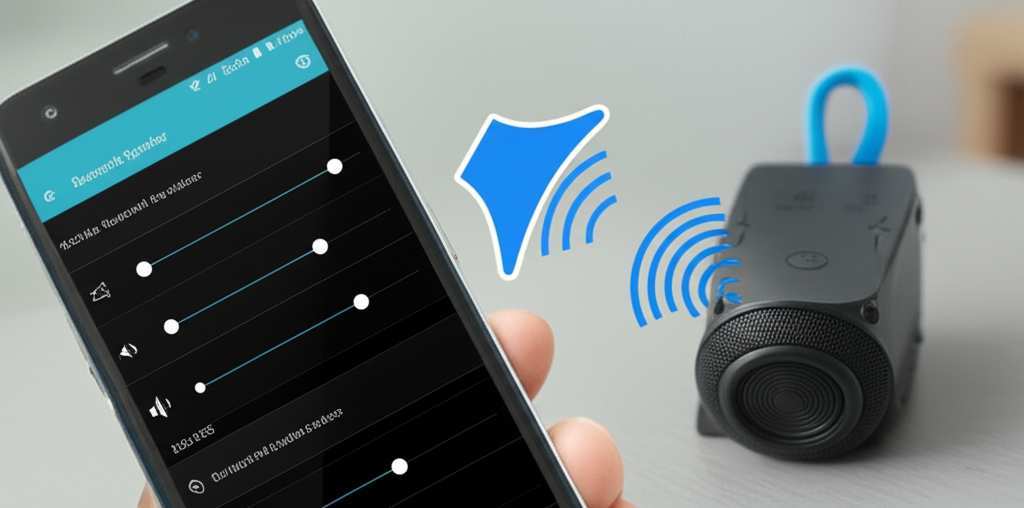
So, grab your Android phone and your favorite Bluetooth speaker. We’re going to dive in and discover how to unleash its full sonic potential. Let’s break it down step by step and get your sound system booming!
Let’s Talk About Sound: Why Volume Matters
Imagine you’re hosting a backyard barbecue, and your favorite summer jams are playing. Suddenly, the conversation gets louder than the music, and your carefully curated playlist becomes background noise. That’s frustrating! Or maybe you’re trying to watch a movie on your tablet with a Bluetooth speaker for better sound, but the quiet dialogue gets lost.
Good sound isn’t just about hearing; it’s about feeling the music, getting immersed in a story, or really enjoying that podcast. A speaker that’s too quiet can pull you out of the experience. It’s like trying to watch a fireworks show from behind a tall fence – you miss the best part!
But here’s the exciting part: your Android phone has hidden powers that can help boost your speaker’s output. It’s not magic, just a few smart settings and apps that can make your current speaker sound way better. We’re going to unlock those powers together.
Checking the Basics: Is Your Speaker Ready to Rock?
Before we dive into Android settings, let’s make sure everything on the speaker side is tip-top. Sometimes, the simplest checks are the most overlooked! It’s like making sure your car has enough gas before you plan a long road trip.
1. Battery Power is Key
A speaker running on low battery might not perform at its best. Many speakers automatically limit their power output to conserve energy. So, if your speaker’s volume seems weak, give it a good charge.
Tip: Always try to use your speaker when it’s fully charged. This ensures it’s delivering its maximum potential.
Fun Fact: Some speakers have LED indicators that show you the battery level. Check your speaker’s manual to see if yours does!
2. Is it Paired Correctly?
A stable Bluetooth connection is crucial for good sound quality and volume. If the connection is weak or dropping, it can affect performance.
Action: Try unpairing your speaker from your Android device and then pairing it again. Go to your Android’s Bluetooth settings, find your speaker, and tap “Forget” or “Unpair.” Then, put your speaker in pairing mode and connect it again.
Why it Helps: This refreshes the connection and can clear up any glitches that might be limiting the sound.
3. Speaker Placement Matters
Believe it or not, where you put your speaker can make a big difference in how loud it sounds. Placing it in a corner or on a hard surface can sometimes amplify the sound.
Try This: Experiment by placing your speaker on different surfaces. A wooden table or a shelf might make the sound resonate better than a soft carpet.
Pro Tip: Avoid placing it too close to walls if you’re getting an echoey sound. Sometimes, a little space helps the sound waves travel more clearly.
Unlocking Android’s Volume Boosters
Now, let’s get to your Android phone. Your phone has settings that can directly influence how loud your Bluetooth speaker plays. These are your secret weapons for a louder experience!
1. Turn Up Your Phone’s Media Volume
This might sound obvious, but it’s the first thing to check. Your phone has a master volume, but there’s also a specific volume for media playback (like music and videos).
How to Do It:
1. Press any of the physical volume buttons on the side of your Android phone.
2. A volume slider will appear on the screen.
3. Tap the three dots or the gear icon that appears next to the slider to open the full volume controls.
4. Make sure the “Media” volume slider is turned all the way up.
Why it’s Important: This slider controls the audio output from apps like Spotify, YouTube, and music players. If it’s not maxed out, your speaker won’t receive the full signal.
2. Disable Absolute Bluetooth Volume (If Available)
Some Android versions have a feature called “Absolute Bluetooth Volume.” When this is on, your phone’s volume controls are directly linked to your speaker’s volume. While convenient, it can sometimes cap the maximum volume. Turning it off gives you more independent control.
Where to Find It: This setting is usually found in the Developer Options.
1. Enable Developer Options:
Go to `Settings` > `About phone`.
Tap on `Build number` seven times. You’ll see a message saying “You are now a developer!”
2. Access Developer Options:
Go back to `Settings` > `System` (or `Advanced`).
You should see `Developer options` there.
3. Disable Absolute Bluetooth Volume:
Scroll down within Developer Options until you find `Disable absolute Bluetooth volume` (the exact wording might vary).
Toggle it ON.
Important Note: Developer Options are for advanced users. Be careful not to change other settings in this menu unless you know what you’re doing.
What Happens: By disabling this, your phone’s volume slider might not directly control the speaker’s volume anymore. You might need to control the speaker’s volume using its own buttons or a separate app, but this can sometimes allow for higher overall output.
3. Explore Sound Enhancers and Equalizers
Android phones often come with built-in sound enhancement features or equalizer settings. These can help shape the sound and even boost certain frequencies to make it seem louder or fuller.
Built-in Equalizers:
1. Look in your phone’s `Settings` app, often under `Sound & vibration` or `Display`.
2. You might find an option called `Sound quality and effects`, `Dolby Atmos` (if your phone supports it), or `Equalizer`.
3. If you find an Equalizer, you can adjust the sliders for different frequencies (bass, mids, treble).
4. Tip: Boosting the mid-range frequencies can often make vocals and instruments clearer and more prominent, giving the impression of more volume.
App-Specific Equalizers: Many music apps (like Spotify, Poweramp, VLC) have their own built-in equalizers. Explore the settings within your favorite music app!
Using Third-Party Apps for a Louder Sound
If your phone’s built-in options aren’t enough, there are fantastic third-party apps designed to give your Bluetooth speaker an extra kick. These apps often provide more advanced control over your audio.
1. Volume Booster Apps
These apps are specifically designed to increase the output volume of your phone’s audio. They work by amplifying the audio signal before it’s sent to your speaker.
Popular Options:
Volume Booster: Many apps with this name exist on the Google Play Store. Look for one with good reviews and a simple interface.
Boom: Bass Booster & Equalizer: This app is a bit more advanced, offering both volume boosting and a powerful equalizer.
How to Use Them:
1. Download and install a reputable volume booster app from the Google Play Store.
2. Open the app and grant it any necessary permissions.
3. You’ll usually see a slider to increase the volume boost. Start with a small increase (e.g., 10-20%) to avoid distortion.
4. Play some music through your Bluetooth speaker and adjust the boost level gradually.
A Word of Caution: Pushing the volume too high with these apps can sometimes lead to distorted sound or even damage your speaker if done excessively. Always start low and listen carefully!
2. Advanced Equalizer Apps
For more precise sound control, an advanced equalizer app can be a game-changer. These apps let you fine-tune every aspect of the audio spectrum.
Recommended App:
Equalizer FX: Sound Booster: This app is highly rated for its robust features and ease of use. It allows for detailed EQ adjustments and has a built-in bass booster.
Key Features to Look For:
Multi-band Equalizer: Allows you to adjust many different frequency bands.
Bass Booster: Specifically designed to enhance low-end frequencies.
Virtualizer: Can add a sense of spaciousness to the sound.
Presets: Pre-set EQ profiles for different music genres or listening scenarios.
How to Maximize Volume:
1. Open the app and connect your Bluetooth speaker.
2. Go to the equalizer section.
3. Try increasing the gain on frequencies that are important for perceived loudness, like the mid-range (around 1kHz to 4kHz).
4. Experiment with the bass booster, but don’t overdo it, as this can muddy the sound.
5. Listen to familiar tracks to hear the difference.
Comparing Speaker Volume Capabilities
When you’re looking at different Bluetooth speakers, their advertised power (measured in watts) is a big clue to how loud they can get. While we’re focused on boosting existing volume, understanding this can help you choose your next upgrade!
Here’s a quick look at how wattage generally relates to loudness:
| Wattage (W) | Typical Use Case | Sound Level (Approx.) |
|---|---|---|
| 1-5 W | Personal listening, very small rooms | Quiet to moderate |
| 5-20 W | Small gatherings, personal use, medium rooms | Moderate to loud |
| 20-50 W | Parties, outdoor use, larger spaces | Loud |
| 50+ W | Concerts, very large outdoor events, powerful home audio | Very loud |
What this means for you: As you can see, higher wattage generally means a louder speaker. If you’re consistently finding your current speaker too quiet even after all these tweaks, you might be looking for a speaker in the 20W+ range for your next purchase. This table is a good starting point to understand what to expect from different power outputs.
Understanding Decibels (dB)
Another important measure for sound loudness is decibels (dB). This is a more scientific way to measure sound pressure.
| Decibel Level (dB) | Example |
|---|---|
| 0 dB | Threshold of human hearing |
| 30 dB | Quiet library, soft whisper |
| 60 dB | Normal conversation, refrigerator humming |
| 85 dB | Busy traffic, potential hearing damage with prolonged exposure |
| 100 dB | Lawnmower, loud concert |
| 120 dB | Jackhammer, pain threshold |
Why this matters: While wattage gives you an idea of a speaker’s potential loudness, decibels tell you how loud it actually is. A speaker with a higher dB rating will be audibly louder than one with a lower dB rating, even if their wattage is similar. When comparing speakers, look for their dB sensitivity rating if available. A higher sensitivity means more sound output for less power. For a good outdoor or party speaker, you’d ideally want something capable of reaching 90-100 dB.
Troubleshooting Common Volume Issues
Sometimes, even with all the right settings, you might run into a snag. Here are a few common problems and how to fix them.
Problem: Sound is distorted or crackly at higher volumes.
Fix: This usually means you’re pushing the speaker or your phone’s amplifier beyond its limits. Try reducing the volume boost from your app or turning down the equalizer sliders slightly. Also, ensure your speaker is fully charged.
Problem: Volume levels are inconsistent.
Fix: This could be a Bluetooth connectivity issue. Try moving your phone closer to the speaker or removing any obstructions. Forgetting and re-pairing the device can also help.
Problem: A specific app has low volume, but others are fine.
Fix: Check the individual volume settings within that app. Some apps have their own internal volume controls that might be set too low. Also, ensure the app’s media output is being directed correctly.
Keeping Your Speaker in Great Shape
Just like any gadget, a little care goes a long way. Keeping your Bluetooth speaker clean and well-maintained can ensure it performs at its best for years to come.
Cleaning:
Use a dry, soft cloth to wipe down the speaker’s exterior.
For speaker grilles, a soft brush or a can of compressed air can help remove dust.
Never use liquids or harsh chemicals, as they can damage the internal components.
Storage:
When not in use, store your speaker in a cool, dry place.
Avoid extreme temperatures, as they can affect battery life and electronic components.
Frequently Asked Questions (FAQ)
Q1: Can I really make my Bluetooth speaker much louder with just my Android phone?
A1: Yes, you often can! By adjusting your phone’s settings, using equalizer apps, and ensuring a good connection, you can significantly boost the perceived loudness and fullness of your speaker’s sound.
Q2: Will increasing the volume damage my speaker?
A2: There’s a small risk, especially if you use aggressive volume booster apps and push them to the absolute maximum without listening for distortion. Start with moderate boosts and always listen for any signs of crackling or distortion, which indicate you’re overdriving the speaker.
Q3: What’s the difference between wattage and decibels?
A3: Wattage (W) is a measure of a speaker’s power output capability, while decibels (dB) measure the actual sound pressure level – how loud it is. A higher dB rating generally means a louder speaker.
Q4: My phone has “Dolby Atmos.” How does that help my Bluetooth speaker?
A4: Dolby Atmos is a surround sound technology that can enhance audio by creating a more immersive and spacious soundstage. While it’s not strictly a volume booster, it can make the sound richer and more impactful, which can indirectly make it feel* louder or more engaging. You can often find Dolby Atmos settings within your phone’s sound or display options.
Q5: Should I use a volume booster app or an equalizer app?
A5: Both can help! Volume booster apps offer a simple, direct way to increase overall output. Equalizer apps give you more control to shape the sound, boost specific frequencies, and enhance bass, which can make the sound fuller and more impactful. Many people find using an equalizer combined with a slight volume boost offers the best results.
Q6: Why does my speaker sound quieter when connected to my laptop versus my Android phone?
A6: This can happen for several reasons! Laptops often have different audio drivers and power management settings than phones. Your laptop’s Bluetooth audio might be capped at a lower level by default, or its output signal might be weaker. You might need to check your laptop’s sound settings or use audio enhancement software on it, similar to what we’ve discussed for Android.
Q7: Is there a way to permanently increase the default volume limit on Android?
A7: Not directly without third-party apps or rooting your device. However, disabling “Absolute Bluetooth Volume” in Developer Options can sometimes bypass the default pairing volume limit, giving you more control. For most users, using volume booster or equalizer apps is the safest and easiest way to achieve higher volume.
Conclusion: Go Forth and Amplify!
So there you have it! You’ve learned how to make your Android Bluetooth speaker sound louder and more powerful. We’ve covered checking your speaker’s basics, diving into your Android’s hidden settings, and even using some awesome apps to fine-tune your audio experience.
Remember, it’s often a combination of these tips that yields the best results. Start with the simple checks, then explore your phone’s sound settings, and don’t be afraid to try out a well-reviewed equalizer or volume booster app. Just remember to listen responsibly and avoid distortion!
You’re now equipped to turn up the volume and make every song, podcast, or movie more enjoyable. Go ahead, experiment with these tips, and discover the full sonic potential of your Bluetooth speaker. Now go enjoy amazing sound and make every moment louder and better!