Connect your subwoofer to a Bluetooth speaker easily! This guide shows you simple steps to boost your sound, making music and movies richer and more immersive. Get ready for amazing bass without the hassle.
Hey there, tech explorers! Ever feel like your favorite tunes or movie explosions are missing that extra oomph? You know, that deep, rumbling sound that makes you feel like you’re right in the middle of the action? That’s where a subwoofer comes in. But sometimes, hooking one up can seem a little tricky, especially when you’re dealing with modern wireless speakers.
I remember when I first started diving into home audio. There were so many wires and confusing terms! It felt like learning a secret language. But honestly, once you understand the basics, it’s really quite simple and incredibly rewarding. Getting that full-bodied sound can totally transform your listening experience.
That’s why I wanted to put together this guide. My goal is to make connecting your subwoofer to your Bluetooth speaker feel as easy as pressing play. We’ll walk through it step-by-step, no confusing jargon, just clear and friendly advice. So, get ready to unlock a whole new level of awesome sound! Let’s dive in and make your audio dreams a reality.
Why Adding a Subwoofer is a Game Changer
You’ve got a great Bluetooth speaker, and it sounds good. But have you ever listened to a song with a really deep bassline and thought, “I wish I could feel that more”? That’s the magic a subwoofer brings. It’s designed to handle those low frequencies – the ones that give music its warmth and movies their impact.
Think about your favorite action movie. The explosions, the deep engine roars, the dramatic musical scores – a subwoofer makes all of that come alive. Or imagine listening to a powerful song; you’ll feel the beat in your chest, not just hear it. It’s a whole new dimension of sound that your regular speaker might not be able to produce on its own.
Many modern soundbars and even some high-end Bluetooth speakers are designed to work with a wireless subwoofer. This means you can often add that extra bass without running tons of wires through your living room. It’s the best of both worlds: great wireless convenience and powerful, immersive sound.
Understanding Your Speakers: The First Step
Before we connect anything, let’s get to know our gear. Most Bluetooth speakers are pretty straightforward. They connect to your phone, tablet, or computer wirelessly. But when we talk about adding a subwoofer, things get a little more specific. Not all Bluetooth speakers are designed to work with an external subwoofer, especially not a wireless one.
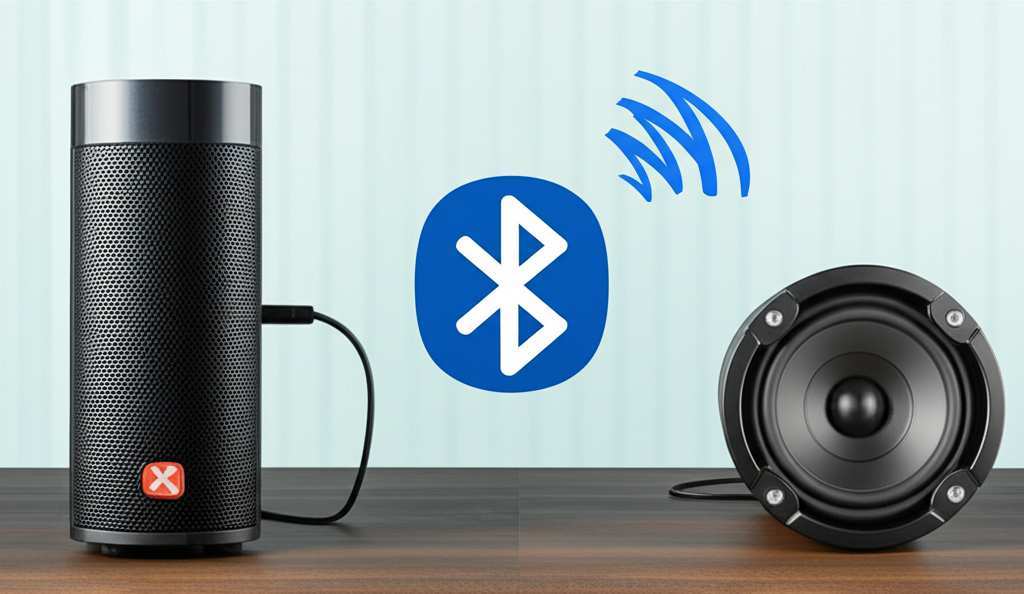
So, the very first thing you need to do is check your speaker’s manual or look it up online. Does it have a specific feature for pairing with a wireless subwoofer? Some brands, like Sonos or Bose, have their own ecosystem where their speakers and subwoofers are designed to work together seamlessly. Others might have a general Bluetooth output or a dedicated app that helps you pair accessories.
If your speaker doesn’t have a dedicated wireless subwoofer pairing feature, don’t despair just yet! There are still some options, though they might involve a bit more wiring. We’ll cover those too, so everyone can get that booming bass.
Types of Subwoofer Connections
Okay, let’s break down how you might connect a subwoofer. The most common and easiest way with modern tech is a wireless connection. But there are also wired options.
Wireless Subwoofer Connection
This is the dream scenario for most people. You buy a subwoofer that’s designed to pair wirelessly with your main speaker or soundbar.
How it works: The main speaker or soundbar sends the low-frequency audio signals to the subwoofer wirelessly. This usually happens through a dedicated pairing button or via a companion app. It’s super convenient because you can place the subwoofer almost anywhere in the room.
What to look for: When buying a new sound system, check if it comes with a wireless subwoofer or if one is available as an add-on. Brands like Samsung, LG, Bose, and Sonos often offer this.
Wired Subwoofer Connection (The Traditional Way)
If your Bluetooth speaker doesn’t support wireless subwoofers, or if you have an older system, you might need to go the wired route. This usually involves an audio cable.
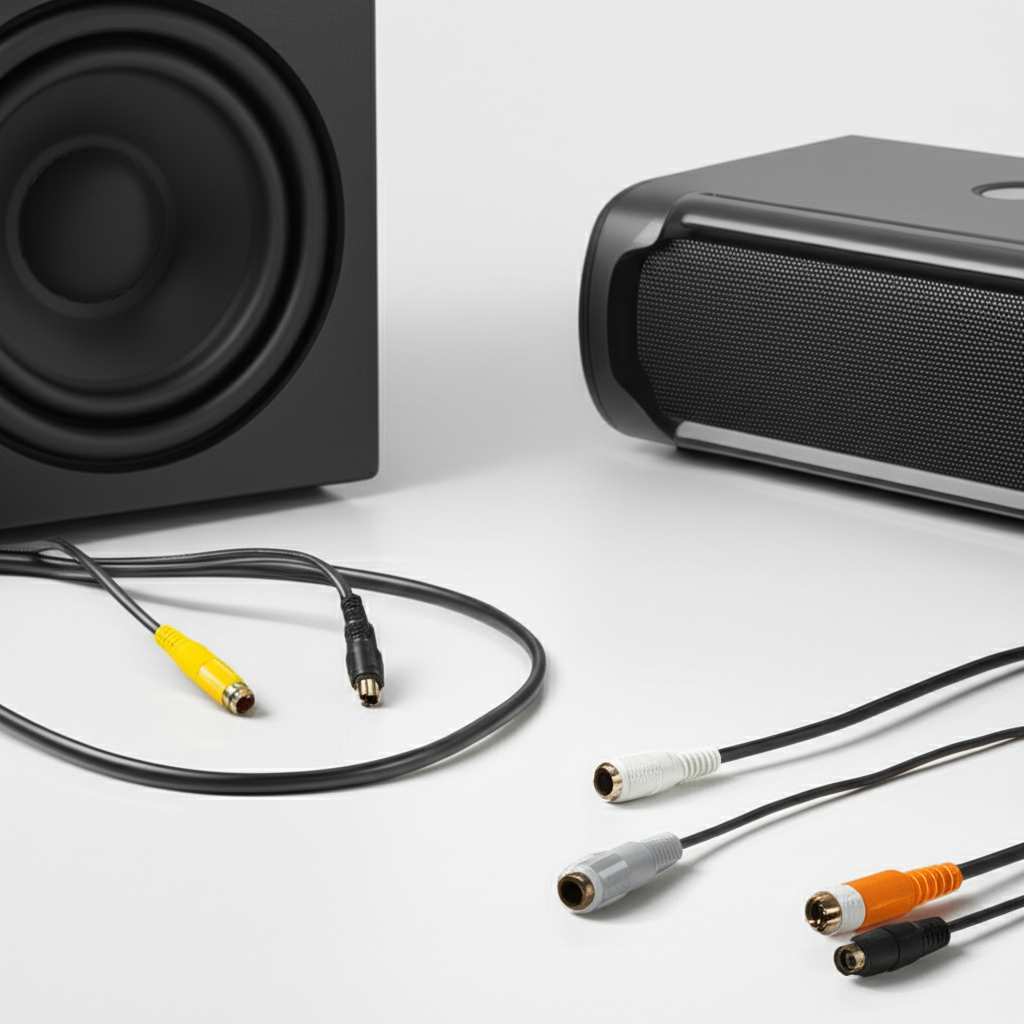
RCA Cable: This is the most common wired connection. You’ll typically connect an RCA cable from the “Sub Out” port on your receiver or soundbar to the “LFE” (Low-Frequency Effects) or “Sub In” port on your subwoofer.
3.5mm Audio Jack: Some smaller systems or computers might use a 3.5mm jack. You’d need a cable that splits into two RCA connectors or connects directly to the subwoofer’s input.
Speaker-Level Inputs: If your subwoofer doesn’t have an LFE or RCA input, it might have speaker-level inputs. This means you can connect wires directly from your main speaker’s output terminals to the subwoofer’s input. This is a bit more involved but can work if other options aren’t available.
Connecting a Wireless Subwoofer to a Bluetooth Speaker: Step-by-Step
This is the scenario most people are looking for when they ask “how to connect subwoofer to Bluetooth speaker.” It’s all about that seamless, wire-free experience!
Step 1: Check for Compatibility
First things first, you absolutely need a Bluetooth speaker that is designed to work with a wireless subwoofer. This is not a universal feature. Many standalone Bluetooth speakers don’t have this capability. You’re usually looking at soundbars, home theater systems, or premium multi-room audio systems that offer a wireless subwoofer as part of the package or as an optional upgrade.
Brands to consider: Sonos, Bose, Samsung (Soundbars), LG (Soundbars), Sony (Soundbars). These often have proprietary wireless connections.
What to look for in specs: Search for terms like “wireless subwoofer,” “add-on subwoofer,” or “surround sound expansion.”
Step 2: Power Up Both Devices
Plug in both your main Bluetooth speaker (or soundbar) and your wireless subwoofer to their power sources. Turn them both on. Make sure they are within a reasonable distance of each other for a strong wireless signal – usually within 30 feet (10 meters) is plenty.
Step 3: Initiate Pairing Mode
This is where it gets specific to your system. You’ll need to put both the speaker and the subwoofer into pairing mode.
On your speaker/soundbar: There might be a dedicated “Pair” button, a button on the remote, or you might need to use a companion app on your smartphone or tablet. Consult your speaker’s manual for the exact procedure.
On your subwoofer: Many wireless subwoofers have a small button on the back or bottom. You’ll typically press and hold this button until an indicator light starts flashing, signaling it’s ready to connect. Again, the manual is your best friend here!
Step 4: Connect Them
Once both devices are in pairing mode, they should find each other automatically. You might see a confirmation light on both the speaker and the subwoofer turn solid, or you might get a notification on your app.
Indicator Lights: Look for lights that change from flashing to solid blue or white. This usually means a successful connection.
App Confirmation: If you’re using an app, it will likely show the subwoofer as connected and ready to go.
Step 5: Test the Sound!
Now for the fun part! Play some music or a video clip that has good bass. You should immediately notice a fuller, deeper sound. If you don’t hear anything from the subwoofer, or if it sounds weak, don’t worry.
Adjust Settings: You might need to go into your speaker’s app or settings menu to adjust the subwoofer’s volume or crossover frequency. The crossover is the point at which the main speaker hands off the low bass sounds to the subwoofer.
Troubleshooting: If it’s still not working, try turning both devices off and on again, and repeat the pairing process. Sometimes a simple restart is all it takes!
Connecting a Wired Subwoofer to a Bluetooth Speaker (If Necessary)
What if your Bluetooth speaker doesn’t have a wireless subwoofer option? Or maybe you found a great deal on a passive subwoofer? Here’s how you might tackle it, though it’s a bit less common for Bluetooth speakers specifically and more for systems that have an audio output.
Scenario 1: Your Bluetooth Speaker Has an Audio Output (Rare, but possible)
Some larger, more sophisticated Bluetooth speakers might have a 3.5mm audio-out port or RCA outputs. If yours does, you can use this to send the audio signal to a powered subwoofer.
1. Get the Right Cable: You’ll likely need a 3.5mm to dual RCA cable. One end plugs into your speaker’s audio-out port, and the other end plugs into the LFE or Line In ports on your subwoofer.
2. Connect the Cable: Plug one end into your speaker and the other into your subwoofer.
3. Power and Set Up: Turn on both the speaker and the subwoofer. Set your subwoofer’s input to “Line In” or “LFE.”
4. Adjust Volume: You’ll likely need to adjust the volume on both your Bluetooth speaker and the subwoofer to get the right balance.
Scenario 2: Using an Audio Receiver or Soundbar with Your Bluetooth Speaker
This is a more common setup if you’re trying to add a subwoofer to a system that already uses a Bluetooth speaker as its primary sound source. You’d essentially be adding the subwoofer to the source of the audio, rather than directly to the Bluetooth speaker itself.
1. What You Need: An audio receiver or a soundbar with subwoofer output (RCA or LFE), a powered subwoofer with an LFE or RCA input, and an RCA cable.
2. Connect Receiver/Soundbar to Subwoofer: Run an RCA cable from the “Sub Out” or “LFE Out” on your receiver/soundbar to the “LFE In” or “Sub In” on your subwoofer.
3. Connect Your Source to Receiver/Soundbar: Connect your phone, TV, or other audio source to the receiver/soundbar. If you’re using a Bluetooth speaker as part of this setup, it would likely be connected wirelessly to the receiver/soundbar, or the receiver/soundbar might have its own Bluetooth input.
4. Power and Test: Power up all devices. Play audio and adjust volumes on the receiver/soundbar and subwoofer.
This scenario is less about connecting a subwoofer directly to a Bluetooth speaker and more about integrating a subwoofer into a larger audio chain where a Bluetooth speaker might be one component.
Key Features to Look for in a Wireless Subwoofer
When you’re shopping for a wireless subwoofer to pair with your system, some features can make a big difference in your experience.
Connectivity Type: Is it proprietary to a specific brand, or does it use a standard Bluetooth connection? Proprietary systems often offer better stability and integration.
Size and Design: Subwoofers can be bulky. Make sure it fits your space and your style. Some are designed to be hidden away, while others are meant to be seen.
Power Output (Watts): Higher wattage generally means a more powerful and deeper bass response. For a typical living room, 100-300 watts is often sufficient.
Driver Size: This is the actual speaker cone. Larger drivers (e.g., 8-inch, 10-inch, 12-inch) can move more air and produce lower frequencies more effectively.
Frequency Response: This tells you the range of sounds the subwoofer can produce. Look for a lower starting number (e.g., 20Hz) for deeper bass.
Adjustable Settings: Being able to control the subwoofer’s volume, phase, and crossover frequency allows you to fine-tune the sound to your room and your preferences.
Subwoofer vs. Regular Speaker: What’s the Difference?
It’s easy to get confused, but subwoofers and regular speakers have very different jobs.
| Feature | Regular Speaker | Subwoofer |
| :—————- | :———————————————– | :——————————————— |
| Frequency Range | Mid-range and high frequencies (vocals, treble) | Very low frequencies (bass, rumble) |
| Purpose | Reproduce most of the audio spectrum | Add depth, impact, and “feel” to the sound |
| Driver Size | Typically smaller (e.g., 3-6 inches) | Typically larger (e.g., 8-15 inches) |
| Cabinet Design| Designed for clarity and broad sound | Designed to efficiently move large volumes of air |
Think of it like this: your regular speaker is like the lead singer and the guitarist, handling the main melody and rhythm. The subwoofer is the bass player and the drummer, laying down that powerful, grounding foundation that makes the whole band sound full and rich. You can have a band with just a singer and guitarist, but it won’t have the same impact as a full band with bass and drums.
Troubleshooting Common Connection Issues
Sometimes, things don’t go perfectly right away. Here are a few common hiccups and how to fix them.
Subwoofer Not Connecting:
Ensure both devices are powered on and within range.
Make sure both are in pairing mode at the same time.
Try restarting both the speaker and the subwoofer.
Check your speaker’s app for specific troubleshooting steps.
If it’s a wired connection, double-check that the cables are securely plugged into the correct ports.
No Bass Sound from Subwoofer:
Is the subwoofer volume turned up?
Is the subwoofer paired/connected? Check the indicator lights or app.
If wired, ensure the correct input is selected on the subwoofer (LFE or Line In).
For wireless systems, try re-pairing the subwoofer.
Play content with known deep bass to test. Some content might not have much low-frequency information.
Sound is Distorted or Boomy:
Adjust the subwoofer’s volume. It might be too loud.
Experiment with the crossover frequency setting if your system allows.
Try repositioning the subwoofer. Corners of a room can sometimes make bass sound boomy.
Check the phase setting on the subwoofer (if available). Try switching it between 0 and 180 degrees to see which sounds better.
Connection Drops Frequently:
Are there many other wireless devices interfering? Try moving the subwoofer or speaker away from other electronics.
Ensure the firmware for both devices is up to date.
If possible, try a wired connection if wireless stability is a persistent issue.
Fun Facts About Subwoofers!
Did you know that the term “subwoofer” literally means “below the woofer”? Woofers are the speakers that handle bass frequencies, and subwoofers go even lower than that! The deepest sounds humans can typically hear are around 20 Hz, which is right in the subwoofer’s territory.
Also, the placement of your subwoofer can have a huge impact on how the bass sounds in your room. Sometimes, just moving it a foot or two, or trying it in a corner versus the middle of a wall, can completely change the bass response. It’s all about how those sound waves interact with your room’s acoustics! For more on audio setup, check out tips from tech experts at CNET’s audio section.
Frequently Asked Questions (FAQ)
Q1: Can I connect any subwoofer to any Bluetooth speaker?
A1: Generally, no. For a wireless connection, your Bluetooth speaker needs to be specifically designed to pair with a wireless subwoofer from the same brand or system. For wired connections, your Bluetooth speaker would need an audio output port, and you’d use an appropriate cable to connect to a powered subwoofer.
Q2: My Bluetooth speaker doesn’t have a wireless subwoofer option. What can I do?
A2: If your speaker has an audio output (like a 3.5mm jack), you can connect a powered subwoofer using an audio cable. If not, you might need to consider a different sound system, like a soundbar with a wireless subwoofer, or an AV receiver that allows you to connect both your speaker (if it can be integrated) and a subwoofer.
Q3: How close do my Bluetooth speaker and subwoofer need to be?
A3: For wireless connections, typically within 30 feet (10 meters) is ideal for a strong, stable signal. For wired connections, the length of your cable will be the limiting factor.
Q4: What does “LFE” mean on my subwoofer?
A4: LFE stands for Low-Frequency Effects. It’s a dedicated channel in surround sound formats (like Dolby Digital or DTS) that carries the deepest bass information. Connecting to the LFE port on your subwoofer usually gives you the best performance for movies and games.
Q5: Do I need a powered or passive subwoofer?
A5: Most modern subwoofers, especially wireless ones, are “powered.” This means they have a built-in amplifier and just need to be plugged into a wall outlet. Passive subwoofers are less common these days and require a separate amplifier. For simplicity, a powered subwoofer is usually the way to go.
Q6: Will connecting a subwoofer affect my Bluetooth speaker’s sound?
A6: Ideally, no. When set up correctly, the main Bluetooth speaker will continue to play its intended frequencies, and the subwoofer will handle only the very low bass frequencies. This actually improves the sound from your main speaker because it doesn’t have to work as hard to produce bass.
Q7: How do I know if my subwoofer is connected correctly?
A7: For wireless setups, look for solid indicator lights on both the speaker and subwoofer, or check the companion app. For wired setups, play content with bass and listen for sound coming from the subwoofer. You can also often test by putting your hand on the subwoofer – you should feel it vibrating with the bass.
Enjoying Your Enhanced Audio Experience!
There you have it! Connecting a subwoofer to your Bluetooth speaker setup, especially with modern wireless systems, is totally achievable and can seriously level up your audio game. Whether you’re binge-watching your favorite series, diving into a new video game, or just enjoying your go-to playlist, that extra bass makes all the difference.
Remember, the key is to check your speaker’s compatibility first. If it’s designed for a wireless subwoofer, the process is usually straightforward. If not, there are still wired options or ways to integrate a subwoofer into your existing audio setup. Don’t be afraid to experiment with placement and settings to get that perfect sound for your room.
You’ve got the knowledge now to bring that deep, rich sound to life. So go ahead, try out these steps, and get ready to feel the music and the movies like never before. Now go enjoy amazing sound and make every moment louder and better!