Quick Summary: Connecting your Bluetooth speaker to your turntable is super easy! Just check if your turntable has Bluetooth built-in or if you need a small adapter. Then, pair them up like you would any other Bluetooth device for wireless vinyl sound.
Hey there, fellow music lovers! Isn’t it amazing how music can just fill a room and change your whole mood? I’ve always loved the warm, rich sound of vinyl. There’s something so special about dropping the needle and hearing that crackle before the song starts. But sometimes, those old-school setups can feel a bit… well, old-school when it comes to modern tech like Bluetooth speakers.
You might be wondering, “Can I really get that classic vinyl sound onto my sleek, modern Bluetooth speaker without a mess of wires?” The answer is a resounding YES! It might sound a little tricky at first, but trust me, it’s totally doable. I remember when I first thought about this, I pictured myself tangled in cables and scratching my head. But it’s actually way simpler than you think!
My goal here is to make this process as clear and easy as pie for you. We’ll go through everything step-by-step, so you can get back to enjoying your favorite records through your favorite speakers in no time. No confusing tech jargon, just simple instructions to get your music flowing wirelessly. Ready to make some magic happen?
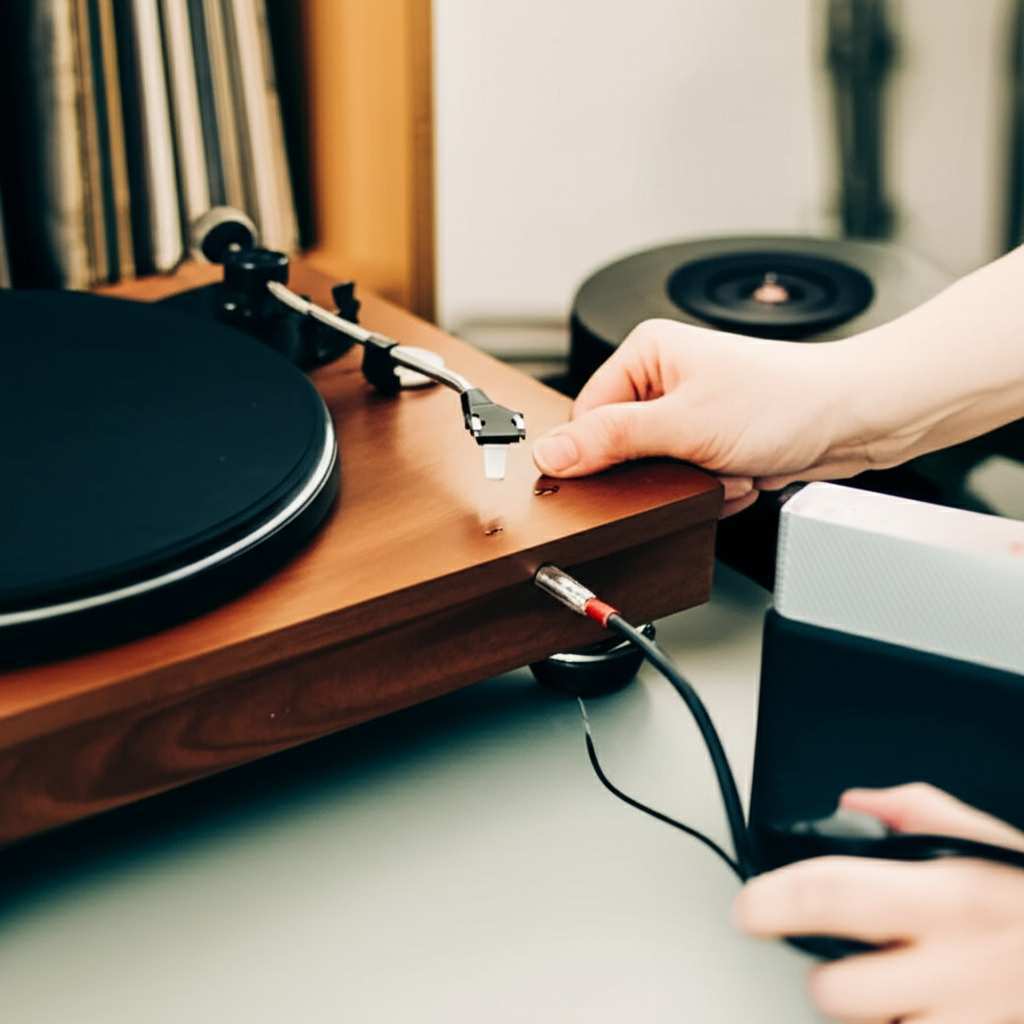
Let’s break it down and get your turntable singing through your Bluetooth speaker!
Why Connect Your Turntable to a Bluetooth Speaker?
So, why bother connecting your turntable to a Bluetooth speaker? It’s all about convenience and better sound! Old turntables often needed chunky amplifiers and wired speakers, which can be a pain to set up and take up space. Bluetooth speakers are super portable and can be placed anywhere in the room without messy wires.
Imagine spinning your favorite classic album. Instead of being tied to a specific spot, you can now have that amazing vinyl sound filling your entire living room, kitchen, or even your backyard patio. It’s the best of both worlds: the authentic sound of vinyl combined with the freedom of modern wireless technology.
This setup is perfect for anyone who loves their record collection but also enjoys the ease of modern audio devices. You get that warm, analog sound that digital streaming often misses, but with the simplicity of a Bluetooth connection. No more complicated wiring or expensive stereo systems if you don’t want them!
Step 1: Does Your Turntable Have Bluetooth?
The first and most important step is to check if your turntable is already equipped with Bluetooth. Many newer turntables come with this feature built right in. It makes the whole process incredibly straightforward.
Take a look at your turntable. Do you see any buttons labeled “Bluetooth,” “Pair,” or an antenna sticking out? Check the back panel for any small buttons or lights that might indicate Bluetooth capability. You can also quickly check your turntable’s user manual or look up the model number online to be sure.
If your turntable does have built-in Bluetooth, you’re in luck! This is the easiest way to connect. You’ll basically be pairing two Bluetooth devices, just like you would with your phone and a speaker. We’ll get to those steps in a bit.
Step 2: When Your Turntable Doesn’t Have Bluetooth
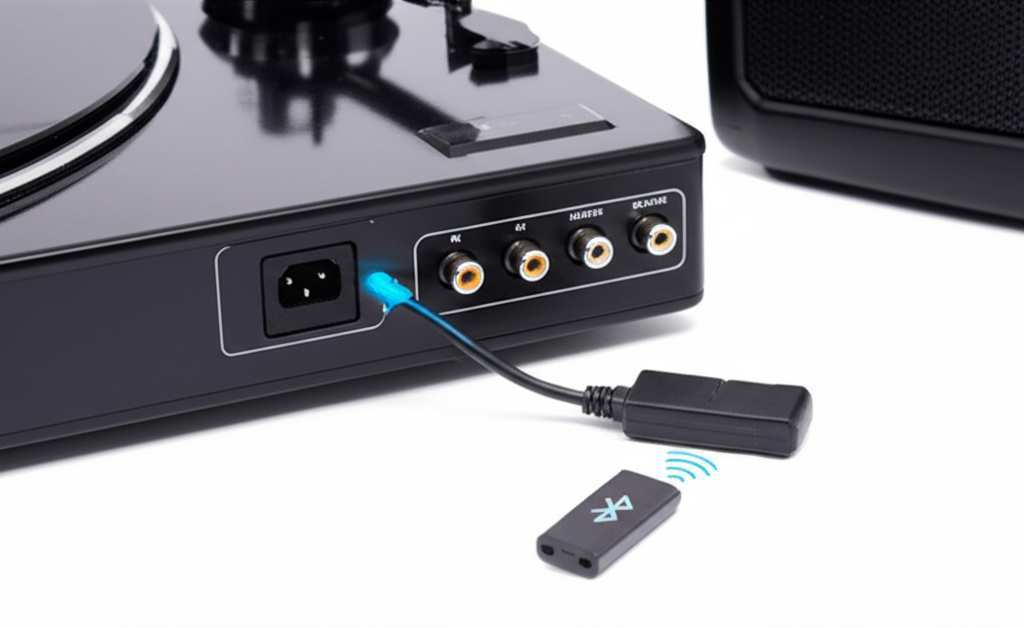
Don’t worry if your turntable doesn’t have Bluetooth built-in. It’s a common situation, especially with older or more basic models. The good news is, you can easily add this capability with a small, inexpensive device called a Bluetooth transmitter.
A Bluetooth transmitter acts as a bridge. It takes the audio signal from your turntable and converts it into a Bluetooth signal that your wireless speaker can pick up. Think of it as giving your turntable a Bluetooth superpower!
There are many types of these transmitters available. Some are small dongles that plug directly into your turntable’s audio output, while others might be slightly larger devices. We’ll cover how to choose and use one shortly.
What You’ll Need: The Essentials
Before we dive into the actual connection process, let’s make sure you have everything you need. This will make the setup go smoothly without any last-minute trips to the store.
Here’s a quick checklist:
- Your Turntable: Of course!
- Your Bluetooth Speaker: Make sure it’s charged and ready to go.
- If your turntable HAS Bluetooth: Nothing else is needed for connection!
- If your turntable DOES NOT have Bluetooth: You’ll need a Bluetooth Transmitter.
- Audio Cables: Depending on your turntable and transmitter, you might need RCA cables or a 3.5mm audio cable.
- Power Source: For both the turntable and the Bluetooth transmitter (if it needs one).
Having these items handy will ensure you’re fully prepared. It’s like packing for a trip – better to have it all ready before you leave!
Choosing a Bluetooth Transmitter (If Needed)
If your turntable is missing that Bluetooth magic, a transmitter is your best friend. They are pretty straightforward, but there are a couple of things to consider when picking one out.
Types of Transmitters:
- RCA Input Transmitters: These are common for turntables. They have red and white RCA plugs on one end to connect to your turntable’s audio out, and they broadcast the signal wirelessly.
- 3.5mm Input Transmitters: Some turntables might have a headphone jack or a 3.5mm audio out. These transmitters use a standard headphone-style plug.
- Combined Transmitter/Receiver: Some devices can both send (transmit) and receive Bluetooth signals. You’ll want to make sure it’s set to “transmit” mode for this setup.
Key Features to Look For:
- Low Latency: This is super important for audio! Latency is the delay between the sound being produced and when you hear it. You want a transmitter with “low latency” or “aptX Low Latency” to avoid that annoying echo effect where the sound from your speaker is a beat behind the record.
- Battery Life: If you plan on moving your setup around or don’t want to be tethered to a power outlet, look for a transmitter with a good rechargeable battery.
- Ease of Pairing: Most are simple, but some might have clearer instructions or a single-button pairing process.
- Range: How far away can your speaker be from the transmitter? Most offer decent range (around 30-50 feet), but it’s good to check if you have a large space.
A popular and reliable brand for these is Avantree, but many other good options exist. Reading reviews can help you find one that fits your budget and needs. For example, you can find good, low-latency transmitters online for around $30-$50.
Connecting Your Turntable: Step-by-Step
Alright, let’s get down to the actual connection. This is where we bring the sound to life!
Scenario 1: Your Turntable HAS Built-in Bluetooth
This is the simplest scenario. You’re basically pairing two Bluetooth devices.
- Turn on your Bluetooth speaker: Make sure it’s in pairing mode. Most speakers have a dedicated Bluetooth button you press and hold until a light flashes or you hear a sound.
- Turn on your turntable: Power it up.
- Activate your turntable’s Bluetooth: Look for a Bluetooth button on your turntable. Press and hold it to put your turntable into pairing mode. You might see a light blinking.
- Wait for them to connect: Your turntable and speaker should automatically find each other. You’ll usually hear a confirmation sound or see a solid light on both devices when they’re successfully paired.
- Play a record: Start spinning some vinyl! The sound should now come from your Bluetooth speaker.
It’s that easy! Sometimes, you might need to select the Bluetooth output on your turntable if it has other audio options, but usually, it’s automatic once paired.
Scenario 2: Your Turntable DOES NOT Have Bluetooth (Using a Transmitter)
Here’s where the Bluetooth transmitter comes into play. We’ll connect the turntable to the transmitter first, and then pair the transmitter to your speaker.
- Connect the transmitter to your turntable:
- If using RCA cables: Connect the red and white RCA plugs from your turntable’s “Audio Out” (or “Line Out”) ports to the corresponding red and white input ports on your Bluetooth transmitter.
- If using a 3.5mm cable: Plug one end into your turntable’s headphone jack or audio out, and the other end into the 3.5mm input on the transmitter.
Make sure your turntable is set to the correct output (often labeled “Phono” or “Line” – if it’s “Phono,” you might need a phono preamp, but many modern turntables have this built-in and offer a “Line” output).
- Power on the Bluetooth transmitter: Plug it in or ensure its battery is charged.
- Put the transmitter into pairing mode: Most transmitters have a button. Press and hold it until an indicator light starts flashing, usually blue or red, indicating it’s searching for a device.
- Turn on your Bluetooth speaker: Make sure it’s also in pairing mode, just like in Scenario 1.
- Let them connect: The transmitter and speaker will search for each other. Once connected, the flashing lights on both devices will usually turn solid, or you’ll hear a confirmation sound.
- Play a record: Put on your favorite album. The sound should now travel from the turntable, through the transmitter, and wirelessly to your Bluetooth speaker.
It might seem like a few more steps, but each one is simple. The key is getting that audio signal from the turntable into the transmitter correctly.
Important Considerations for Great Sound
Now that you know how to connect, let’s talk about making sure the sound quality is fantastic. It’s not just about getting them connected; it’s about enjoying the music to its fullest!
Phono vs. Line Output:
This is a common point of confusion. Turntables produce a very weak “phono” signal. This signal needs to be amplified by a “phono pre-amp” before it can be heard or sent to a transmitter. Some turntables have a built-in phono pre-amp, and their output is labeled “Line Out.” Others only have a “Phono Out.”
If your turntable only has “Phono Out,” and your transmitter or receiver only accepts “Line Level” input (which most do), you’ll need an external phono pre-amp. This little box sits between the turntable and the transmitter. Many modern turntables, especially those designed for direct connection or Bluetooth, have a switchable “Phono/Line” output, which makes things much easier.
Latency (The Delay Factor):
As mentioned before, latency can be a buzzkill. If you notice a delay between the needle hitting the record and the sound coming from your speaker, it’s latency. This is more common with cheaper Bluetooth transmitters or if your speaker isn’t designed for low-latency audio.
Look for transmitters advertising “aptX Low Latency” (or similar technologies). This is a codec that significantly reduces delay. For a truly seamless experience, especially if you’re sensitive to audio sync, investing in a good low-latency transmitter is worth it. CNET has a great article explaining Bluetooth codecs if you want to dive deeper into the tech behind it.
Speaker Placement:
Where you place your Bluetooth speaker can make a big difference. Avoid putting it directly in a corner, as this can sometimes make the bass sound muddy. Experiment with placing it on a stable surface, away from walls, to get a clearer, more balanced sound. Soft surfaces can also absorb sound, so a bookshelf might be better than a plush rug.
Table 1: Turntable Output Types Explained
Here’s a quick look at the different audio outputs you might find on a turntable and what they mean for connecting to Bluetooth devices.
| Output Type | Signal Strength | Pre-amp Needed? | Use Case for Bluetooth |
|---|---|---|---|
| Phono Out | Very Weak | Yes (External or Built-in) | Requires a phono pre-amp to boost the signal before sending to a Bluetooth transmitter. |
| Line Out (Switchable) | Standard Level | No (if turntable has built-in pre-amp) | Directly connect to a Bluetooth transmitter. This is the easiest option. |
| Headphone Out | Variable (can be strong) | No | Can be used with a 3.5mm Bluetooth transmitter, but may not always provide the best signal quality compared to Line Out. |
This table shows why understanding your turntable’s output is key. If you see “Phono Out” and nothing else, you’ll likely need that extra pre-amp step. If you see “Line Out,” you’re probably good to go with a standard Bluetooth transmitter!
Table 2: Bluetooth Transmitter Features Comparison
When you’re looking for a Bluetooth transmitter, these features can help you decide which one is best for your setup. It’s all about getting that smooth, lag-free sound.
| Feature | Importance | What to Look For | Impact on Sound |
|---|---|---|---|
| Bluetooth Version | High | Bluetooth 5.0 or higher (for better range & stability) | More stable connection, potentially longer range. |
| Codec Support | Very High | aptX, aptX HD, aptX Low Latency | Crucial for minimizing audio delay (latency) and improving sound quality. Standard SBC is okay, but can have more delay. |
| Battery Life | Medium | 5+ hours for portable use | Ensures uninterrupted playback without needing constant charging. |
| Connection Ports | High | RCA or 3.5mm audio inputs | Must match your turntable’s audio output. |
| Simultaneous Pairing | Low (for this use case) | Ability to connect to two devices (not essential for turntable to speaker) | Not critical for connecting one speaker to a turntable. |
This comparison highlights what really matters. While Bluetooth version is good, the codec support, especially for low latency, is the star of the show for a good turntable experience. You want that audio to be in sync!
Troubleshooting Common Issues
Sometimes, technology throws us a curveball. If you’re having trouble, don’t panic! Here are a few common issues and how to fix them.
Issue 1: No Sound Coming Out
- Check all connections: Make sure cables are plugged in securely to the correct ports on both the turntable and the transmitter (if used).
- Volume levels: Ensure the volume on your turntable (if it has a volume control), your Bluetooth transmitter (some have it), and your speaker are all turned up.
- Turntable Output Setting: If your turntable has a “Phono/Line” switch, double-check it’s set to “Line” if you’re connecting directly to a transmitter, or “Phono” if you’re using an external phono pre-amp.
- Bluetooth Pairing: Confirm that your speaker and turntable (or transmitter) are actually paired. Try re-pairing them.
Issue 2: Audio Delay (Latency)
- Use Low Latency Transmitter: If your current transmitter doesn’t support aptX Low Latency, consider upgrading. This is the most effective solution.
- Check Speaker Support: Ensure your Bluetooth speaker also supports low latency codecs if possible.
- Wired Connection: As a last resort for perfect sync, a wired connection (if your turntable and speaker support it) will always be lag-free.
Issue 3: Speaker Not Finding Turntable (or Transmitter)
- Both Devices in Pairing Mode: Make sure both the speaker and the turntable/transmitter are actively in pairing mode. Sometimes, they only stay in pairing mode for a minute or two.
- Distance: Bring the speaker and transmitter closer together, ideally within a few feet, for the initial pairing.
- Restart Devices: Turn both the speaker and the turntable/transmitter off and then on again.
- Clear Paired Devices: Some devices can only remember a certain number of paired devices. Try clearing the memory on your speaker and/or transmitter and try pairing again.
Don’t get discouraged if it doesn’t work perfectly the first time. A little patience and troubleshooting usually do the trick. Tech should be fun, not frustrating!
Fun Fact: The Rise of Wireless Turntables
Did you know that the first Bluetooth-enabled turntables started appearing around the mid-2010s? It was a way to bridge the gap between the beloved analog format and the convenience of digital, wireless audio. Brands like Audio-Technica and Pioneer DJ were among the early adopters, recognizing the demand for this hybrid approach. It’s a testament to how vinyl is still thriving, adapting to new technologies!
Frequently Asked Questions (FAQs)
Got more questions? I’ve got answers! Here are some common ones from folks just like you.
Q1: Can I connect ANY Bluetooth speaker to ANY turntable?
A: Almost! If your turntable has Bluetooth built-in, you can connect it to any standard Bluetooth speaker. If your turntable doesn’t have Bluetooth, you’ll need a Bluetooth transmitter to bridge the gap.
Q2: Will the sound quality be as good as a wired connection?
A: With modern Bluetooth technology and good quality transmitters/speakers, the sound quality can be excellent! However, extremely high-fidelity setups might still prefer a wired connection for absolute perfection, especially if low latency codecs aren’t used.
Q3: What does “latency” mean for my turntable?
A: Latency is the delay between the sound being produced and you hearing it. For turntables, you want low latency so the sound from your speaker matches what’s happening on the record, avoiding that annoying echo effect.
Q4: Do I need a special app to connect my turntable to a Bluetooth speaker?
A: Nope! You don’t need any special apps. The connection is made directly through the Bluetooth settings on your turntable (if it has it) or via the Bluetooth transmitter. Your speaker connects to one of these.
Q5: My turntable only has “Phono Out.” What do I do?
A: If your turntable only has “Phono Out,” you’ll need a phono pre-amp to boost the signal before it can go to a Bluetooth transmitter. Many turntables have a built-in pre-amp with a switchable “Line Out” that makes this much easier.
Q6: How far can my speaker be from the turntable?
A: The range typically depends on the Bluetooth version and the devices used. Generally, you can expect a stable connection up to 30-50 feet (10-15 meters) in open space, but walls and interference can reduce this.
Q7: Can I connect my turntable to multiple Bluetooth speakers at once?
A: Some turntables or Bluetooth transmitters support “dual pairing” or connecting to two devices simultaneously. Check your device’s specifications to see if this feature is available. It’s a cool way to spread the sound!
Conclusion: Enjoy Your Wireless Vinyl Journey!
And there you have it! Connecting your Bluetooth speaker to your turntable is totally achievable and can seriously upgrade your listening experience. Whether your turntable has Bluetooth built-in or you’re using a simple transmitter, the steps are straightforward.
You’ve learned how to identify your turntable’s capabilities, choose the right accessories if needed, and pair everything up for that sweet, wireless vinyl sound. Remember to check those output types and look for low-latency features if you want the smoothest experience. You’re now equipped to bring your record collection into the modern wireless age!
So go ahead, dust off those records, get your setup connected, and let the music play. It’s all about enjoying the warmth of vinyl with the freedom of Bluetooth. Now go enjoy amazing sound and make every moment louder and better!