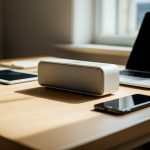
Quick Summary: Nope! Your awesome Bluetooth speaker totally works without Wi-Fi. It uses a direct, wireless connection called Bluetooth to play music from your phone or tablet. Think of it like a secret handshake between your devices, no internet needed!
Hey there, tech explorers! Max here from AffTechy.com, your go-to buddy for making gadgets less confusing and more fun. We all love music, right? Or maybe you’re a gamer who needs that extra punch from your sound, or a movie buff who wants to feel every boom and whisper. Speakers are key to that awesome experience. But sometimes, looking at all the tech specs can feel like trying to read a foreign language. You see words like “Bluetooth,” “Wi-Fi,” and “wireless,” and it’s easy to get a little lost.
You might be eyeing a cool new speaker, or maybe you’ve got one sitting in its box, wondering how it all connects. A big question that pops up is: “Does this speaker need my home Wi-Fi to stream my tunes?” It’s a totally valid question, and honestly, the answer is surprisingly simple and might just be the “shocking truth” you’ve been looking for. Don’t worry, we’re going to break it down together, nice and easy.
Forget complicated jargon! We’re here to make technology feel like a friendly chat. By the end of this, you’ll know exactly how your Bluetooth speaker works its magic. Ready to dive in and unlock the secrets of wireless sound? Let’s make this super simple and fun!
The Big Question: Bluetooth vs. Wi-Fi for Speakers
So, let’s get straight to the point. When you hear “wireless speaker,” your brain might jump to “Wi-Fi speaker.” It’s easy to think they’re the same thing. After all, both let you play sound without pesky wires, right? But here’s where the magic happens: they use totally different technologies to get that job done.

Think of it this way: your phone or tablet is like a DJ booth. It has all your favorite music. Your speaker is the dance floor, ready to blast the tunes. How do the music and the dance floor connect wirelessly? That’s where Bluetooth and Wi-Fi come into play, and they have different roles.
Bluetooth: The Direct Connection Hero
This is the star of the show for most portable speakers. Bluetooth is a short-range wireless technology. It’s designed to connect two devices directly, without needing anything in between. Your phone and your Bluetooth speaker are perfect examples of this.
When you turn on your Bluetooth speaker and put it in pairing mode, it’s like it’s saying, “Hey, I’m ready to connect!” Your phone or tablet then looks for nearby Bluetooth devices. Once you select your speaker from the list, they establish a secure, direct link. This link is what sends the audio data – your music, podcasts, or game sounds – from your device to the speaker.
The cool part? This connection happens directly between your device and the speaker. It doesn’t need to go through your home router or your internet connection. This is why you can take your Bluetooth speaker to the park, to a friend’s house, or even on a camping trip, and it will still work perfectly as long as your phone has battery and your speaker is charged.
Wi-Fi: The Network Navigator
Wi-Fi, on the other hand, is all about connecting devices to a network – usually your home internet network. Wi-Fi speakers, sometimes called “smart speakers” or “network speakers,” use your Wi-Fi to connect to the internet. This lets them do some pretty neat things.

For example, Wi-Fi speakers can stream music directly from online services like Spotify or Pandora without needing your phone to be nearby. They can also be controlled by multiple devices on the same network, and some can even connect to smart home systems. Think of speakers like Sonos or Amazon Echo devices – those often rely heavily on Wi-Fi.
But for the typical portable speaker you might grab for a picnic or a backyard BBQ? That’s almost always Bluetooth. The setup is simpler, and you don’t need an internet signal. It’s all about that direct link.
The Shocking Truth Revealed!
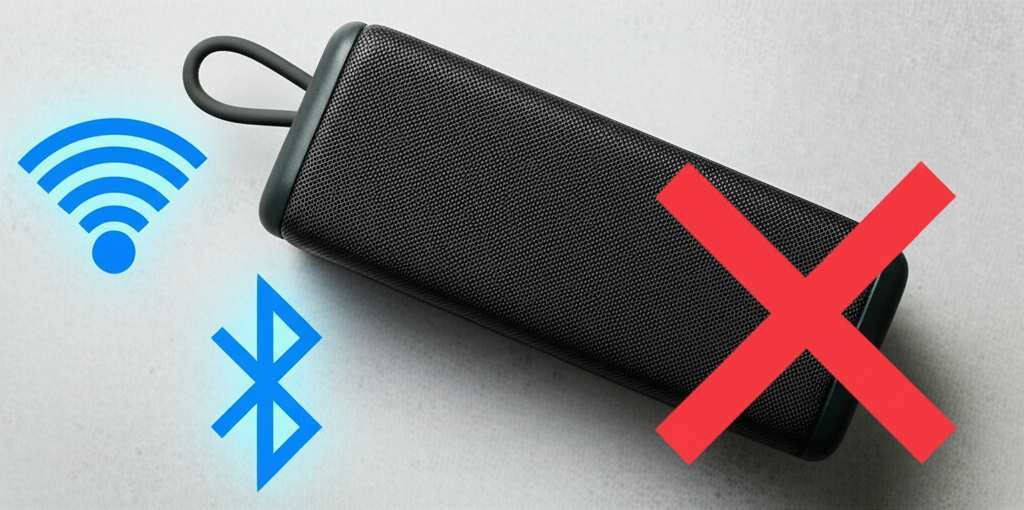
So, here it is, the big reveal: Most Bluetooth speakers DO NOT need Wi-Fi to work. Seriously! The “Bluetooth” in their name tells you their primary connection method. They use Bluetooth to talk directly to your smartphone, tablet, or laptop.
This is fantastic news because it means you have more freedom. You don’t need to worry about your Wi-Fi signal strength or if you’re using up your mobile data. As long as your speaker is charged and your device is close enough (usually within about 30 feet or 10 meters), you’re good to go. It’s all about that simple, direct wireless connection.
The only time a speaker might use Wi-Fi is if it’s a special kind of “smart speaker” or a high-end system designed for multi-room audio. These speakers often have both Bluetooth and Wi-Fi capabilities. Bluetooth is for quick, easy connections to any device, while Wi-Fi unlocks those extra internet-based features. But for core music playback from your phone? Bluetooth is the master, and it flies solo without Wi-Fi.
Why This Matters for You
Understanding this difference is super helpful. It means you can choose the right speaker for your needs without getting confused by technical terms. If you want a speaker to take anywhere, enjoy music at the beach, or just have great sound for your laptop without cables, a Bluetooth speaker is your best friend. It’s simple, it’s reliable, and it doesn’t need the internet.
You’re not tethered to your home network. Your music goes where you go! This freedom is what makes Bluetooth speakers so popular. They are the ultimate in portable, hassle-free audio. Plus, setting them up is usually a breeze – pair and play!
Let’s Talk About Sound: How Bluetooth Actually Works
Curious about the tech magic behind the scenes? Bluetooth uses radio waves to send data. It’s like a tiny, invisible conversation happening between your device and the speaker. These radio waves travel in a specific frequency band, and the technology is designed to be efficient and low-power, which is great for battery life on both your device and the speaker.
When you initiate pairing, your device and speaker exchange digital “handshakes.” They identify each other and agree on how to communicate. Once paired, they can send audio information back and forth. This process is pretty robust, but like any wireless signal, it can be affected by distance and physical obstructions (like thick walls).
The latest Bluetooth versions, like Bluetooth 5.0 and newer, offer even better performance. They can provide longer range, faster speeds, and more stable connections. This means fewer dropouts and better sound quality. So, when you see a speaker advertising Bluetooth 5.0, you know it’s using some pretty modern tech for a smooth listening experience.
Wi-Fi Speakers: A Different Ballgame
Now, let’s quickly revisit Wi-Fi speakers to really highlight the difference. Wi-Fi speakers connect to your home router. This gives them access to your home network and, crucially, the internet. This is why they can often play music without your phone being involved at all.
Imagine you have a Spotify Premium account. A Wi-Fi speaker can connect directly to Spotify’s servers over your Wi-Fi network. Your phone then acts more like a remote control, telling the speaker what to play. This is different from Bluetooth, where your phone is actually streaming the audio data to the speaker.
Some popular Wi-Fi speaker systems, like those from Sonos, are designed for whole-home audio. You can have multiple speakers playing the same music in different rooms, all controlled from a single app. This kind of sophisticated, multi-room functionality is typically achieved through Wi-Fi, not just Bluetooth.
Key Features to Look For (and What They Mean)
When you’re shopping for a speaker, you’ll see a bunch of features. Here’s a quick rundown of what’s important, especially when it comes to connectivity:
- Bluetooth Version: Look for Bluetooth 4.0 or higher for good performance. Bluetooth 5.0 and 5.2 are even better, offering longer range and improved battery efficiency.
- Wi-Fi Connectivity: This is usually found on smart speakers or multi-room systems. It’s great for streaming directly from the internet and advanced features, but not essential for basic Bluetooth speaker use.
- Water Resistance (IP Rating): If you plan to use your speaker by the pool or at the beach, look for an IPX rating (like IPX7). This tells you how well it can handle water.
- Battery Life: How long can it play before needing a recharge? This is crucial for portable speakers.
- Sound Quality: This is subjective, but look for reviews that talk about bass, clarity, and volume.
- Portability: Size and weight matter if you’re carrying it around a lot.
Setting Up Your Bluetooth Speaker: A Breeze!
Getting your Bluetooth speaker connected is usually super straightforward. Here’s a typical step-by-step guide:
- Charge Your Speaker: First things first, make sure your speaker has enough battery. Plug it in using the included charging cable if needed.
- Turn On Your Speaker: Find the power button and press it. Many speakers will make a sound or have an indicator light to show they are on.
- Enable Pairing Mode: This is the key step! Most speakers have a dedicated Bluetooth button. You might need to press and hold it for a few seconds until a light flashes or you hear a specific sound. This tells the speaker it’s ready to connect to a new device.
- Turn On Bluetooth on Your Device: Go to the settings on your smartphone, tablet, or computer. Find the Bluetooth option and make sure it’s turned on.
- Scan for Devices: Your device will start searching for nearby Bluetooth devices. You should see a list of available devices appear on your screen.
- Select Your Speaker: Look for the name of your speaker in the list and tap or click on it.
- Confirm Pairing (if prompted): Sometimes, you might need to confirm a pairing request or enter a simple PIN (often “0000” or “1234” if required, but most modern devices don’t need this).
- Play Your Music! Once connected, you’ll usually hear a confirmation sound from the speaker, and the flashing light might turn solid. Now you can open your music app and start playing!
And that’s it! Your speaker is now paired with your device. The next time you turn on both the speaker and Bluetooth on your device, they should connect automatically, as long as they are close enough.
Bluetooth vs. Wi-Fi Speakers: A Quick Comparison
To really drive home the differences, let’s look at them side-by-side. This table should make it super clear:
| Feature | Bluetooth Speaker | Wi-Fi Speaker |
| Primary Connection | Bluetooth (direct device-to-speaker) | Wi-Fi (device-to-router-to-internet) |
| Internet Needed? | No | Yes (for most features and streaming) |
| Range | Short (approx. 30 ft / 10 m) | Long (limited by Wi-Fi network coverage) |
| Device Dependency | Requires source device (phone, tablet) nearby to stream | Can often stream independently from internet services |
| Multi-Room Audio | Typically limited to one speaker or basic stereo pairing | Often supports advanced multi-room audio systems |
| Portability | Generally high; designed for on-the-go use | Varies; often stationary or requires power outlet nearby |
| Setup Complexity | Very simple (pairing) | Can be more complex (network setup, app configuration) |
See? It’s quite different! A Bluetooth speaker is like your personal, portable sound system that travels with you, always ready for action. A Wi-Fi speaker is more like a home entertainment hub that can do more when connected to your network.
Real-World Scenarios: When Does Wi-Fi Become Useful?
While your Bluetooth speaker doesn’t need Wi-Fi, there are definitely times when Wi-Fi speakers shine. For instance, if you want to fill your entire house with music, playing the same song in the kitchen, living room, and bedroom simultaneously, a Wi-Fi multi-room system is the way to go. You can control it all from your phone, but the music is streaming directly over Wi-Fi.
Another great use for Wi-Fi is voice control. Smart assistants like Alexa or Google Assistant are built into many Wi-Fi speakers. You can ask them to play music, set reminders, or control other smart home devices, all without touching your phone. This is a feature that Bluetooth alone can’t provide.
If you’re hosting a party and want guests to be able to add songs to a queue from their own devices, a Wi-Fi system might make that easier, as multiple people can connect to the same network. However, many modern Bluetooth speakers are also getting smarter about multi-device connections!
Fun Fact Alert!
Did you know that Bluetooth technology was named after a Viking king? Harald “Bluetooth” Gormsson united Danish tribes in the 10th century. The technology’s creators thought it was fitting because Bluetooth was meant to unite different communication protocols and devices! Pretty cool, right?
Choosing the Right Speaker for You
So, how do you pick? It really depends on how you plan to use it:
- For portability, parties, and everyday use: A Bluetooth speaker is usually your best bet. They are easy to use, don’t need Wi-Fi, and you can take them anywhere.
- For home audio, smart features, and multi-room sound: Consider a Wi-Fi speaker or a smart speaker. These offer more advanced features but are best suited for a home environment.
- For the best of both worlds: Many speakers today offer both Bluetooth and Wi-Fi connectivity. This gives you the convenience of Bluetooth for on-the-go use and the power of Wi-Fi for home streaming and smart features.
When you’re looking at specs, don’t get overwhelmed. Just ask yourself: “Do I need this to work without Wi-Fi and be portable?” If the answer is yes, focus on Bluetooth. If you want it to be a hub for your home and stream directly from the internet, then Wi-Fi capabilities become important.
Maintaining Your Speaker for Long-Lasting Sound
Keeping your speaker in good shape is easy! Here are a few quick tips:
- Keep it Clean: Gently wipe down the speaker with a dry or slightly damp cloth. Avoid harsh chemicals.
- Protect from the Elements: If your speaker isn’t waterproof, keep it away from rain, excessive moisture, and extreme temperatures.
- Charge Wisely: Avoid draining the battery completely too often, as this can sometimes impact long-term battery health.
- Update Firmware (if applicable): Some speakers have firmware updates that can improve performance. Check the manufacturer’s app or website.
These simple steps will help ensure your speaker keeps delivering great sound for a long time.
Frequently Asked Questions (FAQ)
Got more questions? I’ve got answers!
Q1: Can my Bluetooth speaker play music if my phone is in another room?
A1: Generally, no. Bluetooth has a limited range, usually around 30 feet (10 meters). For music to play, your phone or device needs to be within that range of the speaker.
Q2: Do I need to pay for a subscription to use my Bluetooth speaker?
A2: Nope! The speaker itself is a one-time purchase. You’ll only need subscriptions for the music services (like Spotify, Apple Music, etc.) if you use them to provide the music you stream to the speaker.
Q3: What if my speaker connects to Wi-Fi? Does that mean it’s not a Bluetooth speaker?
A3: Not necessarily! Many modern speakers are “dual-mode,” meaning they have both Bluetooth and Wi-Fi. They use Bluetooth for easy, direct connections and Wi-Fi for enhanced features like internet streaming or multi-room audio. The core functionality of playing music from your phone via Bluetooth still doesn’t require Wi-Fi.
Q4: Can I connect multiple Bluetooth speakers to one phone?
A4: Some phones and speaker systems support this. It’s often called “dual audio” or “stereo pairing.” You’ll need to check your phone’s settings and the speaker’s manual to see if it’s possible.
Q5: My speaker is cutting out. What should I do?
A5: First, make sure your device is close enough to the speaker. Try moving them closer. Also, check for physical obstructions like walls or even a microwave oven, as they can interfere with Bluetooth signals. Sometimes, simply restarting both your device and the speaker can help!
Q6: Is a Bluetooth speaker better than a Wi-Fi speaker?
A6: It’s not about “better,” it’s about “different needs”! Bluetooth speakers are awesome for portability and simplicity without internet. Wi-Fi speakers are great for home use, smart features, and independent streaming. Choose the one that fits your lifestyle best!
Wrapping It All Up!
So there you have it! The “shocking truth” is that your trusty Bluetooth speaker is a standalone wonder. It doesn’t need your home Wi-Fi to blast your favorite tunes. It connects directly to your phone or tablet using Bluetooth technology, giving you freedom and simplicity.
Whether you’re chilling at home, having a picnic in the park, or rocking out at a beach party, your Bluetooth speaker is ready to go without any fuss about internet connections. It’s all about that direct, wireless magic. Understanding this difference helps you pick the perfect speaker for your adventures and use the tech you already have with confidence.
Now you know the secret sauce! Go forth, connect your speaker, and fill your world with sound. Enjoy every beat, every note, and every moment made better with great audio!