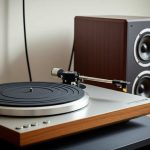
Yes, your Bluetooth speaker CAN handle analog audio from a turntable, but you’ll usually need a little help! Most Bluetooth speakers don’t have a direct analog input. You’ll typically need a phono preamp to boost the turntable’s signal before it can go wireless. It’s easier than it sounds and totally worth it for that classic vinyl vibe!
Hey there, tech explorers! Max here from AffTechy.com. We all love the convenience of wireless music, right? But what about those classic vinyl records? You know, the ones that give music that warm, rich sound that digital just can’t quite capture. Sometimes, you might wonder if you can bridge that gap – can your cool Bluetooth speaker actually play the sweet sounds from your turntable?
It’s a question that pops up a lot when you’re diving into the wonderful world of vinyl. You’ve got your turntable spinning, and you’ve got your awesome Bluetooth speaker ready to blast your favorite tunes. But how do you connect them? It can feel a bit confusing with all the wires and signals flying around. Don’t worry, though! I’m here to make it super simple.
We’re going to break down exactly how you can get that analog vinyl magic into your wireless speaker. It’s not as complicated as it sounds, and the result is pretty amazing. Get ready to enjoy your records in a whole new way. Let’s dive in and figure this out together!
So, Can Bluetooth Speakers Handle Analog Audio From a Turntable?
This is the big question! The short answer is: kind of, but usually not directly. Think of it like this: your turntable produces a very quiet, specific type of analog audio signal called a “phono signal.” Bluetooth speakers, on the other hand, are designed to receive digital audio signals wirelessly. They don’t have the right kind of “ears” to directly understand that quiet phono signal.
This is where a little bit of tech magic comes in. To make this connection work, you usually need an extra step. This step helps convert that weak phono signal into a stronger, more standard analog signal that a Bluetooth speaker can understand. Or, even better, it converts it into a digital signal that can then be sent wirelessly. Pretty neat, huh?
The good news is that this isn’t some super complex, expensive setup. There are easy ways to make it happen, and I’ll guide you through all of them. You’ll be spinning your favorite records and listening through your Bluetooth speaker before you know it!
Let’s Talk About Sound: Analog vs. Digital
Before we get too deep, let’s quickly touch on why this connection isn’t always straightforward. It all comes down to how sound is represented. Analog audio, like what comes straight from your turntable’s needle, is a continuous wave. It’s a direct representation of the sound’s vibrations.
Digital audio, which is what Bluetooth speakers use, is a series of numbers. The analog sound wave is measured thousands of times per second, and those measurements are turned into digital code. This code is what gets sent wirelessly and then converted back into sound by your speaker.
Your turntable’s output is a very specific type of analog signal. It’s designed to be amplified in a particular way. Bluetooth speakers expect a different kind of input. They’re built for modern digital streams or line-level analog signals, not the delicate phono signal. So, we need a translator!
The Missing Piece: The Phono Preamp
The key component that bridges this gap is usually a phono preamp. This little gadget is super important. It does two main jobs for your turntable’s audio signal:
- Boosts the Signal: The phono signal from your turntable is very weak. A preamp boosts it to a level that other audio equipment, like your Bluetooth speaker’s input or a receiver, can use.
- Equalizes the Signal: Vinyl records have a specific way of recording bass and treble. A phono preamp corrects this, making the sound balanced and clear. This is called the RIAA equalization curve.
Without a phono preamp, the sound from your turntable would be incredibly quiet and muffled if you tried to connect it directly to something expecting a standard audio signal. It would be like trying to listen to a whisper across a noisy room!
Turntable Types and Your Preamp Needs
Not all turntables are created equal when it comes to built-in features. This is a crucial detail for getting your sound from vinyl to wireless.
Turntables with Built-in Phono Preamps
Some modern turntables are super convenient! They come with a phono preamp already inside. These are often called “all-in-one” or “plug-and-play” turntables. They make connecting to other devices much easier.
If your turntable has a built-in preamp, you might see a switch on the back. This switch often lets you choose between “PHONO” and “LINE” output. For connecting to a Bluetooth speaker, you’ll want to set it to “LINE.” This means the turntable is already doing the preamp job, and its output signal is ready for other devices.
Turntables Without Built-in Phono Preamps
Many classic or more traditional turntables do not have a built-in preamp. These will only output a “PHONO” signal. If you have one of these, you absolutely need an external phono preamp to boost and equalize the signal before it can go anywhere else.
Here’s a quick way to check: Look at the back of your turntable. Do you see a switch for “PHONO” / “LINE”? Do you see RCA outputs (those red and white jacks)? If you only see RCA outputs labeled “PHONO,” you’ll need an external preamp. If you see a switch, check your turntable’s manual to be sure, but it likely has a built-in one.
Connecting Your Turntable to a Bluetooth Speaker: The Methods
Now for the exciting part! How do we actually get the sound from your turntable to your Bluetooth speaker? There are a few common ways to do this, depending on your setup.
Method 1: Turntable with Built-in Preamp + Bluetooth Transmitter
This is one of the most straightforward methods if your turntable is already equipped with a line-level output.
- Check Your Turntable: Make sure your turntable is set to “LINE” output. You should see RCA cables (red and white plugs) coming from the back.
- Get a Bluetooth Transmitter: You’ll need a Bluetooth transmitter. These devices plug into an audio source and broadcast the audio signal wirelessly via Bluetooth.
- Connect the Turntable to the Transmitter: Use RCA cables or a 3.5mm audio cable (depending on your transmitter’s inputs) to connect your turntable’s RCA outputs to the Bluetooth transmitter’s audio input.
- Pair the Transmitter with Your Speaker: Turn on your Bluetooth transmitter and put it into pairing mode. Then, turn on your Bluetooth speaker and put it into pairing mode as well. They should find each other and connect automatically.
- Play Your Vinyl: Once paired, start playing a record! The sound from your turntable will go through the transmitter and be broadcast to your Bluetooth speaker.
Pro Tip: Look for Bluetooth transmitters that support low-latency codecs like aptX Low Latency. This helps reduce the delay between the sound and what you see on screen if you’re watching something, though for just listening to music, standard Bluetooth is usually fine.
Method 2: Turntable Without Built-in Preamp + External Phono Preamp + Bluetooth Transmitter
This method is for turntables that only output a phono signal. The external phono preamp is essential here.
- Connect Turntable to Phono Preamp: Use RCA cables to connect the turntable’s “PHONO” output to the phono preamp’s input. Make sure to connect the ground wire from your turntable to the ground screw on the preamp. This is important to reduce hum!
- Connect Phono Preamp to Bluetooth Transmitter: The phono preamp will have “LINE” or “OUT” RCA outputs. Connect these to the audio input of your Bluetooth transmitter using RCA cables or a 3.5mm cable.
- Pair Transmitter and Speaker: Just like in Method 1, pair your Bluetooth transmitter with your Bluetooth speaker.
- Spin Those Records: Start playing your vinyl. The sound will go from the turntable, through the phono preamp, to the Bluetooth transmitter, and finally to your speaker wirelessly.
Why the Ground Wire Matters: That little wire might seem insignificant, but it’s vital. Turntables can pick up electrical interference, which causes a buzzing or humming sound. Connecting the ground wire helps cancel out this noise, giving you a cleaner sound.
Method 3: Turntable with Built-in Preamp + Bluetooth Speaker with Analog Input
This is less common for Bluetooth speakers, but some might have it! If your Bluetooth speaker has a dedicated “AUX IN” or “LINE IN” port (usually a 3.5mm jack), you can connect your turntable directly if it has a line-level output.
- Check Your Turntable: Ensure your turntable is set to “LINE” output.
- Check Your Speaker: Look for an “AUX IN” or “LINE IN” port on your Bluetooth speaker.
- Connect with an Audio Cable: Use a 3.5mm audio cable to connect the RCA outputs of your turntable (you might need an RCA to 3.5mm adapter) to the “AUX IN” port on your speaker.
- Switch Speaker to Aux Mode: On your Bluetooth speaker, select the “AUX” or “LINE IN” input mode.
- Play Your Record: The sound will play directly through the speaker. Note that this connection is wired, not wireless, so the Bluetooth functionality of the speaker isn’t being used for this specific audio source.
Fun Fact: Many older stereo systems and amplifiers had dedicated “PHONO” inputs. These had built-in phono preamps. Modern Bluetooth speakers usually skip these, focusing on digital and wireless inputs.
Method 4: Turntable + External Phono Preamp + Smart Speaker with Analog Input
Some smart speakers or more advanced Bluetooth speakers might have an AUX input. You can use this with an external phono preamp for turntables without built-in preamps.
- Connect Turntable to Phono Preamp: Connect your turntable’s “PHONO” output to the phono preamp’s input, including the ground wire.
- Connect Phono Preamp to Speaker: Use an RCA to 3.5mm audio cable to connect the “LINE OUT” of your phono preamp to the “AUX IN” port on your smart speaker.
- Select Aux Mode on Speaker: Make sure your smart speaker is set to the AUX input source.
- Play and Enjoy: Spin your records! The sound will travel through the wired connection to your speaker.
This method is great if you have a good phono preamp and a smart speaker you want to use for your vinyl. It bypasses the Bluetooth part of the speaker but still gives you access to its sound quality.
What to Look for in a Bluetooth Transmitter
If you’re going the Bluetooth transmitter route, choosing the right one can make a big difference. Here are a few things to keep in mind:
- Input Types: Does it accept RCA cables or just a 3.5mm jack? Most transmitters have both or come with adapters.
- Bluetooth Version: Newer versions (like Bluetooth 5.0 or higher) offer better range, stability, and sound quality.
- Codec Support: For the best audio quality, look for support for codecs like aptX, aptX HD, or aptX Low Latency. These are more advanced ways of sending audio wirelessly.
- Pairing Simplicity: How easy is it to pair with your speaker? Most are pretty straightforward.
- Power Source: Does it plug into the wall, use USB, or have a battery? Wall-powered is usually best for continuous listening.
A good quality Bluetooth transmitter can really elevate your wireless vinyl experience. You can find some excellent options from brands like Anker, UGREEN, or Mpow.
Choosing the Right Phono Preamp
If you need an external phono preamp, there are many options available. They range from very affordable to quite expensive.
For beginners, a simple, compact phono preamp is usually the way to go. Brands like ART, Behringer, and Pyle offer very budget-friendly options that do a solid job.
Here’s a quick comparison of what you might find:
| Feature | Budget Preamp | Mid-Range Preamp | High-End Preamp |
|---|---|---|---|
| Price | $20 – $50 | $50 – $150 | $150+ |
| Build Quality | Plastic, basic | Metal, sturdier | Premium materials, solid |
| Sound Quality | Good, functional | Better clarity, less noise | Excellent, detailed, minimal noise |
| Connectivity | RCA In/Out, Ground Screw | RCA In/Out, Ground Screw, sometimes USB | RCA In/Out, Ground Screw, balanced outputs, advanced features |
For most people looking to connect a turntable to a Bluetooth speaker, a budget or mid-range preamp is perfectly adequate. It will provide the necessary boost and equalization to get your records sounding good. You don’t need to break the bank to get started!
Can I Connect My Turntable Directly to My Computer’s Bluetooth?
This is another common question! If your computer has Bluetooth, can you just send the turntable’s signal through it?
Unfortunately, it’s generally not that simple. Most computers’ built-in Bluetooth is designed for outputting audio from the computer to headphones or speakers. They don’t typically have a way to receive an analog audio signal from an external source like a turntable (even if you use a phono preamp) and then transmit it via Bluetooth.
You would still need that Bluetooth transmitter I mentioned earlier. You’d connect your turntable (with its preamp) to the transmitter, and then the transmitter would send the signal to your computer’s Bluetooth receiver (or directly to a Bluetooth speaker paired with the transmitter).
So, while your computer might have Bluetooth, it’s not usually a direct gateway for analog audio from a turntable to wireless output without extra hardware.
What About Sound Quality?
This is where things get interesting! Can Bluetooth speakers do justice to the warm sound of vinyl? The answer is: it depends.
The Bluetooth Connection: Standard Bluetooth compression can sometimes slightly degrade the audio quality. However, with modern Bluetooth versions and advanced codecs like aptX HD, the difference can be very minimal, especially for casual listening. The “warmth” of vinyl often comes through quite nicely.
The Speaker Itself: The biggest factor in sound quality will be your Bluetooth speaker. A small, inexpensive speaker might not have the fidelity to truly showcase the nuances of vinyl. A larger, higher-quality Bluetooth speaker with good bass response and clear mids and highs will perform much better.
The Turntable and Setup: Of course, the quality of your turntable, cartridge, stylus, and your phono preamp also play a huge role. A well-maintained setup will always sound better.
The “Amazing” Factor: For many, the “amazing” part is the sheer convenience and the novelty of getting that beloved vinyl sound wirelessly. While an audiophile might prefer a direct wired connection to high-fidelity speakers, the ability to enjoy your records anywhere in the house via a Bluetooth speaker is pretty magical.
It’s a fantastic way to enjoy your collection without being tethered by wires, and for most people, the sound quality is more than good enough to be enjoyable and satisfying.
Potential Issues and How to Fix Them
Even with the right gear, you might run into a few hiccups. Don’t worry, most are easy to solve!
- Humming or Buzzing: This is the most common issue.
- Fix: Ensure your turntable’s ground wire is securely connected to your phono preamp. Try plugging your turntable and preamp into the same power outlet or power strip. Keep audio cables away from power cords.
- Low Volume: If the sound is still too quiet.
- Fix: Double-check that your turntable is set to “LINE” output (if it has a switch). Make sure your phono preamp is plugged in and powered on. Ensure your Bluetooth transmitter is connected correctly and at its highest possible input level without distortion.
- No Sound at All: The dreaded silence.
- Fix: Check all cable connections. Make sure all devices are powered on. Verify that your Bluetooth transmitter and speaker are successfully paired (look for blinking lights or status indicators). Try re-pairing them. Ensure your speaker is in the correct input mode (Bluetooth, not AUX).
- Audio Delay (Latency): If the sound seems slightly off from what you’re seeing (less common for music listening).
- Fix: If your Bluetooth transmitter and speaker support different codecs, try to ensure they are both using the same one, or prioritize aptX Low Latency if available. Sometimes, simply turning devices off and on again can resolve temporary glitches.
Troubleshooting is a normal part of setting up new tech. The key is to go step-by-step and check each connection and setting. You’ll likely find the problem quickly!
Frequently Asked Questions (FAQ)
Q1: Do I always need a phono preamp for my turntable with a Bluetooth speaker?
You do if your turntable only outputs a “PHONO” signal. If your turntable has a built-in preamp and a “LINE” output, then you don’t need a separate one. Always check your turntable’s output type!
Q2: Can I connect my turntable directly to my Bluetooth speaker’s AUX port?
Only if your turntable has a “LINE” output (meaning it has a built-in preamp) and your Bluetooth speaker has an AUX input. If your turntable only has a “PHONO” output, you’ll need a phono preamp first, and then connect that to the speaker’s AUX port.
Q3: Will the sound quality be as good as a wired connection?
It can be very close, especially with modern Bluetooth technology and good speakers. However, a direct wired connection to high-fidelity audio equipment often offers superior clarity and detail. For most listeners, the convenience is well worth any minor difference.
Q4: What is “aptX Low Latency”?
aptX Low Latency is a Bluetooth audio codec designed to minimize the delay between the audio source and the speaker. It’s great for watching videos or gaming, but it also helps ensure a more responsive music experience with your turntable.
Q5: How do I know if my turntable has a built-in phono preamp?
Check the back of your turntable. Look for a switch that says “PHONO” / “LINE.” If you see this switch, it likely has a built-in preamp. Consult your turntable’s manual if you’re unsure.
Q6: Can I connect multiple Bluetooth speakers to my turntable transmitter?
Some Bluetooth transmitters support connecting to two speakers simultaneously (often called “dual pairing” or “stereo pairing”). Check the specifications of your transmitter to see if this feature is available.
Q7: Is it worth buying a Bluetooth transmitter just for my turntable?
If you love your vinyl and want the flexibility to listen through your favorite wireless speaker without wires, then absolutely! It opens up a whole new way to enjoy your record collection. The cost of a transmitter and a basic preamp is usually quite reasonable.
Conclusion: Your Vinyl, Now Wireless!
So there you have it! Connecting your analog turntable to your digital Bluetooth speaker is totally achievable and can sound amazing. You’ve learned that while it’s not always a direct plug-and-play, a little help from a phono preamp and a Bluetooth transmitter can bridge that gap beautifully.
Whether your turntable has a built-in preamp or you need an external one, the process is straightforward. You’re now equipped to choose the right gear, connect everything up, and troubleshoot any minor issues. The world of wireless vinyl playback is at your fingertips!
Don’t let wires hold back your record collection. Embrace the convenience and enjoy that classic analog sound filling your space, untethered. Now go spin some wax and let the good times roll – louder and better than ever!