
How To Schedule Wifi Router Usage Effectively
To effectively schedule your Wi-Fi router usage, set specific time periods for when the internet is accessible or restricted. You […]
To effectively schedule your Wi-Fi router usage, set specific time periods for when the internet is accessible or restricted. You […]
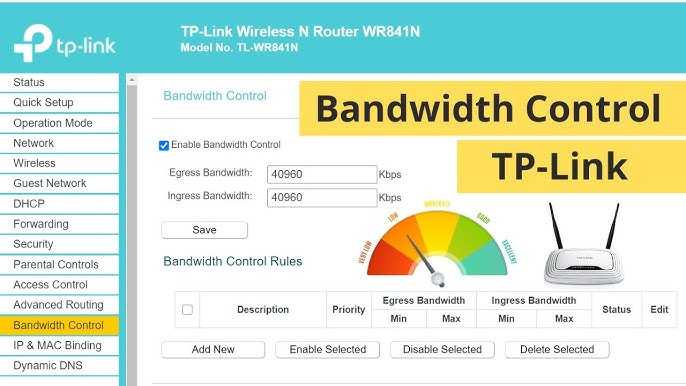
To quickly limit bandwidth on your WiFi router, access your router’s settings, find the Quality of Service (QoS) section, and
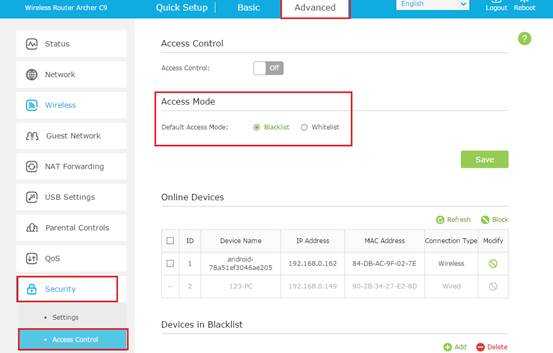
To whitelist devices on your Wi-Fi router, simply access your router’s admin panel, locate the device filtering or MAC address
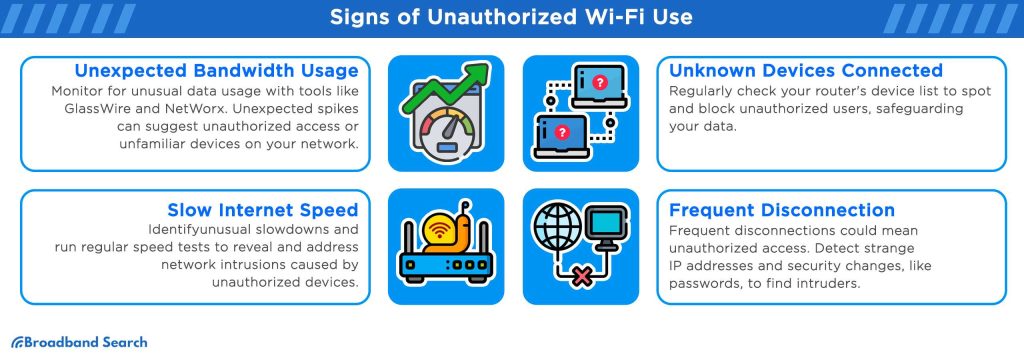
To quickly spot unauthorized devices on your Wi-Fi router, check your router’s device list for unfamiliar names or IP addresses,
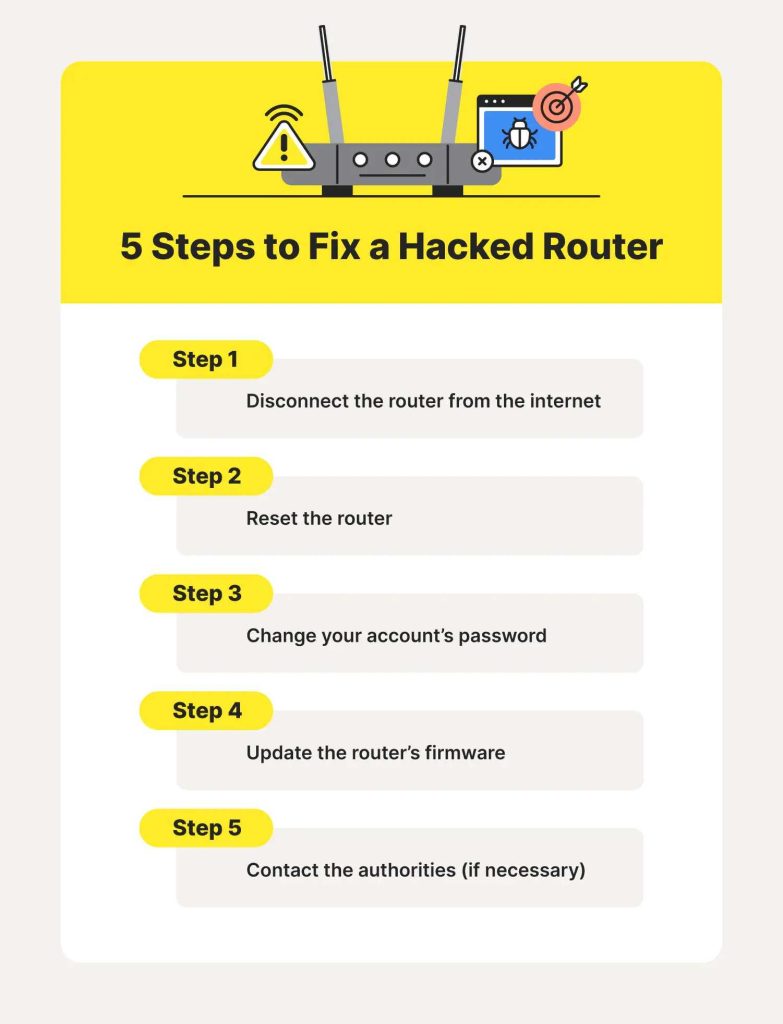
To quickly determine if your Wi-Fi router has been hacked, look for unusual activity such as unknown devices connected to
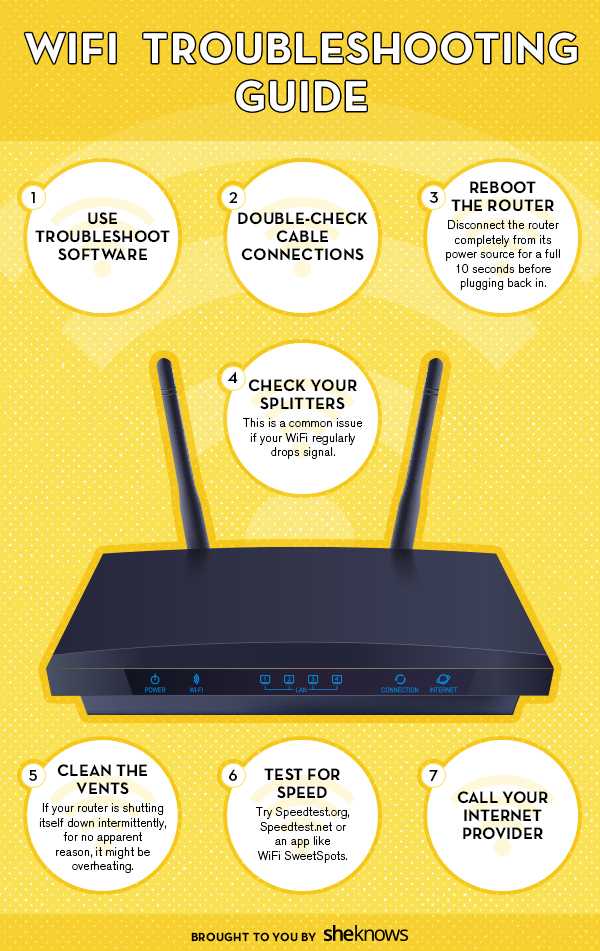
If your WiFi keeps dropping or slows down unexpectedly, don’t panic—a quick troubleshooting can often get your network back on
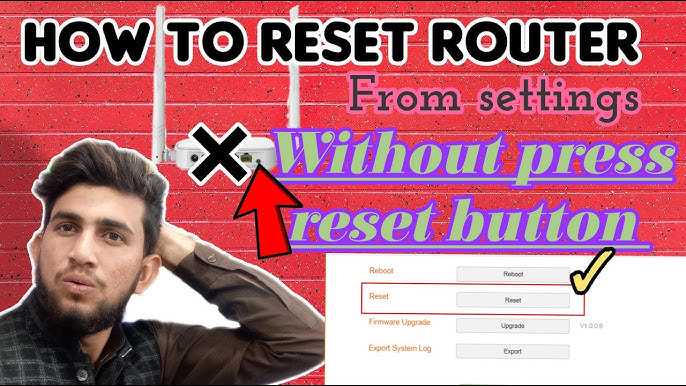
To reset your router without a physical button, you can often do it through the router’s web interface or by

To enable the 6GHz band on your router, simply access your router’s settings, find the wireless or Wi-Fi options, and
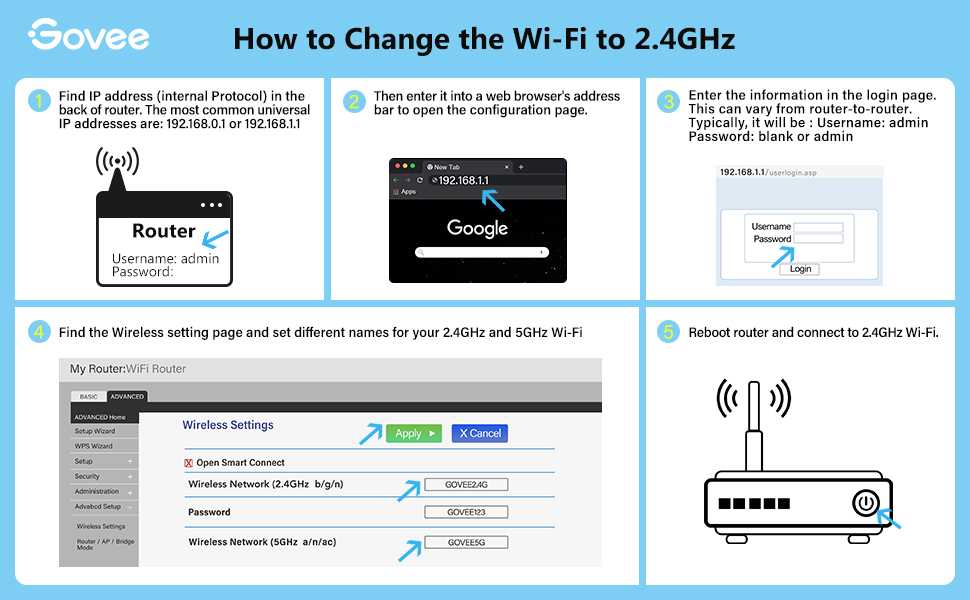
To switch your router from 2.4GHz to 5GHz, simply access your router’s settings through its web interface, find the wireless
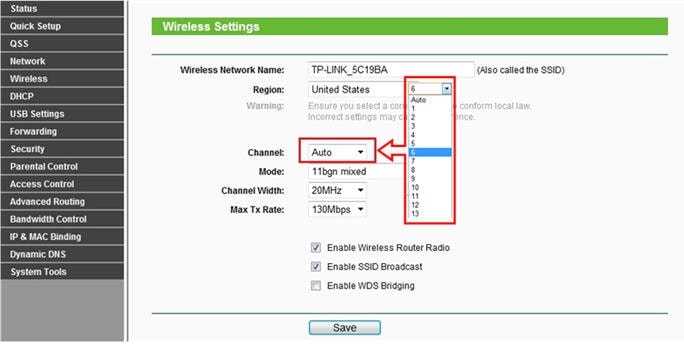
To change your router’s frequency, simply log into its admin panel and switch the wireless band from 2.4 GHz to