
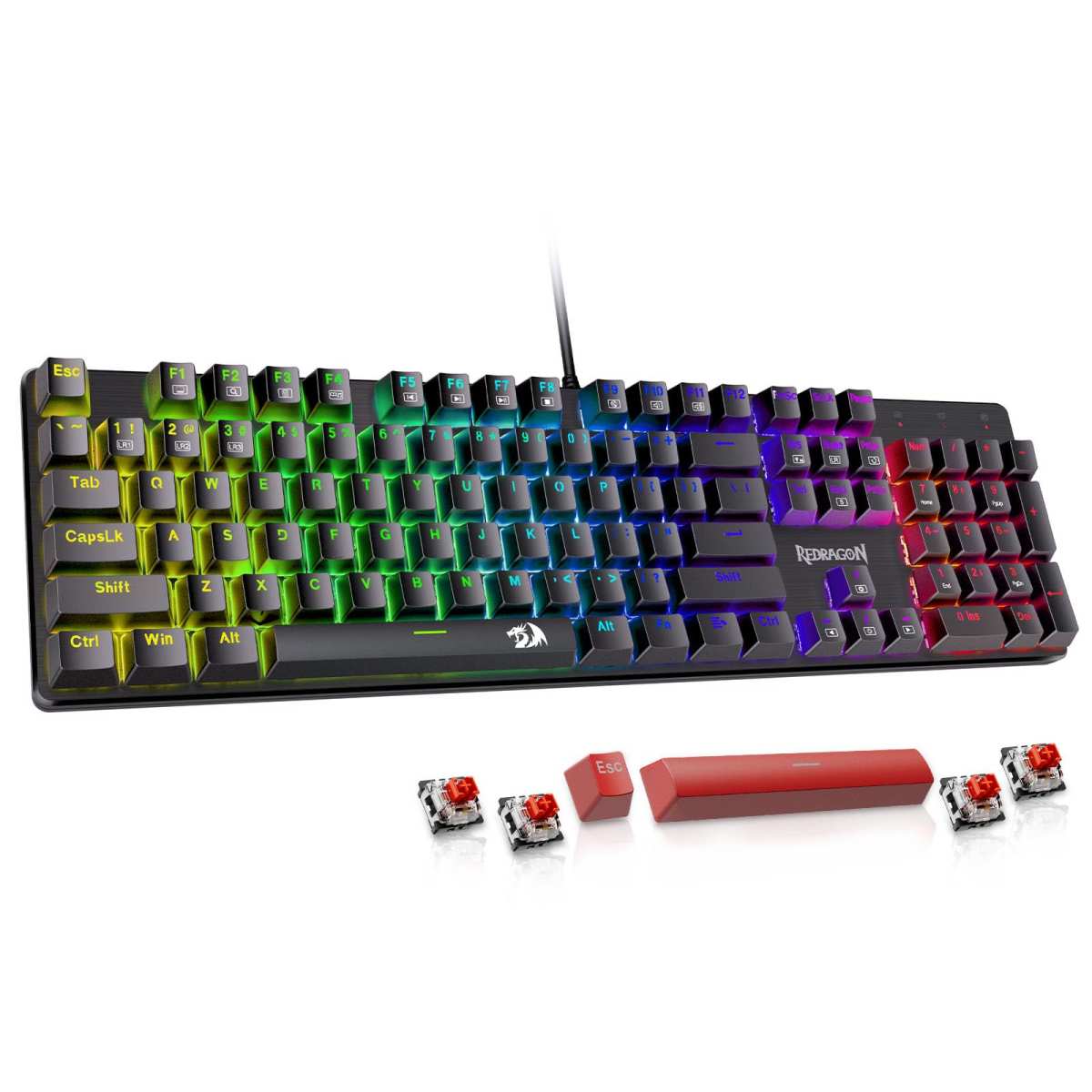
Redragon Mechanical Gaming Keyboard
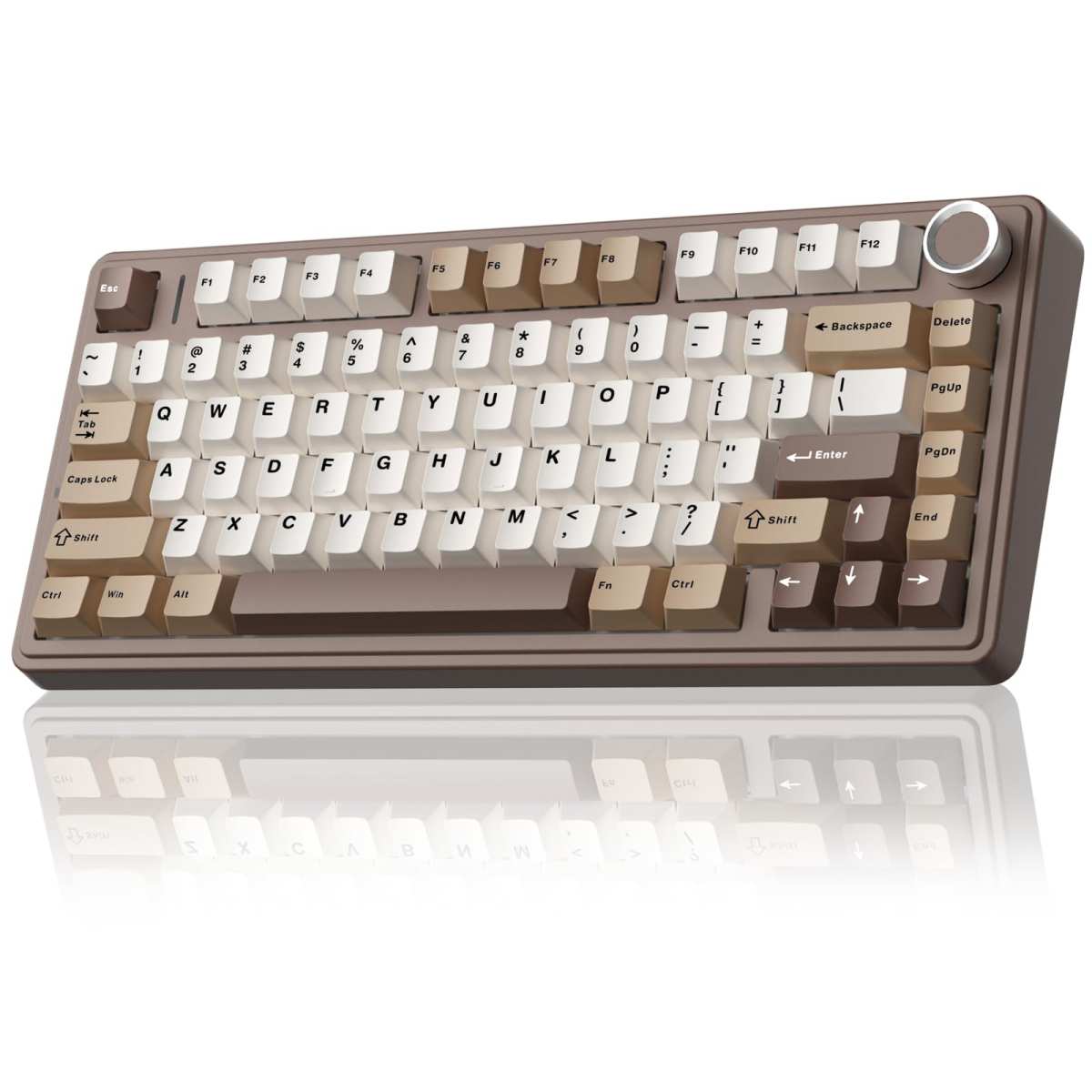
AULA F75 75% Wireless
When it comes to building the ultimate gaming or productivity setup, your keyboard is more than just a tool—it’s an extension of your hands. Whether you’re grinding through late-night raids, typing up reports, or customizing your RGB lighting to match your mood, the right mechanical keyboard can make all the difference. Today, we’re putting two popular contenders head-to-head: the Redragon Mechanical Gaming Keyboard and the AULA F75 75% Wireless. Both offer hot-swappable switches, solid build quality, and features tailored for gamers and typists alike—but they cater to very different needs and preferences.
This comparison matters because choosing between them isn’t just about price or brand loyalty. It’s about understanding what you truly value in a keyboard: wired reliability versus wireless freedom, full-size layout versus compact efficiency, or customizable lighting versus tactile sound and feel. By the end of this guide, you’ll know exactly which keyboard aligns with your setup, workflow, and personal style—whether you’re a competitive esports player, a remote worker, or a hobbyist tinkerer who loves DIY customization.
—
In-Depth Look: Redragon Mechanical Gaming Keyboard
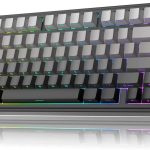
The Redragon Mechanical Gaming Keyboard is a no-frills, full-sized wired mechanical keyboard designed for reliability and simplicity. Built around linear red switches, it emphasizes smooth keystrokes with minimal actuation force—ideal for long gaming sessions or fast-paced typing. One of its standout features is the hot-swappable switch design, allowing users to replace worn-out or unsatisfying switches without soldering. It even includes four spare switches and two replacement keycaps, which is a thoughtful touch for beginners experimenting with customization.
Illumination is handled through 11 preset backlight modes, offering a range of colors and effects like breathing, wave, and reactive typing. While you can’t individually customize each key’s color, the double-injected ABS keycaps ensure bright, even lighting that doesn’t fade over time. The keyboard also supports macro programming via downloadable software, enabling users to remap keys, create shortcuts, or assign complex command sequences—perfect for MMO players or productivity power users.
Despite being wired, the Redragon delivers excellent performance with full N-key rollover and 12 dedicated multimedia keys for quick access to volume, email, calculator, and media controls. Its sturdy construction and minimalist design make it easy to clean and resistant to spills, which is a big plus for shared or busy workspaces. Plus, Redragon backs it with a generous 24-month warranty and responsive customer service, as evidenced by multiple user reports of quick replacements for defective units.
Pros:
– Reliable wired connection with no latency
– Hot-swappable switches with included spares
– Full-size layout with dedicated number pad
– Strong anti-ghosting and macro support
– Excellent customer service and warranty
Cons:
– Limited RGB customization (fixed modes only)
– No wireless option
– ABS keycaps may wear over time (though durable)
Customer Reviews Highlight:
One user praised its sturdiness and ease of cleaning, calling it “the best mechanical full-size keyboard for the price range” and appreciating the lack of unnecessary frills. Another shared a positive experience with customer service after a faulty ‘W’ key—Redragon promptly sent a replacement after troubleshooting failed, proving their commitment to satisfaction. A third reviewer switched from a mushy Bluetooth keyboard and found the Redragon’s tactile feedback far superior for daily typing.
Best For: Gamers and professionals who prioritize reliability, full functionality, and long-term durability over flashy aesthetics. Ideal for desktop setups where wireless isn’t needed and a number pad is essential.
In-Depth Look: AULA F75 75% Wireless
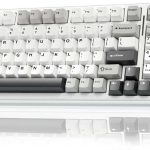
The AULA F75 75% Wireless is a modern, compact mechanical keyboard that blends sleek design with high-end functionality. Its 75% layout (81 keys) saves desk space while retaining arrow keys and essential functions—making it a favorite among minimalists and travelers. What truly sets it apart is its tri-mode connectivity: Bluetooth 5.0, 2.4GHz wireless via USB dongle, and wired USB-C. This allows seamless switching between up to five devices, including PCs, laptops, tablets, phones, and even consoles like PlayStation and Xbox.
Under the hood, the F75 features a hot-swappable PCB that supports both 3-pin and 5-pin switches, empowering users to customize their typing experience without soldering. It comes pre-lubed with smooth linear switches (like the Leobog Reaper or Greywood variants), delivering a satisfying “creamy” or “thocky” sound profile right out of the box. The advanced internal structure includes five layers of silicone padding and PCB single-key slotting, which reduces hollow noises and enhances tactile feedback.
RGB enthusiasts will love the 16.8 million color options, 16 dynamic lighting effects, and 10 music-sync modes controllable via the multifunction knob or FN combinations. Speaking of the knob: it’s a game-changer. In gaming mode, it adjusts brightness and cycles lighting effects; in office mode, it controls volume and play/pause. Long-press to switch modes instantly—no software needed.
With a robust 4000mAh battery, the F75 offers days of use on a single charge, and full N-key rollover ensures every keystroke registers during intense gameplay. Macro programming is available through the downloadable driver, and the WIN key can be locked to prevent accidental presses.
Pros:
– Tri-mode wireless versatility
– Premium build with sound-dampening materials
– Vibrant per-key RGB with music sync
– Multifunction knob for quick adjustments
– Compact yet functional 75% layout
Cons:
– No number pad (may deter data-entry users)
– Requires driver download for full macro use
– Slightly higher price point than budget wired options
Customer Reviews Highlight:
One reviewer raved about the “cozy, classy” Mocha Brown colorway, saying it elevated their entire desk aesthetic. Another called it a “high-value, high-quality budget 75% keyboard,” praising the thocky sound and bright RGB diffuser. A third user loved the Greywood switches for their crisp, sharp clack and appreciated the seamless device-switching capability.
Best For: Mobile professionals, minimalist gamers, and tech enthusiasts who value wireless freedom, compact design, and rich customization. Perfect for multi-device users and those who enjoy a tactile, quiet-yet-satisfying typing experience.
Head-to-Head Comparison
Performance & Responsiveness
Both keyboards offer full N-key rollover and low-latency input, but the Redragon’s wired connection guarantees zero interference—ideal for competitive gaming. The AULA F75 holds its own wirelessly, especially in 2.4GHz mode, though Bluetooth may introduce minor lag during fast combos.
Customization & Flexibility
The AULA F75 wins hands-down here. With per-key RGB, a physical control knob, and tri-mode connectivity, it offers far more personalization. The Redragon supports macros and hot-swapping but lacks advanced lighting or wireless options.
Build Quality & Sound
The F75’s layered silicone padding and pre-lubed stabilizers create a noticeably smoother, quieter, and more premium feel. The Redragon is solid but uses standard ABS keycaps and less internal dampening, resulting in a slightly louder, more hollow sound.
Portability & Desk Space
If you’re tight on space or frequently move between setups, the AULA F75’s compact 75% design and wireless freedom make it the clear winner. The Redragon’s full size is great for desktops but impractical for travel.
Value for Money
The Redragon offers exceptional value for a full-sized hot-swappable keyboard under $60. The AULA F75 costs slightly more (around $65–$75) but justifies it with wireless tech, superior acoustics, and RGB depth.
Frequently Asked Questions
Q: Can I use these keyboards with consoles like Xbox or PlayStation?
A: The AULA F75 75% Wireless explicitly supports PS and Xbox via wireless modes, making it ideal for cross-platform gamers. The Redragon Mechanical Gaming Keyboard is wired-only and primarily designed for PC use—console compatibility isn’t guaranteed. Check the AULA F75 on Amazon for multi-device freedom.
Q: Do I need to download software to customize these keyboards?
A: Yes, but differently. The Redragon requires software for macro editing and backlight adjustments (colors can’t be changed, only effects). The AULA F75 uses a driver (downloadable via bit.ly/m/AULA) for macros and advanced RGB, though basic knob controls work without it.
Q: Are the keycaps replaceable or upgradeable?
A: Both support standard Cherry MX-compatible keycaps. However, the AULA F75’s compact layout may require specialty sets for the non-standard bottom row. The Redragon’s full size uses universal keycap sizes.
Q: Which keyboard is better for typing all day?
A: If you need a number pad for data entry, go with the Redragon Mechanical Gaming Keyboard. If you prefer a quieter, more ergonomic compact layout, the AULA F75 75% Wireless’s sound-dampened design reduces fatigue over long sessions.
Q: Is the battery life on the AULA F75 really that good?
A: Yes! With its 4000mAh battery and efficient RGB management, most users report 3–7 days of use on a single charge, depending on lighting intensity. It charges via USB-C and can be used wired while charging.
Q: Can I swap switches on both keyboards without soldering?
A: Absolutely. Both are hot-swappable and support 3-pin and 5-pin mechanical switches. The Redragon even includes spare switches—great for beginners. See the Redragon’s included extras on Amazon.
Final Verdict: Which One Should You Choose?
Choosing between the Redragon Mechanical Gaming Keyboard and the AULA F75 75% Wireless ultimately comes down to your priorities. If you value a reliable, full-sized wired keyboard with strong customer support, macro capabilities, and hot-swappable flexibility—and don’t mind sacrificing wireless or per-key RGB—the Redragon is a fantastic, no-nonsense choice.
On the other hand, if you crave wireless freedom, a compact aesthetic, rich RGB customization, and a premium typing experience with sound-dampening engineering, the AULA F75 is the clear winner. Its multifunction knob, tri-mode connectivity, and sleek design make it perfect for modern, multi-device lifestyles.
For gamers who need a number pad and rock-solid wired performance: Go with the Redragon Mechanical Gaming Keyboard.
For minimalists, travelers, and RGB lovers who want versatility and style: Choose the AULA F75 75% Wireless.
Either way, you’re getting excellent value, build quality, and customization potential—just tailored to different visions of the perfect setup.
Related posts:
 AULA F75 Pro Wireless Mechanical Keyboard Review: Top 75% Hot Swappable Custom B
 AULA F75 Review: Best 75% Wireless Mechanical Keyboard with Hot Swap Switches
 MechLands Aula F75 PRO Review: Best 75% Wireless Gaming Keyboard with Gasket Mou
 AULA F99 Wireless Mechanical Keyboard Review: Tri-Mode Custom Gaming Keyboard wi