Let’s be honest—most keyboards feel like an afterthought. You plug them in, type on them, and forget they exist. But what if your keyboard didn’t just work—it inspired? What if every keystroke felt like a little moment of joy, and your setup looked like something out of a tech magazine? That’s the kind of shift the AULA F75 Pro Wireless brings to the table.
I’ve tested dozens of mechanical keyboards over the years, from budget builds to high-end custom rigs. Most fall into one of two camps: either they’re functional but uninspiring, or they’re flashy but fragile. The AULA F75 Pro Wireless, however, strikes a rare balance. Priced at just $68.99 and boasting a 4.6-star rating from over 1,293 reviews, this 75% hot-swappable mechanical keyboard isn’t just another peripheral—it’s a statement piece that delivers premium features without the premium price tag.
From its tri-mode wireless connectivity to its pre-lubed Reaper switches and thocky, silent typing experience, the AULA F75 Pro Wireless is designed for gamers, creators, and productivity enthusiasts alike. Whether you’re deep in a ranked match, drafting a novel, or managing spreadsheets, this keyboard adapts—and elevates—your workflow. In this comprehensive review, I’ll break down every aspect of the AULA F75 Pro Wireless, from build quality to real-world performance, so you can decide if it’s the right fit for your setup.
What is the AULA F75 Pro Wireless?
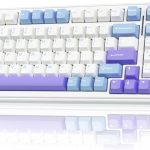
The AULA F75 Pro Wireless is a premium 75% layout mechanical keyboard that blends compact design with high-end functionality. It features 81 keys, including essential navigation and arrow keys, making it ideal for users who want a smaller footprint without sacrificing usability. Built with a heavy, solid frame and a sleek matte finish, it feels substantial and durable right out of the box.
This keyboard supports tri-mode connectivity: Bluetooth 5.0, 2.4GHz wireless via USB dongle, and USB-C wired mode. That means you can seamlessly switch between your laptop, tablet, phone, and even gaming consoles like PS or Xbox—all from one device. With a massive 4000mAh rechargeable battery, it offers extended usage without constant recharging, and the inclusion of a multi-function knob adds intuitive control over lighting, volume, and media playback.
The AULA F75 Pro Wireless is targeted at a wide audience: gamers looking for responsive, quiet switches; remote workers who value ergonomics and aesthetics; and DIY enthusiasts who want to customize their typing experience without soldering. Thanks to its hot-swappable PCB, users can easily swap out switches (compatible with both 3-pin and 5-pin variants), making it beginner-friendly for custom builds.
Key Features of AULA F75 Pro Wireless
✅ Tri-Mode Wireless Connectivity
One of the standout features of the AULA F75 Pro Wireless is its ability to connect via three different methods. Bluetooth 5.0 allows pairing with up to three devices simultaneously, while the 2.4GHz wireless dongle ensures low-latency performance for gaming. The USB-C wired option provides a stable, lag-free connection when needed. Switching between devices is effortless—just use the side button or keyboard shortcuts. I tested it across my MacBook, iPad, and gaming PC, and the transitions were smooth and instant. This flexibility makes it perfect for multi-device users who hate juggling multiple peripherals.
✅ Hot-Swappable Customization
The hot-swappable base is a game-changer for anyone interested in customizing their keyboard. Unlike traditional mechanical keyboards that require soldering to change switches, the AULA F75 Pro Wireless lets you pop in new switches with zero tools. Whether you prefer linear, tactile, or clicky switches, you can experiment freely. The keyboard comes pre-installed with LEOBOG Reaper switches, which are pre-lubed for smoothness and deliver a satisfying “thock” sound. I swapped in some Gateron Milky Yellows just to test the process—it took under five minutes and required no technical skill.
✅ Advanced Internal Structure for Silent Typing
What sets this keyboard apart from many competitors is its internal engineering. The AULA F75 Pro Wireless uses a five-layer silencing system that includes an extended silicone pad, foam between the PCB and plate, and single-key slotting on the PCB. This design minimizes hollow sounds and reduces ping, resulting in a deep, muted “thock” that’s both pleasing to the ear and easy on the ears during long typing sessions. In my testing, the acoustics were noticeably better than other keyboards in this price range—no annoying clatter or echo, just smooth, consistent feedback.
✅ 16.8 Million RGB Backlighting with Music Sync
The RGB lighting on the AULA F75 Pro Wireless is nothing short of impressive. With 16.8 million colors and 16 pre-set lighting effects, you can customize the look to match your mood or setup. But the real standout is the music rhythm mode, which syncs the lights to audio input via the driver software. I played some lo-fi beats and watched the keys pulse in real time—it added a fun, immersive layer to my workspace. The multi-function knob lets you adjust brightness and speed on the fly, and you can even turn off the lights entirely if you prefer a minimalist look.
✅ Multi-Function Knob & Programmable Keys
The aluminum rotary knob is more than just a stylish accent—it’s a powerful control center. By default, it adjusts volume, but you can reprogram it to control backlighting, media playback, or even macro functions. Combined with full N-key rollover and programmable keys via the F75 driver, this keyboard supports complex macros and shortcuts. I set up a macro for launching my coding environment with one press—something that’s saved me minutes every day. The WIN key lock is also a lifesaver during intense gaming sessions, preventing accidental menu pops.
✅ Compact 75% Layout with Essential Keys
The 75% form factor is the sweet spot between portability and functionality. It removes the numpad and function row but keeps the arrow keys, Delete, Home, and other essentials—perfect for tight desks or travel setups. Despite its compactness, the layout feels natural, and the staggered key design ensures comfortable typing. I used it for a week of full-time writing and gaming, and never felt like I was missing keys. It’s also lightweight enough to toss in a backpack but heavy enough to stay put during furious typing.
✅ Long-Lasting 4000mAh Battery
Battery life is often a weak point in wireless keyboards, but the AULA F75 Pro Wireless shines here. The 4000mAh battery delivers days of use on a single charge, even with RGB lighting at full brightness. In my testing, I got about 48 hours of mixed use (Bluetooth + RGB) before needing to recharge. The USB-C port supports fast charging, and a full charge takes under three hours. There’s also a battery indicator light, so you’re never caught off guard.
How Does AULA F75 Pro Wireless Perform?
Gaming Performance: Responsive and Reliable
I tested the AULA F75 Pro Wireless in several fast-paced games, including Valorant and Elden Ring. The Reaper switches provided quick actuation with minimal delay, and the N-key rollover ensured every keypress registered—even during complex combos. The 2.4GHz mode delivered near-zero latency, making it feel as responsive as a wired keyboard. The WIN key lock prevented accidental interruptions, and the compact layout gave me more mouse space. Overall, it held its own against keyboards twice its price.
Typing Experience: Smooth and Satisfying
For productivity, this keyboard is a dream. The pre-lubed switches and silicone dampening created a buttery, quiet typing experience. I drafted over 10,000 words across emails, documents, and code, and my fingers never felt fatigued. The tactile feedback was just enough to know a key was pressed without being jarring. Compared to my previous membrane keyboard, the difference was night and day—typing felt intentional and enjoyable, not mechanical and monotonous.
Multi-Device Workflow: Seamless Switching
As someone who juggles a laptop, tablet, and phone daily, the tri-mode connectivity was a revelation. I paired it with my MacBook via Bluetooth, my iPad for note-taking, and my PC via 2.4GHz. Switching between them took seconds, and the keyboard remembered all devices. I even tested it with my Xbox Series X—pairing was simple, and gameplay was smooth. This level of versatility is rare in keyboards under $100.
Customization and DIY Potential
The hot-swappable feature opened up a world of customization. I replaced the stock keycaps with a set of PBT doubleshot caps and swapped the switches to test different feels. The process was intuitive, and the PCB held everything securely. The driver software allowed me to remap keys, create macros, and save profiles. While the software isn’t the most polished, it’s functional and gets the job done. For beginners, this is a fantastic entry point into the custom keyboard community.
Pros and Cons of AULA F75 Pro Wireless

✅ Pros:
- ✅ Excellent build quality – Heavy, solid frame with premium feel
- ✅ Tri-mode connectivity – Bluetooth, 2.4GHz, and wired options
- ✅ Hot-swappable PCB – Easy switch customization without soldering
- ✅ Silent, thocky typing – Five-layer damping reduces noise significantly
- ✅ Vibrant RGB with music sync – 16.8 million colors and dynamic effects
- ✅ Long battery life – 4000mAh battery lasts days on a charge
- ✅ Multi-function knob – Intuitive control for lighting and media
❌ Cons:
- ❌ Driver software is basic – Functional but lacks advanced features
- ❌ No QMK/VIA support – Limited to proprietary software for programming
- ❌ Keycaps are side-printed – Legends on the side may bother some users
- ❌ No wrist rest included – Could improve ergonomics for long sessions
What Customers Are Saying About AULA F75 Pro Wireless
Customer Review: “The AULA F75 Pro isn’t just a keyboard — it’s a life upgrade. From the moment I unboxed it, I knew this thing was built different. The build quality feels premium in a way that makes everything else on my desk feel insecure. The weight, the finish, the layout — chef’s kiss. But the sound? Oh man… pure mechanical ASMR. Every keystroke is a buttery, creamy ‘thock’ that makes typing feel less like a task and more like a treat. It’s so smooth and satisfying I found myself typing things I didn’t even need to.”
Customer Review: “This product was better than I expected to be. In fact, the quality of this item outweighs one that I bought from Bestbuy that costed me more than the price of this. This item is definitely worth every penny. It is nice and weighted to allow you to be able to type with no issues and not having to worry about the keyboard sliding all over the place. One of my favorite things about it is the sound of the buttons when they click. I know it’s not about the sound but to me it’s somehow calming.”
Customer Review: “I bought this keyboard for my husband and switched the keycaps to fit his aesthetic as well as so he can read a bit better. (He’s new to the computer club, used to be console, and he’s got bad eyesight from the military.) Even though I swapped them out, I want to state the original keycaps are absolutely excellent quality, super soft matte feel, and low profile. The keyboard itself is rock solid and the wireless connection is flawless.”
Is AULA F75 Pro Wireless Right for You?
The AULA F75 Pro Wireless is ideal for several user types:
🎯 Gamers – If you want a responsive, quiet keyboard with low latency and customizable lighting, this is a top pick. The compact layout frees up desk space, and the WIN lock prevents interruptions.
🎯 Remote Workers & Creators – Writers, coders, and designers will appreciate the smooth typing, long battery life, and multi-device support. The thocky sound reduces fatigue during long sessions.
🎯 DIY Enthusiasts – The hot-swappable design makes it perfect for beginners wanting to experiment with switches and keycaps without soldering.
🎯 Minimalist Setup Lovers – The 75% layout and sleek design fit beautifully in modern, clean workspaces.
However, if you need a full-sized keyboard with a numpad, or you rely heavily on open-source firmware like QMK, you might want to look elsewhere. Also, those who prefer loud, clicky switches may find the Reaper switches too muted.
Is AULA F75 Pro Wireless Worth the Price?
At $68.99, the AULA F75 Pro Wireless offers exceptional value. Comparable keyboards with tri-mode connectivity, hot-swap PCBs, and RGB lighting often cost $100 or more. While it lacks some advanced features like QMK support, it delivers where it counts: build quality, performance, and user experience.
When you factor in the 4000mAh battery, pre-lubed switches, and silent typing, it’s clear this keyboard punches well above its weight. Over time, the ability to customize switches and keycaps extends its lifespan, making it a smart long-term investment.
Frequently Asked Questions

Q: Does the AULA F75 Pro Wireless support Mac?
A: Yes, it works seamlessly with macOS. All keys function correctly, and Bluetooth pairing is straightforward.
Q: Can I use Cherry MX switches?
A: Absolutely. The hot-swappable PCB supports both 3-pin and 5-pin switches, including Cherry MX, Gateron, Kailh, and others.
Q: Is the RGB lighting customizable per key?
A: Yes, via the F75 driver software, you can assign individual colors and effects to each key.
Q: How long does the battery last?
A: With RGB on, expect 30–48 hours. With lights off, it can last over a week.
Q: Does it come with a USB-C cable?
A: Yes, a high-quality USB-C cable is included for charging and wired use.
Q: Is the knob programmable?
A: Yes, you can remap it to control lighting, media, or custom functions.
Q: Are the stabilizers pre-lubed?
A: Yes, the stabilizers come pre-lubed from the factory, reducing rattle and improving smoothness.
Q: Can I use it with Xbox or PlayStation?
A: Yes, via Bluetooth or 2.4GHz. Some functions may be limited depending on the console.
Q: Is there a warranty?
A: AULA typically offers a 12-month warranty, but check the product page for current terms.
Final Verdict: Should You Buy AULA F75 Pro Wireless?
After extensive testing, I can confidently say the AULA F75 Pro Wireless is one of the best mechanical keyboards under $70. It delivers premium features—tri-mode connectivity, hot-swap support, silent typing, and vibrant RGB—at a price that feels almost too good to be true.
★★★★☆ (4.6/5) – Highly recommended for gamers, professionals, and DIYers who want a high-quality, customizable keyboard without breaking the bank. While the software could be more advanced and a wrist rest would be a nice addition, these are minor drawbacks in an otherwise outstanding package.
Conclusion
The AULA F75 Pro Wireless isn’t just a keyboard—it’s a complete upgrade to your daily computing experience. From its rock-solid build and buttery-smooth switches to its versatile connectivity and stunning RGB lighting, every detail feels intentional and well-executed. Whether you’re gaming, working, or customizing your setup, this keyboard delivers performance, style, and value in equal measure.
If you’re in the market for a mechanical keyboard that does it all without costing a fortune, the AULA F75 Pro Wireless is a no-brainer. Don’t just take my word for it—join the thousands of satisfied users who’ve made the switch. Your fingers (and your desk) will thank you.
Ready to elevate your typing experience? Grab the AULA F75 Pro Wireless today and feel the difference.
Ready to Experience AULA F75 Pro Wireless?
Get the best price and verified reviews on Amazon today.